






|
Quantity
|
Out of stock
|
||
|
|
|||
|
|
|||
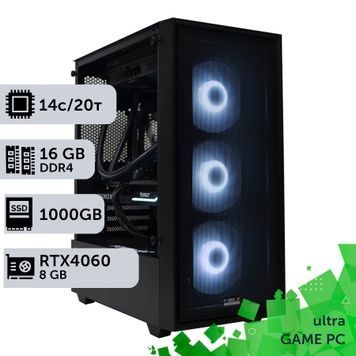
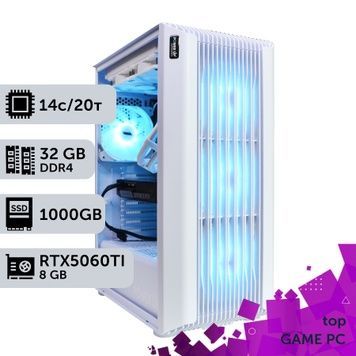
Liquid-Cooled Gaming PCs: Which CPUs Need an AIO
An all-in-one liquid cooler (AIO) moves CPU heat to a radiator with fans on the case wall. It goes where a tower cooler struggles: the Core i9-14900K draws up to 279 W under full load (TechPowerUp), and the Ryzen 9 7900X and 9950X3D are rated at 170 W TDP.
Liquid cooling at a glance
- Needed for: Core i7/i9 K-series, Core Ultra 7 and 9 (250–253 W Intel limit), Ryzen 9.
- Optional for: Ryzen 7 X3D chips draw 50–70 W in games (PC Games Hardware), so a good air cooler is enough.
- Radiator: 240 mm for Core i5 K-series and Ryzen 7, 360 mm for Core i7/i9 K-series, Core Ultra 9 and Ryzen 9.
- Maintenance: the AIO loop is sealed; just dust the radiator every 6–12 months.
How Much Heat the CPU Puts Out
Ryzen 7 7800X3D≈50 W
Ryzen 7 9800X3D≈70 W
Core i7-14700K≈125 W
Core i9-14900K≈125 W
In rendering and compiling, the Core i7-14700K and i9-14900K hit Intel's 253 W limit — sustained loads like these, not games, decide whether you need an AIO. Tests are in our article AIO or air cooling for a gaming PC in 2026.
Liquid Cooling FAQ
Does a gaming PC need liquid cooling?
Only with a hot CPU: Core i7/i9 K-series, Core Ultra 7 and 9, or Ryzen 9. Ryzen 7 X3D chips are fine on air.
240 mm or 360 mm radiator?
240 mm for Core i5 K-series and Ryzen 7, 360 mm for the Core i9-14900K, Core Ultra 9 285K and Ryzen 9.
Do I need to refill an AIO?
No. An AIO is sealed and pre-filled at the factory.