









|
Quantity
|
Out of stock
|
||
|
|
|||
|
|
|||
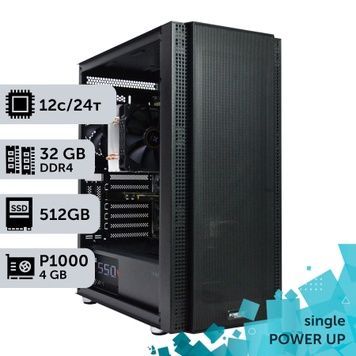
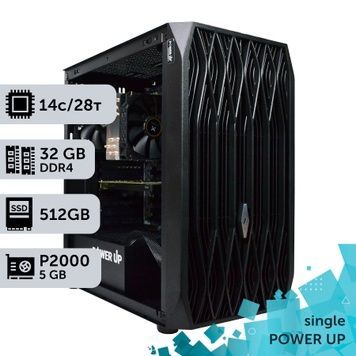
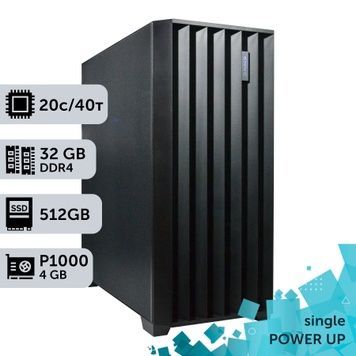
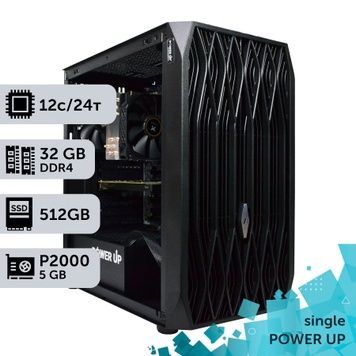
A graphics workstation is a computer for 3D visualization, rendering, design and graphics work, built on an Intel Xeon or AMD EPYC server platform. This section lists PowerUp single-CPU workstations on Xeon E5 v3/v4 (12–22 cores) and AMD EPYC (16–128 cores) with up to 256 GB of ECC memory and graphics cards from Quadro P1000 to Quadro RTX 6000 24 GB and GeForce RTX 5070 Ti. It is a computer for an interior designer, 3D visualizer, architect or engineer who needs many cores, lots of memory and PCIe lanes for less money than a new desktop platform costs. Every workstation runs a 4-hour load test, and the warranty is 2 years.
Xeon or EPYC: which platform to choose
| Platform | CPUs in our workstations | Cores | Memory | PCIe lanes | Our Blender test* | Best for |
|---|---|---|---|---|---|---|
| Intel Xeon E5 v3/v4 | E5-2680 v4, E5-2673 v4, E5-2699 v4, E5-2690 v3, E5-2687W v4 | 12–22 | DDR4 ECC, 4 channels, up to 128 GB | 40 PCIe 3.0 | E5-2680 v4 — 537 s, E5-2673 v4 — 430 s, E5-2696 v4 (equivalent to 2699 v4) — 376 s | CAD, BIM, 2D and GPU rendering where the graphics card does the main work |
| AMD EPYC, 16–32 cores | EPYC 7F52, 7F72, 7413, 7551 | 16–32 | DDR4 ECC, 8 channels, up to 256 GB | 128 PCIe 3.0/4.0 | EPYC 7551 — 284 s | 3D visualization, CPU rendering of mid-size scenes, 2–3 graphics cards |
| AMD EPYC, 48–64 cores | EPYC 7642, 7702, 7C13 | 48–64 | DDR4 ECC, 8 channels, up to 256 GB | 128 PCIe 4.0 | — | Corona and V-Ray on the CPU, large scenes, simulations |
| AMD EPYC 9004 | EPYC 9534, 9654, 9754 | 64–128 | DDR5 ECC, 12 channels, 256 GB | 128 PCIe 5.0 | — | The heaviest CPU workloads |
* Render time of the Pavilion Barcelona scene in Blender; lower is faster. For comparison: Core i7-14700KF — 220 s, Core i9-14900KF — 191 s, Threadripper 3970X — 148 s. All measurements are in the test results table for our workstations. Why OEM processors such as EPYC 7C13 cost less than retail versions is explained in our review of OEM EPYC versions.
When a graphics workstation beats a desktop PC
A single Xeon E5 v4 is slower than a current Core i7 in multithreaded rendering: 430–537 seconds versus 220 in our test. A graphics workstation is bought not for single-CPU speed but for what desktop platforms lack.
- ECC memory and 24/7 operation — overnight renders without crashes caused by memory errors.
- Memory channels and capacity — 4 channels on Xeon E5 and 8 on EPYC versus two on Core and Ryzen, up to 256 GB for large scenes, point clouds and texture libraries.
- PCIe lanes — 40 on Xeon E5 and 128 on EPYC: two or three graphics cards and NVMe drives run without splitting lanes.
- Cores — 48–64 EPYC cores for Corona and V-Ray on the CPU.
- GPU rendering — in Redshift, Octane and V-Ray GPU the processor is secondary, so an affordable Xeon paired with a powerful graphics card gives more speed per hryvnia.
Photoshop, Illustrator, Figma and modeling in Revit and SketchUp depend more on single-core frequency, so desktop workstations on Core and Ryzen from the Desktop section and computers for photo editing and 2D graphics are faster there. For maximum core counts, see dual-CPU workstations on 2× Xeon and 2× EPYC.
Graphics card by application
| Applications | What matters | Graphics cards in our workstations |
|---|---|---|
| AutoCAD, 2D drawings, Photoshop | Stable drivers, 2–4 monitors | Quadro P1000, P2000, RTX A2000 |
| Revit, ArchiCAD, SolidWorks | Certified drivers, 6–8 GB of VRAM | Quadro P4000, Quadro RTX 4000, RTX A2000 |
| 3ds Max, Blender, SketchUp: viewport and GPU rendering | 12–16 GB of VRAM, RT cores | GeForce RTX 5060 Ti 16 GB, RTX 5070, RTX 5070 Ti, RTX A4000 16 GB |
| D5 Render, Enscape, Twinmotion, Lumion | Real-time ray tracing | GeForce RTX 5060 Ti–5070 Ti, RTX A4000, Quadro RTX 6000 24 GB |
| Large scenes in V-Ray GPU, Redshift, Octane | 24 GB of VRAM or more | Quadro RTX 6000 24 GB, RTX A5000 24 GB |
Quadro M2000–P5000 cards (Maxwell and Pascal architectures) have no RT cores: they are enough for 2D and CAD, but D5 Render and Enscape 4 run only on cards with hardware ray tracing. The Intel Arc Pro B60 with 24 GB suits Blender and neural networks, but Redshift, Octane and V-Ray GPU do not support it. How generations of professional cards differ is explained in our article on the NVIDIA Quadro RTX line.
Memory, storage and monitor
- 64 GB — 3ds Max and Revit with mid-size projects; 128 GB — large interiors, architectural scenes, point clouds; 256 GB — simulations and huge scenes on EPYC. Why memory channels matter more than frequency at these capacities is covered in our article on 128 GB of memory.
- Storage — system and applications on a 512 GB–1 TB NVMe drive, texture libraries and projects on a second SSD, archive on an HDD. Our workstations come with SSDs up to 2 TB and HDDs up to 2 TB.
- Monitor — visualization needs a screen with accurate color reproduction: choose one from our monitors for designers.
Ready-made selections by task: computers for interiors and rendering, for 3D modeling and for design and engineering. All lines are in the workstations catalog.
How we build and what the purchase includes
- In-house assembly — PowerUp builds workstations under its own brand and works with its own imports. Our clients include MHP, Obozrevatel and design studios: see who works with us.
- Testing — every workstation runs 4 hours under load in AIDA64 and FurMark, and we measure its Blender render time. An unactivated Windows 10/11 is installed for testing; the license key is purchased separately.
- Your own configuration — we change the CPU within the platform, the graphics card, memory and storage. A workstation for your project can be ordered through a custom configuration.
- 2-year warranty — repairs take 1–2 days on average plus shipping, with a replacement unit available for that time; post-warranty service continues after it ends. Unused items can be returned within 14 days. Warranty terms.
- Delivery — orders confirmed before 12:00 ship via Nova Poshta the same day, delivery across Ukraine takes 1–3 days, and parcels are insured. Pickup from our Kyiv office (Petropavlivska Borshchahivka, 6 Petropavlivska St, 4Room mall) with a check before payment, Mon–Fri 10:00–19:00.
- Payment — bank transfer without commission, invoice with VAT, or installments from PrivatBank or PUMB (PUMB offers 3 to 24 payments, the first one due a month later). Details are on the payment and delivery page.
Graphics workstation FAQ
What is a graphics workstation?
A graphics workstation is a computer for 3D, visualization, CAD and graphics that combines a professional processor with ECC memory support and a graphics card suited to graphics applications. At PowerUp these are single-CPU workstations on Intel Xeon E5 and AMD EPYC with 12–128 cores and up to 256 GB of memory.
How does a graphics workstation differ from a computer for a designer?
For 2D design in Photoshop, Illustrator and Figma, a desktop PC with a high-frequency processor is enough. A graphics workstation is needed for 3D visualization, rendering and large projects: it has more cores, ECC memory and PCIe lanes for several graphics cards.
What to choose for 3ds Max and Corona: Xeon, EPYC or Core i9?
Corona and V-Ray CPU rendering scales well with core count, so a 48–64-core EPYC is the better value for it. The 3ds Max viewport depends more on frequency, and a Core i9 is faster there. A balanced option is a 32–64-core EPYC with a GeForce RTX 5060 Ti 16 GB or RTX 5070 Ti, and for maximum render speed, a dual-CPU workstation.
Is a Xeon graphics workstation suitable for Photoshop and Illustrator?
It will work, but it will not reach its potential: these applications mostly use one or two cores, and Xeon E5 clocks are low. If you work only with 2D graphics, a desktop PC on Core i5, Core i7 or Ryzen 7 with 32–64 GB of memory will be faster.
Which graphics card do D5 Render, Enscape and Lumion need?
An NVIDIA RTX card with hardware ray tracing and 12–16 GB of VRAM: GeForce RTX 5060 Ti 16 GB, RTX 5070 Ti or RTX A4000. For large scenes, take a Quadro RTX 6000 with 24 GB. Quadro M2000–P5000 cards are not suitable for D5 Render and Enscape 4 because they have no RT cores.
Can I add memory or a graphics card, or install a more powerful CPU later?
Yes, if the configuration has free slots. Xeon E5 has four memory channels and 40 PCIe lanes, EPYC has eight channels and 128 lanes, so you can add memory and a second graphics card. The processor can be replaced with a more powerful one within the same socket if the motherboard supports it, for example with an EPYC with more cores.
Can I change the configuration before buying?
Yes. We change the CPU within the platform, the graphics card, memory capacity and storage — write your requirements in the order comment or agree on them with a manager. We will build a workstation for your project from scratch as a custom configuration.
What is the warranty, and can I buy a graphics workstation in installments?
The warranty is 2 years, repairs take 1–2 days on average plus shipping, and a replacement unit is available. Before shipping, each workstation is tested under load for 4 hours. You can pay in installments from PrivatBank or PUMB (PUMB offers 3 to 24 payments), by bank transfer without commission, or by invoice with VAT.