



|
Quantity
|
Out of stock
|
||
|
|
|||
|
|
|||
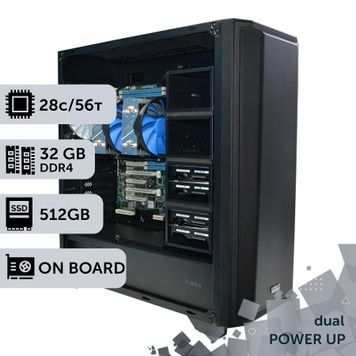
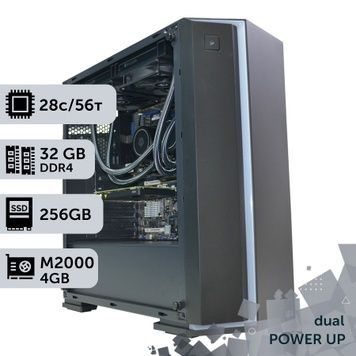
A dual-processor workstation is a computer featuring two server processors on a single motherboard: the cores, memory channels, and PCIe lanes of both processors are combined. The PowerUp catalog features 242 such workstations across three platforms: 2 × Intel Xeon E5 v3/v4, 2 × Xeon Scalable, and 2 × AMD EPYC — ranging from 24 to 128 cores, and from 32 to 512 GB of DDR4 ECC memory. In our Blender benchmark, a pair of EPYC 7763s renders a scene in 52 seconds, while a Core i9-14900KF takes 191 s, meaning it is 3.7 times slower. Dual-processor workstations are chosen for CPU rendering, engineering calculations, virtualization, and tasks that require hundreds of gigabytes of ECC memory. We assemble each workstation ourselves, test it under load for 4 hours, and provide a 2-year warranty.
Three Platforms of Dual-Processor Workstations
| Platform | Processors in the catalog (cores per processor) | System memory | PCIe lanes | Strong point |
|---|---|---|---|---|
| 2 × Intel Xeon E5 v3/v4, LGA2011-3 — 127 workstations | E5-2690 v3 and E5-2687W v4 (12), E5-2680 v4 (14), E5-2673 v4 (20), E5-2699 v4 (22) | DDR4 ECC, 8 channels | 80 × PCIe 3.0 | The most affordable entry into 24–44 cores |
| 2 × Intel Xeon Scalable, LGA3647 — 36 workstations | Gold 6154 and 6254 (18), Gold 6248 (20), Platinum 8260 (24), Platinum 8270 (26) | DDR4 ECC, 12 channels | 96 × PCIe 3.0 | AVX-512 and turbo frequency up to 4.0 GHz on Gold 6254 and Platinum 8270 |
| 2 × AMD EPYC 7001/7002/7003, SP3 — 79 workstations | EPYC 7F52 (16), 7F72 and 7413 (24), 7453 (28), 7551 (32), 7642 (48), 7702, 7713, 7763 and 7C13 (64) | DDR4 ECC, 16 channels | 128 lanes, EPYC 7002/7003 feature PCIe 4.0 | Up to 128 cores and 256 threads, up to 512 GB of memory in our builds |
- The letter F in EPYC 7F52 and 7F72 stands for versions with increased frequency and a larger L3 cache for software licensed per core: 16 fast cores per processor instead of 64 slower ones.
- EPYC 7C13 is an OEM version of the 64-core Milan generation EPYC; we explain the differences between such processors and retail versions in our review of OEM EPYC versions.
- If you need a single processor with a massive core count, check out our graphics workstations based on Xeon and AMD EPYC: one EPYC 7551 in our test renders like two Xeon E5-2680 v4s.
Render Test: Dual-Processor Workstations vs. Core and Ryzen
Before delivering to a client, we render the same Pavilion Barcelona scene in Blender 2.8 (1280 × 720) on every workstation and record the time. Less is better. The full table is available on the test results page.
| Configuration | Cores / threads | Render time, s |
|---|---|---|
| 2 × AMD EPYC 7763 | 128 / 256 | 52 |
| 2 × AMD EPYC 7702 | 128 / 256 | 69 |
| 2 × AMD EPYC 7642 | 96 / 192 | 85 |
| Threadripper 3970X (for comparison) | 32 / 64 | 148 |
| 2 × AMD EPYC 7551 | 64 / 128 | 153 |
| 2 × AMD EPYC 7F52 | 32 / 64 | 164 |
| 2 × Xeon Gold 6154 | 36 / 72 | 176 |
| Core i9-14900KF (for comparison) | 24 / 32 | 191 |
| 2 × Xeon E5-2699 v4 | 44 / 88 | 192 |
| Ryzen 9 7950X (for comparison) | 16 / 32 | 192 |
| 2 × Xeon E5-2673 v4 | 40 / 80 | 219 |
| Core i7-14700KF (for comparison) | 20 / 28 | 220 |
| 2 × Xeon E5-2680 v4 | 28 / 56 | 276 |
| 2 × Xeon E5-2690 v3 | 24 / 48 | 315 |
- A pair of EPYC 7763s is 3.7 times faster than a Core i9-14900KF and 5.3 times faster than a pair of Xeon E5-2680 v4s. For heavy CPU rendering, this is the main argument for a dual-processor workstation.
- A pair of Xeon E5-2699 v4s renders like a Core i9-14900KF and Ryzen 9 7950X, while a pair of E5-2680 v4s is slower than a Core i7-14700KF. Xeon E5 workstations are chosen not for raw speed, but for 8 channels of ECC memory, 80 PCIe lanes, and the price per core.
- We didn't test the Platinum 8260 and 8270, but similarly cored pairs of Platinum 8176 (28 cores) and 8272CL (26 cores) render the same scene in 141–142 s.
- In GPU rendering (Blender Cycles OptiX, Redshift, Octane), the graphics card handles the math: in our Blender 3.4.1 table, even a GeForce RTX 3050 is 3.4 times faster than a pair of Xeon E5-2673 v4s.
Tasks That Require Two Processors
| Task and software | What two processors provide | Which platform to choose |
|---|---|---|
| CPU rendering: 3ds Max with Corona or V-Ray, Arnold, Cycles on CPU | Render time decreases almost proportionally to the core count | EPYC 7642–7763 for studios, Xeon E5-2699 v4 and E5-2673 v4 to start; see computers for rendering |
| Calculations and simulations: ANSYS, Abaqus, COMSOL, LS-DYNA, OpenFOAM | Solvers hit memory bandwidth limits — a pair of EPYCs has 16 channels | EPYC 7F52/7F72 for per-core licensing, EPYC 7642–7763 without limits; see computers for complex calculations |
| Virtualization, VDI, test environments, application servers | Dozens of virtual machines on a single workstation and hundreds of gigabytes of ECC memory | Any; example — VDI server for SolidWorks, rack solutions — in server PCs |
| Multiple graphics cards: GPU rendering, neural networks | PCIe lanes for 2–4 cards and memory for datasets | EPYC 7002/7003 with PCIe 4.0; ready-made configurations with 2–3 cards — in AI workstations |
| CAD modeling: AutoCAD, SolidWorks, Revit | Nothing: modeling uses a single core | A desktop workstation on Core i7/i9 or Core Ultra is more cost-effective |
| Gaming and video editing | Nothing: core frequency, Quick Sync, and the graphics card are what matter | Desktop workstation or gaming PC |
Memory, Graphics Cards, and Drives
- Memory in all builds is DDR4 ECC: 32 GB in 42 workstations, 64 GB in 70, 128 GB in 75, 256 GB in 50, 512 GB in 5 (on EPYC 7702, 7713, 7763, and 7C13). We explain the benefits of error correction in our article about ECC Registered.
- Bandwidth increases only when all channels are populated: two Xeon E5s need 8 modules, two Xeon Scalables need 12, two EPYCs need 16. Why channels are more important than frequency is detailed in the article on 128 GB of memory.
- Graphics cards range from the board's integrated video chip (2 workstations for computations and server tasks) and Quadro M2000, P1000, P2000 for CAD, to RTX A4000, RTX A5000, and Quadro RTX 6000 24 GB, as well as GeForce RTX 3050–5070 Ti. The most common GPUs in dual-processor builds are Quadro RTX 4000 (23), GeForce RTX 5060 Ti 16 GB (21), and Quadro RTX 5000 (19). Separate selections include workstations with Quadro P4000 and dual-processor workstations with Quadro M4000.
- Xeon platforms operate on PCIe 3.0. The GeForce RTX 5050, 5060, and 5060 Ti connect via 8 lanes and get PCIe 3.0 x8 bandwidth on them — for such workstations, choose 16 GB versions so data doesn't exceed the video memory limits.
- Drives: 1 TB SSD in 113 builds, 512 GB in 76, 2 TB in 40, 256 GB in 11, 4 TB in 2; a 1–6 TB HDD for archives in 36 builds.
Cooling, Power, and Windows
- All dual-processor workstations are air-cooled: 120 mm ID-Cooling towers for Xeon E5, Dynatron B11/B14 for Xeon Scalable, Arctic Freezer 4U for EPYC. Server processors with 120–280 W TDP do not need liquid cooling.
- Power supplies range from 750 W 80+ Bronze in Xeon E5 builds to 1000 W 80+ Gold in 64-core EPYC and Xeon Scalable workstations with powerful graphics cards.
- Two processors form at least two NUMA nodes: each processor works faster with its own local memory. Renderers and solvers take this into account, while programs that cannot work with multiple nodes will use a single processor.
- Windows Home only works with one processor. Windows 11 Pro supports up to 2 processors, 128 cores, and 2 TB of memory; Pro for Workstations supports up to 4 processors, 256 cores, and 6 TB. Xeon E5 v3/v4 processors are not on Microsoft's Windows 11 list; Linux supports all three platforms.
We show what such a workstation looks like from the inside in our review of a dual Xeon E5-2680 v3 workstation. All lineups — single-processor, desktop, and AI — are available in the workstations catalog.
How PowerUp Assembles Dual-Processor Workstations
- We build workstations under our own brand using components we import ourselves. In any build, you can change the memory capacity, processor within the platform, drives, cooling, and graphics card — via a comment on your order or through a manager.
- Before shipping, each workstation runs for 4 hours under load in AIDA64 and FurMark, then renders a test scene in Blender. An unactivated Windows 10/11 is installed for verification; the license key is purchased separately.
- 2-year warranty: repairs take an average of 1–2 days plus shipping time, a loaner fund and post-warranty service are available, and unused goods can be returned within 14 days — warranty terms.
- Delivery via Nova Poshta takes 1–3 days: orders confirmed before 12:00 PM are shipped the same day, and parcels are insured. At our Kyiv office (Petropavlivska Borshchahivka, 6 Petropavlivska St., 4Room Mall, Mon–Fri 10:00 AM – 7:00 PM), you can inspect the workstation before paying — payment and delivery.
- Payment to a current account without commission or cashless payment with VAT; installment payments via PrivatBank and FUIB (for FUIB — from 3 to 24 payments, the first payment is due in a month).
- PowerUp workstations are used at MHP, Obozrevatel, and design studios — who works with us. If you can't find the required build in the catalog — request a custom configuration.
Frequently Asked Questions About Dual-Processor Workstations
Why is a dual-processor workstation better than a single-processor one?
The cores, memory channels, and PCIe lanes of two processors combine: a pair of EPYCs provides up to 128 cores, 16 memory channels, and 128 PCIe lanes. This accelerates CPU rendering, computations, and virtualization. The single-core frequency does not increase, so CAD modeling and gaming won't be any faster.
What is faster: two Xeons or one Core i9?
It depends on the generation. In our Blender test, a pair of Xeon E5-2699 v4s renders like a Core i9-14900KF (192 and 191 s), a pair of E5-2680 v4s is slower (276 s), and a pair of EPYC 7763s is 3.7 times faster (52 s). Xeon E5s beat the Core i9 in ECC memory capacity and PCIe lane count, not in raw speed.
What to choose: Xeon or AMD EPYC?
Xeon E5 v3/v4 is the most affordable option for 24–44 cores. Xeon Scalable offers AVX-512 and frequencies up to 4.0 GHz. EPYC 7002/7003 provides the maximum number of cores (up to 128), 16 memory channels, and PCIe 4.0: for studio CPU rendering and heavy simulations, this is the best choice in our catalog.
How much RAM can be installed?
In our builds — from 32 to 512 GB DDR4 ECC; 512 GB on 64-core EPYCs. The capacity can be modified when ordering. For full bandwidth, populate all channels: 8 modules for two Xeon E5s, 12 for Xeon Scalable, 16 for EPYC.
Which Windows is needed for two processors?
At least Windows 10 or 11 Pro: Home only sees one processor. Windows 11 Pro supports up to 2 processors and 128 cores, Pro for Workstations supports up to 4 processors and 256 cores. Xeon E5 v3/v4 processors are not on Microsoft's Windows 11 compatibility list; Linux supports all three platforms.
Is a dual-processor workstation suitable for CAD and gaming?
It will work, but the second processor adds nothing in these tasks: AutoCAD, SolidWorks, Revit, and games depend on single-core frequency, which is lower on server processors than on Core i7 and i9. A desktop workstation is more cost-effective for CAD.
Do I need liquid cooling?
No. All our dual-processor workstations run on air coolers: 120 mm ID-Cooling for Xeon E5, Dynatron B11/B14 for Xeon Scalable, Arctic Freezer 4U for EPYC. Before shipping, each workstation runs for 4 hours under full load.
What is the warranty and can I change the configuration?
The warranty is 2 years, repairs take an average of 1–2 days plus shipping time, and a loaner fund is available during repairs. Memory capacity, processor within the platform, drives, cooling, and graphics card can be changed via an order comment; you can pay in installments from PrivatBank or FUIB.