











|
Quantity
|
Out of stock
|
||
|
|
|||
|
|
|||
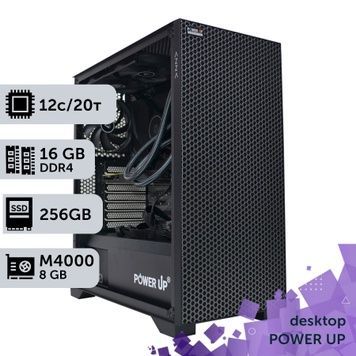
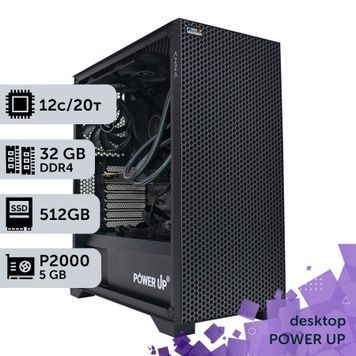
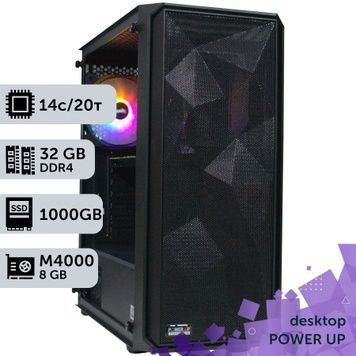
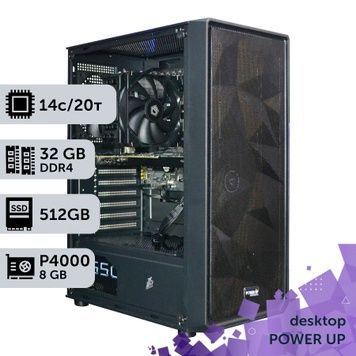
A PowerUp Desktop workstation is a single-processor tower computer for CAD, 3D modeling, rendering, video editing and AI. The catalog has more than 400 ready-made builds on 12th–14th gen Intel Core, Core Ultra 200 and AMD Ryzen, plus the professional Threadripper, Threadripper PRO and Xeon W platforms: 4 to 96 cores, 16 to 256 GB of RAM, and graphics cards from the Quadro P1000 up to the RTX PRO 5000 Blackwell 48 GB and GeForce RTX 5090 32 GB. We build every workstation ourselves, stress-test it for 4 hours in AIDA64 and FurMark and give a 2-year warranty.
Platforms and processors
The platform sets the limits for cores, memory channels and PCIe lanes for graphics cards and SSDs. The Desktop line covers six platforms:
| Platform and chipsets | Processors in the catalog (cores / threads) | Memory | Best for |
|---|---|---|---|
| Intel LGA1700: H610, B760, Z790 | Core i3-14100F (4 / 8), i5-13400F and 14400F (10 / 16), i5-14600K (14 / 20), i7-12700KF (12 / 20), i7-13700KF (16 / 24), i7-14700K (20 / 28), i9-14900K (24 / 32) | DDR4 or DDR5, 2 channels | From 2D drafting to rendering and editing; the i9-14900K was the most ordered processor in our workstations in 2025–2026 |
| Intel LGA1851: H810, B860, Z890 | Core Ultra 5 225F (10 / 10), 245KF (14 / 14), 250KF Plus (18 / 18), Core Ultra 7 265KF (20 / 20), 270K Plus (24 / 24), Core Ultra 9 285K (24 / 24) | DDR5, 2 channels | CAD, 3D and rendering; PCIe 5.0 for the graphics card and SSD, up to 24 cores |
| AMD AM5: A620, B650 | Ryzen 5 7500F and 9500F (6 / 12), Ryzen 7 8700F and 9700X (8 / 16), Ryzen 9 7900X and 9900X (12 / 24), Ryzen 9 9950X (16 / 32) | DDR5, 2 channels | CPU rendering, compiling, simulations; Ryzen 9000 has full AVX-512 |
| AMD TRX40 | Threadripper 3970X (32 / 64) | DDR4, 4 channels | CPU rendering: 148 s in our Blender test versus 191 s for the Core i9-14900KF |
| AMD WRX90 | Threadripper PRO 9955WX (16 / 32), 9965WX (24 / 48), 9975WX (32 / 64), 9995WX (96 / 192) | DDR5 ECC RDIMM, 8 channels | Simulations, CPU rendering, large datasets, 2 or more GPUs: 128 PCIe 5.0 lanes |
| Intel W790 | Xeon w5-3423 (12 / 24), w9-3475X (36 / 72) | DDR5 ECC RDIMM, 8 channels | Computation and AI with several GPUs: 112 PCIe 5.0 lanes |
- In CAD (AutoCAD, SolidWorks, Revit), single-core clock speed matters more than core count: Core i7, i9 and Core Ultra 7/9 model faster than many-core Threadripper and Xeon chips.
- An F in the name (i5-14400F, Core Ultra 7 265KF, Ryzen 7 8700F) means no integrated graphics. On Intel it also means no Quick Sync, which accelerates H.264 and HEVC in Premiere Pro.
- Only Threadripper PRO and Xeon W give you 8 memory channels, registered ECC memory and several graphics cards on full PCIe x16 links.
Graphics card: professional or GeForce
Desktop workstations come with both lines. Professional NVIDIA cards (Quadro, RTX A, RTX PRO Blackwell) are chosen for drivers certified for SolidWorks, CATIA and Creo, ECC memory on the higher models and 24/7 operation. GeForce delivers more rendering, editing and AI speed for the same money. GPU rendering speed by Blender Open Data medians (Blender 4.5, OptiX, September 2026):
| Graphics card | Video memory | Blender 4.5, OptiX | Best for |
|---|---|---|---|
| GeForce RTX 5090 | 32 GB GDDR7 | 14,966 | GPU rendering of heavy scenes, 8K editing, LLMs up to 32B parameters |
| GeForce RTX 4090 | 24 GB GDDR6X | 11,062 | GPU rendering, AI |
| RTX PRO 5000 Blackwell | 48 GB GDDR7 ECC | 10,929 | Large scenes and AI models, 24/7 operation |
| GeForce RTX 5080 | 16 GB GDDR7 | 9,138 | Rendering, 6K–8K editing |
| GeForce RTX 5070 Ti | 16 GB GDDR7 | 7,589 | Rendering and 4K editing — the best balance |
| RTX PRO 4000 Blackwell | 24 GB GDDR7 ECC | 6,247 | CAD and visualization in one workstation, 145 W, single slot |
| GeForce RTX 5070 | 12 GB GDDR7 | 6,173 | 3D modeling, 4K editing |
| GeForce RTX 5060 Ti 16 GB | 16 GB GDDR7 | 4,309 | Entry-level GPU rendering, Stable Diffusion |
| RTX A4000 | 16 GB GDDR6 ECC | 2,956 | CAD and BIM, visualization in Enscape and D5 Render |
| Quadro RTX 4000 | 8 GB GDDR6 | 2,115 | CAD, basic visualization |
| RTX A2000 | 6 GB GDDR6 ECC | 1,799 | CAD, 2–4 monitors, 70 W from the slot |
| Quadro P4000 | 8 GB GDDR5 | 450 | AutoCAD, SolidWorks, 2D; no RT cores |
- Also in the catalog: Quadro M4000, P1000, P2000, P5000, Quadro RTX 5000, RTX A400 and A4500, RTX PRO 2000 Blackwell, GeForce RTX 3050–4080 Super, RTX 5060 and Intel Arc Pro B60 24 GB.
- Quadro M and P cards (Maxwell, Pascal) have no RT cores: ray tracing on them runs in software and is slow, D5 Render does not support Maxwell, and R580 is the last driver branch with full support for these cards.
- The Arc Pro B60 offers 24 GB for local AI models, but it does not support CUDA, so it is not suitable for Redshift, Octane or V-Ray GPU.
All workstations with current-generation GeForce cards are collected in the RTX 50 series computers section.
Configuration by task
| Task and software | Processor | Graphics card | RAM | Where to choose |
|---|---|---|---|---|
| AutoCAD, KOMPAS-3D, 2D drafting | Core i5-14400F, Core Ultra 5 245KF | Quadro P1000–P2000, RTX A400 | 16–32 GB | Computers for design and engineering |
| SolidWorks, Inventor, Revit, ArchiCAD | Core i7-14700K, Core Ultra 7 265KF | RTX A2000, A4000, RTX PRO 2000 Blackwell | 32–64 GB | Our articles on graphics cards for SOLIDWORKS and PCs for Revit |
| Photoshop, Lightroom, 2D graphics | Core i5-14600K, Core Ultra 5 250KF Plus | GeForce RTX 5060 Ti, RTX A2000 | 32–64 GB | Computers for photo and 2D |
| 3ds Max with Corona or V-Ray CPU | Ryzen 9 9950X, Core i9-14900K, Core Ultra 9 285K | RTX A4000, GeForce RTX 5070 | 64–128 GB | Rendering computers |
| Blender, Redshift, Octane, D5 Render | Core i7-14700K, Ryzen 9 9900X | GeForce RTX 5070 Ti–5090 | 64–128 GB | Computers for 3D modeling |
| Premiere Pro, DaVinci Resolve | Core i7-14700K, i9-14900K, Core Ultra 9 285K | GeForce RTX 5070 Ti–5090 | 64 GB | Video editing computer |
| AI, local LLMs | Ryzen 9, Threadripper PRO | RTX 5090 32 GB, RTX PRO 5000 48 GB, Arc Pro B60 24 GB | 64–256 GB | AI workstations |
| Simulations (ANSYS, Abaqus), computation, large datasets | Threadripper PRO, Xeon W | Depends on the task | 128–256 GB, 8 channels | Computers for complex calculations |
RAM and storage
- 32 GB (174 builds) — CAD, 2D, Photoshop; 64 GB (166) — 3D, visualization, 4K editing; 128 GB (86) — 8K editing, simulations, CPU rendering of large scenes; 192–256 GB (21) — large scenes, simulations and AI.
- For GPU rendering and AI we follow the rule “system RAM at least twice the VRAM”: an RTX 5090 32 GB gets 64 GB or more.
- 344 builds use DDR5; DDR4 is found in budget LGA1700 builds and in Threadripper 3970X workstations.
- Desktop platforms run 2 memory channels, the Threadripper 3970X runs 4, and Threadripper PRO and Xeon W run 8. Why channels matter more than frequency at large capacities is explained in our article on 128 GB of RAM in a workstation.
- Registered ECC memory (RDIMM) in the Desktop line is available only on Threadripper PRO and Xeon W — what it gives you is covered in our article on ECC Registered memory.
- Storage: a 1 TB NVMe SSD in 256 builds, 2 TB in 116, 4 TB in 23; a 1–6 TB hard drive for archives in 44. For rendering and editing, two SSDs work better: one for the system and software, one for projects and cache.
Desktop, graphics or dual-processor workstation
| Line | Processors | Strength | Limitation |
|---|---|---|---|
| Desktop | Core, Core Ultra, Ryzen, Threadripper, Xeon W | High clock speeds, new graphics cards, PCIe 5.0 | Core and Ryzen: 2 memory channels and up to 24 cores |
| Graphics workstations | One Xeon E5 v3/v4 or AMD EPYC | Many cores and memory slots, ECC | Low Xeon E5 clocks: the scene from our Blender test takes 537 s on an E5-2680 v4 and 191 s on a Core i9-14900KF |
| Dual-processor workstations | 2× Xeon or 2× AMD EPYC | Maximum cores: 2× EPYC 7763 — 52 s in the same test | Slower than Desktop in CAD and single-threaded tasks |
| AI workstations | From Core to EPYC | 2–3 graphics cards, up to 192 GB of VRAM | Overkill without AI or GPU rendering work |
Measurements of all our builds are published on the test results page. All lines are in the workstations catalog.
How PowerUp builds Desktop workstations
- We build workstations under our own brand from components we import ourselves. In any build you can change the memory capacity, the processor within the platform, storage and cooling, and upgrade the graphics card with an option when ordering.
- Cooling and the power supply are matched to the processor and graphics card: from a tower cooler and a 650 W 80+ Bronze unit in entry builds to a 240–360 mm AIO liquid cooler and 1000–1250 W 80+ Gold units in RTX 5090 and Threadripper PRO workstations.
- Before shipping — 4 hours under load in AIDA64 and FurMark. An unactivated Windows 10/11 is installed for testing; the license key is sold separately.
- Warranty is 2 years: repairs take 1–2 days on average plus shipping, a replacement unit pool and post-warranty service are available, and unused goods can be returned within 14 days — warranty terms.
- Delivery by Nova Poshta takes 1–3 days: orders confirmed before 12:00 ship the same day, and parcels are insured. At our Kyiv office (Petropavlivska Borshchahivka, 6 Petropavlivska St., 4Room shopping center, Mon–Fri 10:00–19:00) you can check the workstation before paying — payment and delivery.
- Payment by bank transfer without commission or cashless payment with VAT; installment payments from PrivatBank and PUMB (PUMB offers 3 to 24 payments, with the first payment a month later).
- PowerUp workstations are used at MHP, Obozrevatel and design studios — see our clients. If the build you need is not in the catalog, ask our manager for a custom configuration.
Desktop workstation FAQ
How is a Desktop workstation different from a gaming PC?
The components are similar; the balance is different. A workstation focuses on memory capacity (64–256 GB in the higher builds), multi-threaded performance and stability under hours of load, and often on a professional graphics card with certified drivers. A workstation with a GeForce RTX card also handles games, while one with a Quadro or RTX A card is built primarily for work.
Which processor should I choose for a workstation: Intel or AMD?
CAD needs clock speed — the Core i7-14700K, i9-14900K, Core Ultra 7 and 9 are good choices. CPU rendering and compiling need cores — the Ryzen 9 9950X and Core Ultra 9 285K, or Threadripper PRO if you need more than 24 cores and 8 memory channels. For editing in Premiere Pro, choose an Intel chip without the F: its integrated graphics with Quick Sync accelerate H.264 and HEVC.
Do I need a professional graphics card, or is GeForce enough?
A professional card is needed for CAD with certified drivers (SolidWorks, CATIA, Creo), for 24/7 operation and when ECC memory matters. For rendering, editing and AI, GeForce is faster for the same money: the RTX 5070 Ti is 2.6 times faster than the RTX A4000 in Blender.
How much RAM does a workstation need?
32 GB for CAD, 2D and Photoshop; 64 GB for 3D, visualization and 4K editing; 128 GB for 8K, simulations and CPU rendering of large scenes. For GPU rendering and AI, system RAM should be at least twice the VRAM. Builds with more than 128 GB are based on Core Ultra and Threadripper PRO.
Can I upgrade the workstation after purchase?
Yes. In a tower case you can add memory if there are free slots, install more SSDs and hard drives, or replace the graphics card as long as the power supply allows it. The processor can be changed within the same socket. You can also upgrade the graphics card right away with an option when ordering.
Is Windows installed on the workstation?
An unactivated Windows 10 or 11 is installed for testing during assembly, and the license key is sold separately — once you enter the key, the system activates without reinstalling.
How is the workstation tested, and what is the warranty?
Every workstation runs for 4 hours under load in AIDA64 and FurMark while we check temperatures and stability. The warranty is 2 years, repairs take 1–2 days on average plus shipping, and a replacement unit is available during repair. Unused goods can be returned within 14 days.
Can I change the configuration and pay in installments?
Yes. Memory capacity, the processor within the platform, storage and cooling can be changed via an order comment or through a manager. You can pay in installments from PrivatBank or PUMB (PUMB offers 3 to 24 payments), by bank transfer without commission, or by cashless payment with VAT.