


|
Quantity
|
Out of stock
|
||
|
|
|||
|
|
|||
Which router to choose for the task
| Task | What is needed | Models in the catalog |
|---|---|---|
| Apartment up to 60 m², tariff up to 100 Mbps | Wi-Fi 5, dual-band 2.4 and 5 GHz | Mercusys AC12, TP-Link Archer C24 |
| Apartment or house up to 120 m², tariff up to 1 Gbps | Wi-Fi 6 (AX1800–AX3000), gigabit WAN and LAN ports | Mercusys MR70X, TP-Link Archer AX53 |
| Large house, multiple floors, thick walls | Mesh system of 2–3 modules, preferably with a wired connection between them | TP-Link Deco X60, Mercusys Halo H80X, Tenda MX12 |
| Gaming, tariff from 1 Gbps, dozens of devices | Wi-Fi 7, 2.5 Gbps ports, gaming traffic prioritization | TP-Link Archer BE400, Tenda BE12 Pro, Acer Predator Connect T7 |
| Summer house, private house without wired internet | 4G router with a SIM slot, preferably with external antennas | Keenetic Runner 4G, TP-Link Archer MR202, pocket TP-Link M7450 |
| Office, branches, backup channel | VPN, VLAN, multiple WAN ports, centralized management | TP-Link ER8411, MikroTik RB5009, Ubiquiti EdgeRouter 6P |
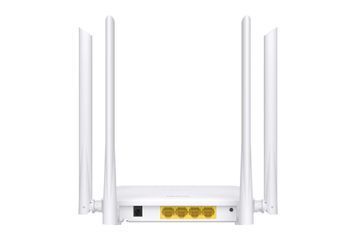
| GPON/EPON fiber optic | ONU subscriber terminal with built-in Wi-Fi | Tenda HG10C |
Wi-Fi 5, Wi-Fi 6, or Wi-Fi 7
| Standard | Typical class | What it offers | When to choose |
|---|---|---|---|
| Wi-Fi 5 (802.11ac) | AC750 – AC1200 | 2.4 and 5 GHz bands, up to ~867 Mbps on 5 GHz | Tariff up to 100–300 Mbps, small apartment |
| Wi-Fi 6 (802.11ax) | AX1500 – AX3000 | OFDMA and MU-MIMO: stable speed with 20+ devices, WPA3 encryption | Tariff up to 1 Gbps, family, smart home |
| Wi-Fi 7 (802.11be) | BE3600 – BE11000 | MLO — simultaneous multi-band operation, lower latency, 2.5 Gbps ports | Tariff from 1 Gbps, gaming, Wi-Fi 7 smartphones and laptops |
The number in the class name (AX3000, BE6500) is the sum of the maximum speeds of all bands, not the speed of a single device. The real speed on a smartphone is usually 2–3 times lower and depends on the distance to the router and the number of walls.
What to look for besides the Wi-Fi standard
- Port speed. A model with 100 Mbps ports won't pass a 500 Mbps tariff even via cable. For tariffs over 100 Mbps, gigabit ports are needed; for gigabit and higher tariffs, a 2.5 Gbps WAN is required.
- Coverage. A single router confidently covers an apartment up to 60–80 m². For a larger house, a Mesh system works better than a repeater: devices switch between modules without dropping the connection.
- Mesh ecosystem. Modules from different brands usually do not combine into one network. If you plan to expand coverage, choose a lineup where you can buy additional modules: TP-Link Deco, Mercusys Halo, Tenda Nova/MX, or Keenetic.
- Management. Apps like TP-Link Tether/Deco, Mercusys, and Keenetic let you configure the network from a smartphone in minutes. For an office, VPN, VLAN, guest networks, and remote management are essential.
For offices and small businesses, we compared popular ecosystems in the articles "TP-Link vs Ruijie" and "Ruijie Reyee vs UniFi vs MikroTik".
How to keep the internet during power outages
A router and an optical terminal together consume about 10–20 W, so they don't need a powerful portable power station. A 12V DC mini-UPS with a battery is enough: it switches instantly, and the connection does not drop. In GPON networks, the provider's intermediate equipment is passive, so fiber optic internet usually continues to work if your terminal and router are powered. Suitable models can be found in the uninterruptible power supplies section, for example, the Hoco 20,000 mAh mini-UPS for routers.