




|
Quantity
|
Out of stock
|
||
|
|
|||
|
|
|||
Core i5-13400F Gaming PC: 10 Cores for 1080p and 1440p
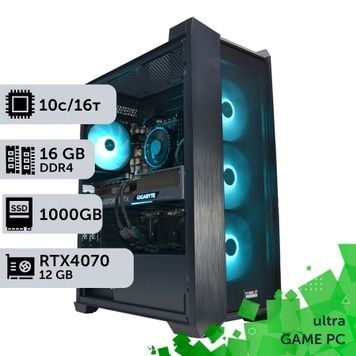
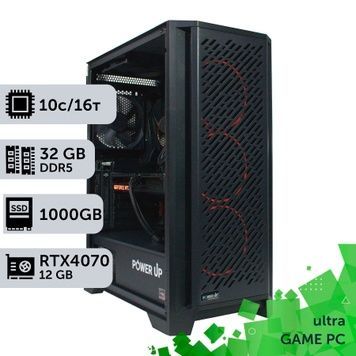
The Core i5-13400F is a ten-core Intel LGA1700 processor with 6 performance and 4 efficient cores, 16 threads, up to 4.6 GHz and 20 MB of L3 cache. Base power is 65 W (up to 148 W in turbo); it has no integrated graphics and supports DDR4-3200 or DDR5-4800. In Tom's Hardware's 1080p test with an RTX 4090 it is 7% faster than the Core i5-12400 and about 7% behind the Ryzen 5 7600. Builds here pair it with graphics from the RTX 3050 to the RTX 4070.
Core i5-13400F in short
- Best for: 1080p at 144 Hz and 1440p with up to an RTX 4070.
- Gaming speed: +7% vs the Core i5-12400, −7% vs the Ryzen 5 7600; the Core i5-13600K is 21% faster.
- Cooling: 65 W base power — a tower air cooler is enough.
- Close alternative: the Core i5-14400F, the same 10 cores at 4.7 GHz.
- Upgrade: LGA1700 accepts 12th–14th Gen Core, so a Core i5-14600K or i7-14700K fits later after a BIOS update.
How Fast Is the 13400F in Games
Core i5-1240093%
Core i5-13400F100%
Ryzen 5 7600107%
Core i5-13600K121%
Data from the Tom's Hardware review: average FPS across a game suite at 1080p with an RTX 4090, so the GPU does not limit the CPU. With the RTX 4060, 5060 or 4070 used in these builds, the real-world gap is much smaller.
Graphics Card and Memory
For 1080p at 144 Hz choose the RTX 4060 or RTX 5060; for 1440p, the RTX 4060 Ti 16 GB or RTX 4070. For an RTX 5070 Ti or faster, step up to the Core i5-14600K. Half of the builds come with 16 GB of RAM and half with 32 GB.
Core i5-13400F PC FAQ
Core i5-13400F or 14400F?
They are the same ten-core chip; the 14400F's performance cores run 100 MHz higher (4.7 vs 4.6 GHz). In games the difference is within the margin of error.
Does the i5-13400F need liquid cooling?
No. With 65 W base power and up to 148 W in turbo, a regular tower cooler is enough.
Can I upgrade the CPU later?
Yes, within LGA1700: Core i5-14600K, i7-14700K or i9-14900K. Update the BIOS and check your board's CPU support list first.