





|
Quantity
|
Out of stock
|
||
|
|
|||
|
|
|||
1440p (2K) Gaming PCs: 12–16 GB Graphics Cards from RTX 5060 Ti to RTX 5070 Ti
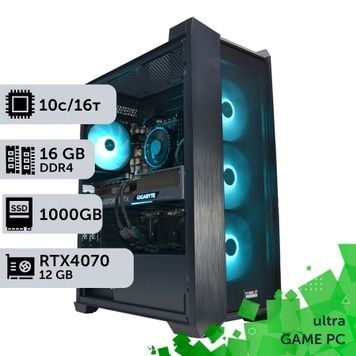
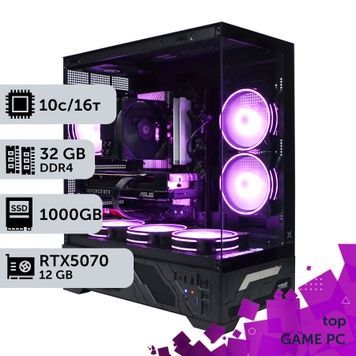
2K (QHD) means 2560×1440, or 3.69 million pixels — 1.78× more than 1080p and 2.25× fewer than 4K. On a 27-inch monitor that is about 109 pixels per inch versus 82 at 1080p. This selection only includes cards with 12–16 GB: RTX 4060 Ti 16 GB, RTX 5060 Ti 16 GB, RTX 4070, RTX 5070, RTX 5070 Ti, Radeon RX 9060 XT 16 GB and RX 9070 XT.
1440p build in short
- Entry: RTX 5060 Ti 16 GB or RX 9060 XT 16 GB for high settings.
- Sweet spot: RTX 4070 and RTX 5070, 15% and 28% faster than the RTX 5060 Ti 16 GB (TechPowerUp).
- Headroom: RTX 5070 Ti and RX 9070 XT for 144 Hz+ and ray tracing.
- RAM: 32 GB recommended, 16 GB minimum.
How Fast the Cards Are
RTX 4060 Ti102%
Radeon RX 9060 XT 16 GB110%
RTX 5060 Ti 16 GB116%
RTX 4070133%
RTX 5070148%
Radeon RX 9070 XT183%
RTX 5070 Ti191%
8 GB cards are left out: in new games with high-quality textures at 1440p, video memory runs out before GPU power does. Playing esports at 240 Hz? See 1080p gaming PCs; want maximum sharpness — 4K gaming PCs.
1440p Gaming PC FAQ
What GPU do I need for 1440p gaming?
A 12–16 GB card: RTX 5060 Ti 16 GB or RX 9060 XT 16 GB for high settings, RTX 4070 or RTX 5070 for ultra, RTX 5070 Ti or RX 9070 XT for 144 Hz and ray tracing.
Is 2K the same as QHD and 1440p?
Yes — all three mean 2560×1440.
Is 8 GB of VRAM enough for 1440p?
Not in new games with high textures, so this selection starts at 12 GB.
What monitor suits 1440p?
A 27-inch 144–180 Hz display, about 109 pixels per inch.