




|
Quantity
|
Out of stock
|
||
|
|
|||
|
|
|||
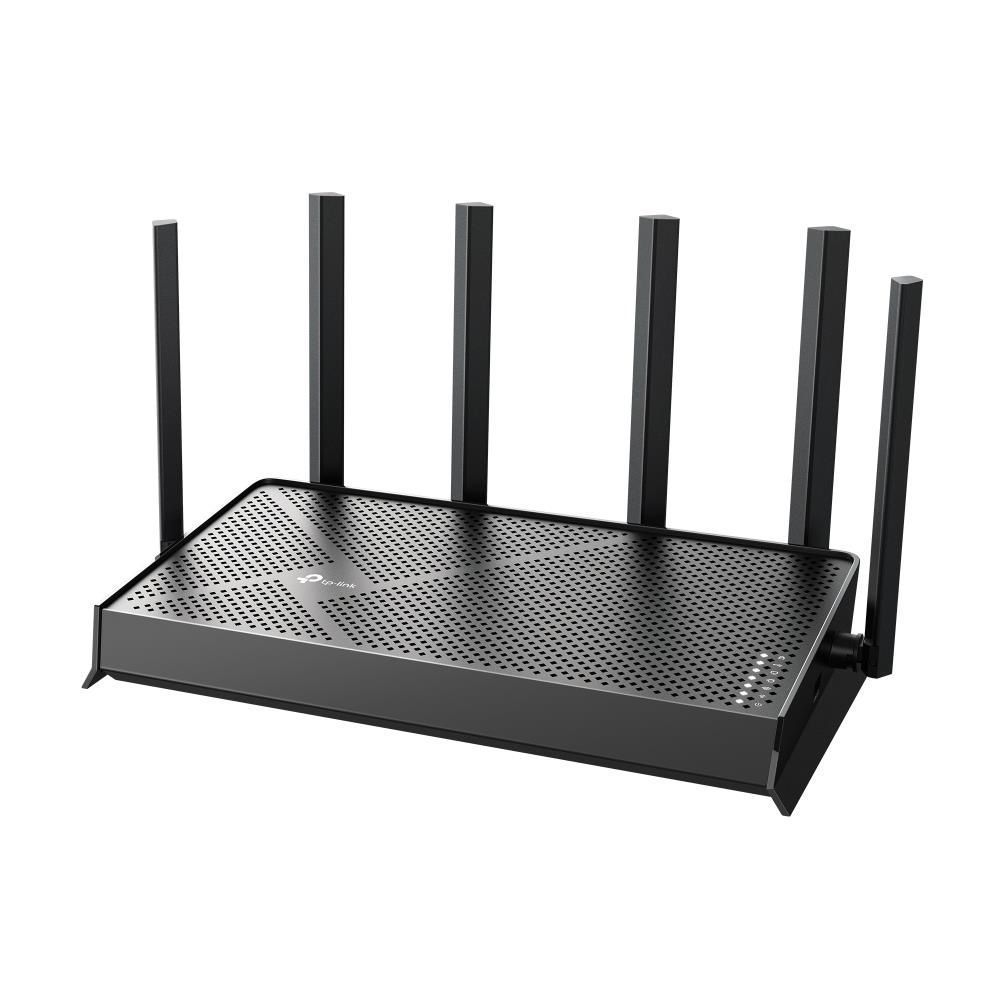
Key features of: TP-LINK (ARCHER BE400)
- This device is a next-generation desktop Wi-Fi router designed to create a high-performance network with minimal latency.
- Equipped with the advanced Wi-Fi 7 (802.11be) standard and supports all previous Wi-Fi generations for maximum compatibility.
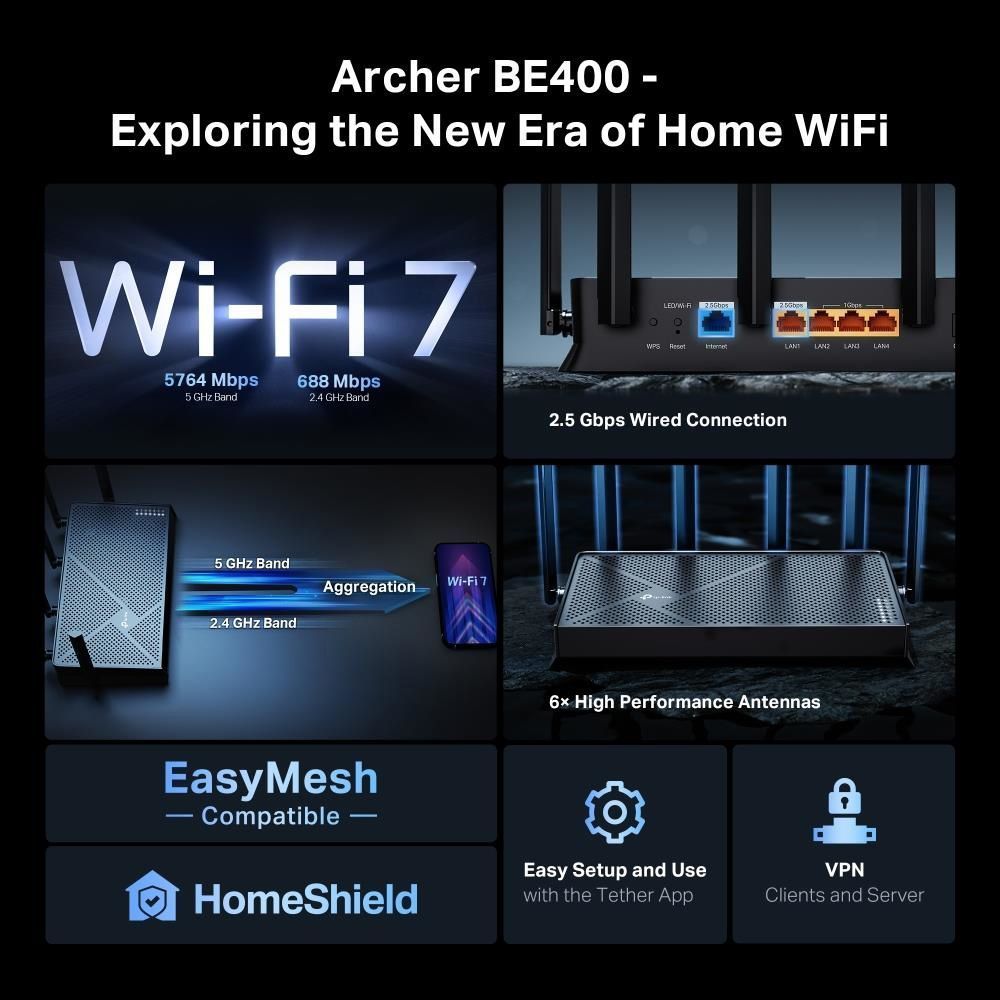
- Includes multi-gigabit ports: one 2.5 Gbps WAN and one 2.5 Gbps LAN, plus three gigabit LAN ports for ultra-fast wired connections.
- Supports Multi-Link Operation (MLO) and Beamforming technology to optimize wireless signal and broad coverage.
The TP-Link Archer BE400 is an advanced wireless router supporting the latest Wi-Fi 7 (802.11be) standard, ensuring unprecedented network speed and efficiency. This model elevates home internet to a new level, offering ultra-fast connections and stable performance for the most demanding tasks. Among modern TP-LINK routers, the Archer BE400 stands out with its future-readiness, providing an optimal user experience for all connected devices. Find out the current price and buy in Kyiv this high-tech networking solution today.
Overview of: TP-LINK (ARCHER BE400)
Evolution of Speed: Archer BE400 vs Previous Standards
The TP-Link Archer BE400 with Wi-Fi 7 (802.11be) support represents a significant technological breakthrough, surpassing the capabilities of previous-generation routers like Wi-Fi 6 (802.11ax) and Wi-Fi 5 (802.11ac).
- Innovative Multi-Link Operation (MLO) Technology: Unlike Wi-Fi 6, where data is transmitted over one channel at a time, MLO in Wi-Fi 7 allows simultaneous use of multiple frequency bands (2.4 GHz and 5 GHz) for a single connection. This significantly increases throughput and reduces latency, providing unprecedented speed and stability for 8K gaming and streaming.
- Multi-Gigabit Wired Ports: The model is equipped with 2.5 Gbps WAN and LAN ports, significantly outperforming standard gigabit ports typical for most Wi-Fi 6 routers. This eliminates bottlenecks in the wired network and allows full utilization of high-speed internet connections.
- Improved Efficiency and Capacity: Wi-Fi 7 is optimized to work with a larger number of devices simultaneously, offering more efficient spectrum utilization and better performance in congested environments compared to Wi-Fi 6. This is critically important for modern smart homes.
- Support for All Wi-Fi Generations: The Archer BE400 provides full backward compatibility, ensuring that all your existing devices, from old to new, will operate stably on the network.

Unparalleled Protection for Your Digital Life
The TP-Link Archer BE400 provides a multi-layered security system, protecting your home network from external threats and unauthorized access. With this device, you gain full control over your digital environment.
- Modern Encryption Standards: Support for WPA3, WPA2, and WPA algorithms ensures maximum protection of wireless traffic, preventing data interception and unauthorized connection to your network.
- Comprehensive TP-Link HomeShield System: This proprietary feature provides comprehensive protection, including real-time network scanning, parental controls for safe internet use for children, and traffic prioritization for critical devices.
- Powerful VPN Server: The built-in VPN server with OpenVPN, PPTP, L2TP, and Wireguard support allows you to create secure connections, ensuring privacy and security when accessing your home network from outside.
- Flexible Access Settings: Manage access to your network, create guest networks with limited rights to ensure the security of the main network while maintaining convenience for guests.

Who is the TP-Link Archer BE400 designed for?
Need Expert Assistance?
Having trouble choosing? Our lead specialist Vladimir will help you find the perfect solution tailored to your needs.
Setup Guide: TP-LINK (ARCHER BE400)
- Download the TP-Link Tether app to your smartphone and log in to your TP-Link ID account.
- Connect the router to a power source and the WAN internet cable, then follow the in-app instructions for quick network setup.
- Set up your Wi-Fi network name (SSID) and password, as well as other security settings, using the app's intuitive interface.
FAQ
How does the TP-Link Archer BE400 Wi-Fi router use Multi-Link Operation (MLO) technology to improve performance?
Multi-Link Operation (MLO) in this router allows simultaneous use of multiple frequency bands (2.4 GHz and 5 GHz) for a single connection, significantly increasing throughput and reducing latency for a more stable and faster connection.
What Wi-Fi standards does this model support in addition to the latest Wi-Fi 7?
In addition to the primary Wi-Fi 7 (802.11be) standard, this device supports all previous Wi-Fi generations, ensuring full compatibility with all your wireless devices.
Can this router provide high-speed wired connections for gaming consoles or desktop PCs?
Yes, it is equipped with one 2.5 Gbps LAN port and three 1 Gbps LAN ports, allowing you to connect gaming consoles, PCs, and other devices for the fastest and most stable wired connections.
How does the TP-LINK device ensure home network security using TP-Link HomeShield?
TP-Link HomeShield on this router offers comprehensive security features, including a home network scanner, parental controls, and traffic prioritization, protecting all connected devices.
Is it possible to extend wireless network coverage using EasyMesh compatibility?
Yes, this router supports EasyMesh technology, which allows you to easily extend Wi-Fi network coverage by adding other compatible TP-Link Mesh devices, creating a single, seamless network.
What VPN server protocols are implemented in this wireless router for secure remote access?
The built-in VPN server supports OpenVPN, PPTP, L2TP, and Wireguard protocols, providing flexible and secure options for remote access to your home network.
How does the TP-Link Tether app simplify network settings management and monitoring?
The TP-Link Tether app provides an intuitive interface for quick router setup, managing connected devices, changing Wi-Fi settings, and monitoring network status directly from your smartphone.