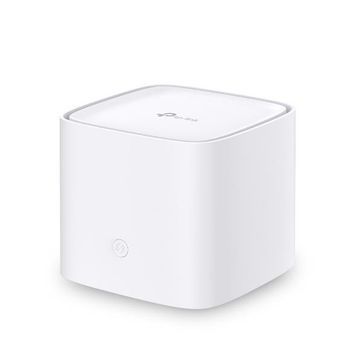
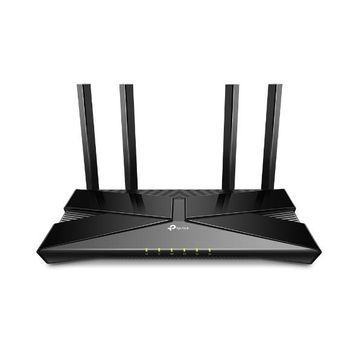
TP-Link is one of the most recognizable networking equipment brands in the world, represented in the PowerUp catalog by three purpose-built lineups: home Archer routers (from budget models to Wi-Fi 6), Deco Mesh systems to cover the entire apartment or house without dead zones, and the Omada business line — controllers and VPN routers for office networks. Below is a guide on how to choose your specific model without diving into datasheets yourself.
| Lineup | Best for | Key technology |
|---|---|---|
| Archer | Apartment, single Wi-Fi hotspot | Wi-Fi 6, MU-MIMO, Tether app |
| Deco | Multi-story house, large apartment | Mesh network, single seamless roaming |
| Omada | Office, small business | Controller, PoE, centralized network management |
| 4G/LTE routers | Country house, backup internet | SIM card connection |
OneMesh and the Tether app — what it means in practice
OneMesh technology allows you to combine an Archer router with TP-Link signal extenders into a single network with a single Wi-Fi name — the device switches between access points on its own, without disconnecting when moving from room to room. Setting up the entire network, including guest access and TP-Link HomeShield parental controls, is done through the proprietary Tether app — you don't need a computer or knowledge of networking terms.
Which one is right for you
- Regular apartment, single floor — a single Archer lineup router with Wi-Fi 6 support is sufficient.
- A 2–3 story house or an apartment with thick walls — get a Deco set (usually 2–3 devices included) instead of a single powerful router: Mesh physically solves the problem of dead zones better than boosting the signal of a single access point.
- Office or small business, where you need to manage the network centrally (guest Wi-Fi separated from work, device statistics) — take a closer look at the Omada lineup. If you are considering different options for a business network, our catalog also includes Ruijie Reyee routers — also with centralized management support, it's worth comparing both options for your tasks.
- Country house or facility without wired internet — a 4G/LTE router with a SIM card.
Not sure which model you need?
Our engineers select network equipment for specific layouts and tasks every day — from a one-room apartment to an office for 30 workspaces. Describe your situation, and we will help you choose a model without overpaying for unnecessary features.
Frequently Asked Questions
What is the difference between Archer and Deco?
Archer is a single router for one Wi-Fi hotspot, suitable for an apartment without thick walls between rooms. Deco is a set of several devices combined into a Mesh network with a single network name: they physically cover a large area without dead zones, which a single router cannot do regardless of its power.
What is TP-Link HomeShield?
This is a built-in set of TP-Link network security features: parental controls, a separate guest network, and protection against suspicious connections. It is configured through the Tether app, and no separate equipment is required for this.
Are TP-Link routers suitable for an office?
The Archer and Deco home lineups are designed for household tasks. For an office with several workspaces and the need for centralized network management, the Omada lineup with a PoE controller is better suited — it is designed specifically for this scenario.
The entire range of networking equipment, including routers from other brands, is available in the PowerUp general router catalog. All TP-Link models come with an official warranty and delivery across Ukraine.