









|
Quantity
|
Out of stock
|
||
|
|
|||
|
|
|||
A video editing computer is a PC whose processor, graphics card and memory are chosen for decoding, effects and export rather than gaming. For 4K editing in Premiere Pro and DaVinci Resolve in 2026, the best combination is a 14th gen Core i7 or i9 K-series chip or a Core Ultra 9 285K (both have integrated graphics with Quick Sync), a GeForce RTX 5070 Ti–5090 with 16–32 GB of video memory, 64 GB of RAM and two NVMe drives. PowerUp builds these stations, stress-tests each one for 4 hours, backs it with a 24-month warranty and delivers across Ukraine in 1–3 days.
Configuration by resolution and software
| Task | Processor | Graphics card | RAM | Storage |
|---|---|---|---|---|
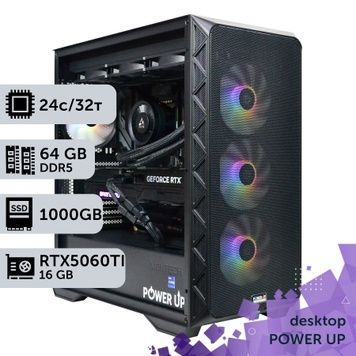
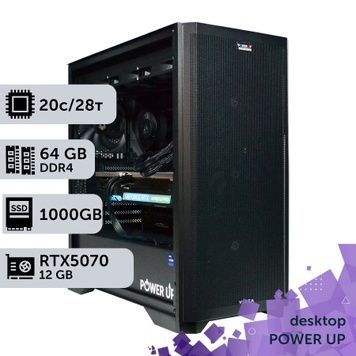
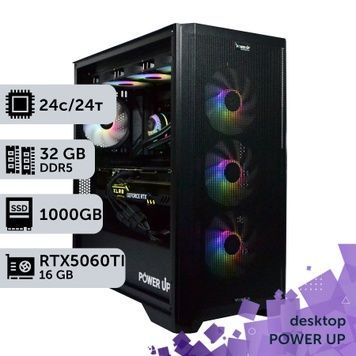
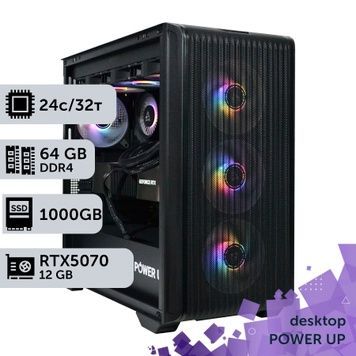
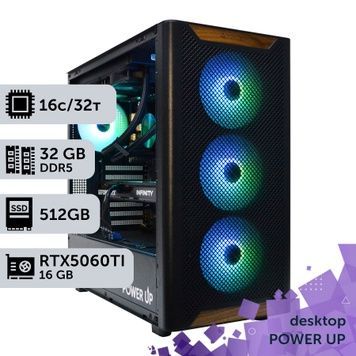
| Full HD and 4K for YouTube and social media | Core i5-14600K, Ryzen 7 9700X | GeForce RTX 5060 Ti 16 GB or RTX 5070 | 32 GB | 1 TB NVMe |
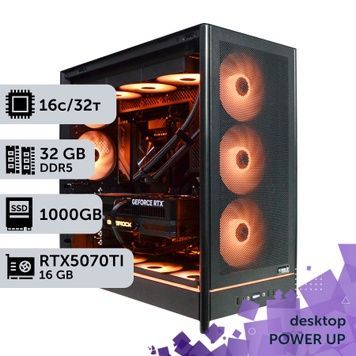
| 4K in Premiere Pro, 10-bit 4:2:2 from Sony, Canon and Panasonic cameras | Core i7-14700K, Core i9-14900K, Core Ultra 7 270K Plus | GeForce RTX 5070 Ti 16 GB | 64 GB | 2 × NVMe: system, plus cache and project |
| 4K–6K in DaVinci Resolve Studio: color grading, noise reduction | Core Ultra 9 285K, Ryzen 9 9950X | GeForce RTX 5080 16 GB or RTX 5090 32 GB | 64–128 GB | 2 TB NVMe + a drive for source footage |
| 8K, RAW (BRAW, R3D), multicam editing | Core Ultra 9 285K, Ryzen 9 9950X, Threadripper PRO | GeForce RTX 5090 32 GB, RTX PRO 4000/5000 Blackwell | 128 GB | 2–4 TB NVMe, HDD or NAS for the archive |
| After Effects and motion design | Core i9-14900K, Core Ultra 9 285K | GeForce RTX 5070 Ti–5080 | 64–128 GB | 2 TB NVMe for cache |
Builds for animation and motion design are collected under computers for animation design, and every Xeon, EPYC and Threadripper platform is in the workstation catalog.
Why integrated graphics matter for video editing
Mirrorless cameras from Sony, Canon, Panasonic and Fujifilm record 10-bit 4:2:2 video. If the computer cannot decode that footage in hardware, the timeline stutters even on a powerful processor and you end up making proxies.
- HEVC 4:2:2 10-bit is decoded in hardware by Intel Quick Sync (the integrated graphics of K-series Core chips without the F suffix and the Core Ultra 9 285K) and by GeForce RTX 50 cards.
- H.264 4:2:2 10-bit (such as Sony XAVC S) is decoded in hardware by RTX 50 series and RTX PRO Blackwell cards. RTX 40 and RTX A-series cards cannot decode it.
- F-suffix processors (i7-14700KF, Core Ultra 7 265KF) have no integrated graphics and no Quick Sync, so a K model without the F is the better buy for editing.
- ProRes and DNxHR are decoded by the CPU on a PC: they are light codecs, but 6–8K footage needs cores.
Cores matter for software export (x264, x265), effects and multi-frame rendering in After Effects. In our tests, a Core i9-14900KF renders the Blender test scene in 191 seconds, the same as two Xeon E5-2699 v4 chips (192 seconds), yet the Core is faster for editing: it has a higher clock speed, and the Xeons have no Quick Sync. All measurements are in our test results table.
Graphics card: decoding, export and video memory
| Graphics card | Video memory | H.264/HEVC 4:2:2 decoding | AV1 export | Best for |
|---|---|---|---|---|
| GeForce RTX 5060 Ti 16 GB | 16 GB | Yes | Yes | Full HD and 4K in Premiere Pro |
| GeForce RTX 5070 Ti / 5080 | 16 GB | Yes | Yes | 4K–6K, DaVinci Resolve |
| GeForce RTX 5090 | 32 GB | Yes | Yes | 8K, RAW, noise reduction, AI effects |
| NVIDIA RTX PRO 4000 Blackwell | 24 GB with ECC | Yes | Yes | 8K and 24/7 operation |
| NVIDIA RTX A4000 | 16 GB with ECC | No | No | Editing alongside CAD and 3D, paired with Quick Sync |
DaVinci Resolve moves color grading, noise reduction and Fusion to the graphics card, so 4K needs 12–16 GB of video memory and 6–8K needs 16 to 32 GB. On Windows, the free version of Resolve has no hardware H.264/HEVC decoding and uses only one graphics card; Studio adds both. Premiere Pro accelerates effects through CUDA and exports through NVENC. We explain why NVIDIA's encoder is still the best in our article on NVENC.
Memory, storage and monitor
- 32 GB for Full HD and simple 4K; 64 GB for 4K, multicam editing and After Effects; 128 GB for 8K, RAW and heavy compositions. Why memory channels matter at larger capacities is explained in our article on 128 GB of RAM.
- Storage — system and apps on a 1 TB NVMe, cache and the current project on a second NVMe, and the archive on an HDD or network storage. Our builds offer SSDs up to 4 TB and HDDs up to 6 TB.
- Monitor — color grading needs a wide-gamut, calibrated screen: choose one from our monitors for designers.
How we build and what is included
- Our own builds — PowerUp assembles stations under its own brand from components by proven manufacturers and runs its own imports. Our clients include MHP, Obozrevatel and design studios: see who we work with.
- Testing — every station runs under load in AIDA64 and FurMark for 4 hours. An unactivated copy of Windows 10/11 is installed for testing; a license key is sold separately.
- Built for your software — in any build we can change the processor within the platform, the graphics card, the memory and the drives. You can order a station for your own project through the custom configuration form.
- 2-year warranty — repairs take 1–2 days on average plus shipping, a replacement unit is available in the meantime, and we keep servicing stations after the warranty ends. Unused items can be returned or exchanged within 14 days. Warranty terms.
- Delivery — orders confirmed before 12:00 ship with Nova Poshta the same day, delivery across Ukraine takes 1–3 days, and parcels are insured. Pickup is available from our Kyiv office (6 Petropavlivska St., 4Room mall, Petropavlivska Borshchahivka), Monday to Friday 10:00–19:00, where you can test the computer before paying.
- Payment — bank transfer with no fee, invoice with VAT, or installments from PrivatBank or PUMB (PUMB offers 3 to 24 payments, with the first one due after a month). All options are on the payment and delivery page.
Video editing computer FAQ
What computer do I need for 4K video editing?
For 4K in Premiere Pro and DaVinci Resolve, choose a Core i7-14700K, Core i9-14900K or Core Ultra 9 285K with integrated graphics, a GeForce RTX 5070 Ti with 16 GB of video memory, 64 GB of RAM and two NVMe drives: one for the system and one for cache and projects. For 6–8K and RAW, go with an RTX 5090 with 32 GB and 128 GB of RAM.
Which matters more for video editing: the processor or the graphics card?
It depends on the software. Premiere Pro leans harder on the processor and uses Quick Sync for decoding, with the graphics card handling effects and export. DaVinci Resolve moves almost all processing to the graphics card, so the GPU and its video memory matter more there. For both programs, the best balance is a processor with Quick Sync and a GeForce RTX 50 card.
Why does footage from my Sony or Canon camera stutter on the timeline?
These cameras record 10-bit 4:2:2 in H.264 or HEVC. That footage is decoded in hardware by Intel Quick Sync (HEVC) and by RTX 50 series cards (H.264 and HEVC). Without them, decoding falls on the processor and the timeline stutters. The fix is an Intel processor without the F suffix plus an RTX 50 card, or editing with proxies.
Is the free version of DaVinci Resolve enough?
For Full HD and simple 4K, yes. But on Windows the free version does not use hardware H.264/HEVC decoding, works with only one graphics card and has no noise reduction. If you edit mirrorless camera footage or use two graphics cards, you need DaVinci Resolve Studio.
How much RAM do I need for video editing?
32 GB is enough for Full HD and simple 4K. 4K with multiple tracks, multicam editing and After Effects need 64 GB, while 8K, RAW and heavy compositions need 128 GB. You can add memory to any of our builds when ordering.
Do I need a professional RTX A or RTX PRO graphics card for editing?
For most tasks, no: GeForce RTX 50 cards deliver more performance per hryvnia and decode 4:2:2. Professional cards are chosen for 24/7 operation, ECC memory and large amounts of video memory for 8K. The RTX A4000 cannot decode 4:2:2, so it is paired with an Intel processor that has Quick Sync.
Can you build a PC for video editing to fit my tasks?
Yes. In any build we can change the processor within the platform, the graphics card, the memory and the drives — add your requests in the order comment or agree on them with a manager. We can also build a configuration from scratch through the custom configuration form, and you can compare processor speeds in our test results.
What is the warranty, and can I pay for an editing computer in installments?
The warranty is 2 years; repairs take 1–2 days on average plus shipping, and a replacement unit is available. Every station is stress-tested for 4 hours before shipping. You can pay in installments from PrivatBank or PUMB (PUMB offers 3 to 24 payments), by bank transfer with no fee, or by invoice with VAT.