
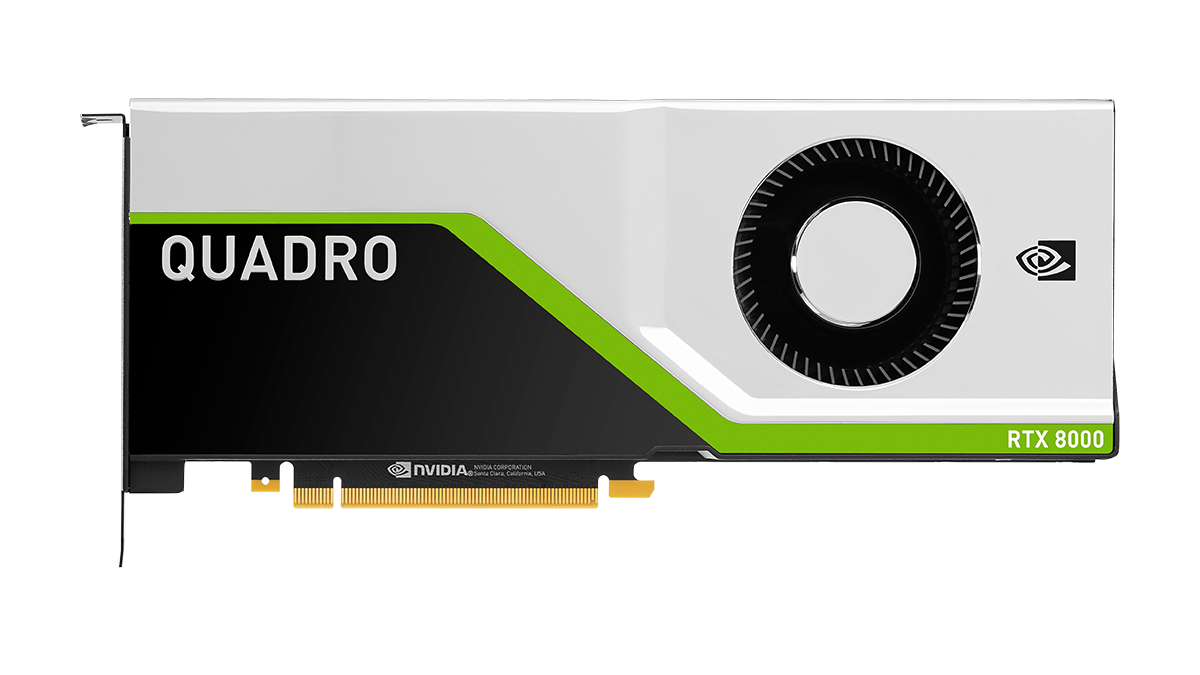
Where professional GPU usage is required, the Nvidia Quadro RTX lineup steps in. Currently, it features 5 modern models:
- Quadro RTX 4000 (8 GB GDDR6);
- Quadro RTX 5000 (16 GB GDDR6);
- Quadro RTX 6000 (24 GB GDDR6);
- Quadro RTX 8000 (48 GB GDDR6);
- NVIDIA RTX A6000 (48 GB GDDR6).
These graphics cards are designed for hi-end tasks:
- Machine Learning;
- Big Data Analysis;
- Video and Image Rendering;
- Distributed Computing;
- 3D Graphics.
Primary users include design bureaus, engineering studios, data centers, and research institutes. A professional graphics adapter ensures stability during complex computational cycles lasting from hours to days, where maximum precision and professional software compatibility are required, and while speed is important, accuracy is the priority.
Professional vs. Consumer Graphics Cards
First, let's define what a graphics card is. It is a Graphics Processing Unit (GPU), the hardware responsible for creating and correctly displaying images, videos, and animations. The GPU performs mathematical calculations to convert digital data into visual output. It includes its own processing power (GPU chip), VRAM, and a cooling system. Now that you know why you need a graphics card, let's look at the differences.
There are integrated and discrete GPUs. Integrated ones are built into the CPU for basic tasks. Discrete GPUs are separate components with significantly higher performance.
Consumer and gaming cards are optimized for speed to provide smooth special effects. They might skip errors or simplify calculations to maintain high frame rates. Game bugs are usually harmless and resolved by a simple reboot.
In a professional environment, such errors are unacceptable as they can ruin critical simulations and distort results. Therefore, professional graphics cards are always discrete and equipped with Error Correction Code (ECC) memory. They also feature certified drivers for seamless software compatibility and an immense lifespan designed for 24/7 workloads without data loss.
Quadro RTX Technology Framework
- ECC RDIMM technology automatically corrects errors in critical calculations;
- Tensor Cores utilize Artificial Intelligence to accelerate computing performance;
- RT Cores handle lighting physics and hardware-accelerated ray tracing;
- CUDA Cores speed up processing for rendering and complex simulations.
For 3D graphics, Quadro RTX cards support 10-bit and 12-bit color depth, enabling HDR workflows with precise hue and contrast control.
Quadro RTX Model Comparison
| Task Type | Popular Software | Optimal Model | Why it's optimal |
|---|---|---|---|
| CAD (Computer-Aided Design) | Revit, SolidWorks, AutoCAD | Quadro RTX 4000 or 5000 | RTX 4000 is great for standard CAD; 5000 handles massive assemblies and high-res textures. 8-16GB VRAM is usually sufficient. |
| CGI | Cinema 4D, Maya, 3ds Max | 5000 (6000 for massive scenes) | CGI benefits from CUDA/RT cores and 16GB+ VRAM. 5000 is the sweet spot; 6000 adds multi-GPU scaling. |
| VFX | Nuke, Houdini | Quadro RTX 6000 (A6000 for extreme memory) | VFX involves large simulations and many layers; 24GB is the practical minimum, though 48GB cards solve all memory issues. |
| Rendering | Blender, Octane, V-Ray, Redshift | RTX A6000 | GPU renders scale with CUDA cores. The A6000 with 48GB offers the best CUDA/RT/Tensor balance and a massive frame buffer. |
Conclusion
Choose your card based on your specific workflow requirements and budget. Avoid starting with entry-level models if possible, as technology evolves rapidly. Investing in mid-range models (5000/6000) is often the most cost-effective long-term strategy for business growth.

































