









|
Quantity
|
Out of stock
|
||
|
|
|||
|
|
|||
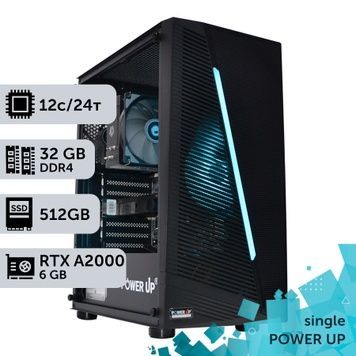
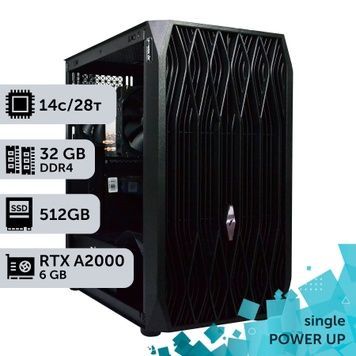
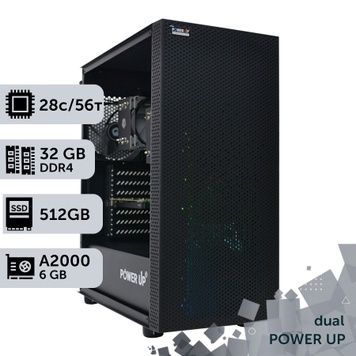
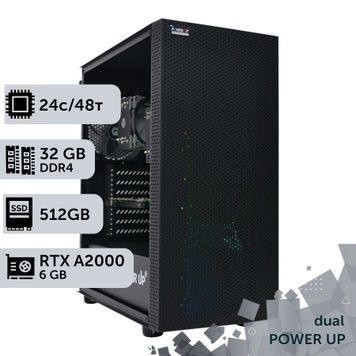
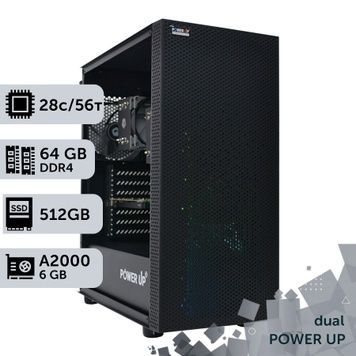
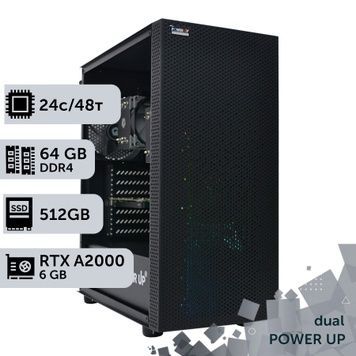
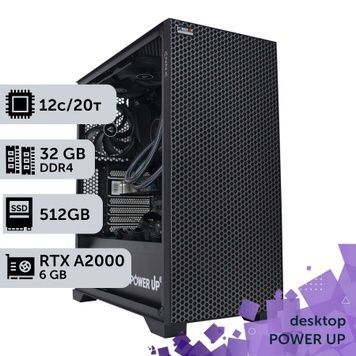
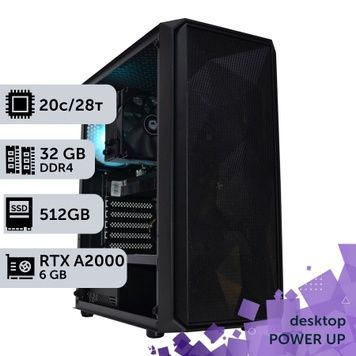
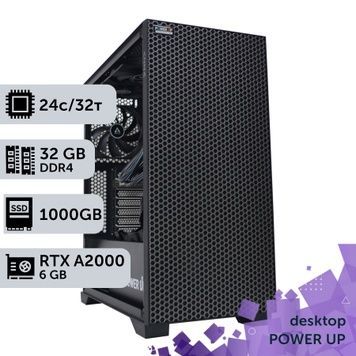
An NVIDIA RTX A2000 workstation is a computer with a compact professional graphics card carrying 6 GB of GDDR6 memory with error correction (ECC) for SolidWorks, Inventor, Revit, AutoCAD, work on 2–4 monitors and entry-level visualization. PowerUp builds these workstations on Intel Core, Core Ultra and AMD Ryzen, and on Xeon and AMD EPYC with one or two processors. The A2000 draws up to 70 W directly from the PCIe slot with no separate power cable, has RT cores for ray tracing and four mini DisplayPort 1.4a outputs. Every workstation runs a 4-hour load test, and the warranty is 2 years.
NVIDIA RTX A2000 specifications
| Parameter | RTX A2000 6 GB | What it gives you |
|---|---|---|
| Architecture | Ampere, 2021 | 2nd-generation RT cores and 3rd-generation Tensor cores, supported by current drivers and CUDA 13 |
| Cores | 3,328 CUDA, 104 Tensor, 26 RT; 8 TFLOPS FP32 | Ray tracing in Enscape and D5 Render, faster rendering and viewport |
| Graphics memory | 6 GB GDDR6 with ECC, 192-bit, 288 GB/s | Mid-size assemblies and models; protection against memory errors during long sessions |
| Power | Up to 70 W, powered by the PCIe slot only | A quiet and cool system that needs no large power supply for the graphics card |
| Size | Low profile, dual slot, 16.8 cm long | Fits compact cases |
| Outputs | 4× mini DisplayPort 1.4a with latching | Up to 4 monitors at 4K 120 Hz or 5K 60 Hz, or 2 monitors at 8K 60 Hz |
| Video engines | 1 NVENC, 1 NVDEC | H.264 and HEVC encoding, AV1 decoding |
| Bus | PCIe 4.0 x16 | Works on any current motherboard |
Which applications the RTX A2000 is enough for
| Applications | Is the A2000 suitable | Comment |
|---|---|---|
| AutoCAD, Kompas-3D, 2D drafting | Yes, with headroom | Speed depends more on CPU frequency |
| SolidWorks, Inventor, Creo | Yes | Mid-size and large assemblies, RealView and Ambient Occlusion in SolidWorks |
| Revit, ArchiCAD | Yes | Models up to mid size; large projects with visualization are better with 12–16 GB |
| Photoshop, Illustrator, CorelDRAW | Yes | Filter acceleration, work on 3–4 monitors |
| Enscape, D5 Render | Yes, for small scenes | RT cores accelerate ray tracing; for large scenes 6 GB becomes the limit |
| Lumion, Twinmotion | Partly | They run in standard mode, but Ray Tracing in Lumion and the Path Tracer in Twinmotion require 8 GB of VRAM or more |
| 3ds Max, Blender | Partly | Modeling and GPU rendering of small scenes; for rendering the RTX A4000 and GeForce RTX 50 are faster |
| Video editing | Partly | H.264 and HEVC yes; no AV1 encoding and no decoding of 10-bit 4:2:2 from mirrorless cameras |
| Neural networks | No | 6 GB is too little for Stable Diffusion XL and local LLMs |
How to choose a card for SolidWorks assemblies is covered in our article on graphics cards for SOLIDWORKS, and visualization software requirements in our article on a computer for Lumion.
RTX A2000 vs other graphics cards: Blender performance
| Graphics card | Memory | Power | Blender 4.5, points* | vs RTX A2000 |
|---|---|---|---|---|
| Quadro P4000 | 8 GB GDDR5 | 105 W | 450 | 0.25× |
| GeForce RTX 3050 | 6–8 GB GDDR6 | 70–130 W | 1,345 | 0.75× |
| NVIDIA RTX A2000 | 6 GB GDDR6 ECC | 70 W | 1,799 | 1× |
| Quadro RTX 4000 | 8 GB GDDR6 | 160 W | 2,115 | 1.2× |
| NVIDIA RTX A4000 | 16 GB GDDR6 ECC | 140 W | 2,956 | 1.6× |
| NVIDIA RTX PRO 2000 Blackwell | 16 GB GDDR7 ECC | 70 W | 3,609 | 2× |
| GeForce RTX 5060 Ti 16 GB | 16 GB GDDR7 | 180 W | 4,309 | 2.4× |
* Median of user results in Blender Open Data for Blender 4.5 and OptiX as of 25.09.2026; higher is faster. The GeForce RTX 3050 result covers both the 6 GB and 8 GB versions; the RTX PRO 2000 Blackwell has only 3 results so far.
When to choose the RTX A2000 and when another card
- RTX A2000 — CAD and BIM with mid-size projects, 2–4 monitors, a quiet workstation in a compact case. Also a good choice for Xeon or EPYC workstations where the CPU does the computing and the graphics card is needed for the viewport, display output and occasional visualization.
- Quadro P4000 8 GB — 2 GB more memory, but 4 times slower in rendering, no RT cores and 105 W: Quadro P4000 workstations.
- RTX A4000 16 GB — 1.6 times faster, with 16 GB of memory for large assemblies, visualization and GPU rendering: RTX A4000 workstations.
- RTX PRO 2000 Blackwell 16 GB — the A2000's successor with the same 70 W and low-profile form factor, but with 16 GB of memory, roughly twice the speed, AV1 encoding and 4:2:2 decoding.
- GeForce RTX 50 — maximum rendering and editing speed for the money, but without ECC and drawing 130 W or more: computers with RTX 50 graphics cards.
How generations of NVIDIA professional cards differ is explained in our article on the Quadro RTX line.
CPU and memory for the task
| Task | CPU in our A2000 workstations | RAM | Where to choose |
|---|---|---|---|
| AutoCAD, 2D drafting, Photoshop | Core i3-14100F, Core i5-13400F, Core i5-14600K | 16–32 GB | Desktop workstations |
| SolidWorks, Inventor, Revit, ArchiCAD | Core i7-12700KF, 13700K and 14700K, Core Ultra 5 245KF, Core Ultra 7 270K Plus, Ryzen 9 7900X | 32–64 GB | Core i7-14700K workstations |
| Heavy models, CPU rendering in Corona and V-Ray | Core i9-14900K | 32–64 GB | Core i9-14900K workstations |
| Calculations, simulations, CPU rendering of large scenes | Xeon E5 v3/v4, EPYC 7551–7702, 2× Xeon E5 and 2× EPYC up to 7763 | 32–512 GB ECC | Graphics workstations, dual-CPU |
Revit's CPU and memory requirements are covered in our article on PC specs for Revit, and general selection principles in our article on computers for CAD design. Ready-made configurations for engineers are in the computers for design and engineering section, and a workstation with two A2000 cards is among our AI workstations.
How we build and what the purchase includes
- In-house assembly — PowerUp builds workstations under its own brand and works with its own imports. Our clients include MHP, Obozrevatel and design studios: see who works with us.
- Testing — every workstation runs 4 hours under load in AIDA64 and FurMark. An unactivated Windows 10/11 is installed for testing; the license key is purchased separately.
- Your own configuration — we change the CPU within the platform, the graphics card, memory and storage. A workstation for your project can be ordered through a custom configuration.
- 2-year warranty — repairs take 1–2 days on average plus shipping, with a replacement unit available for that time; post-warranty service continues after it ends. Unused items can be returned within 14 days. Warranty terms.
- Delivery — orders confirmed before 12:00 ship via Nova Poshta the same day, delivery across Ukraine takes 1–3 days, and parcels are insured. Pickup from our Kyiv office (Petropavlivska Borshchahivka, 6 Petropavlivska St, 4Room mall) with a check before payment, Mon–Fri 10:00–19:00.
- Payment — bank transfer without commission, invoice with VAT, or installments from PrivatBank or PUMB (PUMB offers 3 to 24 payments, the first one due a month later). Details are on the payment and delivery page.
RTX A2000 workstation FAQ
What tasks is the RTX A2000 suitable for?
For CAD and BIM with mid-size projects — SolidWorks, Inventor, Revit, AutoCAD, ArchiCAD — for 2D graphics, work on 2–4 monitors and visualization of small scenes in Enscape and D5 Render. For large scenes, GPU rendering and neural networks 6 GB of VRAM is too little — the RTX A4000 or GeForce RTX 50 are better there.
Is the RTX A2000's 6 GB of VRAM enough?
For CAD, BIM and 2D, yes. For visualization it is the lower limit: Ray Tracing in Lumion and the Path Tracer in Twinmotion require 8 GB or more, and large scenes in D5 Render and Enscape are more comfortable on cards with 12–16 GB. For neural networks 6 GB is too little: Stable Diffusion XL and local LLMs only run in reduced modes.
Which to choose: the RTX A2000 or the GeForce RTX 5060 Ti 16 GB?
The RTX 5060 Ti is 2.4 times faster in rendering and has 16 GB of memory, but it draws 180 W and has no ECC. The A2000 is chosen for certified CAD drivers, ECC memory, 70 W with no separate power and its low-profile form factor. The A2000 is the better value for engineering software and 24/7 workstations; GeForce is better for 3D visualization and video editing.
How does the RTX A2000 differ from the RTX A4000?
The RTX A4000 is the higher-end card of the same Ampere generation: 16 GB of memory instead of 6, 1.6 times faster in Blender, single-slot, full-size, drawing 140 W and powered by a separate cable. The A2000 is more compact and efficient; the A4000 is better for large assemblies, visualization and GPU rendering.
Which is better: the RTX A2000 or the Quadro P4000?
The RTX A2000: it is 4 times faster in Blender, has RT cores for D5 Render and Enscape, draws 70 W versus 105, and is supported by current drivers and CUDA 13. The P4000 has only one advantage — 8 GB of memory instead of 6.
Does the RTX A2000 need a powerful power supply?
No: the card draws up to 70 W and is powered by the PCIe slot, so it needs no separate power cable. The power supply in the workstation is sized for the CPU, not the graphics card, so a system with an A2000 is quieter and cooler than one with a card like the RTX 5060 Ti.
Can the RTX A2000 go in a compact case?
Yes. The card is low profile and 16.8 cm long, and with a low-profile bracket it fits compact SFF cases. It occupies two slots, so the case needs two free expansion slots.
What is the warranty, and can I buy an RTX A2000 workstation in installments?
The warranty is 2 years, repairs take 1–2 days on average plus shipping, and a replacement unit is available. Before shipping, each workstation is tested under load for 4 hours. You can pay in installments from PrivatBank or PUMB (PUMB offers 3 to 24 payments), by bank transfer without commission, or by invoice with VAT.