




|
Quantity
|
Out of stock
|
||
|
|
|||
|
|
|||
What PC you need for Cyberpunk 2077 in 2026
Cyberpunk 2077 and its Phantom Liberty expansion lean on the graphics card first. For 1080p at the Ultra preset with DLSS, a GeForce RTX 5050 or RTX 5060 is enough: in ComputerBase's 2026 tests they deliver 83 and 108 FPS. For 1440p with ray tracing you need an RTX 5070 or Radeon RX 9070 XT, and for 4K and path tracing an RTX 5070 Ti or RTX 5080. The game also has its own CPU requirements: for 60 FPS at High settings CD Projekt Red recommends a Core i7-12700 or Ryzen 7 7800X3D.
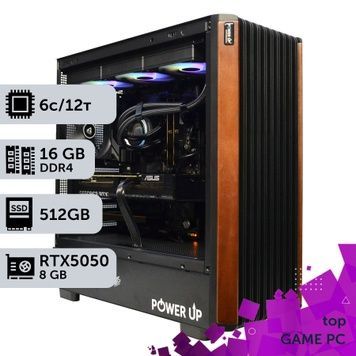
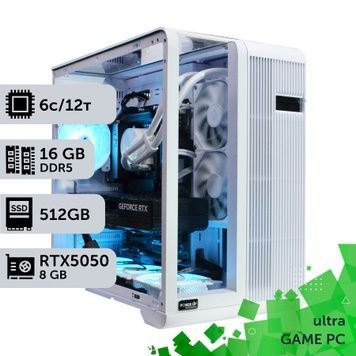
This collection lists PowerUp gaming PCs with current-generation graphics cards: GeForce RTX 5050, 5060, 5060 Ti, 5070, 5070 Ti and 5080, plus Radeon RX 9060 XT 16 GB and RX 9070 XT. The game supports the native upscaling of both lines: DLSS 4.5 with Multi Frame Generation on GeForce RTX 50 and FSR 4 on Radeon RX 9000. Most builds come with 32 GB of RAM, which is what Ultra settings and ray tracing call for.
In short: what to buy for Cyberpunk 2077
- 1080p, Ultra without ray tracing: RTX 5050 or RTX 5060, 16–32 GB of RAM.
- 1080p with ray tracing: RTX 5060 and up — 65 FPS at RT Ultra with DLSS Quality.
- 1440p: RTX 5060 Ti 16 GB without ray tracing, RTX 5070 or RX 9070 XT with it.
- 4K and path tracing: RTX 5070 Ti or RTX 5080 with 32 GB of RAM.
- Storage: 70 GB on an SSD; for Ultra and ray tracing the developer requires NVMe.
Cyberpunk 2077 and Phantom Liberty system requirements
CD Projekt Red published the current requirements for Update 2.0 and the launch of Phantom Liberty in September 2023. They are the same for the base game and the expansion. Since that version the game no longer supports hard drives, only SSDs. Source: the CD Projekt Red support page.
| Tier | Target | Graphics card | CPU | RAM | Storage |
|---|---|---|---|---|---|
| Minimum | Low, 1080p, 30 FPS | GTX 1060 6 GB, RX 580 8 GB, Arc A380 | Core i7-6700, Ryzen 5 1600 | 12 GB | 70 GB SSD |
| Recommended | High, 1080p, 60 FPS | RTX 2060 Super, RX 5700 XT, Arc A770 | Core i7-12700, Ryzen 7 7800X3D | 16 GB | 70 GB SSD |
| Ultra | Ultra, 4K, 60 FPS | RTX 3080, RX 7900 XTX | Core i9-12900, Ryzen 9 7900X | 20 GB | 70 GB NVMe |
| Ray tracing minimum | RT Low, 1080p, 30 FPS | RTX 2060, RX 6800 XT, Arc A750 | Core i7-9700, Ryzen 5 5600 | 16 GB | 70 GB SSD |
| Ray tracing recommended | RT Ultra, 1080p, 60 FPS | RTX 3080 Ti, RX 7900 XTX | Core i9-12900, Ryzen 9 7900X | 20 GB | 70 GB NVMe |
| RT Overdrive | Path tracing, 4K, 60 FPS | RTX 4080 | Core i9-12900, Ryzen 9 7900X | 24 GB | 70 GB NVMe |
How to read this table in 2026:
- The cards in it are from 2016–2022. In the TechPowerUp performance summary the RTX 5050 is about a third faster than the RTX 2060 Super, the RTX 5070 beats the RTX 3080, and the RTX 5070 Ti nearly matches the RTX 4080 Super. So every build in this collection clears the Recommended tier, builds with an RTX 5070 and up clear Ultra, and the RTX 5070 Ti and RTX 5080 reach the Overdrive tier.
- 16 GB of RAM is only enough for High settings. For Ultra and ray tracing the developer lists 20 GB, for path tracing 24 GB. The nearest standard dual-channel capacity is 32 GB (2×16).
- The FPS targets are the developer's own measurements. For Overdrive, the studio reached 60 FPS in 4K with DLSS Frame Generation turned on.
- Operating system: 64-bit Windows 10 or Windows 11; the game needs DirectX 12.
How many FPS each graphics card in the collection delivers
The results below come from the German outlet ComputerBase in 2026. Test system: Ryzen 7 9800X3D, Ultra preset, RT Ultra for ray tracing, DLSS 4 or FSR 4 upscaling in Quality mode, frame generation off. The 1080p rows are from its test of graphics cards under 300 euros (May 2026), the 1440p and 4K rows from its main 2026 graphics card test.
| Graphics card | Resolution | Ultra, no ray tracing | RT Ultra | Builds |
|---|---|---|---|---|
| GeForce RTX 5050 8 GB | 1920×1080 | 83 (71) | 51 (45) | RTX 5050 PCs |
| GeForce RTX 5060 8 GB | 1920×1080 | 108 (91) | 65 (51) | RTX 5060 PCs |
| GeForce RTX 5060 Ti 16 GB | 2560×1440 | 77 (69) | 51 (45) | RTX 5060 Ti 16 GB PCs |
| Radeon RX 9060 XT 16 GB | 2560×1440 | 72 (61) | 44 (38) | in this collection |
| GeForce RTX 5070 12 GB | 2560×1440 | 109 (95) | 68 (60) | RTX 5070 PCs |
| Radeon RX 9070 XT 16 GB | 2560×1440 | 120 (98) | 74 (63) | in this collection |
| GeForce RTX 5070 Ti 16 GB | 2560×1440 | 125 (108) | 88 (74) | RTX 5070 Ti PCs |
| GeForce RTX 5080 16 GB | 2560×1440 | 143 (124) | 98 (83) | RTX 5080 PCs |
| GeForce RTX 5070 12 GB | 3840×2160 | 53 (49) | 36 (33) | — |
| Radeon RX 9070 XT 16 GB | 3840×2160 | 64 (54) | 39 (33) | — |
| GeForce RTX 5070 Ti 16 GB | 3840×2160 | 63 (58) | 48 (43) | — |
| GeForce RTX 5080 16 GB | 3840×2160 | 76 (68) | 55 (49) | — |
What these numbers show:
- The RTX 5060 already covers 1080p. 108 FPS at Ultra and 65 FPS with ray tracing are comfortable on a 60–144 Hz monitor. The RTX 5050 gives 83 FPS without ray tracing; with it, turn on frame generation on this card.
- 8 GB of VRAM is at its limit with ray tracing. With lower textures the RTX 5060 raised its 1% lows from 51 to 60 FPS, a sign that memory is full. At 1440p with ray tracing the 8 GB RTX 4060 dropped to 25 FPS with 13.5 FPS lows in ComputerBase's main test. For 1440p with ray tracing, choose a card with 12–16 GB.
- Radeon cards are strong without ray tracing. At 1440p the RX 9070 XT beats the RTX 5070 both at Ultra (120 vs 109 FPS) and at RT Ultra (74 vs 68), but with ray tracing it trails the RTX 5070 Ti (88).
- 4K with ray tracing needs frame generation. Without it no card in the collection reaches 60 FPS: the RTX 5080 gets 55. At Ultra without ray tracing, the RX 9070 XT, RTX 5070 Ti and RTX 5080 deliver 60+ FPS in 4K.
Path tracing, DLSS 4.5 and FSR 4: what changed in 2025–2026
RT: Overdrive mode
RT: Overdrive is path tracing: instead of separate effects (reflections, shadows, global illumination), the lighting of the whole scene is calculated with one method. It is the heaviest mode in the game. For 4K at 60 FPS, CD Projekt Red lists an RTX 4080 with DLSS Frame Generation enabled. In this collection, the RTX 5070 Ti and RTX 5080 match that level. The mode can be enabled on Radeon too, but the developer's requirements name only a GeForce card for it.
Frame generation: from x2 to x6
Patch 2.21 (January 2025) added DLSS 4 with Multi Frame Generation: RTX 50 cards generate up to three frames for every rendered one. Update 2.5, released on October 22, 2026, brought DLSS 4.5: a mode of up to x6 and dynamic frame generation that adjusts the multiplier to your monitor's refresh rate. Both work only on RTX 50. The second-generation transformer upscaling model from the same update is available on every GeForce RTX card.
Frame generation makes motion smoother but does not speed up mouse response: latency follows the real frames. That is why it is used on top of 50–60 "real" FPS. In 4K with path tracing you cannot do without it, while at 1080p on an RTX 5060 or faster without ray tracing it is only useful for 165–240 Hz monitors.
Radeon RX 9000 and FSR 4
Update 2.3 (July 2025) added FSR 4, the machine-learning upscaler for Radeon RX 9000, and XeSS 2 frame generation. Version 2.5 removed FSR 3 upscaling: FSR 2.1, FSR 4 and FSR 3.1 frame generation remain, and the settings gained an FSR Anti-Lag 2 toggle to cut latency. For RX 9060 XT and RX 9070 XT owners this means current-generation upscaling without a GeForce card.
VRAM, system memory and SSD
- VRAM. 8 GB (RTX 5050, 5060, 5060 Ti 8 GB) is for 1080p. 12 GB (RTX 5070) is enough for 1440p with ray tracing. 16 GB (RTX 5060 Ti 16 GB, 5070 Ti, 5080, RX 9060 XT, RX 9070 XT) leaves headroom for path tracing and frame generation, which also uses video memory. How VRAM capacity affects FPS in other games is covered in How Much VRAM You Need in 2026.
- System memory. Get 32 GB: for Ultra and ray tracing the developer requires 20–24 GB, and a browser and Discord usually run next to the game. DDR5 speeds above the standard 5600–6000 MT/s barely affect FPS — details in our article on DDR5 for gaming. Builds with enough memory are collected in gaming PCs with 32 GB.
- Storage. The game takes 70 GB, hard drives have not been supported since Update 2.0, and for Ultra and ray tracing CD Projekt Red lists NVMe. A PCIe 5.0 drive will not noticeably speed up loading — why PCIe 4.0 is enough. Builds in this collection have SSDs from 512 GB to 4 TB; if you install mods and other large games, choose 1 TB or more.
CPU: where Cyberpunk 2077 hits a processor limit
The game's CPU requirements are high: a Core i7-12700 or Ryzen 7 7800X3D for 60 FPS at High settings, a Core i9-12900 or Ryzen 9 7900X for Ultra and any ray tracing. The processor simulates the crowds and traffic of Night City, and ray tracing adds scene-preparation work to its load. A CPU limit shows up in busy districts and at high frame rates, for example at 1080p on a 144 Hz or faster monitor.
Processors in this collection range from the Core i3-14100F and Ryzen 5 5500 to the Ryzen 9 9950X3D. For Cyberpunk 2077, aim for these:
- 1080p and 1440p without ray tracing: six performance cores of a current generation — Core i5-14400F, Core i5-14600K, Core Ultra 5 245KF or 250KF Plus, Ryzen 5 7500F or 9500F.
- Ray tracing, 144 Hz and above: a Ryzen 7 with 3D V-Cache, Core Ultra 7 265KF or 270K Plus, or Core i7-14700K. Builds with the Ryzen 7 7800X3D and Ryzen 7 9800X3D have their own collections; how the extra cache helps in games is explained in the 3D V-Cache article.
- 4K: the load sits almost entirely on the graphics card, so paying extra for a Ryzen 9 or Core Ultra 9 adds few frames — that money is better spent on an RTX 5080.
Which build to choose for your monitor
| Monitor and settings | Graphics card | RAM | Where to look |
|---|---|---|---|
| 1080p 60–144 Hz, Ultra without ray tracing | RTX 5050, RTX 5060 | 16–32 GB | PCs for 1080p, affordable gaming PCs |
| 1080p with ray tracing | RTX 5060, RTX 5060 Ti | 32 GB | RTX 5060 Ti 8 GB PCs |
| 1440p 144 Hz, Ultra without ray tracing | RTX 5060 Ti 16 GB, RX 9060 XT 16 GB | 32 GB | PCs for 1440p gaming |
| 1440p with ray tracing | RTX 5070, RX 9070 XT, RTX 5070 Ti | 32 GB | RTX 5070 and higher builds in this collection |
| 4K, path tracing (Overdrive) | RTX 5070 Ti, RTX 5080 | 32–64 GB | RTX 5080 PCs |
Every PowerUp computer goes through a stress test of at least 4 hours in AIDA64 and FurMark before shipping. Gaming PCs come with a 2-year warranty. Nova Poshta delivers in 1–3 days, and orders processed before 12:00 ship the same day; in Kyiv you can pick up the PC in Petropavlivska Borshchahivka and test it before paying. Installment payments are available through PrivatBank and PUMB — see gaming PCs on credit. If the CPU and graphics card combination you want is not in the collection, we will build it to order.
Cyberpunk 2077 PCs by graphics card
By resolution, CPU and memory
Other games and tasks
Cyberpunk 2077 PC FAQ
What PC do I need for Cyberpunk 2077?
For 1080p at Ultra: an RTX 5050 or RTX 5060 class graphics card, 16–32 GB of RAM and a 70 GB SSD. For 1440p with ray tracing: an RTX 5070 or Radeon RX 9070 XT and 32 GB. For 4K and path tracing: an RTX 5070 Ti or RTX 5080, 32 GB and an NVMe SSD. CPU: a Core i5-14400F or Ryzen 5 7500F and up; for ray tracing, a Ryzen 7 with 3D V-Cache or a Core Ultra 7 is better.
How many FPS does the RTX 5060 get in Cyberpunk 2077?
In ComputerBase's 2026 test at 1080p, Ultra preset with DLSS Quality: 108 FPS, and 65 FPS with RT Ultra ray tracing (1% lows of 51). With DLSS frame generation the counter shows more, but responsiveness stays at the level of the real frames.
Is 8 GB of VRAM enough for Cyberpunk 2077?
For 1080p, yes, including ray tracing, but it is the limit: in ComputerBase's test the RTX 5060 with lower textures raised its 1% lows from 51 to 60 FPS. For 1440p with ray tracing and for Overdrive mode, choose a card with 12–16 GB.
How much RAM do Cyberpunk 2077 and Phantom Liberty need?
According to CD Projekt Red: 16 GB for High settings, 20 GB for Ultra and ray tracing, 24 GB for RT Overdrive. The requirements are the same for the base game and the expansion. In a build, that means 32 GB (2×16).
Which graphics card do I need for path tracing (RT Overdrive)?
CD Projekt Red lists an RTX 4080 for 4K at 60 FPS, measured with DLSS frame generation on. Among current cards, the RTX 5070 Ti and RTX 5080 match that level. Since Update 2.5, RTX 50 cards can use DLSS 4.5 frame generation of up to x6.
GeForce or Radeon for Cyberpunk 2077?
Without ray tracing the Radeon RX 9070 XT beats the RTX 5070 at 1440p: 120 vs 109 FPS. With ray tracing it is slightly ahead too (74 vs 68) but trails the RTX 5070 Ti (88). For path tracing and x4–x6 frame generation, choose a GeForce RTX 50 card: Multi Frame Generation works only on them. Radeon RX 9000 cards get FSR 4 upscaling in the game.
Does Cyberpunk 2077 need an SSD?
Yes. Hard drives have not been supported since Update 2.0: the game needs 70 GB on an SSD, and for Ultra and ray tracing CD Projekt Red lists NVMe. A PCIe 5.0 drive is not required; PCIe 4.0 is enough.
Which CPU do I need for Cyberpunk 2077?
For 60 FPS at High settings CD Projekt Red recommends a Core i7-12700 or Ryzen 7 7800X3D, for Ultra and ray tracing a Core i9-12900 or Ryzen 9 7900X. Among current CPUs, six performance cores (Core i5-14400F, Ryzen 5 7500F) are enough for 1080p and 1440p; for ray tracing and 144 Hz+ monitors, a Ryzen 7 7800X3D or 9800X3D is better. In 4K the load is almost entirely on the graphics card.