Key Takeaways (TL;DR):
- 8GB of VRAM in 2026 is the absolute minimum, suitable only for Full HD (1080p) at medium settings in AAA games or for esports.
- 12GB of VRAM is the optimal choice for 2K (1440p) gaming at high settings but can become a bottleneck in the most demanding projects with ray tracing.
- 16GB of VRAM or more is the standard for uncompromising 4K gaming, enabling all graphical enhancements and ensuring comfortable gameplay for the next 2-3 years.
- The amount of VRAM is irrelevant without considering GPU performance: fast memory on a weak chip is useless. The key is system balance and memory bandwidth.
Balance Above All: Why VRAM Isn't the Only Criterion
The chase for gigabytes of video memory often overshadows the main truth: the performance of a gaming system is the result of synergy, not the specs of a single component. Component balance is the cornerstone of building a powerful PC in 2026. Installing a graphics card with 20GB of VRAM into a system with an outdated processor and slow RAM is like putting a Formula 1 engine into the chassis of a city sedan. The power is there, but it's impossible to utilize. Video memory is essentially an ultra-fast buffer for storing textures, models, and other data needed by the graphics processing unit (GPU) to render a frame. If the GPU itself isn't fast enough, it simply won't be able to process this massive array of data, and most of the VRAM will sit idle.
Key factors affecting real performance, besides VRAM amount, include:
- Memory Bandwidth: Measured in GB/s, it depends on the memory type (GDDR7 is the standard for top-tier cards in 2026) and the memory bus width (in bits). A graphics card with 12GB of VRAM and a 192-bit bus might be slower than a model with 10GB but a 256-bit bus, assuming the same memory frequency.
- GPU Performance: The number of CUDA cores (NVIDIA) or Compute Units (AMD), their clock speed, and Tensor/RT cores. These are what perform the main calculations. A powerful chip can "digest" more data and, consequently, requires more VRAM.
- Architecture: New architectures like NVIDIA's Blackwell and AMD's RDNA 4 offer more efficient texture compression and caching algorithms, which can slightly reduce VRAM requirements compared to previous generations at the same quality level.
The issue of balance becomes particularly acute when moving to 4K gaming (3840x2160). This resolution contains four times more pixels than Full HD (1920x1080). Consequently, the demands on VRAM amount and speed increase exponentially to store ultra-high-resolution textures (4K and 8K). Even a powerful RTX 5080 with 16GB of GDDR7 can struggle if paired with a processor like the Intel Core Ultra 5 245F, which will create a bottleneck and prevent the graphics card from reaching its full potential. For 4K gaming, a processor no less than a Core Ultra 7 260K or Ryzen 7 9700X is necessary, along with at least 32GB of fast DDR5 standard RAM with a frequency of 6400 MHz.
| Resolution | Without Ray Tracing | With Ray Tracing (Path Tracing) |
|---|---|---|
| 1920x1080 (Full HD) | 7-9 GB | 10-12 GB |
| 2560x1440 (2K) | 10-13 GB | 14-16 GB |
| 3840x2160 (4K) | 14-18 GB | 18-24 GB |
| Purpose | Recommended Graphics Card | Processor | Approximate Budget |
|---|---|---|---|
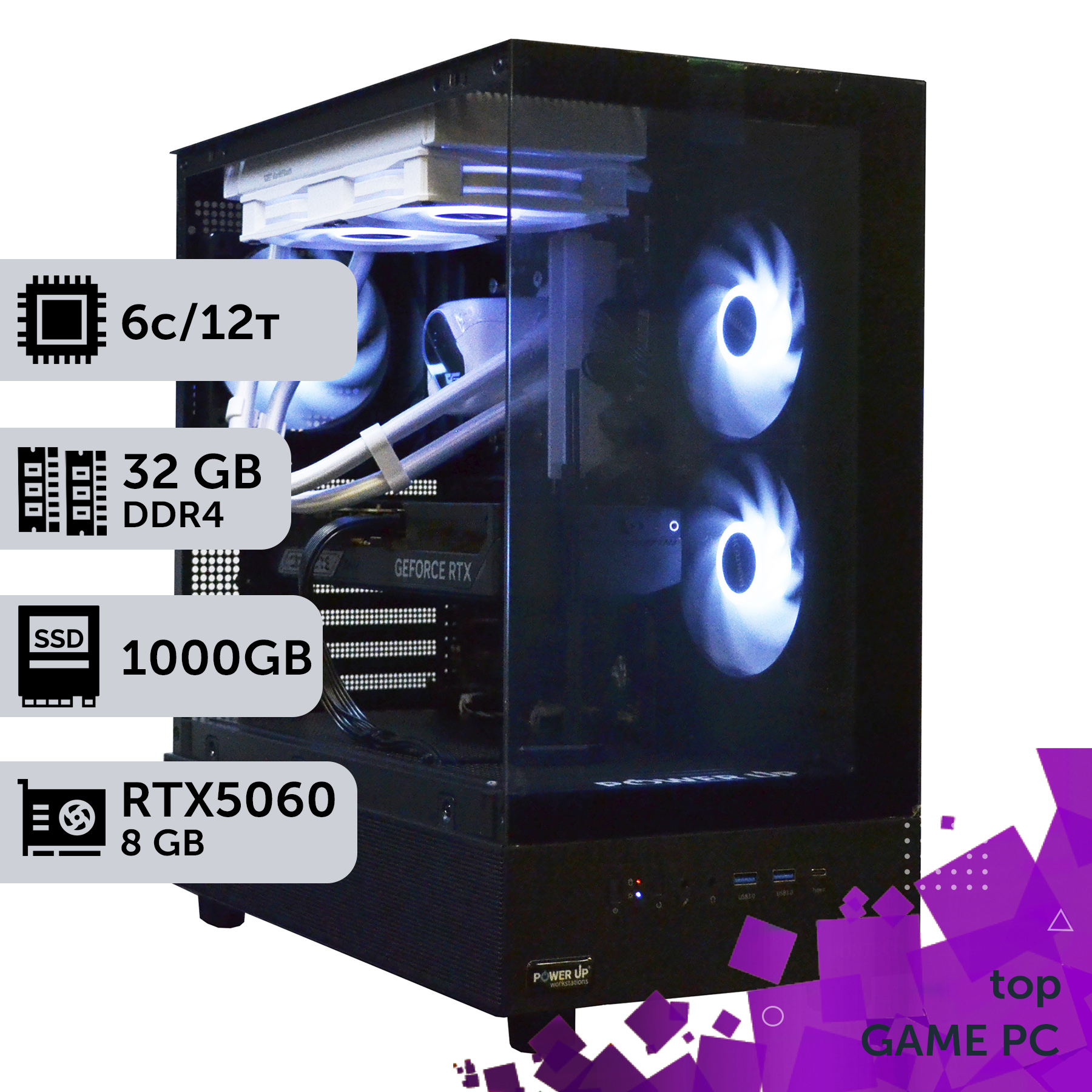
| Full HD (1080p), 144+ Hz | NVIDIA GeForce RTX 5060 (10GB) / AMD Radeon RX 8600 XT (10GB) | Intel Core Ultra 5 245F / AMD Ryzen 5 9600X | 45,000 - 60,000 UAH |
| 2K (1440p), 120+ Hz | NVIDIA GeForce RTX 5070 (12GB) / AMD Radeon RX 8700 XT (12GB) | Intel Core Ultra 7 260K / AMD Ryzen 7 9700X | 75,000 - 110,000 UAH |
| 4K (2160p), 60+ Hz | NVIDIA GeForce RTX 5080 (16GB) / AMD Radeon RX 8900 XTX (20GB) | Intel Core Ultra 9 290K / AMD Ryzen 9 9900X3D | 150,000 - 220,000 UAH |
What Exactly is 'Eating' Your VRAM in 2026?
Understanding which specific graphics technologies consume the most video memory helps gamers fine-tune their games to achieve an optimal balance between visual quality and performance. In 2026, the main consumer of VRAM remains Ray Tracing, especially its most advanced form, Path Tracing. This technology simulates the physically accurate behavior of light, creating incredibly realistic reflections, shadows, and global illumination. However, this beauty comes at a cost. Storing BVH (Bounding Volume Hierarchy) structures, which describe the scene's geometry for ray tracing, requires gigabytes of video memory. Enabling Path Tracing in Cyberpunk 2077 at 4K can easily increase VRAM consumption by 4-6 GB.
The second most significant factor is high-resolution textures. With the proliferation of 4K monitors, developers are increasingly including 4K and even 8K textures in their games. A single such texture can take up hundreds of megabytes. If there are many objects in the frame with such detailed materials (characters, weapons, environmental elements), the total required VRAM skyrockets. Disabling the "HD textures" option or lowering their quality is one of the most effective ways to free up memory. Modern game engines also use complex shaders, high-polygon geometry, and advanced post-processing methods, each contributing to filling the VRAM buffer. To ensure a stable framerate, the system must have enough memory reserve to avoid "stutters"—unpleasant hitches that occur when the game has to load data from a slower system drive (SSD) into VRAM.
| Game | 1920x1080 (Full HD) | 2560x1440 (2K) | 3840x2160 (4K) |
|---|---|---|---|
| Cyberpunk 2077 (Path Tracing) | ~110 FPS | ~75 FPS | ~40 FPS |
| Grand Theft Auto VI | ~140 FPS | ~95 FPS | ~55 FPS |
| Counter-Strike 2 (Max Settings) | ~450 FPS | ~320 FPS | ~180 FPS |
It's important to understand that a game doesn't always use all available video memory. Modern APIs like DirectX 12 Ultimate and Vulkan allow games to reserve (allocate) more memory than is currently needed to have a buffer for future scenes. So, don't panic if your monitoring software shows 90% VRAM usage. Problems begin when the required amount exceeds the available amount, which leads to a performance drop. Investing in a graphics card with 16GB of VRAM in 2026 is less about chasing numbers and more about insuring yourself against such unpleasant situations in the most demanding projects of the coming years.

Esports Build or AAA Monster: Choosing VRAM for Your Needs
There is no universal answer to the question of the ideal VRAM amount. The choice directly depends on your gaming preferences, monitor resolution, and budget. In 2026, two main types of gamer builds can be distinguished, with drastically different requirements. The first type is the esports build. Here, the goal is not maximum graphics quality, but the highest and most stable FPS in games like Counter-Strike 2, Valorant, and Apex Legends. In these disciplines, every millisecond counts, so gamers often lower graphics settings to achieve 240, 360, or even 500+ FPS. For such tasks at 1080p or 1440p resolution, a graphics card with 8-10 GB of VRAM is quite sufficient. For example, an RTX 5060 with 10 GB of GDDR7 would be an excellent choice. Here, the performance of the central processing unit is much more important, as it needs to quickly process game logic and prepare frames for the graphics card. A powerful AMD Ryzen processor, such as the Ryzen 7 9700X with a high clock speed and large L3 cache, will provide the necessary performance.
The second type is the build for AAA games. Here, gamers want to get the maximum visual enjoyment from projects like GTA VI, The Witcher 4, or new installments of Cyberpunk. This means maxed-out graphics settings, high resolution (2K or 4K), and mandatory use of ray tracing. In this scenario, the amount of VRAM becomes critically important. 8 GB is no longer enough even for 1080p with RT. The minimum threshold for comfortable 2K gaming is 12 GB of VRAM, offered by cards like the RTX 5070. But even this amount may not be enough in the most technologically advanced games with ultra-high-resolution textures. Therefore, for an uncompromising experience, especially in 4K, the de facto standard in 2026 is 16 GB of video memory or more. It's also important to consider comfort. Powerful graphics cards generate a lot of heat (the TDP of top models reaches 350-450W). This requires well-thought-out cooling not only for the card itself but for the entire case. When choosing a graphics card, pay attention to the cooling system design: the number and size of fans, the massiveness of the heatsink. A quiet system during late-night gaming sessions is not a luxury, but a necessity for full immersion. Nothing ruins the atmosphere of a horror game like the whine of turbines drowning out a monster's footsteps.
| Game Genre | Recommended VRAM Amount | Game Examples |
|---|---|---|
| Esports / Competitive Shooters | 8-10 GB | CS2, Valorant, Overwatch 2 |
| Strategy / RPG | 10-12 GB | Civilization VII, Baldur's Gate 4 |
| Action-Adventure / AAA Blockbusters | 12-16 GB | GTA VI, The Elder Scrolls VI |
| Games with Intensive Path Tracing | 16+ GB | Cyberpunk 2077 (Phantom Liberty 2.0), Alan Wake 2 |
How Do the Processor and Motherboard Affect Graphics Card Performance?
Choosing a powerful graphics card is only half the battle. To unleash its full potential, you need a suitable platform: a processor, motherboard, and RAM. In 2026, a combination of a new generation Intel Core processor (e.g., Core Ultra 7 265K) and a motherboard on the Z890 chipset is one of the best solutions for gaming. Why is this so important? The processor is responsible for game logic, physics, artificial intelligence, and, most importantly, preparing draw calls for the graphics card. If the processor is too slow, it becomes a bottleneck, and the graphics card will sit idle waiting for data, leading to low GPU utilization and, consequently, lower FPS. This is particularly noticeable in open-world games with many NPCs, as well as in esports titles at low graphics settings where a very high framerate is required.
The motherboard, in turn, is the foundation of the entire system. Support for the PCI Express 5.0 standard plays a key role. The RTX 50-series and RX 8000-series graphics cards use this interface, which offers twice the bandwidth of PCIe 4.0. Although the difference isn't huge in most current games, it's an important future-proofing feature, especially with the development of Microsoft's DirectStorage technology, which allows the GPU to load data directly from an NVMe SSD, bypassing the processor. This significantly speeds up level and texture loading. Additionally, a quality motherboard provides stable power delivery (VRM) to the processor and graphics card, which is critical for overclocking and avoiding throttling (frequency reduction due to overheating). According to independent tests from Tom's Hardware, the performance difference of the same graphics card on motherboards with different power delivery systems can reach 5-7% under peak load.
Let's not forget the memory subsystem. For modern Intel and AMD processors, DDR5 is the standard. Using fast RAM with low latencies (e.g., DDR5-6400 CL32) directly impacts gaming performance, especially the minimum FPS, making gameplay smoother. Here are the key platform components and their roles:
- Processor (CPU): High single-threaded performance and a sufficient number of cores (8 performance cores is optimal for 2026).
- Motherboard: PCIe 5.0 support, a powerful VRM zone, and enough M.2 slots for fast SSDs.
- RAM: A minimum of 32GB of DDR5 with a frequency of at least 6000 MHz and low timings.
Skimping on any of these components will result in your expensive graphics card being unable to operate at full capacity, and you won't get the performance you paid for.

Choosing VRAM Amount: Key Pros and Cons
Advantages
- ✔A larger amount of VRAM (16GB+) provides a "safety margin" for future games and high-resolution texture packs.
- ✔Sufficient VRAM allows for maximum graphics settings, including ray tracing, without freezes and stutters.
- ✔Graphics cards with more memory usually have a more powerful GPU, providing a comprehensive FPS boost.
- ✔Comfortable gaming at high resolutions (2K, 4K) directly depends on the amount of available video memory.
Disadvantages
- ✖High cost: each additional gigabyte of VRAM significantly increases the price of the graphics card.
- ✖Excessive memory for current tasks (e.g., 16GB for Full HD) provides no performance increase, being a waste of money.
- ✖In budget builds, chasing VRAM can lead to an imbalance where a slow GPU cannot process the data that fits into the memory.
DLSS, FSR, and Upgrades: How Scaling Technologies Extend Your Graphics Card's Lifespan
In 2026, intelligent image scaling technologies have become an integral part of gaming. NVIDIA's DLSS (Deep Learning Super Sampling), now at version 4.0, and its AMD counterpart, FidelityFX Super Resolution (FSR) 4.0, can significantly boost performance with almost no loss in image quality. Their principle of operation involves rendering the game at a lower internal resolution (e.g., 1080p) and then upscaling the frame to your monitor's resolution (e.g., 4K) using AI-based algorithms. This reduces the load on the GPU, leading to a substantial increase in FPS. But these technologies have another, less obvious, but extremely important effect: they reduce video memory consumption. Since the original frame is rendered at a lower resolution, it requires smaller textures and buffers, freeing up precious gigabytes of VRAM. This allows graphics cards with a moderate amount of memory, such as 12GB, to remain relevant for longer and provide comfortable gameplay in the latest projects.
Let's consider a practical example. You have a graphics card with 12GB of VRAM, and a new game at native 2K resolution with ray tracing requires about 13.5GB, causing stutters. By activating DLSS in "Quality" mode, you lower the internal rendering resolution to about 1707x960. VRAM consumption drops to 11GB, the stutters disappear, and the FPS increases by 30-40%. The image quality remains very high thanks to the neural networks that reconstruct the missing details. This makes scaling technologies a powerful tool for extending your system's life cycle.
When planning a PC upgrade, this factor should be considered. Perhaps instead of buying a top-tier card with 20GB of VRAM, a more sensible solution would be to get a mid-range model (like an RTX 5070 with 12GB) and actively use DLSS. The saved money can be invested in a more powerful processor or a faster NVMe SSD, which will provide a greater boost in overall system responsiveness. However, this approach has a downside. The image quality with upscaling, though high, is still slightly inferior to native resolution. For gamers who accept no compromises and want the sharpest, most detailed picture possible, the choice is clear—a graphics card with a large VRAM reserve (16GB or more). Ultimately, the choice of strategy depends on your budget and quality requirements. But to ignore the possibilities offered by DLSS and FSR in 2026 is to voluntarily give up a free performance boost. They are your main ally in the fight for a high and stable FPS for years to come. Therefore, when choosing a gaming computer, be sure to check that the graphics card supports the latest versions of these technologies.
How to Choose the Optimal VRAM Amount in 4 Steps
This short guide will help you determine the necessary amount of video memory for your future gaming PC, avoiding overpayment and performance bottlenecks.
Step 1: Determine your target resolution and refresh rate
This is the most important step. For Full HD (1080p) in 2026, 8-10GB is sufficient. For 2K (1440p), 12GB is a reasonable minimum, and 16GB is a comfortable standard. For 4K (2160p), you shouldn't consider graphics cards with less than 16GB of memory.
Step 2: Analyze your gaming preferences
If you primarily play esports titles (CS2, Valorant), you don't need a large amount of VRAM. However, if you're a fan of AAA blockbusters with cutting-edge graphics and ray tracing (Cyberpunk, Alan Wake 2), choose a card with a memory surplus, as these projects are the main consumers of VRAM.
Step 3: Set a realistic budget and find a balance
Determine the maximum amount you are willing to spend on the entire build. Don't invest 70% of your budget in the graphics card alone. Remember that a powerful graphics card needs a corresponding processor, fast RAM, and a quality power supply. It's better to get a card with 12GB of VRAM in a balanced system than one with 16GB paired with a weak CPU.
Step 4: Study independent benchmarks and plan for the future
Before buying, watch current performance tests of various graphics cards in the games you're interested in. Pay attention not only to the average FPS but also to VRAM consumption. Games are constantly evolving, and their requirements are growing. By adding 15-20% to current requirements, you'll get an amount that will likely remain relevant for the next 2-3 years.
Frequently Asked Questions (FAQ)
Does the amount of VRAM affect performance in professional tasks, like 3D modeling or video editing?
Yes, very much so. In professional applications like Blender, DaVinci Resolve, or Adobe Premiere Pro, a large amount of VRAM allows you to work with more complex scenes, high-resolution models, and 8K video without lags or crashes. For such tasks, 16GB is no longer a luxury, but often a working minimum.
What's better: a card with 12GB of fast GDDR7 VRAM or a card with 16GB of slower GDDR6X?
In 90% of gaming scenarios, a larger amount of memory is preferable. While high bandwidth is important, its deficiency can be partially compensated by a large cache (Infinity Cache for AMD, L2 cache for NVIDIA). However, there is no way to compensate for a lack of VRAM; it will inevitably lead to stutters when the game has to access system RAM.
My monitoring software shows the game is using 10GB out of 16GB of available VRAM. Does this mean 12GB would have been enough?
Not necessarily. Modern games and APIs often reserve more memory than they are currently using to ensure smoothness when transitioning to more demanding locations. Having a 4-6GB buffer is a normal and healthy situation that protects you from performance drops.
Is it true that AMD Ryzen processors work better with AMD Radeon graphics cards, and Intel with NVIDIA?
This is an outdated myth. In 2026, all modern components are fully compatible with each other thanks to the standardized PCIe interface. Smart Access Memory (Resizable BAR) technology works on all combinations of modern CPUs and GPUs. Choose your CPU and GPU pairing based on their performance in your tasks and your budget, not the brand.
Is it worth paying extra for a factory-overclocked (OC version) graphics card?
Typically, a factory overclock provides a performance boost of 2-5%, while the price can be 10-15% higher. Often, these cards also have an improved cooling system. If the price difference is small, it can be a justified purchase. However, if the budget is limited, it's better to invest that money in a more powerful graphics card model or another system component.
How long will graphics cards with 12GB of VRAM remain relevant?
For gaming at 1080p and 1440p resolutions without extreme ray tracing settings, cards with 12GB of VRAM will remain relevant for another 2-3 years. However, for 4K gaming and the most technologically advanced future AAA projects, this amount will likely become insufficient within the next year or two.