Server Infrastructure Project for SOLIDWORKS
Authors' Note: This article is based on a real-world case study for a specific technical task. We decided to share this material because such requests are common yet extremely complex to understand and design properly. Please note that all configurations, prices, and commercial calculations are real, current, and reflect the market situation at the time of publication — late June 2026.
There are two fundamentally different approaches to implementing network operations for a design department. Let's break them down in detail to make an informed decision regarding workflow logic, performance, and budget.
Option 1. Classical Network Architecture (Software on PC, Files on Server)
Many believe that the "network version" of SOLIDWORKS operates like a standard network accounting software—meaning all calculations happen on the server. With heavy 3D software, this is not the case. In the traditional sense, network SOLIDWORKS (via the SolidNetWork License Manager mechanism) works as follows:
- The server acts as a "smart flash drive" and controller. It simply hosts the shared project database (SolidWorks PDM) and distributes floating concurrent licenses. There is no 3D graphics processing on the server in this mode whatsoever.
- User workstations do all the heavy lifting. When an engineer opens a drawing, the file is downloaded from the server into their local computer's RAM. The local CPU and discrete professional GPU on the engineer's PC handle the rotation and calculation of the 3D model.
What this means in practice according to official SOLIDWORKS technical guidelines: Official system requirements split the IT infrastructure into two isolated categories: "Server Products" and "Hardware" for end-users.
According to the developer's documentation, server modules (such as SOLIDWORKS PDM Professional or the SolidNetWork License Manager) demand purely general-purpose CPU processing power, RAM, and a fast storage subsystem to manage SQL databases and file archives. The server component of SOLIDWORKS cannot utilize a graphics chip (GPU) for geometry processing.
All visualization, parametric relationship building, simulations, and rendering are bound tightly to the software's executable file running on the client side. This means that for calculations, SOLIDWORKS utilizes the resources of the specific local workstation connected to the server. If the client computer has a weak or non-certified graphics card, or insufficient RAM, even the most powerful and expensive server in the world cannot speed up 3D model rotation on the engineer's screen, because its graphics resources do not physically participate in this scheme. Detailed architectural requirements can be found on the official website via this link: https://www.solidworks.com/support/system-requirements
Pros: The server for this task can be relatively simple and inexpensive (focusing on fast drives and networking), since it carries no graphics load.
Cons: This option makes no sense if the engineers themselves use weak office PCs or laptops. You would still need to purchase full-fledged workstations with certified professional GPUs (NVIDIA RTX / Quadro level); otherwise, working would be physically impossible.
Option 2. Virtualization / VDI (Everything Runs on One Powerful Server)
This is the exact scenario most people assume for such tasks: a specialized operating system (VMware hypervisor) is installed on the server, and separate virtual machines are created inside it for each designer. Engineers can connect even from weak laptops—the entire load is handled by the server.
However, there is a crucial technical nuance here that dictates the total power required for the server:
Server resources must be allocated STRICTLY and STATICALLY to each user.
To ensure SOLIDWORKS runs stably without throwing errors when opening drawings, the system administrator must strictly reserve a minimum "package" of resources for each VM at the VMware level. Based on SOLIDWORKS system requirements, a single user requires dedicated, fixed resources:
- Processor: 8 to 16 threads.
- RAM: Minimum 16 GB RAM.
- Graphics Card: Minimum 4 GB of dedicated VRAM.
Technical Aspects of Selecting Server Hardware
1. GPU Limitations: The nature of VMware is such that using standard, cheaper desktop graphics cards (like a consumer RTX 5090) is technically impossible. The vGPU function—hardware slicing of the graphics core and video memory among independent users—is fully blocked at the microcode and driver level. You must use specialized server and professional hardware exclusively.
Consequently, allocating even a baseline 4 GB of VRAM per user demands roughly 80 GB of total video memory for a full deployment. Currently, there are a few ways to solve this:
- Use a single flagship card, such as the 72 GB RTX Pro 5000 or the 96 GB Blackwell-based RTX Pro 6000.
- Alternatively, install an array of smaller-capacity GPUs, such as three 24 GB NVIDIA RTX 4000 Blackwell cards. Combined, this yields 72 GB of VRAM, and their aggregate computing power is significantly higher than a single RTX Pro 5000. The downside of such a multi-GPU configuration is that memory is physically separated across different cards, though given the strict segregation of resources between users, it won't impact performance (exactly 6 users will work isolated within a single GPU). However, it complicates the build and rules out future GPU upgrades.
2. Server CPU Characteristics: It is important to realize that any server processor will trail powerful desktop CPUs in per-core performance inside SOLIDWORKS. This is a downside inherent to any server system, since server architecture is tailored for parallel multi-threaded loads rather than extreme single-thread clock speeds.
Based on these criteria, three hardware platform configurations have been designed to implement Option 2.
Budget Server Variant
This is a baseline solution built on the proven AMD Zen 3 server platform paired with NVIDIA's latest Blackwell graphics architecture. By utilizing components from this generation for the CPU and memory, this variant delivers excellent graphics capabilities at the lowest possible entry cost.
Technical Platform Specifications:
- Motherboard: Gigabyte MZ72-HB2. A proprietary dual-socket server board perfectly suited to the task. It features three PCI-Express slots, physically allowing three GPUs to sit comfortably with full bandwidth without lane throttling.
- Processors (CPU): 2x AMD EPYC 7C13 (Milan architecture, 3rd Gen).
- A dual-processor setup providing a total of 256 computing threads.
- Maximum clock speed in auto-overclocking mode (Max Boost) is 3.67 GHz. Crucially, under simultaneous heavy loads across many threads, the clock speed will dip below this peak.
- Sized for 18 users, each engineer gets 14 dedicated threads, with remaining resources reserved for the VMware hypervisor itself.
- System Memory (RAM): 512 GB DDR4 ECC Reg.
- Thanks to the high multi-channel capacity of the AMD EPYC platform (16 channels total across a dual-socket server), memory bandwidth is plenty for the tasks at hand, saving costs on more expensive memory standards.
- With this capacity, each of the 18 users can easily be allocated 26 GB of dedicated RAM within their VM, fully exceeding SOLIDWORKS recommendations.
- Graphics Subsystem (GPU): 3x NVIDIA RTX 4000 (Blackwell Architecture), 24 GB each.
- Total server video memory equals 72 GB.
- These are slim single-slot cards, making them ideal for high-density server integration. The math fits 18 users perfectly: exactly 6 people run isolated and stable on a single GPU under vGPU management (6 users × 4 GB = 24 GB VRAM).
- Storage Subsystem (for baseline pricing): 1x High-speed 1 TB NVMe SSD (for the OS and core infrastructure).
Economics and Features:
- Total Hardware Cost: 788,000 UAH (excluding a dedicated storage array for PDM archives and software license fees).
- Pros: Lowest entry cost for full VDI virtualization. Excellent resource allocation (14 threads and 26 GB RAM per seat). Exceptional Blackwell graphics performance per UAH invested.
- Cons: All primary expansion slots are filled out of the gate, making a future graphics subsystem upgrade virtually impossible.
Alternative Variant for Configuration 1:
If future scalability is critical, this same server can be configured with a single flagship GPU. Installing one 72 GB NVIDIA RTX Pro 5000 instead of three RTX 4000 cards adds 185,000 UAH to the price. It delivers the same 72 GB of total VRAM for 18 users on day one, but keeps slots open on the motherboard to easily drop in a second matching GPU down the line as the team grows.
Configuration №2: Optimal Intel Platform Variant on DDR5
This is a top-tier premium solution. It is based on Intel's modern server architecture (Sapphire Rapids) and ultra-fast DDR5 system memory. The configuration is designed for scenarios demanding maximum system responsiveness for highly complex engineering computations.
Technical Platform Specifications:
- Motherboard: Supermicro X13DEI. A high-grade, industrial-class dual-socket board. It comes equipped with next-gen PCIe 5.0 x16 slots, accommodating three slim single-slot GPUs and ensuring colossal data transfer speeds to the processors.
- Processors (CPU): 2x Intel Xeon Platinum 8490H (LGA4677 socket).
- A dual-CPU configuration serving up an incredible 240 computing threads.
- Maximum clock speed in Turbo Boost mode reaches 3.50 GHz. The same server rule applies: intense multi-threaded loads automatically reduce frequency to keep thermals within standard bounds.
- Distributed across 18 users, each designer receives 13 potent threads of modern Intel architecture, with remaining threads servicing the VMware hypervisor and the SQL database server.
- System Memory (RAM): 512 GB DDR5 ECC Reg (configured as a kit of 16x 32 GB modules).
- Next-generation memory running at significantly higher frequencies than DDR4. The board's 16 slots are completely populated to engage the maximum 8-channel operational mode of the CPUs.
- With this configuration, each of the 18 users gets 26 GB of dedicated RAM within their VM, ample for opening massive assemblies in SOLIDWORKS.
- Graphics Subsystem (GPU): 3x NVIDIA RTX 4000 (Blackwell Architecture), 24 GB each.
- Identical to the first option, offering 72 GB of aggregate VRAM. Via vGPU technology, memory splits evenly at 6 users per thin single-slot card (6 users × 4 GB = 24 GB VRAM).
- Storage Subsystem (for baseline pricing): 1x High-speed 1 TB NVMe SSD (for the OS and core infrastructure).
Economics and Features:
- Total Hardware Cost: 1,567,000 UAH (excluding PDM storage arrays and software licensing).
- Pros: Ultimate performance derived from the modern DDR5 standard and a cutting-edge Intel Platinum architecture. Maximum industrial reliability from the Supermicro platform.
- Cons: The platform cost is nearly double that of the baseline option, driven by the flagship status of Platinum series CPUs and DDR5 pricing.
Alternative Variant for Configuration 2:
This premium server can also be re-spec'd with an eye toward future graphics scaling. Opting for a single 72 GB NVIDIA RTX Pro 5000 over three RTX 4000 cards incurs the same 185,000 UAH premium. It secures the same baseline VRAM pool (72 GB for 18 users) but leaves open expansion slots on the Supermicro X13DEI motherboard to drop in a second card later as team size scales.
Configuration №3: Max Core Speed (High-End Workstation Platform)
Why include a non-server hardware build in this comparison? This is an ultra-powerful workstation built around a processor architecturally ideal for CAD applications. Unlike traditional server CPUs, the emphasis here is placed squarely on extreme single-thread clock speeds, which is the primary performance driver for SOLIDWORKS. Yet, the platform maintains professional integrity by using enterprise components, including reliable DDR5 Registered ECC memory.
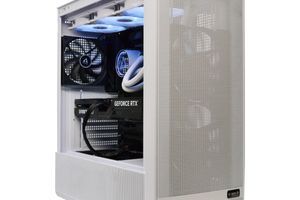
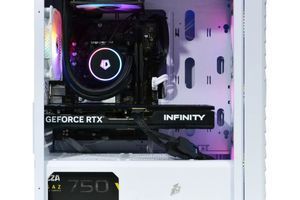
The standout feature of this option is the physical format: instead of a rackmount chassis, it is assembled into a standard, high-quality desktop ATX tower utilizing a highly efficient liquid cooling loop for the CPU. This solution has proven itself beautifully: the system runs quietly enough to be deployed directly in the office spaces without needing a server room or an isolated rack cabinet.
Technical Platform Specifications:
- Motherboard: ASUS Pro WS WRX90E-SAGE SE. The definitive motherboard for professional workstations, featuring phenomenal reliability and a PCIe lane layout that handles three GPUs effortlessly.
- Processor (CPU): AMD Ryzen™ Threadripper™ PRO 9995WX (Zen 5 architecture, latest generation).
- According to official AMD specifications, the CPU serves up 192 computing threads.
- Maximum clock speeds via auto-overclocking (Max. Boost Clock) hit a staggering 5.4 GHz. Under massive multi-threaded loads across all cores, frequencies will scale back automatically, but they remain out of reach for traditional servers.
- Sized for 12 users: Because 192 threads is lower than the first two options, splitting this machine among 18–20 people is sub-optimal. We spec this system strictly for 12 users (a number that matches the GPUs perfectly). At this density, each engineer gets 16 ultra-high-frequency threads, ensuring uncompromised speed in SOLIDWORKS.
- System Memory (RAM): 256 GB DDR5 ECC Registered (configured as a kit of 8x 32 GB modules).
- For a 12-user workload, this capacity is plenty: each engineer is guaranteed 21 GB of dedicated RAM inside their VM.
- Stepping up to 512 GB on this platform requires switching to 64 GB modules. This would inflate the build cost by an extreme 640,000 UAH due strictly to the pricing premium on those dense modules.
- Graphics Subsystem (GPU): 3x NVIDIA RTX 4000 (Blackwell Architecture), 24 GB each.
- Slim single-slot cards providing 72 GB of total VRAM.
- Divided among 12 users, the math is ideal: exactly 4 people map to each of the three GPUs. Consequently, under vGPU management, each engineer receives a dedicated 6 GB VRAM buffer. This is an exceptional allocation for buttery-smooth performance with complex 3D geometry and massive assemblies.
- Storage Subsystem (for baseline pricing): 1x High-speed 1 TB NVMe SSD (for the OS and core infrastructure).
Economics and Features:
- Total Hardware Cost: 1,722,000 UAH (excluding PDM storage arrays and software licensing).
- Pros: Absolute best performance for SOLIDWORKS per user due to the record-breaking 5.4 GHz CPU clock speed (Zen 5 architecture). Outstanding per-seat resource allocation (16 threads, 21 GB RAM, and 6 GB VRAM). Office-friendly deployment (quiet liquid cooling, tower format).
- Cons: Highest entry cost when calculated per user due to the lower seat density and high-end hardware overhead. Strict scaling roof—the system is locked to 12 users with no realistic path to add more. Limitations on cost-effective memory upgrades.
Alternative Variant for Configuration 3:
Like the prior builds, this tower can be adjusted for future graphics scaling. Swapping the three RTX 4000 cards for a single 72 GB NVIDIA RTX Pro 5000 adds the same 185,000 UAH to the price. It preserves the baseline graphics buffer while leaving slots open on the ASUS motherboard to expand the GPU setup later.
Executive Summary for Final Decision Making:
Each of the proposed options serves a distinct operational path:
- Configuration №1 (788,000 UAH) — provides the most accessible and cost-efficient entry point into VDI virtualization for 18 engineers on a high-thread AMD platform (14 threads and 26 GB RAM per user).
- Configuration №2 (1,567,000 UAH) — a premium deployment utilizing Intel Platinum and high-bandwidth DDR5 for 18 users (13 threads and 26 GB RAM per user).
- Configuration №3 (1,722,000 UAH) — an uncompromised single-thread speed king tower (up to 5.4 GHz), tailored for maximum comfort across 12 users with elevated graphics (6 GB), memory (21 GB), and CPU resources (16 threads) that can sit directly in the office.
| Parameter | Configuration №1 (Budget Server) | Configuration №2 (Optimal Intel DDR5) | Configuration №3 (Threadripper PRO) |
|---|---|---|---|
| Total User Count | 18 engineers | 18 engineers | 12 engineers |
| Total Server Cost | 788,000 UAH | 1,567,000 UAH | 1,722,000 UAH |
| Cost Per User | ~43,770 UAH | ~87,050 UAH | ~143,500 UAH |
| CPU Threads Per Seat | 14 threads (Max Boost 3.67 GHz) | 13 threads (Turbo Boost 3.50 GHz) | 16 threads (Max Boost 5.40 GHz) |
| Dedicated RAM Per Seat | 26 GB DDR4 ECC Reg | 26 GB DDR5 ECC Reg | 21 GB DDR5 ECC Reg |
| Dedicated Video Memory (VRAM) | 4 GB (NVIDIA Blackwell) | 4 GB (NVIDIA Blackwell) | 6 GB (NVIDIA Blackwell) |
Key Takeaways from the Summary:
- On Economics: Option 1 delivers a phenomenal cost per user (~43.7k UAH), making it the absolute leader in ROI. Option 3 is the most expensive per user due to lower density and premium high-end component pricing.
- On Performance: Configuration 3 provides a massive leap in SOLIDWORKS interface responsiveness for individual users. Driven by a 5.4 GHz clock speed per core (Zen 5 architecture) and an expanded 6 GB modern Blackwell VRAM frame buffer, engineers will experience maximum agility with complex assemblies.
- On Resource Scaling: Further scaling of per-user performance will disproportionately increase the total server cost and, consequently, the price per seat. For example, installing two RTX Pro 5000 72 GB graphics cards doubles the available VRAM per designer but adds 760,000 UAH to the server price right away. Moving to two flagship RTX PRO 6000 96 GB cards would provide a highly comfortable 10–16 GB of VRAM per engineer, but pushes the bill up by 1,167,000 UAH. A similar exponential cost curve applies to any attempts to scale system memory.