






|
Quantity
|
Out of stock
|
||
|
|
|||
|
|
|||
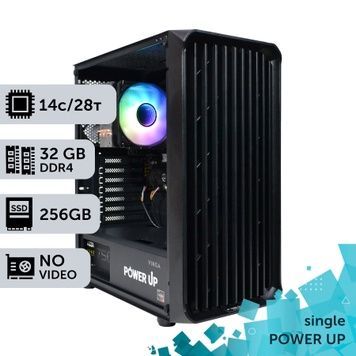
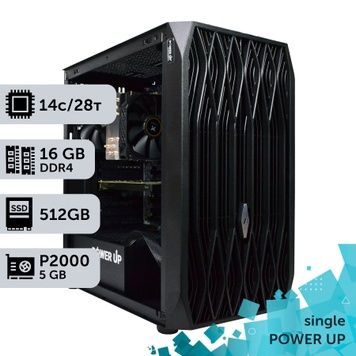
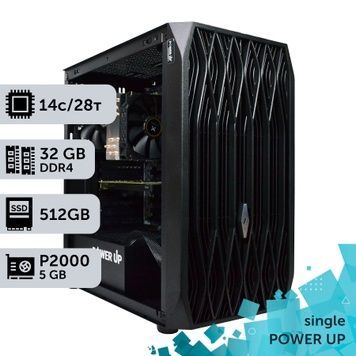
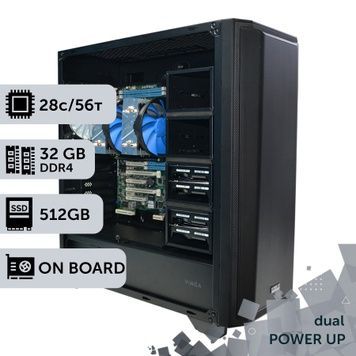
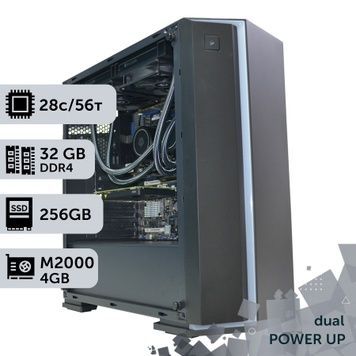
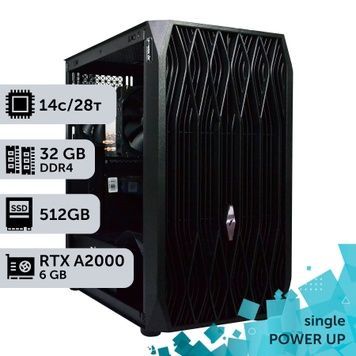
An Intel Xeon E5-2680 v4 workstation is a computer built on the LGA2011-3 server platform featuring one or two processors: 14 cores and 28 threads per processor, while the dual-processor version offers 28 cores, 56 threads, and 8-channel DDR4 ECC memory. In our Blender benchmark, a pair of E5-2680 v4 processors renders the scene in 240 seconds — on par with the Core i9-12900K, while a single one does it in 477 s. Such workstations are chosen for CPU rendering, complex calculations, and virtualization, where the number of cores and the amount of ECC memory are more important than frequency. The PowerUp catalog features builds with 16–256 GB of memory and graphics cards ranging from the Quadro M2000 to the RTX A5000 24 GB and GeForce RTX 5070 Ti. The E5-2680 v4 is the second most frequently ordered processor for our workstations in 2025–2026.
Intel Xeon E5-2680 v4 Specifications
| Parameter | 1 × E5-2680 v4 | 2 × E5-2680 v4 |
|---|---|---|
| Architecture | Broadwell-EP, 14 nm, released in Q1 2016 | |
| Cores / threads | 14 / 28 | 28 / 56 |
| Frequency | 2.4 GHz base, up to 3.3 GHz in Turbo Boost | |
| L3 Cache | 35 MB | 70 MB |
| TDP | 120 W | 240 W |
| Memory | DDR4-2400 ECC, 4 channels, up to 1.5 TB, 76.8 GB/s | 8 channels, up to 3 TB, 153.6 GB/s |
| PCIe lanes | 40 × PCIe 3.0 | 80 × PCIe 3.0 |
| Socket and instructions | LGA2011-3, AVX2 (no AVX-512) | |
| Motherboard in our builds | HP Z440 | Asus or Supermicro dual-socket |
Render Test: One or Two Processors, Comparison with Core and Ryzen
The results are based on our own benchmarks: the Blender 3.4.1 render table and the Pavilion Barcelona scene test in Blender 2.8, which we run on our assembled workstations. Time is in seconds; lower is better.
| Configuration | Cores / threads | Blender 3.4.1, s | Blender 2.8, s |
|---|---|---|---|
| 2 × Xeon E5-2680 v4 | 28 / 56 | 240 | 276 |
| 1 × Xeon E5-2680 v4 | 14 / 28 | 477 | 537 |
| Core i9-13900KF | 24 / 32 | 165 | — |
| Core i9-14900KF | 24 / 32 | — | 191 |
| Ryzen 9 7900X | 12 / 24 | 212 | — |
| Core i9-12900K | 16 / 24 | 242 | — |
| Core i5-13400F | 10 / 16 | 432 | — |
| 1 × AMD EPYC 7551 | 32 / 64 | — | 284 |
| 2 × AMD EPYC 7702 | 128 / 256 | — | 69 |
| GeForce RTX 3050, GPU render (OptiX) | — | 57 | — |
- A second processor speeds up CPU rendering exactly twofold: 477 → 240 s and 537 → 276 s. It provides no benefit in single-threaded tasks.
- A pair of E5-2680 v4s renders like a Core i9-12900K, while the Core i9-13900KF and 14900KF are about 1.45 times faster. The advantage of a Xeon is not raw speed, but 56 threads combined with a large amount of ECC memory and 80 PCIe lanes.
- A single 32-core AMD EPYC 7551 performs similarly to two E5-2680 v4s (284 and 276 s), so for heavy CPU rendering, it's worth checking out graphics workstations based on Xeon and AMD EPYC.
- In GPU rendering (Blender Cycles OptiX, Redshift, Octane), even a GeForce RTX 3050 is 4 times faster than two E5-2680 v4s — for such tasks, investing in a graphics card is more effective.
Results of other builds can be found on the test results page and in the processor performance table in Blender 2.8.
Tasks Suitable for the E5-2680 v4
| Task | 1 Processor | 2 Processors | Comment |
|---|---|---|---|
| CPU rendering: Corona, V-Ray CPU, Arnold, Cycles on CPU | Entry-level | Good | Speed scales with core count; 3ds Max configurations are in the computers for rendering section |
| Calculations and simulations: ANSYS, Abaqus, COMSOL, SolidWorks Simulation | Small models | Good | Solvers utilize all cores and 8 memory channels; see computers for complex calculations |
| Virtualization, test environments, VDI, application servers | Yes | Yes | 56 threads and up to 256 GB ECC in our builds; example — VDI server for SolidWorks, chassis solutions — in server PCs |
| 3D modeling: 3ds Max, Maya, Blender, Cinema 4D | Yes, with a good graphics card | Yes | Viewport smoothness is determined by the graphics card and processor frequency |
| CAD: AutoCAD, SolidWorks, Revit, Kompas-3D | Works | No faster than one | The single-threaded PassMark score is 1,929 versus 4,690 for the Core i9-14900K: desktop workstations are more cost-effective for CAD |
| Video editing | Limited | Limited | No Quick Sync: H.264 and HEVC are encoded by the graphics card via NVENC — learn more on the computer for video editing page |
| Gaming | Limited | No faster than one | With a 3.3 GHz turbo frequency, FPS is lower than on modern Core i5s; for gaming — gaming PCs |
One or Two Processors
- One E5-2680 v4 — a budget workstation on an HP Z440 motherboard for 3D modeling, visualization, and light CPU rendering: 14 cores, 4 memory channels, 16–128 GB in our builds.
- Two E5-2680 v4s — for CPU rendering, simulations, and virtual machines: 28 cores, 8 memory channels, 32–256 GB in our builds. All dual-processor configurations can be found in the dual-processor workstations section.
- A dual-processor system consists of two NUMA nodes: programs that cannot handle two sockets will use one processor and half of the memory. Renderers and solvers handle this well; games and CAD do not.
- A pair of processors consumes up to 240 W; our dual-processor builds feature a 750–850 W 80+ Bronze power supply and 120 mm ID-Cooling tower coolers.
The E5-2680 v4 Among Other Xeon E5 Processors
| Processor | Cores / threads | Frequency, GHz | TDP | 2 processors, Blender 3.4.1, s |
|---|---|---|---|---|
| Xeon E5-2680 v3 | 12 / 24 | 2.5 / 3.3 | 120 W | 303 |
| Xeon E5-2690 v3 | 12 / 24 | 2.6 / 3.5 | 135 W | 278 |
| Xeon E5-2680 v4 | 14 / 28 | 2.4 / 3.3 | 120 W | 240 |
| Xeon E5-2697 v4 | 18 / 36 | 2.3 / 3.6 | 145 W | 195 |
| Xeon E5-2673 v4 (OEM) | 20 / 40 | — | — | 194 |
| Xeon E5-2699 v4 | 22 / 44 | 2.2 / 3.6 | 145 W | — (in Blender 2.8: 192 vs 276 for 2 × E5-2680 v4) |
- A pair of E5-2680 v4s takes 14% less time to render a scene than a pair of E5-2690 v3s, and 21% less than a pair of E5-2680 v3s — on the same LGA2011-3 socket. We showcase how a workstation on two E5-2680 v3s performs in our review.
- If every percentage point of CPU rendering speed matters, opt for higher-end models: a pair of E5-2673 v4s renders a scene 46 s faster — workstations on two Xeon E5-2673 v4s. Even more cores are offered by workstations on two AMD EPYC 7551s.
Memory, Graphics Card, and Storage
- All builds based on the E5-2680 v4 feature DDR4 ECC memory — we explain the benefits of error correction in our article about ECC Registered. To utilize all 8 channels with two processors, you need at least 8 modules, e.g., 8 × 8 GB instead of 4 × 16 GB. Why channels are more important than frequency is detailed in the article on 128 GB of memory.
- Graphics cards in our builds range from Quadro M2000, P2000, and P4000 for CAD, to RTX A4000, RTX A5000, and Quadro RTX 6000 24 GB, as well as GeForce RTX 3050–5070 Ti. One dual-processor build comes without a discrete graphics card, using an onboard video chip instead: meant for computations and server tasks.
- PCIe 3.0 has almost no effect on rendering, but the GeForce RTX 5050, 5060, and 5060 Ti connect via 8 lanes and get PCIe 3.0 x8 bandwidth on this platform. It's best not to exceed their VRAM capacity — choose 16 GB versions for such workstations.
- Storage options: 512 GB SSD in 37 builds, 1 TB in 25, 256 GB in 8, 4 TB in one; a 1–2 TB HDD for archives in 17 builds. An NVMe drive operates via PCIe 3.0 on this platform — up to 3.5 GB/s.
Windows and Platform Support
- Intel discontinued updates for the E5-2680 v4 on June 30, 2022. This does not affect operation: the platform is mature and supported by Windows 10 and Linux.
- The processor is not on Microsoft's Windows 11 compatibility list: the OS is installed by bypassing the compatibility check, and Microsoft does not guarantee updates for such computers. Windows 10 works normally, but its mainstream support ended on October 14, 2025. Linux supports the platform without restrictions.
- For verification during assembly, we install an unactivated Windows 10 or 11; the license key is purchased separately.
How PowerUp Assembles E5-2680 v4 Workstations
- We build workstations under our own brand using components we import ourselves. In any build, you can change the memory capacity, storage, cooling, and graphics card — via a comment on your order or through a manager.
- Before shipping, each workstation runs for 4 hours under load in AIDA64 and FurMark.
- 2-year warranty: repairs take an average of 1–2 days plus shipping time, a loaner fund and post-warranty service are available, and unused goods can be returned within 14 days — warranty terms.
- Delivery via Nova Poshta takes 1–3 days: orders confirmed before 12:00 PM are shipped the same day, and parcels are insured. At our Kyiv office (Petropavlivska Borshchahivka, 6 Petropavlivska St., 4Room Mall, Mon–Fri 10:00 AM – 7:00 PM), you can inspect the workstation before paying — payment and delivery.
- Payment to a current account without commission or cashless payment with VAT; installment payments via PrivatBank and FUIB (for FUIB — from 3 to 24 payments, the first payment is due in a month).
- PowerUp workstations are used at MHP, Obozrevatel, and design studios — who works with us. If you can't find the required build in the catalog — request a custom configuration.
Frequently Asked Questions About Xeon E5-2680 v4 Workstations
How many cores does the Xeon E5-2680 v4 have?
14 cores and 28 threads, base frequency of 2.4 GHz with turbo up to 3.3 GHz, 35 MB of L3 cache, 120W TDP. A dual-processor workstation features 28 cores, 56 threads, and 70 MB of cache.
How much faster are two E5-2680 v4s compared to one?
In CPU rendering — exactly twice as fast: in our Blender tests, a single E5-2680 v4 renders a scene in 477 s, while two do it in 240 s. In single-threaded tasks, including CAD and gaming, the second processor provides no speed boost.
What is a pair of E5-2680 v4s comparable to in terms of performance?
In CPU rendering — with a Core i9-12900K (240 and 242 s in Blender 3.4.1). The Core i9-13900KF and 14900KF are about 1.45 times faster, while a single AMD EPYC 7551 performs on par with a pair of E5-2680 v4s. The advantage of dual Xeons is 8 memory channels, up to 256 GB of ECC in our builds, and 80 PCIe lanes.
Is the E5-2680 v4 suitable for AutoCAD, SolidWorks, and Revit?
The programs work, but CAD modeling depends on single-core frequency, and the E5-2680 v4 has a single-threaded PassMark score of 1,929 compared to 4,690 for the Core i9-14900K. For CAD, a desktop workstation with a Core i7 or i9 is more cost-effective; a dual-processor setup is justified if the same machine is used for simulations or CPU rendering.
How much RAM can be installed?
The processor supports up to 1.5 TB of DDR4-2400 ECC across 4 channels, and two processors support 8 channels. Our builds feature 16–128 GB on a single processor and 32–256 GB on two processors; memory capacity can be adjusted when ordering.
Can Windows 11 be installed on a Xeon E5-2680 v4 workstation?
The processor is not on Microsoft's Windows 11 compatibility list, so the OS is installed by bypassing the compatibility check, and Microsoft does not guarantee updates for such computers. Windows 10 works normally, but its mainstream support ended on October 14, 2025. Linux supports the platform without restrictions.
Is an E5-2680 v4 workstation suitable for gaming?
Games will run, but with a turbo frequency of 3.3 GHz, FPS is lower than on modern Core i5s, and a second processor provides no benefit in games. If the computer is primarily for gaming, choose a gaming PC based on Core or Ryzen.
What is the warranty and can I change the configuration?
The warranty is 2 years, repairs take an average of 1–2 days plus shipping time, and a loaner fund is available during repairs. Before shipping, we test the workstation for 4 hours under load. The memory capacity, storage, cooling, and graphics card can be modified via a comment on your order.