













|
Quantity
|
Out of stock
|
||
|
|
|||
|
|
|||
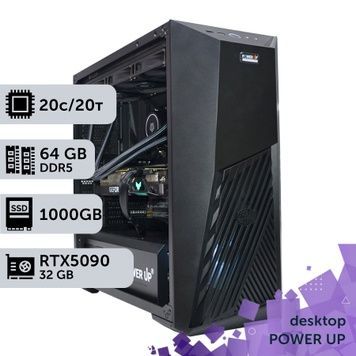
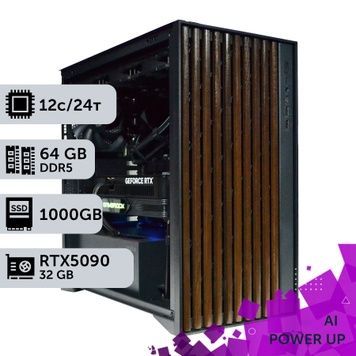
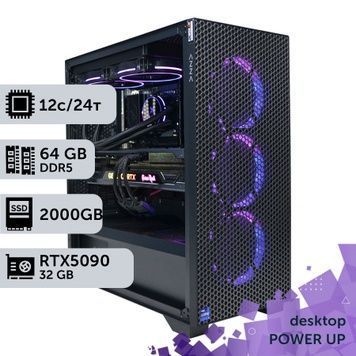
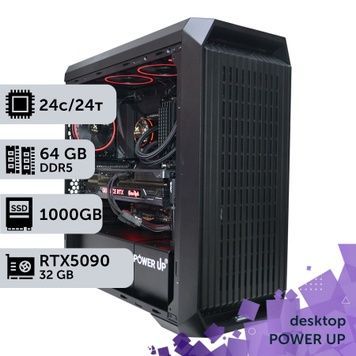
An RTX 5090 workstation is a computer built around the fastest GeForce graphics card: 21,760 CUDA cores, 32 GB of GDDR7 memory on a 512-bit bus (1,792 GB/s) and up to 575 W of power draw. In Blender 4.5 the RTX 5090 is 35% faster than the RTX 4090 and 64% faster than the RTX 5080, and its 32 GB of VRAM holds heavy GPU-rendering scenes, 8K editing and language models with 32 billion parameters. PowerUp builds RTX 5090 workstations on Intel Core i7 and i9, Core Ultra 7 and 9, AMD Ryzen 9 and Threadripper PRO with 64–256 GB of DDR5, fits a 1000–1250 W power supply, stress-tests every build for 4 hours and gives a 2-year warranty.
RTX 5090 specifications compared with the RTX 5080 and RTX 4090
| Specification | RTX 5090 | RTX 5080 | RTX 4090 |
|---|---|---|---|
| Architecture | Blackwell | Blackwell | Ada Lovelace |
| CUDA cores | 21,760 | 10,752 | 16,384 |
| Video memory | 32 GB GDDR7 | 16 GB GDDR7 | 24 GB GDDR6X |
| Bus and bandwidth | 512-bit, 1,792 GB/s | 256-bit, 960 GB/s | 384-bit, 1,008 GB/s |
| Card power | 575 W | 360 W | 450 W |
| System power supply required by NVIDIA | 1000 W or more | 850 W or more | 850 W or more |
| NVENC encoders / NVDEC decoders | 3 × 9th gen / 2 × 6th gen | 2 × 9th gen / 2 × 6th gen | 2 × 8th gen / 1 × 5th gen |
| 10-bit 4:2:2 video (H.264, HEVC) | Encode and decode | Encode and decode | No |
| Power connector | 12V-2x6 (16-pin) | 12V-2x6 (16-pin) | 12VHPWR (16-pin) |
| PCIe interface | 5.0 x16 | 5.0 x16 | 4.0 x16 |
| Outputs (Founders Edition) | 3× DisplayPort 2.1b, 1× HDMI 2.1b | 3× DisplayPort 2.1b, 1× HDMI 2.1b | 3× DisplayPort 1.4a, 1× HDMI 2.1 |
Compared with the RTX 5080, the card has twice the cores and twice the memory; compared with the RTX 4090, it has 8 GB more memory, 78% more bandwidth and hardware support for 10-bit 4:2:2 video. All RTX 50 cards for professional work are collected in the RTX 50 series computers section.
Rendering speed: RTX 5090 vs RTX 4090, RTX 5080 and RTX PRO
Blender Open Data is the Blender Foundation's open benchmark database: users render three standard scenes and the score is samples per minute, so higher is better. Medians for Blender 4.5 with OptiX as of September 2026:
| Graphics card | Video memory | Power | Blender 4.5, OptiX | Relative to RTX 5090 |
|---|---|---|---|---|
| RTX PRO 6000 Blackwell | 96 GB GDDR7 ECC | 600 W | 16,737 | 112% |
| GeForce RTX 5090 | 32 GB GDDR7 | 575 W | 14,966 | 100% |
| GeForce RTX 4090 | 24 GB GDDR6X | 450 W | 11,062 | 74% |
| RTX PRO 5000 Blackwell | 48 or 72 GB GDDR7 ECC | 300 W | 10,929 | 73% |
| GeForce RTX 5080 | 16 GB GDDR7 | 360 W | 9,138 | 61% |
| GeForce RTX 5070 Ti | 16 GB GDDR7 | 300 W | 7,589 | 51% |
| RTX PRO 4000 Blackwell | 24 GB GDDR7 ECC | 145 W | 6,247 | 42% |
| RTX A4000 | 16 GB GDDR6 ECC | 140 W | 2,956 | 20% |
The RTX PRO 5000 Blackwell has only 7 results in the database; the RTX 5090 has 1,553, and the RTX 5080 and 5070 Ti each have more than 1,400.
- The RTX 5090 is almost twice as fast as the RTX 5070 Ti and 5 times faster than the RTX A4000: a scene that takes an hour on the A4000 renders in about 12 minutes on the 5090.
- The RTX PRO 6000 Blackwell is only 12% faster. Buyers pay for its 96 GB of ECC memory, not for speed.
- If your scenes fit into 16 GB and the budget is limited, look at RTX 5080 workstations or RTX 5070 Ti workstations.
A gaming comparison of the two top cards — FPS, DLSS 4 and the price gap — is in our article RTX 5080 vs RTX 5090.
Which tasks need an RTX 5090
| Task and software | What the RTX 5090 gives you | When another card is enough |
|---|---|---|
| GPU rendering: Blender Cycles, Redshift, Octane, V-Ray GPU | Speed close to the RTX PRO 6000 and 32 GB for the scene: if a scene does not fit into VRAM, rendering slows down several times or fails to start | Scenes up to 16 GB — RTX 5080 or 5070 Ti; ready configurations are in the rendering computers section |
| Real-time visualization: Unreal Engine 5, D5 Render, Twinmotion, Lumion | Path tracing and Lumen in 4K, large scenes with 8K textures without spilling into system RAM | Medium-sized interiors and exteriors — 16 GB; more in our article on workstations for Unreal Engine |
| 3D modeling and animation: 3ds Max, Maya, Cinema 4D, Houdini | A smooth viewport in heavy scenes, interactive viewport rendering, GPU simulations | Modeling without GPU rendering — a 12–16 GB card; see computers for 3D modeling |
| 6K–8K video editing: DaVinci Resolve Studio, Premiere Pro | 3 NVENC encoders, 10-bit 4:2:2 decoding, GPU noise reduction and masks | 4K editing — RTX 5070 Ti; configurations by resolution and software are on the video editing computer page |
| AI: local LLMs, image and video generation, LoRA fine-tuning | 32 GB: models up to 32 billion parameters in 4-bit, FLUX.1 [dev] in BF16 | Models from 70 billion parameters — two graphics cards or an RTX PRO 6000 (see the next section) |
| CAD and BIM: SolidWorks, Revit, AutoCAD, ArchiCAD | Overkill: CAD speed depends on the processor, and certified drivers are released only for professional cards | RTX A4000 workstations or the RTX PRO 4000 Blackwell are better value |
32 GB of VRAM for AI
For AI, memory capacity matters more than speed: a model that does not fit into VRAM is partly offloaded to system RAM and runs several times slower. What fits into the 32 GB of an RTX 5090:
| Model or task | VRAM required | RTX 5090 |
|---|---|---|
| 7–8B-parameter LLM in BF16 | 14–16 GB | Yes, with room for a long context |
| 32B-parameter LLM in 4-bit (Q4) | about 20 GB | Yes, with room left for context |
| 70B-parameter LLM in 4-bit | about 40 GB | No: needs a second card or an RTX PRO 5000/6000 |
| FLUX.1 [dev], 12B parameters, BF16 | about 24 GB for the main model | Yes, without dropping precision to FP8 |
| Stable Diffusion XL, LoRA training | 12 GB or more | Yes |
- Fifth-generation Tensor Cores support FP8 and FP4 formats — 3,352 AI TOPS (FP4) according to NVIDIA.
- PyTorch needs a build with CUDA 12.8 or newer: older builds do not support the Blackwell architecture (sm_120).
- The RTX 5090 has no NVLink. In Blender, Redshift and Octane two cards speed up rendering, but each one keeps the whole scene, so the memory available for a scene does not grow. LLM frameworks (llama.cpp, vLLM) can split a model across cards.
- Why GeForce RTX 50 cards do not have more memory is explained in our article “Why does the RTX 50 have so little memory?”.
If 32 GB is not enough — models from 70 billion parameters, training, several users — choose from our AI workstations, which include configurations with 2–3 graphics cards and the 96 GB RTX PRO 6000 Blackwell.
RTX 5090 or RTX PRO Blackwell
The RTX 5090 is a GeForce card with a Studio or Game Ready driver; RTX PRO Blackwell is the professional line of the same generation. The choice depends less on speed than on memory and working conditions.
- RTX 5090 — if scenes and models fit into 32 GB and the workstation sits at a desk: rendering, visualization, 8K editing, local LLMs up to 32 billion parameters. You get nearly the speed of an RTX PRO 6000 at a fraction of its price.
- RTX PRO 5000 or 6000 Blackwell — if you need 48, 72 or 96 GB of ECC memory, 24/7 operation, drivers certified for SolidWorks, CATIA, Creo and NX, or several cards in one system: the RTX PRO 6000 Max-Q version draws 300 W and exhausts hot air out of the case.
- For data center deployment you need RTX PRO or server cards: the GeForce driver license prohibits use in data centers.
How NVIDIA professional graphics cards differ from GeForce is covered in our overview of the NVIDIA professional graphics card line.
Processor and memory for an RTX 5090 workstation
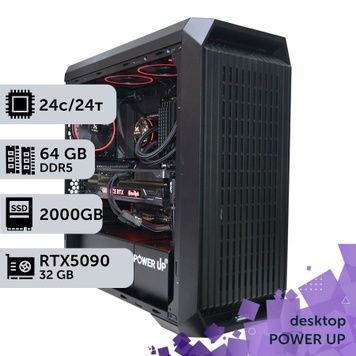
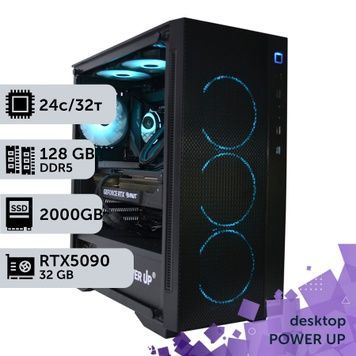
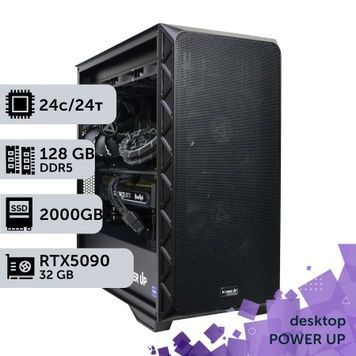
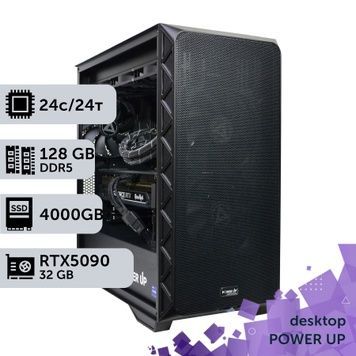
In GPU rendering and AI inference the processor barely affects speed: the scene or model is loaded into VRAM once. The CPU matters for simulations, CPU rendering, shader compilation, timeline playback and data preparation. Platforms of our RTX 5090 workstations:
| Platform | Processors (cores / threads) | RAM in builds | When to choose |
|---|---|---|---|
| Intel LGA1700, Z790 | Core i7-14700K (20 / 28), Core i9-14900K (24 / 32) | 64–128 GB DDR5 | Premiere Pro and After Effects: integrated graphics with Quick Sync accelerate H.264 and HEVC |
| Intel LGA1851, Z890 | Core Ultra 7 265KF (20 / 20, no integrated graphics), Core Ultra 9 285K (24 / 24) | 64–192 GB DDR5 | 3D and rendering; for video editing take the 285K — the 265KF has no Quick Sync |
| AMD AM5, B650 and X870 | Ryzen 9 7900X and 9900X (12 / 24), Ryzen 9 9950X (16 / 32) | 64–128 GB DDR5 | CPU rendering, compiling, simulations: the 9950X has 16 Zen 5 cores with AVX-512 |
| AMD sTR5, WRX90 | Threadripper PRO 9965WX (24 / 48), 9975WX (32 / 64), 9995WX (96 / 192) | 128–256 GB DDR5 ECC, 8 channels | Heavy simulations, CPU rendering, large datasets; 128 PCIe 5.0 lanes leave room for a second GPU and an NVMe array |
- 64 GB is the minimum: we follow the rule “system RAM at least twice the VRAM”, otherwise the scene or model hits the RAM limit while loading.
- 128 GB — 8K and RAW editing, simulations, datasets. Why memory channels matter more than frequency at large capacities is explained in our article on 128 GB of RAM in a workstation.
- 192–256 GB — 192 GB is available in Core Ultra builds, 256 GB in Threadripper PRO builds.
- On most B650 boards the graphics slot runs at PCIe 4.0 x16. In rendering the difference from PCIe 5.0 is minimal because data is loaded into VRAM once.
All desktop configurations on these processors are in the desktop workstations section.
Power, cooling and case
- The RTX 5090 draws up to 575 W, and NVIDIA requires a power supply of at least 1000 W for a system with it. PowerUp desktop workstations use a 1000 W 80+ Gold unit, Threadripper PRO workstations a 1250 W 80+ Gold unit.
- The card connects with a single 12V-2x6 (16-pin) cable rated for up to 600 W. The connector must be fully seated and the cable must not be bent sharply near the card: melted connectors on the RTX 4090 and 5090 have been linked to poor contact.
- The processor is cooled by a 240 mm or 360 mm AIO liquid cooler.
- The RTX 5090 Founders Edition takes 2 slots and is 304 mm long; NVIDIA partner versions are usually thicker and longer, so the case is chosen for the specific card.
- The maximum GPU temperature per specification is 90 °C. Every workstation runs for 4 hours under load in AIDA64 and FurMark while we check temperatures and stability.
- Two RTX 5090 cards draw up to 1150 W on the GPUs alone. Such a system is built on a platform with spare PCIe lanes and a power supply of 1600 W or more; ask our manager about a custom configuration.
How PowerUp builds RTX 5090 workstations
- The configuration can be changed: memory capacity, the processor within the platform, storage and cooling — in the order comment or through a manager.
- Before shipping, each workstation runs for 4 hours under load in AIDA64 and FurMark. An unactivated Windows 10/11 is installed for testing; the license key is sold separately. Measurements of our builds are on the test results page.
- Warranty is 2 years: repairs take 1–2 days on average plus shipping, a replacement unit pool and post-warranty service are available, and unused goods can be returned within 14 days. Terms are on the warranty, exchange and return page.
- Delivery by Nova Poshta takes 1–3 days: orders confirmed before 12:00 ship the same day, and parcels are insured. At our Kyiv office (Petropavlivska Borshchahivka, 6 Petropavlivska St., 4Room shopping center, Mon–Fri 10:00–19:00) you can check the workstation before paying. Details are in payment and delivery.
- Payment by bank transfer without commission or cashless payment with VAT. Installment payments are available from PrivatBank and PUMB: PUMB offers 3 to 24 payments, with the first payment a month later.
- PowerUp workstations are used at MHP, Obozrevatel and design studios — see our clients.
Workstations with other graphics cards, on Xeon and AMD EPYC, are in the workstations catalog.
RTX 5090 workstation FAQ
How much video memory does the RTX 5090 have?
32 GB of GDDR7 on a 512-bit bus with 1,792 GB/s of bandwidth. 48 GB and more is found on professional cards: the RTX PRO 5000 Blackwell (48 or 72 GB) and the RTX PRO 6000 Blackwell (96 GB).
What power supply does the RTX 5090 need?
NVIDIA requires a power supply of at least 1000 W for a system with an RTX 5090: the card itself draws up to 575 W and connects with a single 12V-2x6 cable. PowerUp desktop workstations use a 1000 W 80+ Gold unit, Threadripper PRO workstations a 1250 W 80+ Gold unit.
How much faster is the RTX 5090 than the RTX 4090 and RTX 5080?
According to Blender Open Data medians (Blender 4.5, OptiX), it is 35% faster than the RTX 4090, 64% faster than the RTX 5080 and almost twice as fast as the RTX 5070 Ti. For video editing, the RTX 5090 has three NVENC encoders versus two on the RTX 5080 and RTX 4090.
Which AI models can run on an RTX 5090?
32 GB holds language models up to 32 billion parameters in 4-bit quantization (about 20 GB) with room for context, FLUX.1 [dev] in BF16, Stable Diffusion XL and LoRA training. 70-billion-parameter models in 4-bit take about 40 GB — they need a second card or the 96 GB RTX PRO 6000 Blackwell.
Which should I choose: RTX 5090 or RTX PRO 6000 Blackwell?
The RTX PRO 6000 is only 12% faster in Blender, but it has three times the memory (96 GB with ECC), certified drivers and a license for data centers. If your scenes and models fit into 32 GB, the RTX 5090 delivers nearly the same speed at a fraction of the price.
Is the RTX 5090 suitable for SolidWorks, Revit and AutoCAD?
It will work, but you overpay: in CAD and BIM, speed depends on the processor and its clock, and drivers certified for SolidWorks, CATIA and Creo are released only for professional cards. For engineering work the RTX A4000 or RTX PRO 4000 Blackwell is better value; the RTX 5090 makes sense if the same workstation also handles rendering and visualization.
Does the RTX 5090 support 10-bit 4:2:2 editing?
Yes. The 9th-gen NVENC and 6th-gen NVDEC engines encode and decode 4:2:2 H.264 and HEVC, the format of Sony, Canon, Panasonic and Fujifilm mirrorless cameras. Hardware 4:2:2 acceleration is supported by DaVinci Resolve Studio and Premiere Pro (since the June 2025 update). The RTX 4090 cannot decode it in hardware.
How much RAM should go with an RTX 5090, and can the configuration be changed?
At least 64 GB, twice the VRAM; 128 GB for 8K editing, simulations and datasets; 192 GB is available in Core Ultra builds and 256 GB in Threadripper PRO builds. In any build you can change the memory capacity, the processor within the platform, storage and cooling — just add a note to your order.