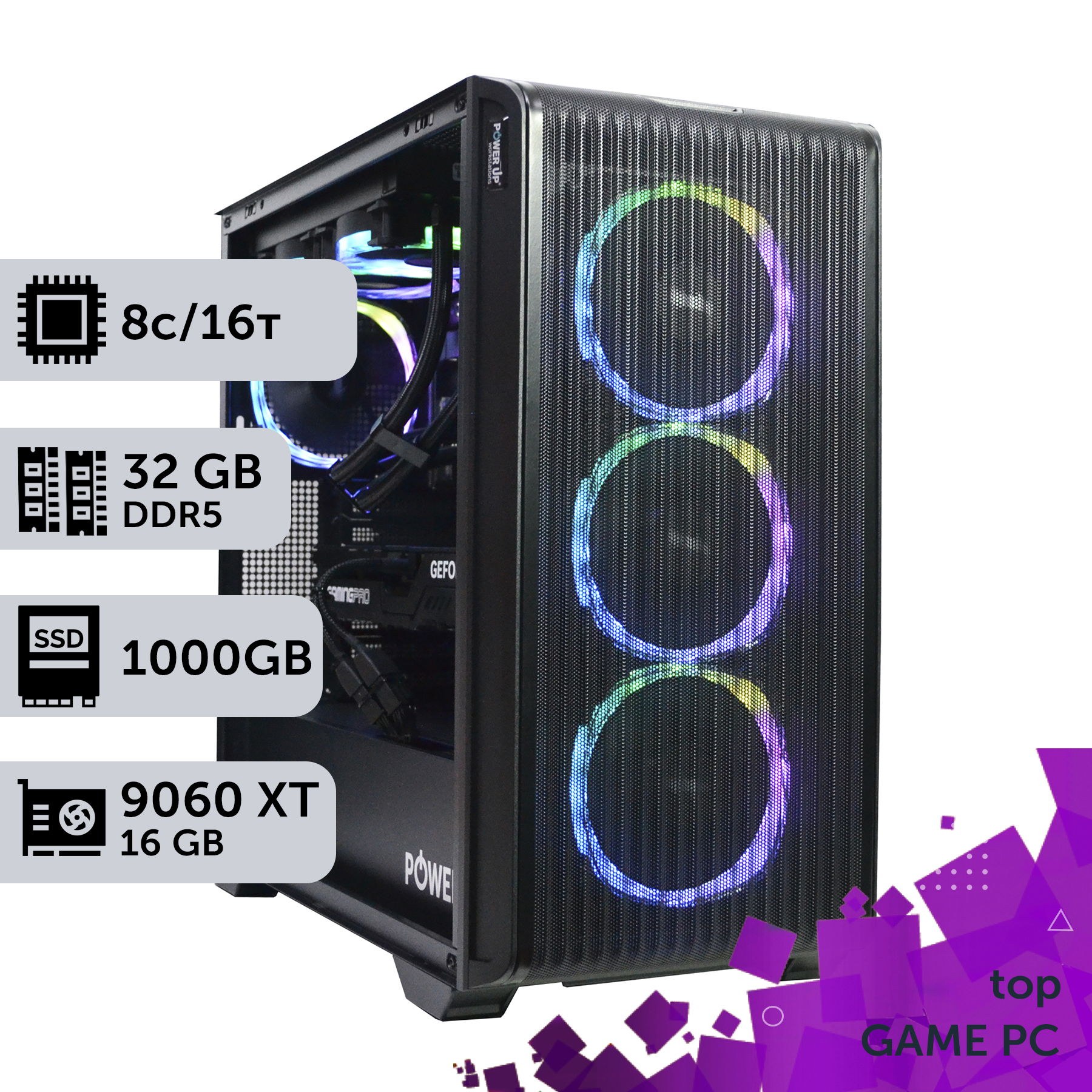
For simulators in 2026, the priority is a processor with maximum single-core performance (e.g., Intel Core Ultra 7 275K or AMD Ryzen 7 9700X3D) due to the nature of physics-processing engines.
A graphics card (RTX 5070 level and above) is critical for multi-monitor setups and VR. The minimum VRAM for 4K and VR is 16 GB of GDDR7.
Don't skimp on the power supply and cooling. New GPUs and CPUs have high transient power spikes, requiring a quality PSU with an 80+ Gold certification and a 20-25% power overhead.
Fast DDR5 RAM (from 6400 MHz CL32) and a PCIe 5.0 NVMe SSD significantly reduce loading times for complex scenes and textures, which is especially noticeable in open-world simulators.
We are entering 2026, a year where the line between virtual reality and the actual racetrack blurs with each new generation of hardware. Modern flight simulators like Microsoft Flight Simulator 2024 and racing sims on the level of Assetto Corsa 2 demand not just high performance from a system, but absolute stability and instant response. This isn't just about simple gaming; it's a full-fledged simulation where world physics, weather conditions, and aerodynamics are calculated in real-time, placing a colossal load on the central processor and graphics card. A mistake in component selection means that instead of a smooth flight over the Alps, you get a slideshow, and a race car on the Nürburgring handles like an iron on ice. This article is your co-pilot in the world of high-performance hardware for sim racing and flight sims. We won't talk about abstract 'powerful computers.' Instead, we will analyze specific combinations of Intel Core Ultra 200 and AMD Ryzen 9000 processors, determine how much VRAM is needed for the NVIDIA RTX 50-series in a triple-monitor or VR headset setup, and explain why the power supply is not a component you should skimp on. The goal is to build not just a gaming PC, but a reliable and quiet cockpit that will become your window into the world of virtual speeds and heights. We will focus on balance, preventing bottlenecks, and optimizing the system for the specific demands of simulators, where every frame per second and every millisecond of latency is crucial.
Why Do Flight Simulators Need Maximum CPU Power?
Unlike most video games where the main load falls on the graphics card, flight simulators and complex racing sims are true devourers of CPU resources. The reason lies in their very nature: they simulate real-world physics. When you're flying a virtual Boeing 787 in Microsoft Flight Simulator, your CPU is calculating hundreds of parameters in real-time: from the aerodynamic drag of each airframe element to complex weather simulations, air currents, and onboard system operations. This isn't just about rendering a pretty picture; it's mathematical modeling. This is why a stable framerate is so crucial for simulators, not just peak FPS values. Any performance drop caused by scene complexity (like landing at a major airport with heavy traffic) shatters the immersion. To achieve smoothness on ultra graphics settings, you need a processor capable of lightning-fast processing of a massive stream of single-threaded calculations. Many simulator game engines still cannot effectively parallelize all tasks across 16 or 24 cores. The main parameter becomes single-core performance and cache size. This is why AMD processors with 3D V-Cache technology or top-tier Intel chips with high clock speeds perform best here. Neglecting CPU power in favor of a top-tier graphics card is the main mistake when building a PC for simulators, leading to constant micro-stutters and freezes, especially when using custom sceneries and mods that further load the system.
Choosing the AMD Platform: What Does Ryzen 9000 Offer for Simulators?
The AMD AM5 platform and AMD Ryzen processor 9000-series have become favorites among simulator enthusiasts thanks to one key technology: 3D V-Cache. Models with the X3D suffix (like the anticipated Ryzen 7 9800X3D) are equipped with an additional amount of L3 cache stacked directly on top of the processor cores. This massive cache allows for storing significantly more game data and instructions directly in the processor, minimizing calls to the slower system RAM. For simulators that constantly operate on huge arrays of data (physics, object coordinates, landscape data), this provides a colossal performance boost. In games like Microsoft Flight Simulator or DCS World, the FPS increase from using an X3D processor compared to its non-cache-enhanced counterpart can reach 30-40% under the same conditions. This makes them the ideal choice for those seeking maximum performance without compromise. It's important to ensure a proper component balance. A processor at the level of a Ryzen 7 9700X or higher requires not only a powerful graphics card but also a corresponding motherboard on a B750 or X770 chipset with a quality power delivery system (VRM) for stable operation under load. Attention should also be paid to cooling: although Ryzen processors are power-efficient, they require a good tower cooler or a liquid cooling system for stable boosting.
Power and Cooling: The Silent Foundation of Stability
Choosing a power supply is one of the most underestimated aspects of building a powerful PC. Modern processors and graphics cards, especially in the high-end segment, are characterized not only by high average power consumption but also by sharp, brief power spikes (transient power spikes) that can be 2-3 times their nominal TDP. A cheap power supply might not handle such a situation, leading to protection triggers, sudden reboots, or even component failure. Therefore, for a system with an RTX 5070 or higher, a quality power supply with a certificate of 80 Plus Gold or Platinum is mandatory. The wattage should be chosen with a 20-25% overhead. For example, if the system's peak consumption is estimated at 600W, you should get a 750-850W PSU. This will not only ensure stability but also allow the PSU fan to run at low speeds, reducing the overall noise level. Silence is an important comfort factor, especially during long night racing sessions. Using DLSS technology or FSR also indirectly contributes to quietness, as it reduces the load on the graphics card, leading to less heat and, consequently, lower fan speeds. For CPU cooling, a massive dual-tower air cooler from Noctua, DeepCool, or be quiet! is often the optimal solution—they provide efficiency on par with many AIOs but are simpler to install and more reliable. For the hottest processors, like the Core Ultra 9, a high-quality AIO with a 360 mm radiator is still preferable.
The Intel Alternative: What Are the Core Ultra 200 Capable Of?
The Intel Core processor 200-series on the Arrow Lake architecture offers a different approach. Intel traditionally bets on maximum clock speed and the highest single-core performance, which is also critically important for many simulators. Top models like the Core Ultra 7 275K and Core Ultra 9 295K can reach frequencies above 6 GHz in turbo mode, providing lightning-fast processing of the main simulation threads. The hybrid architecture with Performance-cores (P-cores) and Efficient-cores (E-cores) also finds its use: while the powerful P-cores handle the main gameplay, less demanding background tasks (Discord, gameplay recording, system processes) can be offloaded to the E-cores, without interfering with the main work. This allows for a smoother and more responsive system overall. However, high performance has a downside—significant heat generation and power consumption. For unlocked K-series Intel processors, a powerful cooling system (a top-tier air cooler or an AIO with a 280/360 mm radiator) and a motherboard on the Z890 chipset with a reinforced power delivery subsystem are absolutely necessary. After assembling the system, a system stress test using utilities like OCCT or Prime95 is mandatory to ensure stability and prevent overheating. A properly configured Intel-based system can provide the highest level of performance but requires a more careful approach to choosing cooling and a motherboard compared to its competitor.
How Do SSDs and Cases Affect the Gaming Experience?
In an era of gigantic game worlds and high-resolution textures, loading speed has become a critically important parameter. A long load time for a track or world simulation can completely ruin the atmosphere. The solution is an NVMe SSD that operates on the PCIe protocol. In 2026, PCIe 5.0 has become the standard for top-tier builds. Such drives provide read/write speeds of over 12,000 MB/s, which is tens of times faster than older SATA SSDs. This means practically instantaneous loading of games and levels. For simulators, which often take up 150-200 GB, it's recommended to use an NVMe SSD with a capacity of at least 2 TB. This will allow you to install the operating system, all necessary simulators, and leave space for future projects and add-ons. The PC case is not just a box, but the foundation of the entire system. A well-chosen case provides effective cooling, low noise levels, and ease of assembly. For a powerful custom PC, you should choose spacious Mid-Tower or Full-Tower models with good perforation and the ability to install several 140mm fans. The presence of dust filters is mandatory—they will protect expensive components from dust and extend their lifespan. Modern gaming PCs also pay great attention to aesthetics, but functionality should always be the priority. A glass side panel is beautiful, but a mesh front panel for air intake is much more important for the health of your hardware. As numerous independent tests by Tom's Hardware show, the temperature difference between a sealed-off case and a well-ventilated one can reach 10-15 degrees Celsius.
Creating an Esports Racing Build: Focus on FPS and Response
In competitive racing simulators like iRacing or Assetto Corsa Competizione, it's not photorealism that matters most, but the maximum frame rate and minimum input lag. An esports build is aimed at achieving a stable 144+ FPS on high-refresh-rate monitors. This allows the driver to feel the car's behavior more accurately and react faster to changes on the track. In such conditions, graphics settings are often lowered to remove anything that might be distracting or reduce performance. However, modern technologies like Ray Tracing are also being actively used in esports to create realistic reflections and shading, which helps to better read the track and the positions of rivals. Image scaling technologies like NVIDIA DLSS 3.5 and AMD FSR 3 are becoming key tools. They allow the game to be rendered at a lower resolution and then use AI to upscale the frame to the target resolution, maintaining high image quality while significantly increasing FPS. The Frame Generation feature is particularly useful, as it can double the frame rate in CPU-bound scenarios. Below is a table with expected performance on a build with a Core Ultra 7 275K and RTX 5070 Ti 16GB.
Approximate Performance in Racing Simulators (2026)
Game
1440p Resolution (Ultra, DLSS Quality)
4K Resolution (High, DLSS Performance)
Assetto Corsa 2
~150-170 FPS
~90-110 FPS
Forza Motorsport (2025)
~130-140 FPS
~85-100 FPS
GTA VI (PC)
~110-125 FPS
~70-85 FPS
Building a PC for Simulators: Key Advantages and Risks
Advantages
✔Full immersion: Properly selected hardware ensures a consistently high FPS without stutters, which is critical for realism.
✔Scalability: The ability to connect multiple monitors, VR headsets, and complex peripherals (force feedback wheels, load cell pedals).
✔Performance overhead: A system capable of handling simulators will easily run any other AAA games at maximum settings.
✔Quiet and comfortable: A focus on quality cooling and a good case allows for building a powerful yet quiet system for long gaming sessions.
Disadvantages
✖High cost: Top-tier components required for 4K/VR demand a significant investment.
✖Component matching complexity: Simulators are sensitive to the CPU/GPU balance, and a wrong choice can lead to a bottleneck.
✖Increased power and cooling requirements: Powerful components generate a lot of heat and require expensive power supplies and cooling systems.
Processor and Memory: How to Avoid the 'Bottleneck'?
The bottleneck effect is the worst enemy of any gaming system, and in simulator builds, it is particularly insidious. Imagine your brand-new RTX 5080 is capable of rendering 150 frames per second, but the processor can only prepare data for 70 frames. The result is that you get 70 FPS, and your expensive graphics card sits idle. In 2026, the main choice is between the Intel LGA 1851 and AMD AM5 platforms. Both support the DDR5 RAM standard, which is mandatory for a serious simulator build. The minimum comfortable amount today is 32 GB, but for heavy scenarios and multi-monitor setups, 48 GB or even 64 GB is recommended. It's not just the capacity that plays a key role, but also the speed. The optimal choice for AMD Ryzen 9000 and Intel Core Ultra 200 platforms is memory with a frequency of 6400-7200 MT/s and low timings (CL32-CL36). The performance difference between slow DDR5 5200 MHz and fast 7200 MHz in CPU-dependent simulators can reach 15-20%, which is equivalent to upgrading to a next-tier graphics card. To choose the right combination, use this rule: the more powerful the graphics card, the more powerful the processor should be. For an RTX 5070, an adequate pairing would be a Core Ultra 5 255K or a Ryzen 5 9600X. But for an RTX 5080 or RTX 5090, you'll need a Core Ultra 7 275K or a Ryzen 7 9800X3D to fully unlock their potential and avoid a CPU bottleneck.
How to Prepare a System for 4K and VR Gaming?
Switching to 4K gaming, using multiple monitors (triple-screen), or a VR headset drastically changes the requirements for the graphics card. The number of pixels that need to be rendered increases exponentially. While Full HD (1920x1080) requires rendering 2.1 million pixels, 4K (3840x2160) is already 8.3 million, and three 2K monitors total almost 11 million pixels. Here, it's not just the power of the graphics chip that comes to the forefront, but also the amount and bandwidth of the video memory. For comfortable 4K gaming at ultra settings in 2026, a graphics card with at least 16 GB of GDDR7 memory is required, and 20 GB is even better. Models like the NVIDIA RTX 5070 Ti or RTX 5080 will be the optimal choice. For VR, the requirements are even higher due to the need to render a separate image for each eye at a high frame rate (90-120 Hz) to avoid motion sickness. The case also plays a significant role. Powerful components need a spacious case with good airflow. Several 140mm intake and exhaust fans, as well as a mesh front panel, are key to low temperatures and stable operation. Neat cable management is not just about aesthetics. Properly routed wires do not obstruct airflow, which directly affects cooling efficiency. A 4K/VR build is a complex task where every detail matters, from GPU performance to the quality of the thermal paste on the processor.
Step-by-Step Guide to Choosing a PC for Simulators
This guide will help you step-by-step to select the optimal components for building a powerful and balanced PC for flight and racing simulators, avoiding common mistakes.
Step 1: Determine Resolution and Budget
Clearly define your goal: gaming on a single Full HD monitor, on three 2K monitors, or in a VR headset. This is the key factor that determines the choice of graphics card and, consequently, the overall budget. Set a realistic budget, leaving about 10-15% headroom for a quality power supply, case, and cooling.
Step 2: Choose the Platform: CPU + Motherboard
Based on your budget, choose a processor. For simulators, look for models with maximum single-core performance and large cache (Intel Core Ultra 'K' series, AMD Ryzen 'X' or 'X3D' series). Match the processor with a motherboard on the appropriate chipset (Intel Z890, AMD B750/X770). Ensure the board has a sufficiently powerful VRM zone for stable power delivery to your CPU.
Step 3: Select the Graphics Card
The graphics card is selected strictly based on your resolution and target FPS. For 1080p@144Hz, an RTX 5060 is sufficient. For 1440p@144Hz or basic VR, you'll need an RTX 5070 / 5070 Ti. For no-compromise 4K gaming, VR, or multi-monitor systems, look towards the RTX 5080 and higher. Pay attention to VRAM capacity: 12 GB is the minimum, 16 GB is optimal, and 20+ GB is for 4K/VR.
Step 4: RAM and Storage
For 2026 platforms, choose only DDR5 memory. The optimal capacity is 32 GB, but for demanding simulators, it's better to get 48 GB. Look for kits with frequencies from 6400 MHz and low timings (CL32-34). For the system drive and game installations, use a fast PCIe 5.0 NVMe SSD with a capacity of at least 2 TB.
Step 5: Calculate PSU Wattage and Choose Cooling
Add the TDP of the processor and graphics card, add about 150W for other components, and multiply the result by 1.25. This will be your recommended power supply wattage. Choose a model with an 80+ Gold certificate from a reputable brand. For a processor with a TDP up to 150W, a good air cooler will suffice; for hotter models, an AIO with a 280/360 mm radiator is needed.
Step 6: Choose the Case
Choose a case that can physically fit your graphics card and cooling system. Prioritize models with good ventilation (mesh front panel) and dust filters. Make sure it comes with several fans or has mounts for them.
Frequently Asked Questions (FAQ)
How much RAM is needed for a flight simulator in 2026?
The minimum comfortable amount is 32 GB of DDR5. However, for using many mods, complex sceneries, and flying over highly detailed cities, we strongly recommend 48 GB or even 64 GB for maximum smoothness.
What is more important for simulators: the processor or the graphics card?
Both components are important, but simulators are more sensitive to CPU performance than most games. A powerful CPU ensures stable physics and a high minimum FPS, while a powerful GPU is responsible for high resolution and graphics quality. A balance is ideal for simulators, but if the budget is limited, it's better to get a slightly more powerful processor paired with a mid-range graphics card than the other way around.
Do I need a processor with an unlocked multiplier ('K' suffix for Intel, 'X' for AMD)?
It's not mandatory, but it is desirable. Such processors have higher base clock speeds and can be overclocked, which can provide an additional 5-10% performance in CPU-dependent simulators. If you don't plan to overclock, you can save money by choosing a model without this suffix.
Is an ultrawide monitor suitable for racing simulators instead of three separate ones?
Yes, it's an excellent alternative. An Ultrawide or Super Ultrawide monitor provides a wide field of view without bezels in the middle, which is convenient. However, three separate monitors usually provide an even wider total field of view, allowing you to see side mirrors, which is critical in racing. The choice depends on personal preference and available space.
How important is a PCIe 5.0 NVMe SSD compared to PCIe 4.0?
In 2026, the difference in game loading speeds between top-tier PCIe 4.0 and new PCIe 5.0 drives is becoming noticeable, especially with DirectStorage technology. For a new high-end build, it is recommended to invest in PCIe 5.0 right away, as it will provide a better experience for years to come.
Is it possible to build a quiet yet powerful PC for simulators?
Absolutely. To do this, you need to choose components with high energy efficiency, use a quality case with good airflow, a massive air cooler or an AIO with quiet fans, and a power supply that operates in a semi-passive mode. Properly configuring fan curves in the BIOS/UEFI also plays a key role.
Should I wait for the release of RTX 50 Super or Ti versions of graphics cards?
If you are not in a hurry to buy, waiting for updated versions (Super/Ti) is often justified. They usually offer 10-15% more performance for the same or a slightly higher price compared to the base models. However, their release may occur 6-12 months after the main lineup is launched.
Building a PC for serious sim racing or flight simulation in 2026 is an exciting process, but one that requires attention to detail. The main secret to success lies in balance. There's no point in pairing a flagship RTX 5090 with a mid-range processor or skimping on RAM. Each component must match the overall level of the system to avoid bottlenecks and get the maximum return on your investment. Remember the importance of a quality power supply, efficient and quiet cooling, and a fast storage subsystem—these elements directly affect stability and comfort during long virtual races and flights. We hope our guide helps you navigate the world of modern hardware. If you're ready to move from theory to practice, we invite you to browse the PowerUp catalog of pre-built solutions, where you'll find balanced builds for any task and budget. And if you want to create a unique system perfectly tailored to your favorite simulators, our engineers are ready to help with a custom build and setup of your future virtual cockpit.