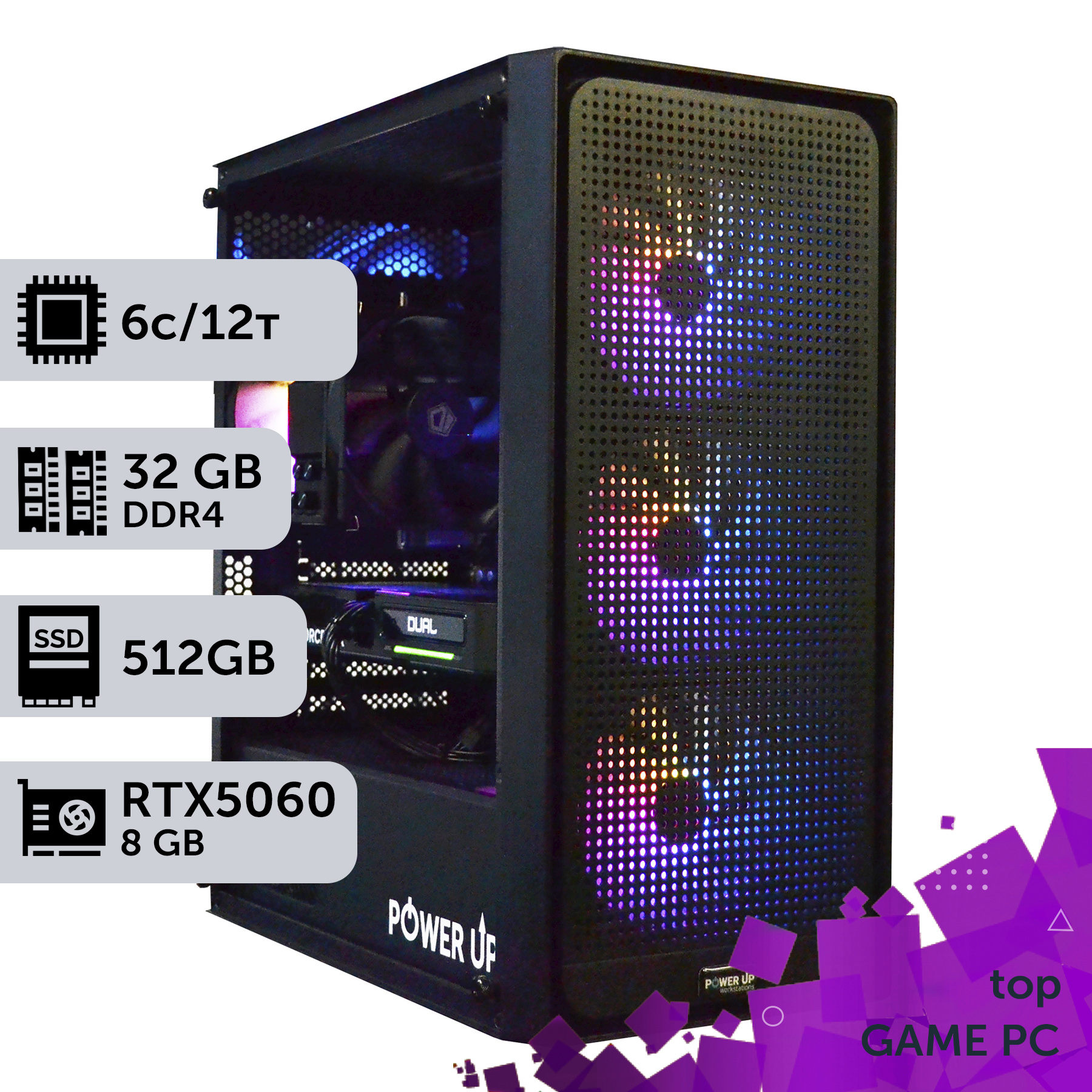
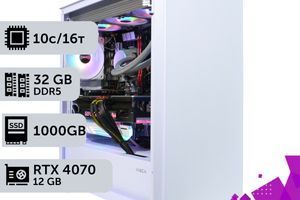
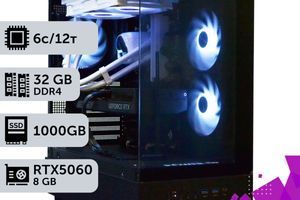
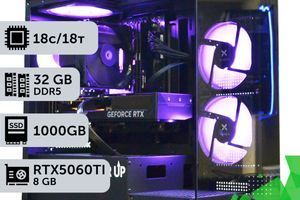
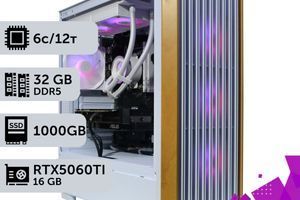
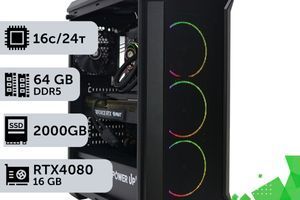
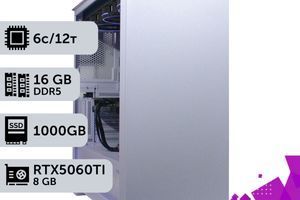
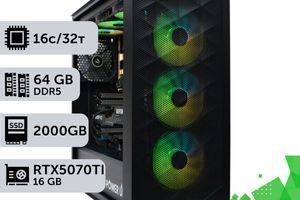
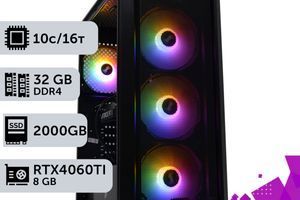
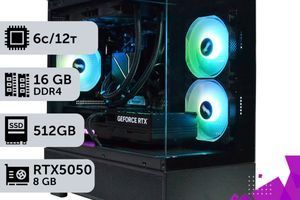
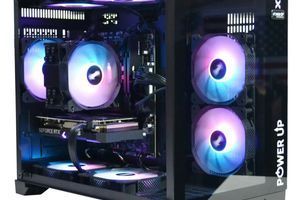
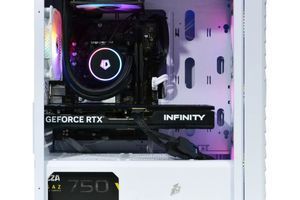
For 1080p gaming in GTA 6, a graphics card on the level of an NVIDIA RTX 5060 with 12 GB of VRAM will be required.
Comfortable gaming in 2K (1440p) on high settings will require a combination of an RTX 5070 and a processor like the Intel Core Ultra 7 265K or AMD Ryzen 7 9700X.
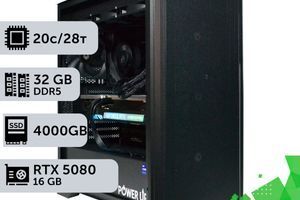
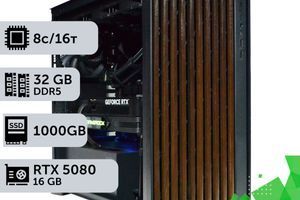
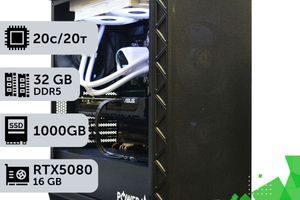
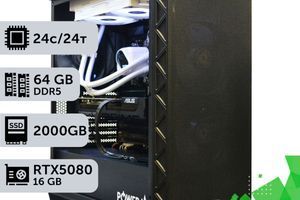
Uncompromising 4K gaming with ray tracing is impossible without flagships like the RTX 5080/5090 and at least 32 GB of fast DDR5 RAM.
Don't skimp on the power supply and cooling: new components have high TDP, and system stability directly depends on these elements.
The release of Grand Theft Auto VI is an event that gamers worldwide are eagerly anticipating. It's 2026, and the release is just months away. This is the perfect time to think about building or upgrading a gaming PC capable of not just running the game, but unlocking its full graphical potential. The official system requirements from Rockstar Games are still shrouded in mystery, but an analysis of the studio's previous releases, technological trends, and the capabilities of new-generation consoles allows us to predict with high accuracy what hardware will be needed to conquer the streets of Vice City. This article is your comprehensive guide to the world of 2026 components. We won't be reading tea leaves. Instead, we will analyze the power of modern NVIDIA 50-series graphics cards and their competitors, understand the potential of Intel Core Ultra 200 and AMD Ryzen 9000 processors, and explain why DDR5 RAM and fast NVMe drives will become the absolute standard for AAA games. Our goal is to help you build a balanced, powerful, and future-proof system that will give you hundreds of hours of enjoyment in GTA 6 without lags, stutters, or compromises in graphics quality. We will cover three main configurations: for comfortable gaming in Full HD, for detailed gameplay in 2K, and for an uncompromising immersion in 4K with ultra settings. You will learn how to avoid bottlenecks, why the power supply's wattage is as important as the graphics card, and what non-obvious nuances can affect the performance of your future gaming beast. Get ready, we are starting a deep dive into the hardware that will define your gaming experience for years to come.
Recommended PC Configurations for GTA 6 in 2026
Purpose
Recommended Graphics Card
Processor
Approximate Budget
Full HD (1080p), 60+ FPS
NVIDIA GeForce RTX 5060 12GB
Intel Core Ultra 5 245F / AMD Ryzen 5 9600
55,000 - 70,000 UAH
2K (1440p), 80+ FPS
NVIDIA GeForce RTX 5070 16GB
Intel Core Ultra 7 265K / AMD Ryzen 7 9700X
85,000 - 120,000 UAH
4K (2160p), 60+ FPS Ultra
NVIDIA GeForce RTX 5080 20GB
Intel Core Ultra 9 285K / AMD Ryzen 9 9900X
150,000 - 220,000 UAH
The Graphics Card — The Heart of Your Gaming System for Vice City
Choosing a graphics card is 80% of the success when building a PC for a demanding game like GTA 6. In 2026, the de facto standards are NVIDIA's Blackwell architecture (RTX 50-series) and AMD's RDNA 4. The main focus of these generations is on accelerating ray tracing and intelligent scaling. It is DLSS 4.0 technology (or its AMD equivalent, FSR 4.0) that will be the key to smooth gameplay at high resolutions. It uses AI to render frames, allowing for high performance even in 4K with full ray tracing. For GTA 6, with its huge open world, detailed models, and complex lighting, this will be critically important. The minimum entry threshold for 1080p will be the GeForce RTX 5060 with 12 GB of GDDR7 VRAM. This amount of VRAM is necessary for the high-resolution textures that will surely be in the game. For 2K gaming on high settings, we strongly recommend looking at the GeForce RTX 5070. This card is expected to have 16 GB of GDDR7 memory on a 256-bit bus, providing a bandwidth of over 700 GB/s. This will be enough to ensure a stable 80-100 FPS in 1440p with DLSS enabled in 'Quality' mode.
Expected Graphics Card Performance in GTA 6 (Forecast, 1440p, High Settings)
Graphics Card
Average FPS (DLSS Quality)
VRAM Amount
Estimated Price
NVIDIA RTX 5060
65-75 FPS
12 GB GDDR7
24,000 UAH
NVIDIA RTX 5070
90-110 FPS
16 GB GDDR7
38,000 UAH
NVIDIA RTX 5080
130-150 FPS
20 GB GDDR7
65,000 UAH
Uncompromising 4K gaming is the territory of flagships. Here, the GeForce RTX 5080 and RTX 5090 reign supreme. These performance monsters will offer from 20 to 24 GB of VRAM and enough computing power to play in 4K at 100+ FPS with maximum graphics settings and Path Tracing. After assembling the system, be sure to conduct a full system stress test using utilities like OCCT or FurMark. This will help ensure the graphics card's stability under maximum load and check the cooling system's effectiveness. Make sure the GPU temperature does not exceed 80-85°C after a 30-minute test. If the temperature is higher, you should consider improving the case's airflow or replacing the thermal paste. Don't forget about drivers: by the time GTA 6 is released, NVIDIA and AMD will have special Game Ready drivers optimized for the game. Installing them is a mandatory step to get maximum performance. The choice between manufacturers in 2026 still comes down to ecosystem and technologies: NVIDIA offers more mature ray tracing and DLSS, while AMD may offer a more attractive price per teraflop.
Building a PC for GTA 6 in Advance: Pros and Cons
Advantages
✔Guaranteed readiness for release: you can play from day one without rushing or overpaying.
✔Budget allocation: you can buy components gradually, watching for discounts.
✔Testing and setup: you will have time for assembly, software installation, and system stress tests.
✔Relevance for 3-5 years: a build with 2026 components will provide a performance buffer for future games.
Disadvantages
✖Risk of an inaccurate forecast: the final system requirements may differ slightly.
✖Price drops after release: some components may become cheaper after six months to a year.
How Much Memory is Needed and Which Drive Will Ensure a Stable Framerate?
The days when 16 GB of RAM was considered the standard for gaming are fading. Modern AAA projects, and GTA 6 will be no exception, are increasingly using RAM to cache data from their vast worlds, which helps to avoid loading screens and stutters. For comfortable gaming in 2026, we recommend installing a minimum of 32 GB of DDR5 RAM. This will not only ensure smooth gameplay but also allow you to keep a browser, Discord, and other applications running in the background without issues. For those building an uncompromising system for 4K or planning to stream, 48 GB or even 64 GB would be the optimal choice. However, capacity is only half the story. The second, equally important characteristic is speed and timings (latency). DDR5 memory operates at significantly higher frequencies than its predecessor. For builds based on AMD Ryzen 9000-series processors or Intel Core Ultra 200, kits with a frequency of 6800-7200 MT/s and timings of CL32-CL36 will be the optimal choice in terms of price-to-performance ratio. More expensive modules at 8000+ MT/s may offer a slight performance boost, but their cost is often unjustifiably high. It is important to activate the EXPO (for AMD) or XMP (for Intel) profile in the motherboard's BIOS to make the memory run at its advertised performance, otherwise it will default to a low base frequency. Moving on to the storage drive. For open-world games like GTA 6, the speed at which textures and objects load directly affects the gaming experience. Using a traditional hard disk drive (HDD) is a guarantee of long loading times and noticeable stutters during high-speed travel through the city. The only correct solution is a solid-state drive (SSD) NVMe.
Comparison of Level Load Times in GTA (Hypothetical)
Drive Type
Interface
Read Speed
Approximate Load Time
HDD 7200 RPM
SATA III
~150 MB/s
90-120 seconds
SSD SATA III
SATA III
~550 MB/s
25-35 seconds
SSD NVMe PCIe 4.0
PCIe 4.0 x4
~7,000 MB/s
8-12 seconds
SSD NVMe PCIe 5.0
PCIe 5.0 x4
~14,000 MB/s
4-6 seconds
As you can see from the table, the difference is colossal. We recommend using at least a 2 TB NVMe SSD with a PCIe 4.0 interface. The game itself will likely take up 200-250 GB, and you will need space for other games, the system, and programs. If the budget allows, a PCIe 5.0 drive will be an excellent investment in the future, providing almost instantaneous loading times. This combination of fast RAM and an ultra-fast SSD is the key not only to high FPS but also to overall comfort, ensuring a stable framerate without annoying stutters.
Looking to the Future: Monitor, Peripherals, and Ultra Graphics Settings
Building a powerful PC is only half the battle. To see all the beauty that the developers of GTA 6 have in store for us, you need a corresponding monitor. Playing on an RTX 5080 with a Full HD (1080p) 60Hz monitor is like driving a Ferrari on a dirt road. You simply won't see the results of your investment. In 2026, the gold standard for gaming is 2K resolution (2560x1440) with a high refresh rate.
For mid-range builds (RTX 5060/5070): An ideal choice would be a 27-inch 2K IPS monitor with a refresh rate of 165-180Hz and a 1ms response time. This will provide a perfect balance between picture clarity and gameplay smoothness.
For top-tier systems (RTX 5080/5090): You should consider 4K (3840x2160) monitors with a refresh rate of 144Hz or higher. The new wave of QD-OLED and Mini-LED displays offers incredible contrast and color reproduction, which will allow you to fully enjoy ultra graphics settings with HDR.
When building a system from scratch, it's important to think about the future. Platforms based on DDR5 and PCIe 5.0, which are relevant now, will remain so for at least another 3-5 years. This means that by choosing a quality motherboard and a power supply with ample wattage, you can easily replace the processor or graphics card with newer models in the future without having to change the entire system. For example, modern DDR5 RAM with a frequency of 7200 MT/s will also be relevant for the next generation of processors. This approach allows you to view building a PC not as a one-time expense, but as a long-term investment in your hobby. According to many independent tests from Tom's Hardware, the performance increase from one hardware generation to the next remains significant, so the ability to upgrade is a key factor.
Approximate Lifecycle of 2026 Components
Component
Expected Lifespan for AAA Games
Reason for Upgrade
Graphics Card (RTX 5070)
3-4 years
Lack of performance for new games in 2K
Processor (Core Ultra 7 265K)
4-5 years
Lack of cores/threads for future game engines
RAM (32GB DDR5 7200)
5-6 years
Increased RAM requirements in games
Motherboard (Z890/X770)
5-6 years (within the socket's lifespan)
CPU manufacturer changes the socket
Power Supply (1000W Gold)
7-10 years
Component degradation, new power standards
Don't forget about quality peripherals: a mechanical keyboard, a comfortable gaming mouse with a good sensor, and quality headphones with surround sound will significantly enhance your immersion in the game world of Vice City. All these elements together create the premium gaming experience we strive for.
How to Effectively Cool and Power the Beast: AIOs, Air Cooling, and Cable Management
The flagship processors and graphics cards of 2026 are real furnaces. A top-tier CPU's TDP can reach 250W, and a graphics card's can be 450W or more. In total, that's over 700W of heat that needs to be efficiently removed from the case, otherwise, the components will start to overheat and throttle, leading to a drop in performance. There are two main approaches to CPU cooling: air coolers and all-in-one (AIO) liquid cooling systems.
Air Coolers: Modern super-coolers (e.g., from Noctua, DeepCool, be quiet!) with dual radiator towers and multiple fans can handle processors with a TDP of up to 250-280W. Their advantages are high reliability (there's almost nothing to break except the fan) and ease of installation. The disadvantages are their large size, which can block RAM slots.
All-in-One (AIO) Liquid Cooling Systems: These come as maintenance-free (AIO) or custom loops. AIO systems with 280mm, 360mm, or even 420mm radiators are the best choice for cooling hot flagship processors. They dissipate heat more effectively than air and exhaust it directly outside the case, improving the overall thermal environment. The downsides are a higher price and a theoretical risk of leakage (though it's minimal in modern models).
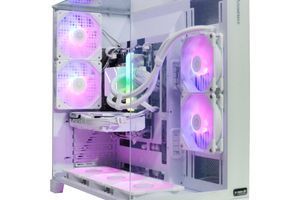
The graphics card has its own built-in cooling system, but its effectiveness depends directly on the case's airflow. You need to organize proper airflow: several fans on the front panel work as intakes, bringing in cool air, while one or two fans on the rear and top panels act as exhausts, expelling hot air. This creates what is known as positive or negative pressure, which ensures constant air circulation. Cleanliness and order inside the case are not just about aesthetics. Proper cable management, where all wires are neatly tucked away behind the back panel of the case, frees up space for air movement and directly affects component temperatures. Most modern cases have all the necessary features for this.
Impact of Cable Management on CPU Temperature
Data from PowerUp's internal testing on a Core Ultra 7 265K + RTX 5070 build
Cable Condition
CPU Temperature in Stress Test
GPU Temperature in Stress Test
Chaotic (wires obstruct airflow)
88 °C
79 °C
Neat arrangement
82 °C
75 °C
A difference of 4-6 degrees may seem insignificant, but it directly affects the longevity of components and their stability at maximum frequencies. And stable operation at high frequencies is the key to a high and smooth frame rate (FPS) in your favorite games, including the long-awaited GTA 6. Do not neglect these details, because they are what make up a truly high-quality and reliable gaming system.
Motherboard and Case: The Foundation for Your Custom PC
If the processor and graphics card are the brain and muscles of your PC, then the motherboard is its nervous system, connecting all the components together. The choice of motherboard determines not only compatibility with your CPU but also the potential for future upgrades, overclocking capabilities, and the number and speed of ports. In 2026, for Intel Core Ultra 200 processors, motherboards with Z890 chipsets are relevant, and for AMD Ryzen 9000, those with X770/X770E chipsets. What should you pay attention to when choosing?
Power Delivery System (VRM): For powerful processors like the Core Ultra 7 or Ryzen 7, you need a board with a high-quality VRM zone, featuring at least 12+2 power phases and massive heatsinks. This ensures stable voltage under high loads and overclocking, preventing overheating and throttling.
Memory Support: Make sure the board supports high-frequency DDR5 kits. For modern platforms, support for speeds of 6400-8000 MT/s and higher is standard.
Expansion Slots: The presence of at least one PCIe 5.0 x16 slot for future generations of graphics cards and at least one M.2 PCIe 5.0 slot for ultra-fast NVMe drives is mandatory.
Ports and Networking: The presence of USB4 (Thunderbolt) ports, 2.5G or 5G Ethernet, and a built-in Wi-Fi 7 module are signs of a modern and high-quality board.
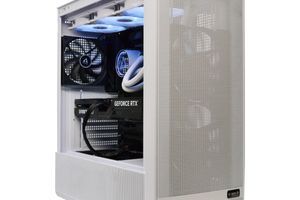
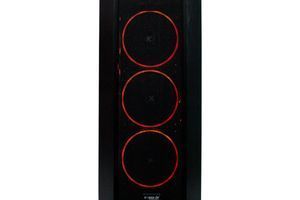
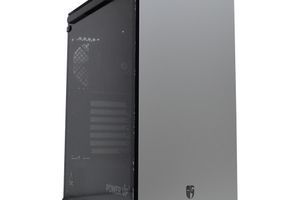
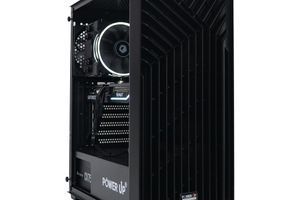
Now about the case. It's not just a box for hardware, but an important element that affects cooling, noise levels, and the aesthetics of your custom PC. For the hot components of 2026, airflow is a key parameter. Choose Mid-Tower or Full-Tower cases with a perforated mesh front panel. This ensures an unobstructed intake of cool air.
Comparison of Case Types for a High-TDP Build
Case Type
Advantages
Disadvantages
Recommended for
Closed (Solid Panel)
Sleek look, better noise insulation
Poor ventilation, high temperatures
Office PCs, low-TDP systems
Mesh
Excellent airflow, low temperatures
More dust inside, slightly more noise
Gaming PCs with powerful components
Open-Air Bench
Maximum cooling, easy access
No dust protection, high noise
Enthusiasts and test benches
Make sure the case has enough space for your graphics card (check the maximum GPU length in the specs) and cooling system (maximum CPU cooler height or compatibility with AIO radiators). The presence of dust filters on the intake vents is a must, as it will save you cleaning time. Good cable management, with enough space behind the motherboard tray and rubber grommets, will not only improve the build's appearance but also promote better airflow inside the case. Don't underestimate these seemingly secondary components. A well-chosen motherboard and case are the key to the stability, longevity, and enjoyment of your new PC.
Processor and Power Supply: How to Avoid a Bottleneck?
Imagine you have a race car with a 1000-horsepower engine (your powerful RTX 5080 graphics card), but you've put regular city tires on it (a weak processor). You'll never be able to realize the engine's full power because there won't be enough grip. This is a bottleneck — a situation where one component limits the performance of another. In the case of GTA 6, where the simulation of a huge city with thousands of NPCs, vehicle physics, and complex scripts falls on the processor, the choice of CPU is as important as the GPU. In 2026, the relevant processors are Intel Core Ultra 200 (Arrow Lake) and AMD Ryzen 9000 (Zen 5). For a balanced build for 2K gaming, the ideal choice would be an 8-core, 16-thread processor, such as the Intel Core Ultra 7 265K or AMD Ryzen 7 9700X. These chips have a high clock speed (over 5.5 GHz in boost) and enough cores to process game data without causing the graphics card to idle. For 4K gaming, where the load on the processor is slightly reduced, these models will also be sufficient. However, if you plan to stream or perform other background tasks, you should look at the Core Ultra 9 285K or Ryzen 9 9900X.
Intel Core Ultra 5 255K / Ryzen 5 9600X: An excellent start for Full HD and 2K. 6 performance cores, 12 threads.
Intel Core Ultra 7 265K / Ryzen 7 9700X: The gold standard for 2K and 4K. 8 performance cores, 16 threads.
Intel Core Ultra 9 285K / Ryzen 9 9900X: The choice for enthusiasts, streamers, and those who want maximum future-proofing. 12-16 cores.
Now for the power supply. Powerful components consume a lot of energy. The TDP of a combination of an RTX 5070 and a Core Ultra 7 265K can reach 500-550W at its peak. Skimping on the power supply unit (PSU) is the worst mistake you can make. A cheap PSU can not only be unstable, causing voltage drops under load (which leads to crashes and reboots), but in case of failure, it can also take expensive components with it. Choose a power supply with a certification of at least 80 Plus Gold. This guarantees an efficiency of at least 87-90%, which means less energy will be converted into heat. For a mid-range system (RTX 5070), an 850W PSU is required. For a top-tier build with an RTX 5080/5090, you'll need at least 1000-1200W. Pay attention to models that support the ATX 3.0 standard and have a 12VHPWR connector, which has become the standard for new graphics cards. This will ensure stable and safe power for your GPU. Brands like Seasonic, Corsair, and be quiet! have established themselves as manufacturers of reliable and durable power supplies. This is the part of your gaming PC you cannot afford to skimp on.
Step-by-Step Guide to Choosing Components for a GTA 6 PC
This guide will help you sequentially choose all the necessary components to build the perfect gaming PC that can handle GTA 6 and other demanding games of 2026 without any problems.
Step 1: Determine Your Budget and Monitor Resolution
The first and most important step. Decide what resolution you want to play at (1080p, 1440p, or 4K) and how much you are willing to spend. This will immediately determine the class of your graphics card and processor. There's no point in buying an RTX 5080 to play on an old Full HD monitor.
Step 2: Choose the 'Graphics Card + Processor' Combo
This is the core of your system. Start with the graphics card, as it has the biggest impact on FPS. For 1440p, this could be an RTX 5070. Then, pair it with a processor that won't be a bottleneck, such as a Core Ultra 7 265K or Ryzen 7 9700X. Check tests and comparisons online to ensure the pair is balanced.
Step 3: Select the Motherboard and RAM
Choose a motherboard with the appropriate chipset (Z890 for Intel, X770 for AMD) with a good power delivery system (VRM) and the necessary set of ports. Immediately select a DDR5 RAM kit of at least 32 GB with a frequency of 6800-7200 MT/s, making sure it is on the Qualified Vendor List (QVL) on the motherboard manufacturer's website.
Step 4: Choose the Storage and Cooling System
Be sure to get an NVMe SSD with a capacity of at least 2 TB (ideally PCIe 4.0 or 5.0). For the processor, select a cooler with a TDP rating to spare. For a Core Ultra 7/Ryzen 7, a good high-end air cooler or an AIO with a 280/360mm radiator is recommended.
Step 5: Calculate Power and Choose a Power Supply
Add up the TDP of the processor and graphics card, add about 150-200W for other components, and get a power supply with a 20-30% buffer. For a build with an RTX 5070 and Core Ultra 7, a quality 850W PSU with an 80 Plus Gold certificate and ATX 3.0 support would be optimal.
Step 6: Select the Case
The final step is choosing a 'home' for your components. Make sure the case is compatible with the size of your graphics card, cooling system, and motherboard. Prefer models with good airflow (mesh front panel) and enough space for cable management.
Frequently Asked Questions (FAQ)
How much VRAM is really needed for GTA 6 in 2026?
For 1080p (Full HD) resolution, a minimum comfortable amount will be 12 GB. For 1440p (2K), we strongly recommend 16 GB to use high-resolution textures without compromise. For 4K gaming with ultra settings and ray tracing, 20 GB or more will be required.
Should I wait for the official system requirements from Rockstar?
You can wait, but building based on a forecast and current 2026 components is almost guaranteed to cover even the highest requirements. Top-tier and near-top-tier components (RTX 5070/5080, Core Ultra 7/9) have a huge performance overhead that will definitely be enough for GTA 6, even if the game turns out to be extremely demanding.
What is more important for GTA 6: the processor or the graphics card?
As in most modern games, the graphics card makes the main contribution to the final FPS, especially at high resolutions. However, GTA has traditionally been a CPU-dependent game due to its complex world simulation. Therefore, balance is important. A powerful graphics card with a weak processor will lead to a bottleneck and stutters. For smooth gameplay, both components must be high-level.
Will it be possible to play GTA 6 on a PC with 16 GB of RAM?
Most likely, you will be able to launch the game, but it may not be enough for comfortable gameplay without stutters and loading issues. 16 GB is already the minimum for many AAA projects today. We strongly recommend 32 GB of DDR5 as the new standard for gaming PCs in 2026 to ensure a smooth experience and have a buffer for the future.
Building a gaming PC for GTA 6 in 2026 is an exciting process that requires a balanced approach and an understanding of modern technologies. As we have found, the key to success lies in the balance between a powerful graphics card, a high-performance processor, fast memory, and a reliable power and cooling system. By following our recommendations, you can build a system that will not only give you an unforgettable experience in the world of Vice City but will also serve you faithfully in games for the next few years. Don't be afraid to invest in quality components — this is the key to the stability and longevity of your build. If you are ready to dive into the world of GTA 6 on maximum settings, we invite you to browse our catalog of pre-built PowerUp gaming computers. And if you want to create a unique configuration, our engineers are always ready to help with a custom build, taking into account all your wishes and budget. Build your perfect PC and be ready for the biggest release of the decade!