Key Takeaways (TL;DR):
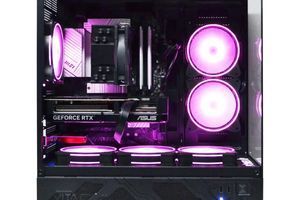
- The graphics card is the top priority. For comfortable 2K (1440p) gaming in 2026, the NVIDIA GeForce RTX 5060 is the optimal choice.
- Don't overspend on the processor. The power of a 6-core Intel Core Ultra 5 or AMD Ryzen 5 9000-series CPU is more than enough for any game and streaming.
- 32 GB of DDR5 RAM is the new standard. Less is already a bottleneck in modern titles, while 64 GB is still overkill for gaming.
- An NVMe SSD is a must. Forget about hard drives. A fast solid-state drive with at least 2 TB drastically speeds up game and system loading times.
Graphics Card: The Engine of Gameplay in 2026
In 2026, the choice of graphics card determines 80% of your PC's gaming performance. Forget about older series. The focus has shifted to the NVIDIA GeForce RTX 50 and AMD Radeon RX 8000 lineups. The key technology is DLSS 4.0 with Frame Generation, which allows for high FPS even with ray tracing enabled.
- RTX 5050: An excellent start for Full HD (1080p) and esports titles like CS2 or Valorant.
- RTX 5060 12 GB: The golden mean. The ideal choice for 2K (1440p) gaming at high settings. Ensures a smooth experience in all new releases.
- RTX 5070: The choice for enthusiasts aiming for 4K or 2K with maximum ray tracing.
Performance is about concrete numbers. Here's what to expect from the crowd-favorite RTX 5060 paired with a Core Ultra 5 processor on ultra graphics settings:
| Game | Resolution 1920x1080 (Full HD) | Resolution 2560x1440 (2K) |
|---|---|---|
| Cyberpunk 2077 (Phantom Liberty) | ~110 FPS (DLSS Quality) | ~80 FPS (DLSS Quality) |
| Counter-Strike 2 | ~450 FPS | ~320 FPS |
| GTA VI | ~95 FPS (forecast) | ~70 FPS (forecast) |

| Purpose | Recommended GPU | Processor | Approximate Budget (UAH) |
|---|---|---|---|
| Full HD (1080p) Esports | NVIDIA GeForce RTX 5050 | Intel Core Ultra 3 235H / AMD Ryzen 3 9300X | 35,000 - 45,000 UAH |
| 2K (1440p) All-Purpose Gaming | NVIDIA GeForce RTX 5060 | Intel Core Ultra 5 255H / AMD Ryzen 5 9600X | 50,000 - 70,000 UAH |
| 4K (2160p) No-Compromise Gaming | NVIDIA GeForce RTX 5070 Ti | Intel Core Ultra 7 275H / AMD Ryzen 7 9700X | 85,000 - 120,000 UAH |
CPU and Motherboard: The Brains of the Operation Without Overspending
Let's bust the main myth: you DO NOT NEED a top-of-the-line processor for gaming. Modern games are much more dependent on the graphics card. Overpaying for a Core Ultra 9 or Ryzen 9 won't give a noticeable FPS boost but will eat up to 30% of the budget. The optimal choice is a processor with 6-8 performance cores.
- Intel Core Ultra 5 255H: The all-rounder. 6 P-cores and 8 E-cores provide excellent performance in both games and background tasks (Discord, gameplay recording).
- AMD Ryzen 5 9600X: A direct competitor from AMD. Often offers a better price-to-performance ratio thanks to advanced AMD Ryzen technologies and overclocking support.
The motherboard should be chosen with a mid-range chipset (e.g., Intel B860 or AMD B750). The main things to look for are all the necessary ports, a quality power delivery system (VRM) for stable processor operation, and support for high-speed DDR5 memory.

Building a PC for a Teenager: Pros and Cons
Advantages
- ✔Develops technical skills: the child learns about hardware, software, and how to solve technical problems.
- ✔High performance: a PC is more powerful than any console, providing an edge in competitive games.
- ✔Upgradability: the computer can be gradually improved by replacing individual components instead of buying a whole new device.
- ✔Multitasking: it's not just a gaming station, but also a powerful tool for studying, programming, and creativity.
Disadvantages
- ✖Higher initial cost compared to gaming consoles.
- ✖Requires periodic maintenance: cleaning dust, updating drivers and software.
- ✖Risk of excessive gaming, requiring parental supervision.
RAM and SSD: Loading Speed is Everything
In 2026, the DDR4 standard is officially a thing of the past. Only high-speed DDR5 memory should be considered. The recommended minimum for a gaming build is 32 GB (two 16 GB modules). This enables dual-channel mode, which is critical for performance. The optimal frequency is 6000-6400 MT/s with low timings (CL30-CL32).
The storage drive is the second most important component after the graphics card for user experience. Forget about slow HDDs. Your choice is an NVMe M.2 SSD. It installs directly onto the motherboard and provides lightning-fast loading of the OS, games, and applications. The minimum comfortable capacity is 2 TB, as modern games can take up 150-200 GB each.
| Drive Type | Read Speed (average) | In-Game Level Load Time |
|---|---|---|
| SATA SSD | ~550 MB/s | ~25-30 seconds |
| NVMe Gen4 SSD | ~7,000 MB/s | ~5-7 seconds |
| NVMe Gen5 SSD | ~14,000 MB/s | ~2-3 seconds |
Currently, an NVMe Gen4 SSD offers the best price-to-speed ratio. Overpaying for Gen5 for gaming is not yet worthwhile.

Case, Cooling, and Power Supply: The Guarantee of Stability and Silence
Skimping on these components is like planting a time bomb in your system. A quality power supply unit (PSU) with an 80+ Gold certification and a wattage of 750-850W is the key to stable operation and longevity for all components. It will provide clean power without voltage spikes.
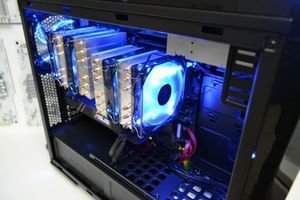
The cooling system is another area surrounded by myths. An expensive all-in-one (AIO) liquid cooler is not a necessity for mid-range processors. Often, a high-quality air tower cooler (from brands like Noctua or DeepCool) runs quieter, is more reliable, and more effective than budget liquid coolers.
- Case: Choose models with good airflow (a mesh front panel) and enough space for cable management.
- Cable Management: Neat cable routing not only improves aesthetics but also ensures proper air circulation, lowering component temperatures.
- Stress Tests: After assembly, any gaming computer must undergo comprehensive stress tests to verify stability under maximum load.

How to Choose Components for a Teen's PC: 4 Steps
This simple guide will help parents navigate the world of computer hardware and make the right choices based on tasks and budget, not marketing gimmicks.
Step 1: Determine Your Budget and Monitor Resolution
Start with the basics: how much are you willing to spend, and what monitor will the child be using? There's no point in buying a 4K-capable graphics card if you have a Full HD monitor. For 1080p, an RTX 5050/5060 is sufficient; for 1440p (2K), an RTX 5060/5070; for 4K, an RTX 5070 Ti or higher.
Step 2: Choose a Balanced 'GPU + CPU' Pair
This is the core of the system. A GPU like the RTX 5060 pairs perfectly with a Core Ultra 5 255H or Ryzen 5 9600X processor. Installing a more powerful CPU is pointless—the graphics card will become a bottleneck, and you won't see any performance increase in games.
Step 3: Select Memory, Storage, and a Power Supply
The golden standard: 32 GB (2x16) of DDR5 6000-6400 MT/s, a 2 TB NVMe SSD, and a 750-850W 80+ Gold certified power supply. Don't skimp on the PSU—it's the foundation of the entire system's stability.
Step 4: Consult with Professionals
Even if you've chosen all the components, a final compatibility check by an expert is never a bad idea. Engineers can advise on where you can save money and where it's better to pay more for a more reliable model, based on their experience with hundreds of builds.
Frequently Asked Questions (FAQ)
What's better for a teenager: building a PC themselves or buying a pre-built one?
For a first experience, a pre-built system from professionals like PowerUp is a more reliable option. You get a warranty for the entire computer, not just individual parts, professional cable management, and the assurance that the system has passed stress tests and is completely stable.
Is liquid cooling really necessary for gaming?
No, that's a popular myth. For mid-range processors like the Core Ultra 5 or Ryzen 5, a high-performance air cooler is more than sufficient. It's more reliable (no risk of leaks), often quieter, and cheaper than liquid cooling systems.
What amount of RAM is the standard in 2026?
The golden standard for gaming and multitasking is 32 GB (2x16 GB) of DDR5 memory. 16 GB is no longer enough for many new games at high settings, and 64 GB is overkill and provides no performance benefit in games.
How soon will a computer like this need an upgrade?
A balanced build based on an RTX 5060 and a Core Ultra 5 will remain relevant for gaming at high settings in 2K resolution for about 3-4 years. After that, you will likely only need to replace the graphics card to comfortably play new titles, while the other components will still be relevant.