Key Takeaways (TL;DR):
- PC performance in 2026 surpasses consoles by 150-200% thanks to RTX 50-series graphics cards and new CPUs.
- Exclusive technologies like DLSS 4.0 with frame generation provide a huge FPS boost, unavailable on consoles.
- A PC offers complete freedom for upgrades, customization, and multitasking, transforming from a gaming station into a work tool.
- The initial cost of a PC is higher, but long-term savings on games (Steam, EGS sales) and the absence of paid online subscriptions offset the difference.
PC vs. Consoles in 2026: Main Advantages and Disadvantages
Advantages
- ✔Absolute Performance: Achieving a stable 120+ FPS in 4K with ray tracing is a reality for top-tier builds.
- ✔Flexibility and Upgradability: The ability to replace components (graphics card, processor, memory) in stages without buying a whole new system.
- ✔Multitasking: A PC is not just for gaming, but also for work, streaming, content creation, and learning on one powerful machine.
- ✔Savings on Games: A huge number of digital stores (Steam, GOG, Epic Games Store) with constant sales and free giveaways.
Disadvantages
- ✖High Initial Cost: A powerful gaming PC requires a significantly larger initial investment compared to a console.
- ✖Complexity of Choice and Assembly: Requires certain knowledge to select balanced components and then assemble them.
- ✖Need for Configuration: Installing drivers, the OS, and system optimization are the user's responsibility.
Architectural Superiority: Why 2026 Hardware is Changing the Game
Current-generation consoles use custom but already outdated chips based on AMD's Zen 2 and RDNA 2 architecture. By 2026, PC components have advanced several generations. The new Intel Core Ultra 200 (Arrow Lake) and AMD Ryzen 9000 (Zen 5) processors offer a significant increase in IPC (instructions per clock), which directly affects minimum and average FPS in CPU-intensive games. But the main breakthrough is in the graphics processors.
The NVIDIA GeForce RTX 50-series graphics cards, based on the Blackwell architecture, bring 5th generation Tensor Cores and 4th generation RT Cores. These aren't just numbers; they represent a quantum leap in ray tracing performance and neural network computations. Here are the key differences:
- Memory Bandwidth: Top-tier GeForce RTX graphics cards use GDDR7 memory with speeds up to 32 Gbps, while consoles are limited to GDDR6.
- Energy Efficiency: The new 3nm process technology allows for higher clock speeds with lower heat dissipation.
- Interface Support: Full support for DisplayPort 2.1 and PCIe 5.0 ensures maximum bandwidth for future monitors and NVMe SSDs.

DLSS 4.0 and FSR 4: The AI Magic Unavailable on Consoles
AI-powered image scaling technologies are the PC's main weapon in the fight for a stable framerate. In 2026, NVIDIA DLSS 4.0 (Deep Learning Super Sampling) has achieved incredible results. The Frame Generation feature, managed by a dedicated optical flow accelerator in Blackwell chips, can generate intermediate frames with minimal artifacts, doubling and sometimes tripling the FPS. AMD counters with FSR 4 (FidelityFX Super Resolution) technology, which also shows significant progress.
Consoles use their own simpler and less effective scaling methods, which often lead to noticeable image blurring. On a PC, the gamer gets a choice: maximum native resolution quality or a colossal performance boost with DLSS/FSR in "Quality" mode, which, according to independent tests from Tom's Hardware, is visually indistinguishable from the original. This allows even mid-range builds, such as a gaming PC with an RTX 5060, to provide a comfortable gaming experience at 2K resolution.

| Purpose | Recommended Graphics Card | Processor | Approximate Budget (UAH) |
|---|---|---|---|
| Full HD (1080p) / 144-240 Hz | NVIDIA GeForce RTX 5060 12 GB | Intel Core Ultra 5 240H / AMD Ryzen 5 9600X | 55,000 - 65,000 UAH |
| 2K (1440p) / 144-165 Hz | NVIDIA GeForce RTX 5070 16 GB | Intel Core Ultra 7 260H / AMD Ryzen 7 9700X | 85,000 - 100,000 UAH |
| 4K (2160p) / 120+ Hz | NVIDIA GeForce RTX 5080 20 GB | Intel Core Ultra 9 280H / AMD Ryzen 9 9900X | 140,000 - 180,000 UAH |
Performance in Real Games: A Build with an RTX 5070
Theory is dead without practice. Let's look at the performance of a typical mid-range build of 2026: an Intel Core Ultra 7 260H, an NVIDIA GeForce RTX 5070 16 GB, and 32 GB of DDR5 RAM at 6400 MHz. All tests were conducted at maximum graphics settings, including ray tracing.
| Game | 1440p Resolution (Native) | 1440p Resolution (DLSS Quality) | 4K Resolution (DLSS Performance) |
|---|---|---|---|
| Cyberpunk 2077 (Phantom Liberty) | ~75 FPS | ~130 FPS | ~80 FPS |
| GTA VI | ~80 FPS | ~145 FPS | ~90 FPS |
| Counter-Strike 2 | ~450 FPS | N/A (game doesn't require DLSS) | ~300 FPS |
As you can see from the table, DLSS technology turns comfortable performance into ultimate performance. The ability to play the most demanding titles in 4K with FPS above 60 on a mid-range card is something console players can only dream of.

Ecosystem and Customization: More Than Just Games
Choosing a PC means choosing an entire ecosystem. You are not tied to one game store or one type of gamepad. You can install mods that completely change the game, use any peripheral device, from steering wheels and VR headsets to custom keyboards. The right balance of components allows you to create a system perfectly tailored to your needs.
Key elements of a modern build to pay attention to:
- Storage System: A minimum of a 2 TB NVMe SSD with a PCIe 4.0 or 5.0 interface for instant loading of games and the system.
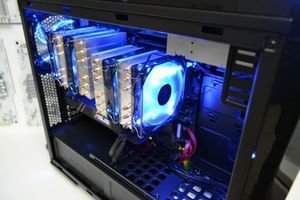
- Cooling: An efficient air tower or liquid cooling system to maintain low temperatures for the Intel Core processor under load.
- Power: A high-quality power supply unit with an 80 Plus Gold or Platinum certification and a capacity of 850-1000W, with headroom for future upgrades.
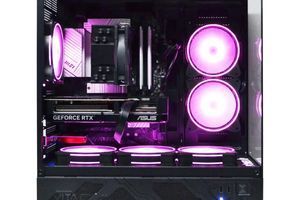
- Case and Cable Management: A spacious case with good airflow and neat cable routing not only improves the appearance but also affects cooling efficiency.

First Steps After Switching from Console to PC
You've built or bought your first gaming PC. To get maximum performance and stability, you need to perform a few key setup steps.
Step 1: Driver Installation and Setup
The first thing to do after installing Windows is to download and install the latest driver for your graphics card from the NVIDIA or AMD website. Then, install the chipset driver from your motherboard manufacturer's website (ASUS, MSI, Gigabyte, etc.). This is critically important for system stability and performance.
Step 2: Optimizing Windows for Gaming
Enable "Game Mode" in Windows settings. Disable unnecessary startup programs in the "Task Manager". In the "NVIDIA Control Panel" or "AMD Software", select the maximum performance mode. These simple actions can provide a 5-10% FPS boost and reduce input lag.
Step 3: Benchmarking and Stress Testing
To ensure the stability of your build, run stress tests. Use programs like AIDA64 or OCCT to load the processor and memory, and FurMark or 3DMark for the graphics card. Monitor the temperatures: the processor should not exceed 90°C, and the graphics card should not exceed 85°C. This ensures your PC won't overheat during long gaming sessions.
Frequently Asked Questions (FAQ)
How difficult is it to build a PC yourself in 2026?
The process has become much simpler thanks to well-designed cases and motherboards. Most components have protection against incorrect installation. However, if you are unsure, it's better to entrust the assembly to professionals to guarantee a proper balance of components and their stable operation.
Will I be able to play my old console games on PC?
Many publishers, including Sony and Microsoft, are actively porting their exclusives to PC. Games purchased digitally for Xbox through the Play Anywhere program are often available on PC as well. However, disc versions or Nintendo exclusives will require emulation or re-purchasing.
How often do I need to upgrade a gaming PC?
Unlike consoles, a PC does not require a complete replacement every 5-7 years. Usually, it's enough to upgrade the graphics card every 3-4 years to comfortably play new titles. Other components, like the processor or power supply, can last for 5-8 years or longer.
Do I need a very expensive monitor?
A monitor is the window to your gaming world. For a powerful PC, it is recommended to use a monitor with a high refresh rate (144 Hz and above) and 2K or 4K resolution. Playing on a 4K build with a Full HD monitor means not utilizing your hardware's potential.
What is DLSS and why is it so important?
DLSS (Deep Learning Super Sampling) is an NVIDIA technology that uses artificial intelligence to scale an image from a lower resolution to a higher one with minimal quality loss. This allows for a significant increase in FPS (frames per second), making the game smoother.
How much electricity does a powerful gaming PC consume?
A top-tier gaming build in 2026 under maximum load can consume from 600 to 850 watts. It is important to use a quality power supply with an 80 Plus Gold certification or higher, which will provide stable power and high efficiency.
PC or Steam Deck 2 for portable gaming?
These are different devices for different tasks. The Steam Deck 2 (or similar) is a compromise between portability and performance. A desktop PC will always be many times more powerful and offer better graphics quality. For the ultimate gaming experience at home, a PC is indispensable.