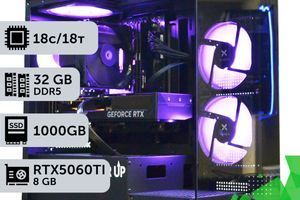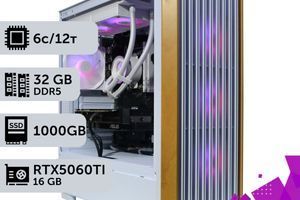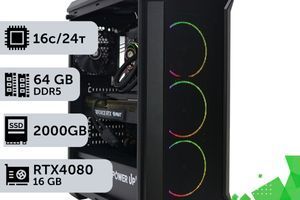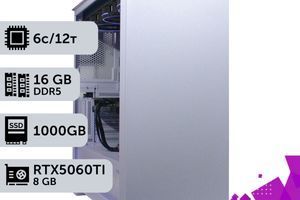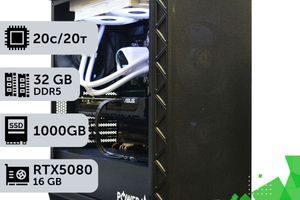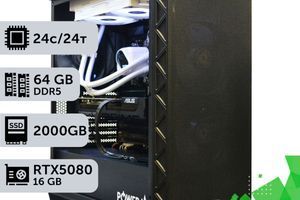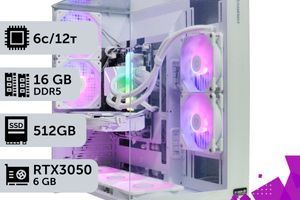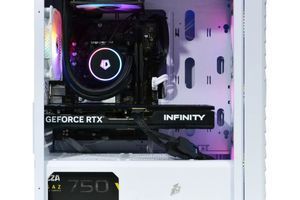
It's 2026, gamers! The hype around the new NVIDIA RTX 50-series graphics cards has reached its peak, but the price tags in Ukrainian stores are biting as if it's not hardware, but an elite delicacy. Many are lying in wait, like snipers in CS2, for the coveted price drop. But is this game worth the candle? Or while we wait, will all the cream be skimmed by those already playing GTA VI on ultra settings today?
In this article, we'll dive into the realities of the Ukrainian component market in 2026. We'll explore the factors influencing the cost of the 'fiftieth' lineup, compare it with competitors and the previous generation, and provide a clear answer to the main question: buy now or continue to wait and see? Fasten your seatbelts, we're taking off into the world of insane FPS and next-generation ray tracing!
Key Takeaways (TL;DR):
- Prices for top-tier RTX 50-series cards (5080/5090) in Ukraine will not drop significantly in 2026 due to high demand in the AI sector and manufacturing complexity.
- The optimal choice for mainstream 2K gaming is the RTX 5060 Ti, offering the best balance of price and performance.
- The hryvnia exchange rate and global logistics remain key factors influencing the final cost of graphics cards for Ukrainian buyers.
- Waiting for hypothetical discounts might cause you to miss out on current game releases while playing on outdated hardware.
What's Happening with GPU Prices in 2026?
The era of the crypto-fever is fortunately behind us, and gamers have breathed a sigh of relief. However, miners have been replaced by a new, even hungrier consumer: artificial intelligence. Neural networks and AI development demand colossal computing power, which keeps the demand for top-tier GPUs high. Therefore, one shouldn't hope that the flagship RTX 5090 will suddenly become as affordable as a cup of coffee.
For Ukraine, local factors are added to the global ones: hryvnia exchange rate fluctuations, customs duties, and complex logistics. All of this contributes to the final price tag on the store shelf. As a result, we have consistently high prices for new products and a smooth, but very slow, price reduction for previous-generation cards.

RTX 5070: The People's Ultimate for 2K Gaming?
If flagships are for enthusiasts, the real battle for gamers' wallets is unfolding in the mid-range segment. And here, the main star promises to be the RTX 5070. This card represents the perfect balance, allowing for an ultimate experience in 2K (1440p) resolution and even a peek into 4K gaming territory thanks to the magic of DLSS technology.
Let's look at the estimated FPS in popular games on ultra graphics settings at 1440p with the RTX 5070:
- GTA VI: ~80-90 FPS with DLSS Balanced mode.
- Cyberpunk 2077 (Phantom Liberty): ~100 FPS with DLSS Performance and ray tracing.
- CS2: 400+ FPS, everything is stable here, no need to worry.
The main thing when upgrading to such a card is not to create a bottleneck. Make sure your processor, for example, an Intel Core Ultra 5 250K or Ryzen 5 9600X, is capable of 'driving' the graphics card and loading it to 100%.

| Purpose | Recommended Graphics Card | Processor | Approximate Budget |
|---|---|---|---|
| Full HD Gaming (1080p) | NVIDIA RTX 4060 / AMD RX 8600 XT | AMD Ryzen 5 9600X | From 45,000 UAH |
| 2K Gaming (1440p) | NVIDIA RTX 5060 Ti / AMD RX 8700 XT | Intel Core Ultra 5 250K | From 75,000 UAH |
| 4K Gaming (2160p) | NVIDIA RTX 5080 / AMD RX 8900 XTX | AMD Ryzen 7 9800X3D | From 130,000 UAH |
Silence in the Studio: Why Your New PC Shouldn't Sound Like a Fighter Jet
Power is cool, but what about comfort? Nobody likes it when during a late-night horror game session, the system unit starts to howl like an airplane turbine, killing the atmosphere and disturbing the household. NVIDIA's engineers and their partners have done a tremendous job on the cooling systems in the 50-series. Massive heatsinks, vapor chambers, and smart fans that stop completely at idle make these cards surprisingly quiet.
But the graphics card alone won't save the day. To achieve acoustic comfort, the entire setup is important: a well-ventilated case, high-quality case fans, and, of course, perfect cable management that doesn't obstruct airflow. For top-tier builds with processors like the Ryzen 9 9950X, the best solution would be a liquid cooling system, which efficiently dissipates heat and operates almost silently.

Buying an RTX 50-Series in 2026: Pros and Cons
Advantages
- ✔Unmatched performance for 4K gaming with ray tracing.
- ✔Access to exclusive technologies like DLSS 4 with AI Frame Generation.
- ✔High energy efficiency and advanced cooling systems ensuring quiet operation.
- ✔Excellent future-proofing, allowing you not to think about a PC upgrade for the next 3-4 years.
Disadvantages
- ✖Extremely high starting price on the Ukrainian market.
- ✖Risk of encountering a 'bottleneck' if the rest of the system is outdated.
- ✖Potential 'teething issues' with the first driver versions.
AMD Strikes Back: What Do the 'Reds' Offer?
Camp NVIDIA is not the only player on the field. In 2026, AMD is actively promoting its Radeon RX 8000 series on the RDNA 4 architecture, preparing the ground for the next generation. Their main trump card is a competitive price and open technologies like FidelityFX Super Resolution (FSR). Cards like the RX 8800 XT can be an excellent alternative to the RTX 5070, especially for those who don't prioritize ray tracing.
Furthermore, it's worth noting how well the advanced AMD Ryzen technologies pair with the new GPUs. The 9000-series processors, especially those with 3D V-Cache technology, provide an incredibly stable framerate in games. And the transition to the new DDR5 RAM standard finally unlocks their potential, removing any 'bottlenecks' from the memory subsystem.
How Not to Go Wrong When Buying a Graphics Card in 2026
Choosing a GPU is a quest. This guide will help you determine which graphics card you need, so you don't overpay for unnecessary power and avoid a system bottleneck.
Step 1: Determine Your Resolution and Refresh Rate
Your monitor is the starting point. Full HD @ 144Hz and 2K @ 165Hz require cards of completely different levels. There's no point in buying a flagship RTX 5090 if you're gaming on an old 1080p monitor—it's money down the drain.
Step 2: Evaluate Your Processor
A powerful graphics card requires a powerful processor. Check if your CPU will become a 'bottleneck' for the new card. For the RTX 50 series, we recommend processors no lower than the Intel Core Ultra 200-series or AMD Ryzen 9000-series for maximum performance.
Step 3: Check Your Power Supply Unit (PSU)
New graphics cards are quite power-hungry. Make sure your PSU has sufficient wattage (850W or more is recommended for high-end models) and the necessary power connectors, such as the updated 12V-2x6, to avoid stability issues.
Step 4: Compare Prices and Wait for Reviews
Don't rush to buy a card on the first day of sales. Wait 2-3 weeks for independent tests from reputable tech bloggers to appear. It often turns out that a model with a 'Ti' or 'Super' suffix offers a better price-to-performance ratio.
Frequently Asked Questions (FAQ)
When will the RTX 50-series get cheaper in Ukraine?
A significant price drop should not be expected in the first 6-8 months after the sales start. Local discounts are possible during holidays, but globally, prices will depend on demand from the AI sector and the stability of the hryvnia exchange rate.
How much VRAM is needed for gaming in 2026?
For comfortable 1080p gaming, a minimum of 10-12 GB is needed. For 2K on ultra settings - 16 GB. For full-fledged 4K and projects on Unreal Engine 6, it is recommended to have 20 GB or more of VRAM.
What is a 'bottleneck' and how to avoid it?
It's a situation where one component (e.g., a weak processor) prevents another (a powerful graphics card) from working at its full potential. A balanced build, where the CPU and GPU match each other in performance level, helps to avoid this.
Should I upgrade to an RTX 50 if I have an RTX 4070?
If you play at 2K resolution and are completely satisfied with your current performance, there is no urgent need to upgrade. The transition is justified if you plan to buy a 4K monitor or if new AI capabilities are critical for your work.
Do I need a new power supply for the RTX 50-series?
In most cases, yes. New cards may use the updated 12V-2x6 power connector and have higher power consumption. We recommend a quality PSU with a capacity of 850W or more for high-end models with an 80+ Gold or Platinum certification.
Does cable management affect performance?
Directly on FPS - no. However, quality cable management ensures free air circulation in the case, which lowers the operating temperatures of the components. This helps to avoid overheating and throttling (frequency drops), maintaining a stable framerate during long gaming sessions.
So, is it worth waiting for the tide to turn? The answer is simple: for a true gamer, waiting is the worst enemy. Technology doesn't stand still, and while you're waiting for the perfect moment, new games are being released that require new hardware. Prices for the RTX 50-series in Ukraine are unlikely to plummet anytime soon, but choosing the right model for your needs will help you get the maximum performance for your money today.
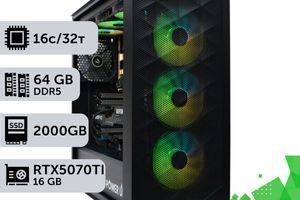
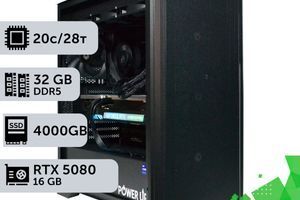
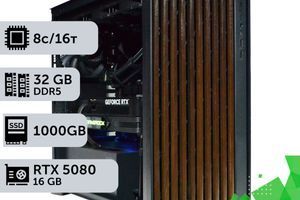
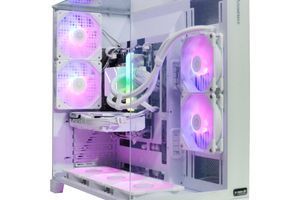
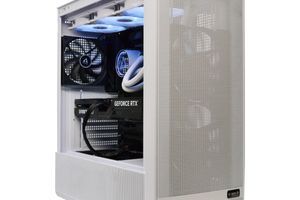
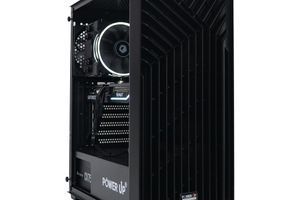
Not sure which build will unlock the potential of your monitor and deliver that coveted stable framerate? Check out the catalog of pre-built gaming PCs from PowerUp or contact our engineers to create the custom machine of your dreams. We'll help you find the perfect balance and build a PC that will bring you joy for years to come!