Key Takeaways (TL;DR):
- The key to silence is not just expensive fans, but a comprehensive approach: case, cooling, power supply, and undervolting.
- All-in-one (AIO) liquid cooling systems with 360/420 mm radiators are the standard in 2026 for efficient and quiet heat dissipation from processors with a TDP >150W.
- Choosing a graphics card with a massive cooling system (3.5-4 slots) from A-brands (ASUS ROG Strix, MSI Suprim) reduces noise by 5-10 dBA under load compared to reference models.
- Power supplies with an 80 Plus Platinum/Titanium certification and a hybrid fan mode are a must-have for a quiet build.
Pros and Cons of a Quiet Build
Advantages
- ✔Acoustic comfort: full immersion in the game without distracting fan noise.
- ✔Lower operating temperatures: effective cooling extends the lifespan of components.
- ✔System stability: no overheating ensures a stable framerate without throttling.
- ✔Aesthetics: custom builds with AIOs and proper cable management look professional.
Disadvantages
- ✖Higher cost: quality cases, coolers, and power supplies are more expensive.
- ✖Assembly complexity: installing liquid cooling systems requires more skill and time.
- ✖Dimensions: effective cooling systems and spacious cases take up a lot of space.
The Foundation of Silence: Case and CPU Cooling System
The basis of a silent PC is a case with good airflow and sound insulation. In 2026, market leaders remain models from Fractal Design (Define 8) and Be Quiet! (Silent Base 902). They combine noise-dampening panels with a well-thought-out structure for air circulation. The choice of CPU cooling is equally important. For chips with a TDP of up to 150W, such as the Intel Core Ultra 5 245K, supercoolers are still relevant.
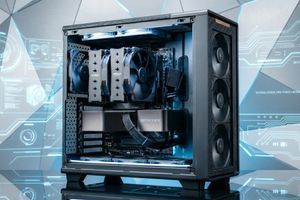
- Air Cooling (Top-Tier): Models like the Noctua NH-D15 G2 or DeepCool Assassin V can dissipate up to 280W of heat while remaining quieter than many budget AIOs.
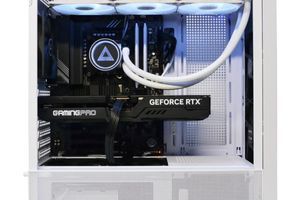
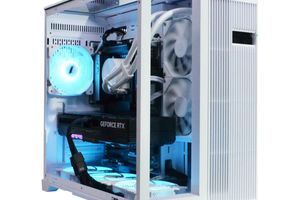
- All-in-One (AIO) Liquid Cooling Systems: For hot processors like the AMD Ryzen 9 9900X, an AIO with at least a 360 mm radiator is necessary. Solutions from Arctic (Liquid Freezer IV) and Lian Li (Galahad II) show the best performance-to-noise ratio.
Proper cable management is not just about aesthetics. Free space inside the case improves air circulation, allowing fans to run at lower speeds.
| Cooler Model | Temperature in OCCT (max.) | Noise Level (100% load) | Estimated Price |
|---|---|---|---|
| Noctua NH-D15 G2 (Air) | 82°C | 34 dBA | 5,500 UAH |
| Arctic Liquid Freezer IV 360 (AIO) | 71°C | 29 dBA | 7,000 UAH |
| Custom Liquid Cooling (EKWB) | 65°C | 26 dBA | 18,000 UAH |

Silent Graphics Power: Choosing an RTX 50-Series Graphics Card
The graphics card is the main source of heat and noise in a gaming PC. The flagship NVIDIA RTX 5090 consumes up to 500W, and cooling such power silently is a real challenge. The key factor is choosing a non-reference model with a massive heatsink. Cards from the ASUS ROG Strix, MSI Suprim X, or Gigabyte Aorus Master series are equipped with vapor chambers and 3-4 slot cooling systems, which keeps the chip temperature 10-15°C lower than the Founders Edition at a significantly lower noise level. DLSS 4.0 technology with AI-based frame generation allows for a high, stable framerate without loading the card to 100%, which also contributes to silence.
To achieve absolute silence, enthusiasts install liquid cooling systems on their graphics cards. Pre-built hybrid models (e.g., EVGA Hybrid) or custom water blocks reduce the GPU temperature under load to 50-60°C, making the card virtually inaudible. According to independent tests from Tom's Hardware, this approach reduces build noise by 10-15 dBA.
| Game | Native 4K | 4K with DLSS 4.0 (Performance) |
|---|---|---|
| Cyberpunk 2077 (Phantom Liberty) | 75 FPS | 150 FPS |
| GTA VI | 60 FPS | 110 FPS |
| Counter-Strike 2 | 350 FPS | 500+ FPS |

Energy Efficiency and Power: PSU, SSD, and RAM
The silence of a system directly depends on its energy efficiency. The higher the efficiency of the components, the less energy is converted into useless heat. Start with the power supply. A power supply with an 80 Plus Platinum or Titanium certification (e.g., Seasonic PRIME TX or Corsair AX) has an efficiency of 94-96% at 50% load. This means that only 4-6% of the energy is lost as heat. Many models feature a hybrid mode where the fan does not spin at loads up to 30-40%. For a powerful PC, choose a PSU with a margin, for example, 1000-1200W.
- Storage: Completely ditch HDDs. Modern M.2 NVMe PCIe 5.0 SSDs have no moving parts and are absolutely silent.
- RAM: High-frequency DDR5 RAM with a frequency of 6400-7200 MHz consumes little power, but its stability is important for overall performance. Choose modules with heatsinks for better heat dissipation.
The combination of these seemingly secondary elements makes a huge contribution to creating a truly quiet and high-performance custom PC.

| Purpose | Recommended Graphics Card | Processor | Approximate Budget |
|---|---|---|---|
| Full HD / 2K Gaming (144-240 Hz) | NVIDIA GeForce RTX 5060 12 GB | AMD Ryzen 5 9600X / Intel Core Ultra 5 245K | 60,000 - 80,000 UAH |
| 2K / 4K Gaming (120-165 Hz) | NVIDIA GeForce RTX 5070 Ti 16 GB | AMD Ryzen 7 9700X / Intel Core Ultra 7 25700K | 95,000 - 130,000 UAH |
| Uncompromising 4K Gaming (>144 Hz) | NVIDIA GeForce RTX 5090 32 GB | AMD Ryzen 9 9950X / Intel Core Ultra 9 26900K | 200,000 - 300,000 UAH |
Fine-Tuning: Undervolting and Fan Curves
Assembling quiet hardware is half the battle. The other half is configuring it correctly. Undervolting is the process of lowering the operating voltage of the CPU and GPU without losing performance. Reducing the voltage by 0.05-0.1V can decrease power consumption and heat output by 10-20%, which directly affects fan speeds.
Adjusting fan curves in the motherboard's UEFI/BIOS or in software (MSI Afterburner, Fan Control) is a mandatory step. Instead of the standard aggressive profile, create your own:
- Up to 50-60°C: Fans run at minimum speeds (30-40% or 500-800 RPM), ensuring near-total silence at idle and during light tasks.
- From 60°C to 80°C: A smooth increase in speed up to 60-70%. This is the main gaming zone where you need to find a balance between cooling and noise.
- Above 80°C: An aggressive ramp-up to 90-100% to prevent overheating in stress tests.
This setup ensures that your PC will remain quiet in 90% of usage scenarios, and only under peak loads will the noise become noticeable but controlled.

Step-by-Step Guide to Building a Quiet Gaming PC
This guide will help you sequentially select components and configure the system to achieve maximum performance with minimal noise.
Step 1: Choosing a Sound-Dampened Case
Select a Mid-Tower or Full-Tower case with good front panel perforation for air intake and solid side panels, preferably with sound-absorbing material. Ensure it supports the installation of AIO radiators of the required size (360/420 mm).
Step 2: Selecting Efficient Cooling
For processors with a TDP >150W, choose an AIO with a 360 mm radiator. For the graphics card, prefer models with a 3-fan cooling system and a massive heatsink. Replace the stock case fans with quieter and more efficient models from Noctua, be quiet!, or Arctic with PWM control.
Step 3: Choosing 'Cool' Components
Prefer processors and graphics cards with better energy efficiency. Choose a power supply with an 80 Plus Platinum/Titanium certification and a hybrid mode. Use only M.2 NVMe SSDs for data storage.
Step 4: Neat Assembly and Cable Management
During assembly, pay maximum attention to routing cables behind the motherboard tray. Use zip ties and dedicated channels. The fewer obstacles in the airflow path, the slower the fans can spin.
Step 5: Setting Fan Curves in BIOS/UEFI
Enter the BIOS and find the monitoring or Fan Control section. For each fan (CPU, case), create a custom speed curve based on temperature. Make it smooth, without sharp jumps in RPM that are annoying to the ear.
Step 6: Undervolting the CPU and GPU
Use utilities like Intel XTU, AMD Ryzen Master, or MSI Afterburner to gradually lower the voltage of the processor and graphics card. Test for stability in stress tests (Cinebench, 3DMark). This is the final touch that will reduce temperatures by another 5-10°C and make the PC almost silent.

Frequently Asked Questions (FAQ)
What is quieter: air cooling or an AIO?
At the same heat dissipation efficiency, a high-quality AIO with a large radiator (360/420 mm) will almost always be quieter than a top-tier air cooler because the larger radiator surface area and slower fans dissipate heat more effectively.
How important is the 80 Plus certification of a power supply for silence?
It's very important. A PSU with a Platinum or Titanium certification has higher efficiency, which means it generates less heat. This allows its fan to run at low speeds or not at all under low to medium loads, which is critical for a quiet build.
Can you build a quiet system in a compact SFF case?
It's possible, but much more difficult and expensive. It's harder to organize airflow in a small volume, and you need to use low-profile but efficient coolers and components with low TDP. This is a task for experienced builders.
Does RAM affect system noise?
Directly, no, as it has no moving parts. Indirectly, yes. High-frequency DDR5 memory may require additional airflow, especially when overclocked, which might necessitate increasing case fan speeds.
What is undervolting and is it dangerous for components?
Undervolting is the process of lowering a component's operating voltage. It is a completely safe procedure. In the worst-case scenario, if the voltage is too low, the system will become unstable and reboot. It does not cause physical damage to the hardware, unlike overvolting (increasing voltage).