Key Takeaways (TL;DR):
- For 500+ FPS in CS2 and Valorant, high single-threaded processor performance and cache memory are crucial, not the number of cores. Processors like the Core Ultra 7 or Ryzen 7 9000-series are the optimal choice.
- High-frequency DDR5 RAM (6400-7200 MHz) with low timings is critically important for a stable framerate and minimizing dips (1% and 0.1% low FPS).
- Skimping on the power supply and cooling system is a direct path to throttling and unstable performance. Invest in a quality PSU with an 80+ Gold certification and an efficient cooler.
- Component balance is more important than a flagship CPU. It's better to invest the money saved on the processor into a faster graphics card, memory, or a monitor with a 360-500 Hz refresh rate.
Processor: Why Frequency and Cache Matter More Than 16 Cores
Games like CS2 and Valorant are built on engines that historically do a poor job of parallelizing the workload. For them, single-core performance (IPC) and clock speed are paramount. The Intel Core Ultra 7 260H processor with a frequency up to 5.2 GHz or the AMD Ryzen 7 9700X3D processor with a huge amount of L3 cache show results in such scenarios comparable to the flagship Core Ultra 9, which costs significantly more. The flagship's large number of cores simply sits idle while 4-6 cores work at their limit.
AMD 3D V-Cache technology is a real game-changer for esports. An additional layer of cache memory on top of the processor cores minimizes calls to the slower RAM, which provides a colossal FPS boost specifically in latency-sensitive games. That's why AMD processors with the X3D suffix are often chosen for the ultimate CS2 build.

Pros and Cons of a Build Without a Core i9
Advantages
- ✔Significant budget savings (up to 10,000 - 15,000 UAH), which can be redirected to the graphics card or monitor.
- ✔Lower heat output and power consumption, reducing the requirements for cooling and the power supply.
- ✔Virtually identical gaming performance in esports titles, where frequency matters more than the number of cores.
- ✔Optimal balance for gaming and everyday tasks without bottlenecks.
Disadvantages
- ✖Lower performance in resource-intensive work tasks (video editing, 3D rendering, code compilation).
- ✖Potentially less future-proofing for the next 5-7 years for upcoming AAA games on engines like Unreal Engine 5.
The Golden Mean: RTX 5060 Ti / RTX 5070 and the Right Balance
When building an esports PC, it's important to avoid the 'bottleneck' effect, where one component limits the performance of another. For 1080p resolution, which most pro-gamers use, there's no point in installing a flagship RTX 5080. Its power would be excessive, and it would sit idle waiting for commands from the processor. The optimal choice would be an NVIDIA GeForce RTX 5060 Ti or RTX 5070. These cards provide more than enough performance for hundreds of FPS on low settings and also allow you to enjoy AAA projects on ultra graphics settings with DLSS 4 Frame Generation technology.
Here is the approximate performance of a balanced build based on the Core Ultra 7 260H and RTX 5070:
| Game | Resolution and Settings | Average FPS |
|---|---|---|
| Counter-Strike 2 | 1920x1080, Low Settings | ~580 FPS |
| Valorant | 1920x1080, Low Settings | ~650 FPS |
| Cyberpunk 2077 | 1920x1080, Ultra + Path Tracing, DLSS Performance | ~140 FPS |
| GTA VI (forecast) | 1920x1080, High Settings | ~110 FPS |
Such a pre-built gaming PC not only dominates in esports but also provides comfortable gaming in the most demanding new releases.

RAM and Storage: The Unsung Heroes of High FPS
In 2026, the DDR5 standard has become the undisputed leader. But simply buying any DDR5 module is not enough. For esports, it's not just about capacity (32 GB is the new standard), but also frequency and timings. The difference between basic 5600 MHz CL40 memory and an overclocker's kit of 7200 MHz CL34 can reach 15-20% in the 0.1% low FPS metric. These are the micro-stutters that decide the outcome of a round. Therefore, choosing high-speed DDR5 RAM is not a whim, but a necessity. The storage drive is no less important. Installing games on a fast NVMe SSD PCIe 5.0 ensures lightning-fast map loading and minimizes stutters during gameplay. Detailed platform requirements can always be found in the official Intel specifications or AMD's.

What You Can't Skimp On: PSU, Cooling, and Motherboard
There are components where saving money will turn into a disaster. First and foremost, the power supply unit. A cheap PSU is a risk to the entire system. Choose models from trusted brands (Seasonic, Corsair, Be Quiet!) with an 80+ Gold certification and a wattage 20-30% higher than the system's peak consumption. This ensures stability and longevity.
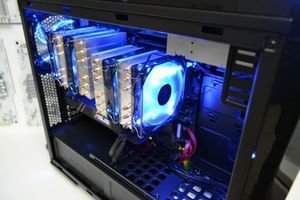
The second point is cooling. Modern processors, even non-flagship ones, generate a lot of heat. Insufficient heat dissipation will lead to throttling—a forced reduction in clock speeds to protect against overheating. As a result, you will lose up to 30% of performance. For a Core Ultra 7 or Ryzen 7, a high-quality air tower cooler with 5-7 heat pipes or a dual-fan AIO liquid cooler is necessary. The third component is the motherboard. You shouldn't chase top-tier Z/X-chipsets, but you can't just buy the cheapest board either. Pay attention to models with a powerful VRM (Voltage Regulator Module) area and good heatsinks on it to avoid overheating and ensure stable processor operation under load.

| Purpose | Recommended GPU | Processor | Approximate Budget (UAH) |
|---|---|---|---|
| Full HD / Esports (360-500Hz) | NVIDIA GeForce RTX 5060 | Intel Core Ultra 5 240H / AMD Ryzen 5 9600X | 55,000 - 70,000 UAH |
| 2K / AAA Gaming (144-240Hz) | NVIDIA GeForce RTX 5070 | Intel Core Ultra 7 260H / AMD Ryzen 7 9700X | 85,000 - 110,000 UAH |
| 4K / Ultimate Experience | NVIDIA GeForce RTX 5080 | Intel Core Ultra 7 285H / AMD Ryzen 7 9800X3D | 140,000 - 180,000 UAH |
Algorithm for Building a PC for Stable 500+ FPS
This short guide will help you set the right priorities when choosing components to get maximum performance in esports without overpaying.
Step 1: Defining the Goal: Monitor and Resolution
Start not with the processor, but with the monitor. Is your goal 500 FPS? Then you need a monitor with a 360 Hz or even 500 Hz refresh rate. The resolution will most likely be 1920x1080. This defines the requirements for the rest of the system: the processor must be able to 'push' the graphics card for this specific resolution and refresh rate.
Step 2: Choosing the Foundation: CPU + Motherboard + RAM
Choose a processor with high single-core performance. Optimally, an Intel Core Ultra 7 260H or AMD Ryzen 7 9700X/9800X3D. Match it with a B-chipset motherboard (Intel B860 or AMD B750) with a good power delivery system (VRM). Immediately add a 32 GB kit of fast DDR5 RAM with a frequency of at least 6400 MHz to your cart.
Step 3: Finalizing the Build: GPU, PSU, and Cooling
For 1080p@500Hz, a graphics card like the NVIDIA RTX 5060 Ti is ideal. It won't create a bottleneck and will provide the necessary performance. Calculate the total system power consumption (CPU + GPU + the rest) and choose a power supply with an 80+ Gold certification and a 200W surplus. Finally, select an efficient tower cooler or a 240mm AIO to ensure the processor always runs at peak frequencies without overheating.

Frequently Asked Questions (FAQ)
So, do I need a Core Ultra 9 or Ryzen 9 for gaming in 2026?
For the vast majority of games, including all esports titles, no. Core Ultra 7 or Ryzen 7 processors provide 95-99% of the gaming performance of flagships but cost significantly less. Flagship CPUs are needed for professional work tasks, not for gaming.
How much RAM is needed for gaming in 2026?
The golden standard for a gaming system in 2026 is 32 GB. This amount is sufficient for any games, streaming, and background applications. 16 GB may no longer be enough for demanding AAA projects. It's not just about capacity, but also speed—choose DDR5 with a frequency of 6400 MHz or higher.
What is more important for CS2 and Valorant: the processor or the graphics card?
Definitely the processor. These games on low graphics settings place minimal load on the graphics card but require the processor to process data and prepare frames as quickly as possible. A powerful processor and fast memory are the key to high and stable FPS.
Is a build with a Core Ultra 7 suitable for streaming?
Yes, absolutely. Modern NVIDIA 50-series graphics cards are equipped with an improved NVENC encoder, which handles the entire video encoding load with almost no impact on gaming performance. The power of a Core Ultra 7 is more than enough for simultaneous gaming and high-quality streaming.
How does AMD's 3D V-Cache technology help in games?
3D V-Cache is an additional, very large amount of L3 cache memory placed directly on the processor die. It allows much more game data to be stored directly in the processor, reducing the number of slow calls to RAM. This significantly increases FPS in games that are sensitive to memory latency, such as simulators and many shooters.
Is it worth waiting for the RTX 5050 release for a budget build?
If your budget is very limited, waiting for the RTX 5050 might be justified. This card is expected to offer performance on par with the RTX 4060 at a lower price and with support for new technologies like DLSS 4. However, to achieve a stable 300+ FPS in esports, it is recommended to look at the RTX 5060 or higher.