
Key Takeaways (TL;DR):
- A personal PC is a high initial investment (starting from 50,000 UAH), but offers complete freedom, maximum graphics quality without compromise, and versatility for work and creativity.
- Cloud gaming offers a low entry barrier and convenience, but is dependent on internet quality, has input lag, and compromises on image quality due to video stream compression.
- In the long term (3-5 years), the cost of owning a PC and a continuous cloud service subscription becomes comparable, but the PC remains a liquid asset.
- The choice depends on priorities: for competitive games (CS2, Valorant) and graphics connoisseurs, a PC is indispensable; for casual gaming of AAA titles with a perfect internet connection, the cloud can be a reasonable alternative.
Performance at Your Fingertips: What's Inside a 2026 Gaming Monster?
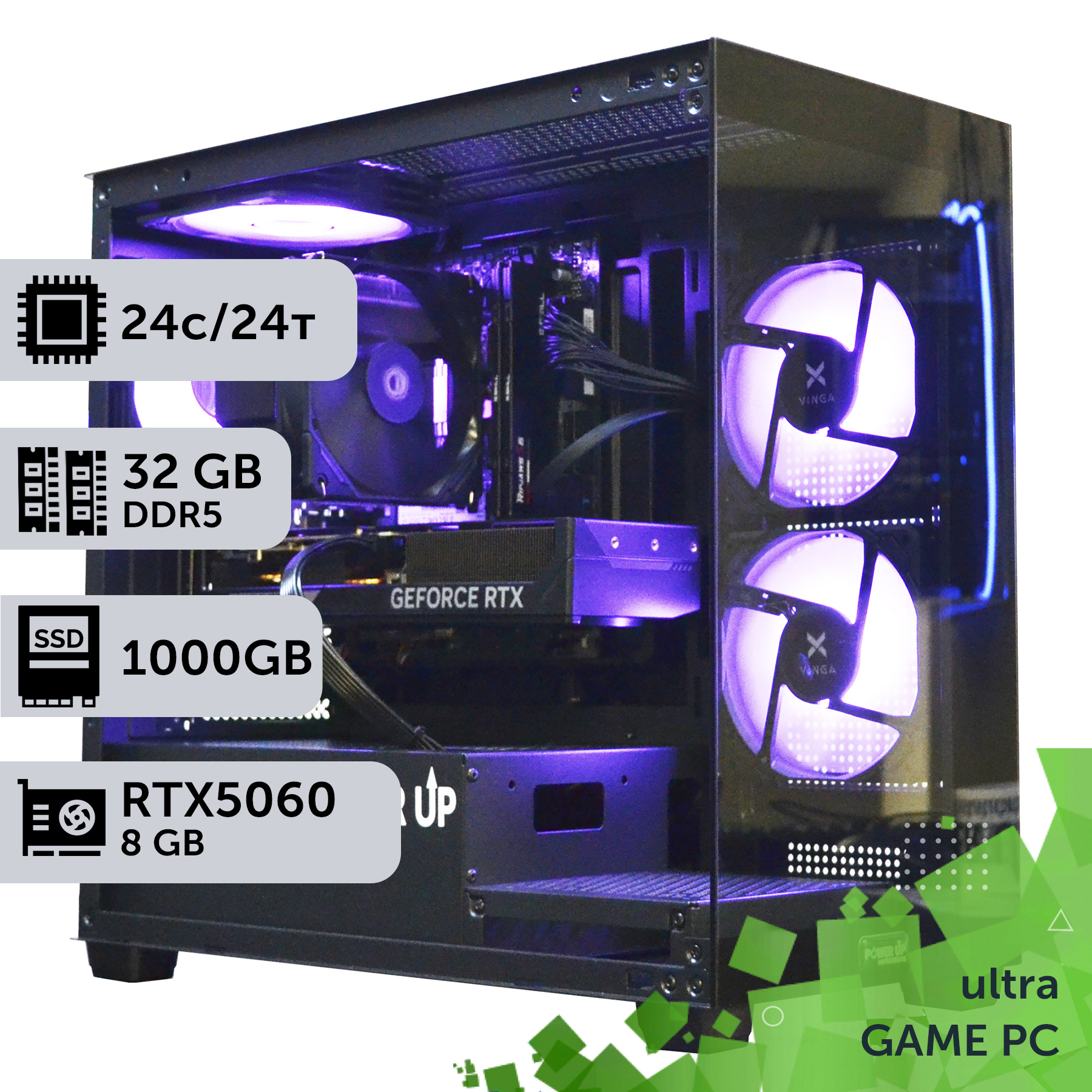
A modern gaming PC in 2026 is not just a box under the desk, but a high-tech complex where every component works to achieve maximum performance. The heart of such a system is the graphics card, and here solutions from NVIDIA dominate. The latest GeForce RTX 50-series graphics card, for example, the RTX 5070 Ti, offers performance that was only a dream 3-4 years ago. It carries 16 GB of GDDR7 video memory and enough computing power for comfortable 4K gaming with ray tracing enabled. These cards are built on a next-generation architecture that provides a significant performance boost in AI and ray tracing tasks.
The central processor matches the graphics card. Two lines are relevant in the market: Intel Core Ultra 200 (Arrow Lake) and AMD Ryzen 9000. For example, the 8-core Intel Core Ultra 7 265K demonstrates impressive single-threaded performance, which is critical for games, while the 12-core AMD Ryzen 9 9900X is the ultimate solution for those who combine gaming with streaming or professional applications. It is important to understand that a thorough system stress test is mandatory after assembly. Programs like OCCT or AIDA64 allow you to load all components to 100% and ensure that the cooling system is coping and the power supply is providing stable voltage without drops. This guarantees no failures in the heat of gaming battles.
Let's look at typical component characteristics for different level builds:
| Component | Build for Full HD / 2K | Build for 4K | Ultimate Build |
|---|---|---|---|
| Graphics Card | NVIDIA GeForce RTX 5060 12GB | NVIDIA GeForce RTX 5070 Ti 16GB | NVIDIA GeForce RTX 5090 24GB |
| Processor | Intel Core Ultra 5 245K / AMD Ryzen 5 9600X | Intel Core Ultra 7 265K / AMD Ryzen 7 9700X | Intel Core Ultra 9 285K / AMD Ryzen 9 9950X3D |
| RAM | 32 GB DDR5 6800 MHz | 32 GB DDR5 7600 MHz | 64 GB DDR5 8000+ MHz |
| Storage | 1 TB NVMe PCIe 4.0 SSD | 2 TB NVMe PCIe 5.0 SSD | 4 TB NVMe PCIe 5.0 SSD |
| Approximate Price | 55,000 UAH | 90,000 UAH | 180,000+ UAH |
Unlike cloud gaming, where you get access to some average configuration, a personal PC allows you to select every screw to your needs, creating a perfectly balanced machine. This is complete control over performance, quality, and future upgrades.
Why Does Every Millisecond Matter? Understanding Frame Rate (FPS) and Latency
The key difference between local and cloud gaming lies in the physics of signal transmission. When you play on your PC, the signal from your mouse or gamepad travels a path of a few nanoseconds to the processor, is processed, and sent to the graphics card, which renders the frame and displays it on the monitor. This entire process takes 5 to 20 milliseconds. In cloud gaming, it's more complicated: your keypress travels over the internet to a remote server, which could be hundreds of kilometers away, where it is processed, a frame is rendered, compressed into a video stream, and sent back to your screen. This chain adds significant delay, known as input lag, which can range from 40 to 100 ms or more, even with a perfect connection.
For single-player games like strategies or RPGs, this delay might be unnoticeable. But in competitive shooters, where reaction time is everything, 80 ms is an eternity that separates victory from defeat. Furthermore, a powerful personal PC provides a consistently high frame rate (FPS). The combination of an RTX 5070 and a monitor with a 165 Hz or 240 Hz refresh rate delivers an incredibly smooth picture and minimal response time, which is the standard in esports. Cloud services are typically limited to 60 or 120 FPS, and this rate can be unstable due to network issues.
We should not forget about internal components that affect latency. A modern motherboard with a Z890 or X770 chipset supporting the PCIe 5.0 bus for the graphics card and SSD, as well as a built-in 2.5G or even 10G Ethernet controller, minimizes internal system bottlenecks. Fast DDR5 RAM with low timings also contributes. All these elements work together to provide the fastest and most responsive gaming experience, which cloud technologies are not yet able to replicate.
| Latency Source | Gaming PC | Cloud Gaming |
|---|---|---|
| Input Processing | ~1-5 ms | ~1-5 ms |
| Frame Rendering | ~6-16 ms (at 60-165 FPS) | ~6-16 ms (on server) |
| Signal Transmission to Server | N/A | 15-50+ ms |
| Video Encoding/Decoding | N/A | 10-20 ms |
| Video Stream Transmission from Server | N/A | 15-50+ ms |
| Total Latency | ~7-21 ms | ~47-141+ ms |
Visual Superiority: The Reality of Ultra Settings and Ray Tracing
One of the main arguments in favor of a personal PC has always been and remains image quality. And it's not just about resolution. Cloud services, to transmit the picture to your device, use video compression algorithms similar to those used on YouTube or Netflix. Even the most advanced codecs, such as AV1, sacrifice fine details and color accuracy to reduce traffic. In dynamic scenes, this leads to noticeable artifacts: the image 'pixelating' into squares, loss of texture clarity, and color banding on skies or in dark areas. For an inexperienced viewer on a small screen, this might be acceptable, but on a large 4K monitor, the difference with a native image rendered by a local graphics card is colossal.
A personal PC, equipped with, for example, an RTX 5080, draws every pixel without any compression. This allows you to fully enjoy all the graphical technologies intended by the developers. The main one in 2026 is full Path Tracing, which simulates the behavior of light in real-time, creating photorealistic reflections, shadows, and global illumination. To play with such settings requires enormous computing power, and this is where DLSS technology comes to the rescue. The current version, DLSS 4.0, available exclusively on RTX cards, uses neural networks for intelligent image upscaling and additional frame generation, allowing for high FPS even with path tracing enabled on ultra graphics settings. You can read more about the capabilities of current technologies on the official NVIDIA website.
In cloud services, you can also enable ray tracing, but the final image will still pass through the 'meat grinder' of the video codec, which will nullify many of the lighting nuances. Owning a powerful PC is like watching a movie in IMAX instead of a camcorder copy. You get the exact visual experience the game creators intended, without compromises or reservations. This is especially important in projects with a strong visual style, such as Cyberpunk 2077 or Alan Wake 2, where the atmosphere is created precisely through the complex play of light and shadow.
- Native Rendering (PC): Crystal clear image, perfect color reproduction, no artifacts.
- Streaming (Cloud): Loss of detail in dark and bright scenes, possible 'pixelation' during sharp movements, less saturated colors.
- DLSS 4.0 (PC): Allows combining maximum graphics quality with high performance by reconstructing the image to native resolution using AI.
- Cloud Limitations: Even if the server has an RTX 5090, you will only see a compressed version of its work, limited by your internet bandwidth.

Silence and Cool: Solving Cooling and Memory Issues in 2026
Flagship processors and graphics cards of 2026 generate a huge amount of heat. The TDP (Thermal Design Power) of a top-tier Core Ultra 9 can reach 250-300W at its peak, and graphics cards like the RTX 5080/5090 can draw 400-500W. Effective cooling has ceased to be a whim of enthusiasts and has become a pressing necessity. Overheating components leads to throttling—a forced reduction in clock speeds to avoid damage, which directly affects FPS in games. A gamer has two main paths: air cooling or liquid cooling.
| Cooling Type | Advantages | Disadvantages | Recommendation |
|---|---|---|---|
| Air Cooling (Tower Cooler) | Reliability (no pump or liquid), ease of installation, lower price. | Large dimensions, can block RAM slots, limited efficiency (~250W TDP). | For mid-range processors (Core Ultra 5/7, Ryzen 5/7). |
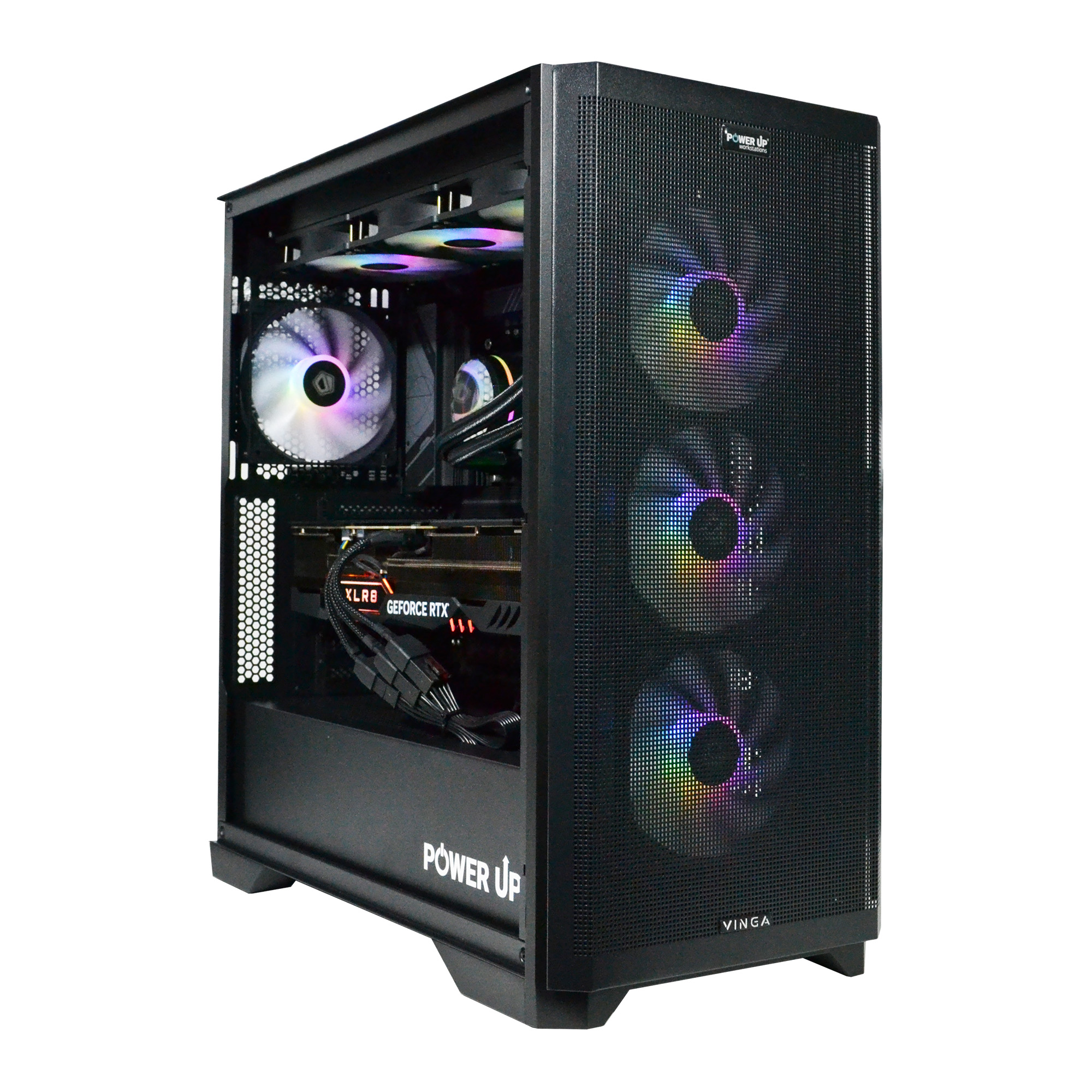
| Liquid Cooling (AIO) | Highest efficiency (handles 300+W TDP), stylish appearance, does not interfere with components on the board. | Higher price, potential risk of leakage (though minimal with reputable brands), pump as a point of failure. | For flagship processors (Core Ultra 9, Ryzen 9) and overclocking enthusiasts. |
An equally important component is DDR5 RAM. In 2026, the standard for comfortable gaming is 32 GB. This is enough for any modern game, background applications like Discord, and a browser. However, not only the capacity but also the speed is important. High-frequency DDR5 RAM kits (7200-8000 MHz) with low timings (CL34-CL38) provide a noticeable performance boost, especially in games sensitive to memory bandwidth. Properly selected cooling and memory are the key to the stable and long-lasting operation of your gaming computer, something that cloud service users don't have to worry about, but also cannot control.

Own PC or Subscription: Weighing All the Pros and Cons
Advantages
- ✔Unmatched Quality: Native 4K rendering with ray tracing and maximum settings without compression artifacts.
- ✔Minimal Latency: Instant control response, critical for competitive online games.
- ✔Complete Freedom and Ownership: You own your PC and games, can install any mods, and use the computer for any task.
- ✔Long-term Investment: After a few years, a PC still has residual value; it can be sold or upgraded.
Disadvantages
- ✖High Entry Cost: Building a powerful gaming PC requires a significant initial investment.
- ✖Maintenance Required: Needs periodic dust cleaning, driver updates, and potential troubleshooting.
- ✖Complexity of Choice: It can be difficult for a beginner to understand component compatibility and build a balanced system.
How to Avoid Bottlenecks and Plan for Upgrades?
One of the main dangers of building a PC yourself is creating an unbalanced system where one component limits the performance of another. This phenomenon is called a 'bottleneck'. Imagine you have a Ferrari engine (like an RTX 5090 graphics card) but bicycle tires (an old 11th-gen Core i5 processor or slow RAM). You'll never be able to realize the full power of the engine because the grip on the road will be insufficient. In the PC world, the processor 'prepares' frames for the graphics card. If it can't do it fast enough, the graphics card sits idle, and you get low FPS despite its immense power.
In 2026, typical examples of bottlenecks are:
- Installing a powerful RTX 5070 graphics card with a 4-core processor.
- Using fast DDR5 memory on a motherboard that doesn't support its maximum frequencies.
- Installing a high-speed NVMe SSD PCIe 5.0 in a PCIe 4.0 slot, which will cut its speed in half.
- Skimping on the power supply.
The last point is particularly important. Modern components are very demanding on power quality and can have short but very high power consumption spikes. A cheap power supply with an 80+ Bronze certificate might not handle such spikes, leading to unstable operation or even component failure. For a mid-range system, a quality 850W unit with an 80+ Gold certificate is necessary. When planning a PC upgrade, it's wise to lay the foundation in advance. Buying a motherboard with a good VRM power delivery system and a power supply with a power reserve (e.g., 1000-1200W) will allow you to simply replace the graphics card with a newer model in 2-3 years without having to rebuild the entire system. In cloud gaming, you are completely deprived of this control. You cannot influence the server configuration. If the server hardware can't handle a particular game, there's nothing you can do but wait for the provider to upgrade their equipment. A personal PC gives you full control over performance and its evolution.
| Parameter | Own Gaming PC | Cloud Gaming (GeForce NOW / Xbox Cloud) |
|---|---|---|
| Initial Costs | High (from 50,000 to 150,000+ UAH) | Low (subscription cost, from 500 UAH/month) |
| Monthly Payments | None (except for internet and electricity) | Mandatory (from 500 to 1000 UAH/month) |
| Graphics Quality | Maximum, native resolution, no compression | High, but with video stream compression artifacts |
| Latency (Input Lag) | Minimal (5-20 ms) | Noticeable (40-100+ ms), depends on the internet |
| Game Ownership | Complete (games in your library forever) | Temporary access (games can leave the subscription) |
| Internet Requirements | Low (only for downloading and online games) | Critically high (stable 50+ Mbps, low ping) |
| Versatility | High (gaming, work, study, streaming, modding) | Low (only games from the available catalog) |
| Upgrade | Possible and necessary every 3-5 years | Not required, handled by the service provider |
What's the Cost of Owning a Game? The Economics of Buying vs. Subscribing
The financial question is one of the most contentious in the debate between PC and cloud. At first glance, cloud gaming looks significantly cheaper. You don't need to buy expensive hardware, just pay a monthly subscription, which in Ukraine in 2026 averages 600-800 UAH for a premium plan. On the other hand, a powerful gaming computer is a serious investment that can range from 60,000 to 100,000 UAH or more. However, the devil is in the details and the long-term perspective.
Let's do a calculation for 4 years (a typical life cycle of a gaming PC before a major upgrade is needed).
| Expense Item | Gaming PC (Mid-range) | Cloud Gaming (Premium Subscription) |
|---|---|---|
| Hardware Purchase | 80,000 UAH (one-time) | 0 UAH |
| Subscription Cost | 0 UAH | 700 UAH/month * 48 months = 33,600 UAH |
| Game Purchases | ~15,000 UAH (20 games at ~750 UAH each) | ~15,000 UAH (for services like GFN) / Partially included in Xbox Game Pass |
| Total over 4 years | 95,000 UAH | 48,600 UAH |
| Residual Value of PC | ~30,000 UAH (can be sold) | 0 UAH |
| Net Costs over 4 years | 65,000 UAH | 48,600 UAH |
As the table shows, even considering the residual value, the cloud is cheaper over a 4-year distance. But there are important nuances here. Firstly, a PC is a universal tool for work, study, and content creation. Its cost is amortized by more than just games. Secondly, game ownership. When you buy a game on Steam, you own it forever. In subscription services like Xbox Game Pass, games rotate constantly, and your favorite new release might disappear from the catalog in a year. Thirdly, for many gamers, the process of building and upgrading is important. For example, a popular AMD Ryzen 7 9700X processor installed on a motherboard with an AM5 chipset provides an excellent foundation for future improvements. Such an esports build will allow not only gaming but also streaming without performance loss, which is impossible in the cloud. Thus, the choice comes down to the question: are you paying for temporary access to entertainment or investing in a multifunctional platform and digital property?
Choosing Between a PC and the Cloud: A Step-by-Step Guide for Gamers
This guide will help you analyze your needs, budget, and technical capabilities to make an informed choice between buying your own gaming PC and subscribing to a cloud service.
Step 1: Budget Assessment
Honestly determine the amount you are willing to spend at one time on a PC. Compare it to the cost of a cloud service subscription over 2-3 years. If a one-time expense of 60,000 UAH is unaffordable for you, but 700 UAH per month is comfortable, this is a strong argument for the cloud at the initial stage.
Step 2: Internet Connection Analysis
This is the most crucial step when considering cloud gaming. Use a service like Speedtest and check three parameters: download speed (should be consistently above 50 Mbps), ping to the nearest European server (should be below 40 ms), and packet loss (should be 0%). If even one parameter doesn't meet the requirements, cloud gaming will bring more frustration than pleasure.
Step 3: Defining Gaming Preferences
What games do you play most often? If they are competitive online shooters like CS2, Valorant, or Apex Legends, where every millisecond counts, you need your own PC. If you prefer leisurely single-player games (RPGs, strategies, quests), the latency of cloud services will be less critical.
Step 4: Checking the Game Library
Make sure the games you want to play are available on the chosen cloud service. GeForce NOW requires you to own the game on Steam or EGS, and not all games are supported. Xbox Game Pass offers an extensive library, but games can be removed from it over time. Your PC gives you access to absolutely all games released for the platform.
Step 5: Assessing Versatility Needs
Do you need a computer for anything other than games? Studying, graphic design, video editing, programming, streaming—all these require powerful local hardware. A cloud service only provides access to a gaming client. If you need a universal tool, the choice is clearly in favor of a PC.
Step 6: Trial Period
Before making a final decision, use a trial or the cheapest plan of a cloud service for one month. This will allow you to practically assess the streaming quality on your internet connection and understand if the level of latency and image quality is acceptable for you. This small investment will save you from possible future disappointment.
Frequently Asked Questions (FAQ)
Can you play in 4K via cloud services in 2026?
Yes, top-tier cloud service plans offer 4K streaming. However, this requires a premium subscription and a very stable internet connection (from 50-100 Mbps). It's important to understand that this will be a 4K video stream, the quality of which will always be inferior to a native 4K image on a local PC due to unavoidable compression.
What is input lag and how critical is it?
Input lag is the delay between your action (e.g., a mouse click) and its display on the screen. On a gaming PC, it is minimal, ranging from 5-20 ms. In cloud gaming, it is a sum of delays from your device, internet connection, and the server, reaching 40-100 ms or more. For story-driven games, this might be tolerable, but for competitive shooters, fighting games, or racing games, it is critically high and puts you at a disadvantage.
If I buy a game on Steam, can I play it through GeForce NOW?
Yes, GeForce NOW operates on a 'bring your own game' model and allows you to run games from your Steam, Epic Games Store, and Ubisoft Connect libraries. However, the key point is that not all games are supported by the service. Before buying a game specifically for GFN, be sure to check if it's on the compatibility list on the official website.
How long will a gaming PC built in 2026 last?
A mid-to-high-end build (based on RTX 5070 / Ryzen 7 9700X) will be absolutely relevant for all games at high and ultra settings in 2K/4K resolution for 4-5 years. After this period, you will likely need to upgrade the graphics card to maintain a comfortable FPS in the most demanding new titles, but the other components (processor, memory, motherboard) will remain relevant for longer.
Can I use mods for games in cloud gaming?
In the vast majority of cases, no. Cloud services provide access to standardized, 'vanilla' versions of games. Installing custom modifications, especially those that require interfering with game files (e.g., via a Script Extender), is usually not possible. On your own PC, you have absolute freedom for modding.
How noisy will a modern gaming PC be?
This depends entirely on the quality of the chosen components. With a good high-airflow case, quality fans (e.g., from Noctua or Be Quiet!), and an effective CPU cooling system, a modern PC will be virtually silent at idle and during office work. Under maximum gaming load, the noise level will be moderate (around 40-45 dB), which is completely drowned out by the sound in headphones.
What is more cost-effective in the long run, after 5 years?
Let's do a rough calculation. A PC for 80,000 UAH + games. A cloud subscription is ~700 UAH/month * 60 months = 42,000 UAH + games (partially). At first glance, the cloud is cheaper. But after 5 years, you are left with an asset—a PC that can be sold for 25-30 thousand UAH or upgraded. After 5 years of subscription, you are left with nothing. If you need versatility, quality, and view the purchase as a long-term investment in your hobby and work, the PC turns out to be the more cost-effective solution.
































