In Short
- Founders Edition (FE) is only available for three 2026 graphics cards: RTX 5090, RTX 5080, and RTX 5070. For the RTX 5070 Ti, 5060 Ti, 5060, and Radeon RX 9000, only partner versions are on sale.
- FE is not sold in Ukraine: NVIDIA is not listed among graphics card manufacturers in the E-Katalog directory. The real choice is between versions from ASUS, MSI, Gigabyte, Zotac, Palit, and others.
- Factory overclocking adds single-digit percentage gains in FPS (from +2% to +6% on the RTX 5080). The real difference is noise and temperature: in games, the RTX 5070 FE runs at 77 °C and 37.7 dBA, while partner versions stay at 61–65 °C and 26–32 dBA.
- Within the same model, prices in Ukraine vary by 22–28%: the RTX 5070 versions in the table below cost from 39,831 to 48,479 UAH, while the top-tier ASUS ROG Strix OC starts at 51,099 UAH (E-Katalog, October 10, 2026). That price difference buys you silence and specific dimensions, not extra frames.
Founders Edition (FE) — the version of a GeForce RTX graphics card that NVIDIA manufactures under its own brand and sells at the suggested retail price. AIB (add-in board) — cards built on the same GPU by partners: ASUS, MSI, Gigabyte, Palit, Zotac, Gainward, Inno3D, and others. Both FE and partner versions of the same model share the exact same chip and video memory capacity, and across the RTX 50 lineup, every card supports DLSS 4 with Multi Frame Generation; NVIDIA also lists DLSS 5 for these cards. What differs are the cooling system, power limit, factory clock speeds, dimensions, connectors, warranty, and price.
Below are independent test results from TechPowerUp and Tom's Hardware, official NVIDIA specifications, and prices from Ukrainian stores as of October 10, 2026. They show where paying extra for a high-end version is justified, and where it makes more sense to put that money toward a processor, memory, or monitor.
How Founders Edition Differs from AIB Versions
In everyday use, the word "reference" actually refers to three different things:
- Founders Edition — a complete NVIDIA graphics card with its own proprietary board and cooler. On the RTX 50 series, this means a compact PCB and a flow-through heatsink cooled by two fans.
- Reference PCB — the board layout documentation that NVIDIA provides to its partners. Affordable series like the MSI Ventus, Gigabyte Windforce, or Zotac Twin Edge are typically built on a simplified reference design.
- Custom versions — cards with a proprietary PCB and beefed-up power delivery: ASUS ROG Astral and TUF, MSI Suprim and Vanguard, Gigabyte Aorus, Palit GameRock, Zotac AMP Extreme.
AMD calls its reference cards MBA (Made by AMD). For the Radeon RX 9070 XT and RX 9070, the company did not release such cards to retail: only partner versions are sold (Notebookcheck). Because of this, the "Founders Edition vs. AIB" question in 2026 applies only to three GeForce models.
Which Graphics Cards Have a Founders Edition
NVIDIA produced a Founders Edition for the RTX 5090, 5080, and 5070 — this list matches the FE lineup in NVIDIA's warranty terms as well as the company's statement to Tom's Hardware. On the RTX 5070 Ti product page, NVIDIA does not list card dimensions because they depend entirely on the partner manufacturer.
| Graphics Card | Founders Edition | FE Dimensions | Power (TGP) | PSU per NVIDIA/AMD |
|---|---|---|---|---|
| RTX 5090 32 GB | Yes | 304 × 137 mm, 2 slots | 575 W | 1000 W |
| RTX 5080 16 GB | Yes | 304 × 137 mm, 2 slots | 360 W | 850 W |
| RTX 5070 Ti 16 GB | No | — | 300 W | 750 W |
| RTX 5070 12 GB | Yes | 242 × 112 mm, 2 slots | 250 W | 650 W |
| RTX 5060 Ti 8/16 GB | No | — | 180 W | 600 W |
| RTX 5060 8 GB | No | — | 145 W | 550 W |
| Radeon RX 9070 XT 16 GB | No retail reference card | — | 304 W | 750 W |
NVIDIA's power supply recommendations are calculated for a system running a Ryzen 9 9950X; actual power draw in your build may be lower or higher.
NVIDIA refers to FE cards as "limited edition" products: they periodically go out of stock in its online store. In Ukraine, the choice is simpler: NVIDIA has no official Ukrainian store, and in the E-Katalog directory (67 RTX 5070 models listed as of October 10, 2026), NVIDIA does not appear in the manufacturer filter — only board partners do.
How Much FPS Factory Overclocking Provides
Factory overclocking means a higher boost clock and power limit programmed into the card's BIOS. The ASUS ROG Astral RTX 5080 OC has a boost clock of 2760 MHz compared to 2617 MHz on the reference card (+5.5%), and its power limit is raised from 360 to 400 W. That is the highest factory clock among tested RTX 5080 models, yet TechPowerUp notes that the real-world gap between top OC models remains small.
- According to TechPowerUp, factory-overclocked RTX 5080 cards gain +2% to +6% over the Founders Edition; on the ASUS TUF OC, a 3% factory overclock is imperceptible in practice (ASUS Noctua OC review, TUF OC review).
- In 4K using OC Mode, the ROG Astral beat the RTX 5080 FE by roughly 10% in most games, though at 1440p this lead shrank noticeably (TweakTown review).
- Manual overclocking levels the playing field: in TechPowerUp's tests, the RTX 5070 FE gained +13% from manual tuning, while the ASUS TUF OC gained +10% (RTX 5070 FE review, TUF OC review).
5% of 120 FPS is just six frames — impossible to feel on a 144–165 Hz monitor. In competitive esports titles where frame rates run into the hundreds, your FPS is dictated far more by the processor than by the specific version of the graphics card. A premium card variant buys you better cooling and noise headroom, not raw speed.
Temperature and Noise
The Founders Edition cooler is a compromise made to fit into two slots. This is most apparent on the RTX 5070: in TechPowerUp's testing, it ran 12–16 °C hotter and 5–15 dBA louder than partner cards. Tom's Hardware also called the RTX 5070 FE one of the hottest cards of recent years and the loudest in its test group (Tom's Hardware review; their microphone is placed 10 cm from the fan, so the decibel readings are higher).
| Graphics Card | GPU | Memory | Noise |
|---|---|---|---|
| RTX 5070 Founders Edition | 77 °C | 78 °C | 37.7 dBA |
| ASUS RTX 5070 TUF OC | 61 °C | — | 26 dBA |
| ASUS RTX 5070 TUF OC (Quiet BIOS) | 67 °C | 68 °C | 22.8 dBA |
| MSI RTX 5070 Gaming Trio OC | 62 °C | 66 °C | 27.6 dBA |
| Palit RTX 5070 GamingPro OC | 64 °C | 66 °C | 32.1 dBA |
| Palit RTX 5070 GamingPro OC (Quiet BIOS) | 68 °C | 70 °C | 28.5 dBA |
| Galax RTX 5070 EX Gamer OC | 65 °C | 64 °C | 32.3 dBA |
| Zotac RTX 5070 Solid | — | — | around 29 dBA |
| ASUS RTX 5080 ROG Astral OC | 62 °C | 66 °C | 36.3 dBA |
| ASUS RTX 5080 ROG Astral OC (Quiet BIOS) | 70 °C | 76 °C | 25.8 dBA |
| ASUS RTX 5080 TUF OC | 62 °C | — | 35 dBA (27 dBA in Quiet BIOS) |
Data sources: TechPowerUp reviews — Zotac RTX 5070 Solid, ASUS RTX 5070 TUF OC, Palit RTX 5070 GamingPro OC, ASUS RTX 5080 Astral OC, ASUS RTX 5080 TUF OC.
- 77 °C is not a defect. NVIDIA lists a maximum GPU temperature of 85 °C for the RTX 5070 (specifications). The issue with the FE is noise: 37–38 dBA is clearly audible in a quiet room.
- It comes down to the heatsink. In noise-normalized testing at equal heat output, the ASUS TUF OC RTX 5070 ran 21 °C cooler than the FE, and the ASUS Astral RTX 5080 ran 11 °C cooler.
- Silence costs degrees. Switching the Astral to its Quiet BIOS drops noise from 36.3 to 25.8 dBA, but raises GPU temperature from 62 to 70 °C and memory temperature from 66 to 76 °C. That is completely fine for gaming, but there is no such thing as "free silence."
- Chasing the last few decibels isn't necessary. TechPowerUp notes that once a card is down to 28–29 dBA, the difference compared to even quieter models is hard to notice outside a direct side-by-side test. Paying extra for 22 dBA instead of 27 dBA only makes sense if your PC sits right next to you in a silent room.
This effect is visible on mid-range cards too. In our test of the RTX 5060 Ti, 4060 Ti, and 5070, two Palit cards — the Infinity 3 and the Dual — differed by 7 °C on the core and 4 °C on the memory, even though the Infinity 3's fans were spinning 400 RPM slower. How GPU cooling affects the rest of your rig is covered in our article "AIO Liquid Cooling vs. Air Cooling for a Gaming PC."
Dimensions, Power, and the 12V-2x6 Connector
A partner version of the same graphics card can be nearly as compact as the FE, or it can be too large to fit into a standard case. The ASUS ROG Astral RTX 5080 OC measures 357.6 × 149.3 × 76 mm, takes up 3.8 slots, and weighs 2.9 kg — making it 53 mm longer than the RTX 5080 FE (304 mm).
| Graphics Card | Length × Height | Thickness |
|---|---|---|
| RTX 5070 Founders Edition | 242 × 112 mm | 2 slots |
| ZOTAC RTX 5070 Twin Edge OC | 242 × 120 mm | 2 slots |
| MSI RTX 5070 Ventus 2X OC | 236 × 126 mm | 2.5 slots |
| Gigabyte RTX 5070 Gaming OC | 327 × 132 mm | 2.7 slots |
| MSI RTX 5070 Gaming Trio OC | 338 × 140 mm | 2.5 slots |
| ASUS RTX 5070 TUF OC | 329 × 140 mm | 3 slots |
| RTX 5080 Founders Edition | 304 × 137 mm | 2 slots |
| ASUS RTX 5080 ROG Astral OC | 357.6 × 149.3 mm, 2.9 kg | 3.8 slots |
- Compare the card's length against the maximum GPU clearance in your case specifications and leave extra room in front of the intake fans. This is especially important when upgrading just the graphics card in an existing build.
- NVIDIA recommends leaving the equivalent of one empty expansion slot next to the card for airflow and allowing about 36 mm of clearance for power cables.
- From the RTX 5070 upward, partner cards use the 16-pin 12V-2x6 connector, whereas the RTX 5060 and 5060 Ti more commonly use a standard 8-pin. NVIDIA allows both connection methods — either a native PCIe Gen 5 cable from the PSU or the adapter included in the box; a native PSU cable is preferable because it eliminates an extra connection point.
- The 12V-2x6 plug must be pushed in all the way until it seats firmly, and the cable should not be bent sharply right at the connector. Neat cable management here is a matter of safety, not just aesthetics.
- Heavy cards like the 2.9 kg Astral require an anti-sag bracket or support stand. We explain how to pick a case for a high-wattage card in "Choosing a Case: Airflow for the RTX 50 Series," and you can calculate your required PSU wattage with our power supply calculator (for more on cable types, see our guide on modular power supplies).
Prices in Ukraine: How Much Extra a Top-Tier Version Costs
The price spread within a single GPU model is smaller than many assume, but still noticeable. Based on minimum listings on E-Katalog as of October 10, 2026, the RTX 5070 versions in the table below range from 39,831 to 48,479 UAH: a difference of 8,648 UAH, or +22%. The top-end ASUS ROG Strix OC starts at 51,099 UAH (+28% over the most affordable version in the table). For a 90,000 UAH gaming PC, an 8,648 UAH difference represents about 9–10% of the total budget.
| Model | Fans | Price from, UAH |
|---|---|---|
| ZOTAC RTX 5070 Twin Edge OC | 2 | 39,831 |
| Gigabyte RTX 5070 Windforce OC SFF | 3 | 40,599 |
| MSI RTX 5070 Ventus 3X OC | 3 | 42,500 |
| MSI RTX 5070 Gaming Trio OC | 3 | 42,761 |
| MSI RTX 5070 Ventus 2X OC | 2 | 43,999 |
| Gigabyte RTX 5070 Gaming OC | 3 | 44,973 |
| ASUS RTX 5070 TUF OC | 3 | 48,479 |
Prices change every few days, so check current listings on E-Katalog or hotline.ua.
Price does not always scale with cooler size: the triple-fan MSI Ventus 3X OC is actually cheaper than the dual-fan model from the exact same line (Ventus 2X OC). On the RTX 5080, the dollar gap is even wider: the ASUS ROG Astral OC launched at $1,500 against a $999 MSRP — 50% more expensive (TechPowerUp review). Always compare specific models rather than brand tiers.
Warranty
A graphics card's warranty is backed by its manufacturer. NVIDIA's Founders Edition warranty lasts three years from the date of purchase of a new unit, but applies only to the original buyer: it does not transfer to second-hand buyers, and NVIDIA asks customers to contact the retailer first (NVIDIA warranty terms). Because FE cards are not officially sold in Ukraine, a card imported from abroad will have to be sent back to the country of purchase for warranty service.
Partner versions sold in Ukrainian stores come with a manufacturer's warranty whose duration and terms vary by brand — confirm them with the seller before buying. With some brands, removing the stock cooler voids the warranty, which is important to keep in mind if you plan to install a water block.
In a pre-built system, warranty service is simpler: PowerUp provides a 2-year warranty on gaming PCs, repairs take an average of 1–2 days plus shipping time, and a loaner pool is typically available while your system is being serviced. Ask a manager for the exact GPU model and manufacturer in your chosen build before ordering.
How to Choose a Graphics Card Version for Your Build
- Measure your case. Check the maximum GPU length and expansion slot clearance, then subtract a margin for airflow in front of the fans. A case capped at 330–340 mm will not fit the ASUS Astral (358 mm), and a 3–4 slot card will block adjacent PCIe slots.
- Verify your power supply and connector. Match the wattage to NVIDIA's recommendation (650 W for RTX 5070, 750 W for 5070 Ti, 850 W for 5080), plus an extra 50–100 W for versions with raised power limits. Check for a native 12V-2x6 cable.
- Decide what matters more — silence or price. If your PC sits on the desk next to you, check dBA numbers in reviews and pick a version with a beefy cooler and a Quiet BIOS mode. If the PC is under the desk and you play in headphones, a base version is plenty.
- Compare prices of specific models. The price spread within a single GPU reaches 22–28%. If the premium for a top-tier version approaches the price of the next GPU tier up, buying a base version of the faster GPU is the smarter move.
| Scenario | What Works Best |
|---|---|
| PC on the desk, silence matters | Triple-fan version with Dual BIOS (Quiet BIOS mode) |
| PC under the desk, gaming in headphones | Base version paired with a well-ventilated case |
| Compact case | Two-slot card around 240–290 mm long (in Ukraine — a partner version, since FE isn't sold locally) |
| Custom water cooling | A model with a confirmed compatible water block: check block support before buying |
| More frames in 4K | The next GPU tier up, rather than a top-end version of the current tier |
Graphics Card Version vs. Build Balance
The performance jump between adjacent GPU models is much larger than any factory overclock. According to independent benchmarks, the RTX 5070 Ti is roughly 13–25% faster than the RTX 5070 at 1440p, while the RTX 5080 is 6–15% faster than the 5070 Ti (in 3DMark synthetic tests the gap averaged around 15%, Club386); exact numbers depend on the game. Overspending on a pricey GPU variant while pairing it with a weak CPU creates a classic bottleneck: in Full HD and esports titles, the CPU becomes the limiting factor much earlier, and a processor with 3D V-Cache (here is why) will deliver far more frames than a flagship cooler on the same GPU.
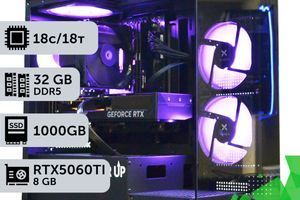
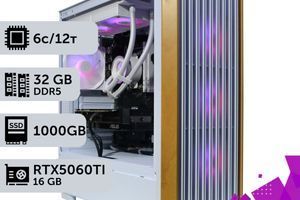
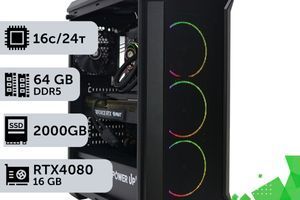
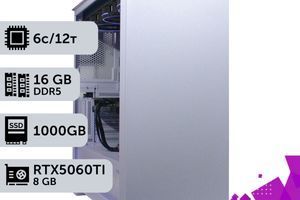
Other components also matter more than the graphics card's cooler tier: 32 GB of dual-channel DDR5 memory (DDR5 gaming PCs) and a 1–2 TB NVMe SSD. Browse builds by graphics card: RTX 5060, RTX 5060 Ti 16 GB, RTX 5070, RTX 5070 Ti, RTX 5080; all configurations are available in our gaming PC catalog. If you are choosing between flagships, read "RTX 5080 vs. RTX 5090," and if you are considering Radeon, check out "AMD RX 9000 Graphics Cards." For how frame generation impacts input feel, see our article on Frame Generation, and for ray tracing requirements, read our breakdown of Ray Tracing and Path Tracing.
Frequently Asked Questions
How does the Founders Edition differ from a regular graphics card?
Founders Edition (FE) is a graphics card manufactured directly by NVIDIA: it features a proprietary PCB, a two-slot cooler, and sells at MSRP. Its GPU chip, VRAM, DLSS support, and ray tracing capabilities are identical to partner versions (ASUS, MSI, Gigabyte, and others). The differences lie in cooling, clock speeds, physical dimensions, warranty terms, and price.
How much faster are AIB versions than the Founders Edition?
Not by much. In TechPowerUp benchmarks, factory-overclocked RTX 5080 models deliver +2% to +6% more frames; in 4K using OC Mode on the heavily overclocked ASUS ROG Astral, TweakTown recorded around a 10% lead in most games. Manual overclocking narrows the gap: the RTX 5070 Founders Edition gains +13%, while the ASUS TUF OC gains +10%.
Is the Founders Edition hotter and louder than partner cards?
On the RTX 5070 — yes: TechPowerUp recorded 77 °C and 37.7 dBA versus 61–65 °C and 26–32 dBA on partner versions. While 77 °C is a safe operating temperature (NVIDIA specifies an 85 °C maximum for the RTX 5070), the fan noise is noticeable in a quiet room.
Can you buy a Founders Edition in Ukraine?
Officially, no: NVIDIA does not have a Ukrainian store, and NVIDIA is not listed among graphics card manufacturers on E-Katalog (checked on October 10, 2026). You can import a card from abroad, but NVIDIA's warranty applies only to the original purchaser and requires contacting the original seller first.
Is there a Founders Edition for the RTX 5070 Ti and RTX 5060 Ti?
No. NVIDIA released Founders Editions only for the RTX 5090, RTX 5080, and RTX 5070. The RTX 5070 Ti, RTX 5060 Ti, and RTX 5060 are sold exclusively in partner versions, just like the Radeon RX 9070 XT and RX 9070.
Is it worth paying extra for top-tier versions like the ASUS ROG Astral?
For FPS — no: factory overclocking adds single-digit percentage gains while the price jumps by tens of percent (the ASUS ROG Astral RTX 5080 OC launched at $1,500 against a $999 MSRP). For low noise — possibly: in Quiet BIOS mode this card drops to 25.8 dBA compared to 36.3 dBA in its default mode, though it runs 8 °C warmer.
Does the Founders Edition fit in a small form factor case?
The RTX 5070 FE measures 242 × 112 mm and takes up 2 slots, qualifying as SFF-Ready under NVIDIA's guidelines. The RTX 5090 and RTX 5080 FE are longer at 304 mm. Although FE cards aren't sold in Ukraine, two-slot partner cards of the exact same size are available, such as the ZOTAC RTX 5070 Twin Edge OC (242 mm, 2 slots).
What power supply do I need for an overclocked RTX 5080?
NVIDIA recommends an 850 W PSU for the RTX 5080 (calculated for a system with a Ryzen 9 9950X). For versions with a raised power limit — the ASUS ROG Astral OC runs at a 400 W limit instead of 360 W — choose an 850–1000 W PSU with a native 12V-2x6 cable.
Conclusion
In 2026, Founders Edition and partner cards deliver nearly identical frame rates: a 2–6% difference does not change how a game feels. It only makes sense to pay extra for things that genuinely differ: noise levels, temperatures, dimensions that fit your case, and local warranty support. Since Founders Edition cards are not sold in Ukraine, the practical choice is between base and top-tier partner models — and for most builds, the sweet spot is right in the middle: three fans, Dual BIOS, and a price closer to the lower end of the range.
If you would rather not sort through cooler revisions and case clearance specs yourself, pick a ready-made PC from our catalog: PowerUp will match the graphics card to the case and power supply. If you need a tailored setup, order a custom build.
Sources
- NVIDIA: RTX 5070 Ti and RTX 5070 Specifications
- NVIDIA: GeForce Graphics Card Warranty
- TechPowerUp: RTX 5070 Founders Edition Review
- TechPowerUp: ASUS RTX 5080 Astral OC Review
- Tom's Hardware: RTX 5070 Founders Edition Review
- E-Katalog: GeForce RTX 5070 Graphics Cards
Updated: . Published: .