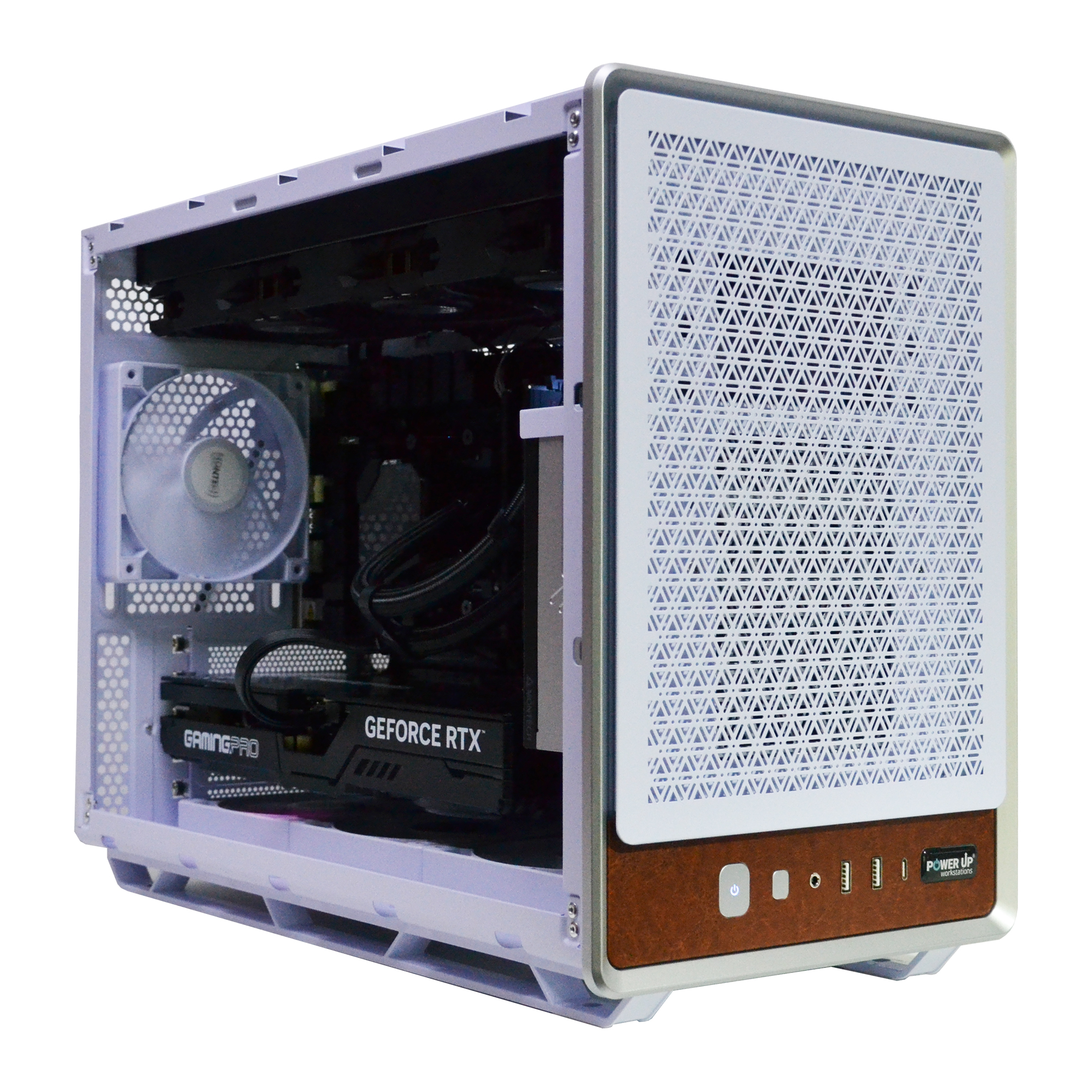
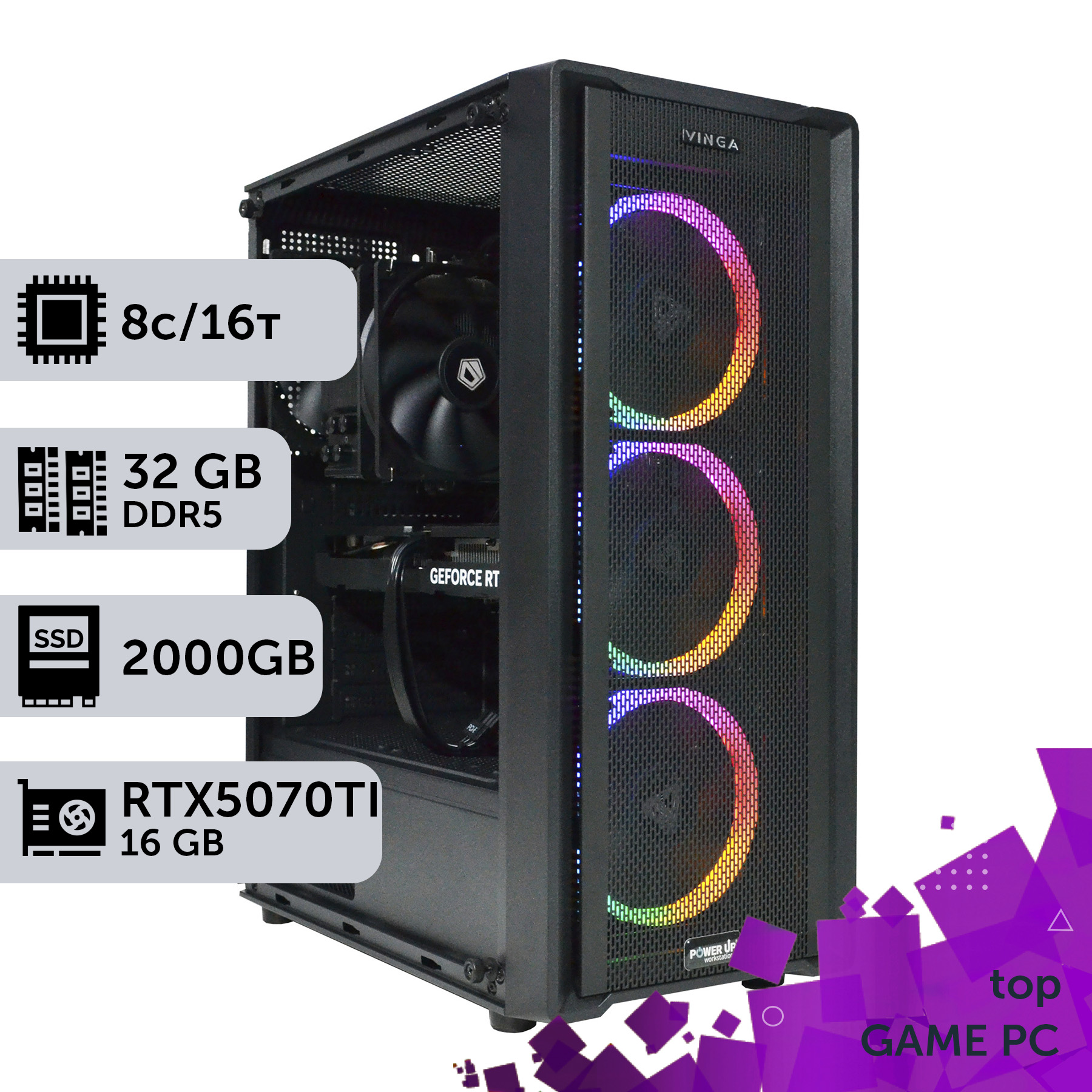
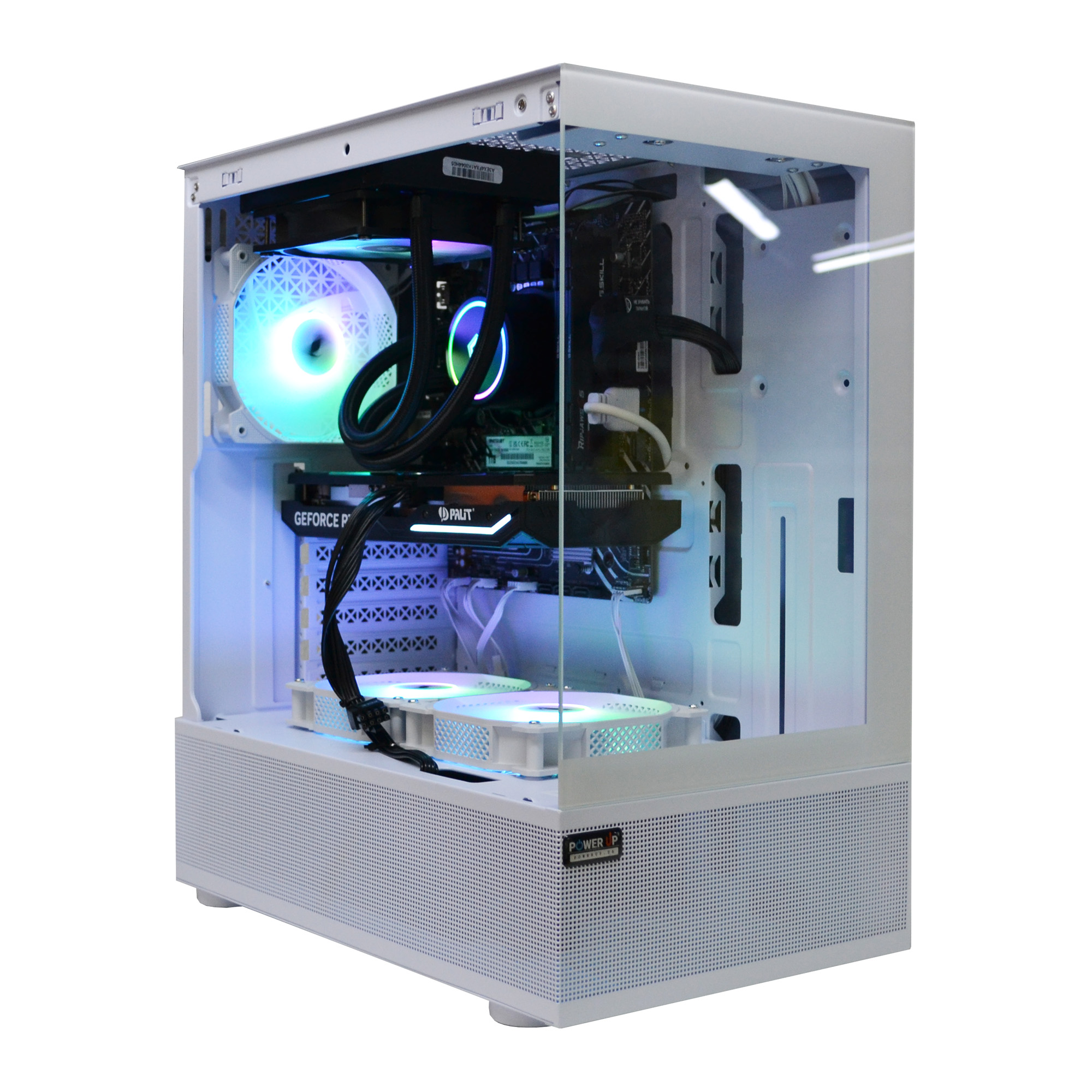
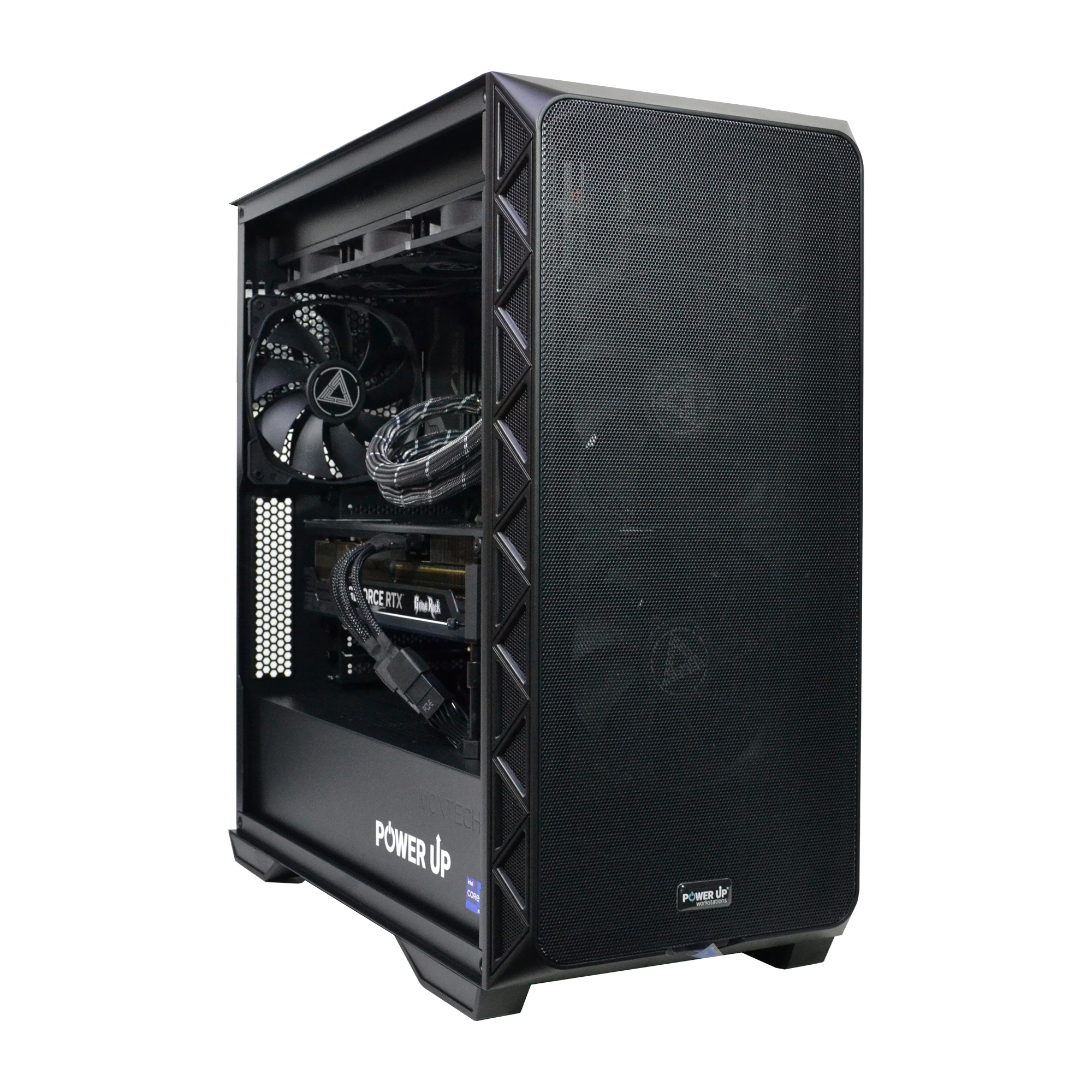
The performance of SFF builds in 2026 is on par with ATX at stock settings, but overclocking potential and stability under load are lower in compact systems due to thermal limitations.
The entry cost into the world of SFF gaming is 15-25% higher than for an equivalent ATX build due to more expensive Mini-ITX motherboards, SFX power supplies, and compact cooling systems.
The classic ATX desktop remains the king of upgrades and customization, offering freedom in component selection and better cooling for top-tier configurations.
Quiet operation is a key advantage of ATX builds, where large fans at low RPMs cool components more effectively than their compact, high-RPM counterparts in Mini-PCs.
The era of bulky, humming towers under the desk is coming to an end. In 2026, technology has reached a point where the performance of a flagship gaming PC can fit into a 10-15 liter case, comparable in size to a gaming console. Processors with 3D V-Cache, graphics cards with the energy-efficient Blackwell architecture, and ultra-fast M.2 NVMe drives are blurring the line between size and power. But does this mean the classic Full-Tower ATX form factor is completely obsolete? Not at all. The battle of form factors has reached a new level: it's no longer just a choice between size and performance, but a complex trade-off between mobility, silence, upgrade potential, and, of course, price. Add to this new challenges like stiff 12V-2x6 power cables that are difficult to manage in tight spaces, and the heat generated by PCIe 5.0 drives, which turns a compact case into a veritable oven. This article is not just a comparison of 'small' versus 'large.' It's an in-depth analysis for gamers and enthusiasts facing this choice in 2026. We will break down when a miniature SFF (Small Form Factor) computer is the ideal solution, and in which scenarios only a spacious ATX case can unleash the full potential of next-generation hardware. We will delve into the nuances of cooling, overclocking potential, cost of ownership, and determine which path will lead you to the ultimate gaming experience without overpaying or disappointment. Prepare for hard facts, figures, and insights from the engineering practice at PowerUp.
System Foundation: Motherboard and Power Supply in SFF vs. ATX
The choice of form factor begins with the foundation—the motherboard and case combination that dictates all subsequent steps. In 2026, three standards dominate: Mini-ITX for ultra-compact builds, Micro-ATX as an intermediate option, and full-size ATX for maximum performance and expandability. The difference between them is colossal and lies not only in physical dimensions. A Mini-ITX motherboard (170x170 mm) is a marvel of engineering, but also a hub of compromises. It offers only one PCIe 5.0 x16 slot for a graphics card and, as a rule, two slots for DDR5 RAM. The number of SATA and M.2 ports is also limited, which can be a problem for users with a large game library. Its main vulnerability, however, is the processor's power delivery system (VRM). Due to the lack of space, manufacturers install fewer power phases, which are also cooled less effectively. This directly affects the overclocking potential and stability of top-tier processors like the Core Ultra 9 285K under sustained load. Moreover, to save space, one of the M.2 slots is often located on the back of the board, where it is trapped without any airflow, leading to SSD overheating and throttling.
Comparison of Motherboard Characteristics by Form Factor (2026)
Parameter
Mini-ITX
Micro-ATX
ATX
Size
170 x 170 mm
244 x 244 mm
305 x 244 mm
DIMM Slots (RAM)
2
4
4
PCIe x16 Slots
1
1-2
2-3
M.2 NVMe Slots
2-3
3-4
4-5+
Average VRM Phases
8-12
12-16
16-24+
Approximate Price (Z890 chipset)
12,000 UAH
9,000 UAH
11,000 UAH
In contrast, ATX boards provide complete freedom. Four RAM slots, several PCIe slots for expansion cards, a plethora of ports for storage drives, and most importantly, powerful power delivery subsystems with massive heatsinks. This not only guarantees stability in the most demanding tasks but also opens the door for extreme overclocking. The second critical component is the certified power supply unit (PSU). SFF builds use compact SFX or SFX-L format PSUs. They are more expensive than their ATX counterparts of the same wattage and certification (80 Plus Platinum/Titanium). Their small fan is forced to spin at higher RPMs to dissipate heat, creating additional noise. For example, an 850-watt SFX-L PSU under a 70% load can produce up to 40 dBA of noise, while a quality ATX equivalent in a spacious case will remain virtually silent (25-30 dBA). Choosing the ATX format also simplifies cable management: there is enough space behind the motherboard tray to neatly route all wires, thereby improving air circulation. In an SFF build, every millimeter counts, and an improperly routed cable can block airflow to a vital component, increasing its temperature by 5-10°C.
Growth Prospects: How Form Factor Affects PC Upgrades and the Bottleneck Problem
A gaming PC is an investment in the future. The ability to replace one or two components over time to stay at peak performance is a key advantage of the platform. And here, the form factor plays a crucial role. A classic ATX desktop is like a construction set for adults, offering maximum flexibility. You can start with a mid-range processor and eventually replace it with a flagship model, add more RAM, install several high-speed NVMe drives, or even a second graphics card (although this is less relevant for gaming in 2026). A spacious case can easily accommodate components of any size, and a powerful power supply will have a surplus for future, more demanding components. The PC upgrade process in an ATX build is simple and intuitive. In SFF systems, everything is much more complicated. Replacing a processor may require completely disassembling the cooling system, and access to M.2 slots is often blocked by the graphics card. The choice of new components is strictly limited by the case dimensions, the power of the SFX PSU, and the capabilities of the cooling system. Buying a compact case for an RTX 5070 today, you risk that in two years, a hypothetical RTX 6070 won't fit, requiring not only a new graphics card but also a new case, and possibly a new power supply. This limitation creates another problem—the bottleneck. This is a situation where the performance of the entire system is limited by one slow component. In SFF builds, the bottleneck is often cooling. For example, you installed a powerful processor like the Ryzen 9 9900X3D, but a compact low-profile cooler cannot handle its heat dissipation. The processor starts to downclock, and as a result, your expensive graphics card cannot reach its full potential, idling while waiting for data from the CPU. In an ATX system, you would simply install a massive air tower or an AIO and forget about the problem. Switching from air to liquid cooling in an ATX is a standard procedure. In the SFF world, such an upgrade often means buying a new, larger, and more expensive case that supports the installation of the required radiator size.
Comparative Upgrade Potential: SFF vs. ATX
Component
SFF (Mini-ITX)
ATX
Processor (CPU)
Limited by the efficiency of a compact cooler.
Virtually unlimited, any AIO/liquid cooling can be installed.
Graphics Card (GPU)
Strict limitations on length, thickness, and TDP.
Supports any, even the most oversized models.
RAM
Usually 2 slots, maximum capacity is limited.
4 slots, plenty of room for increasing capacity.
Storage (SSD/HDD)
Limited number of M.2 and SATA slots.
Large number of slots, possibility of creating RAID arrays.
Cooling
Difficulties with airflow organization, high temperatures.
Flexible airflow setup, low temperatures.
Thus, by choosing SFF, you are effectively freezing your configuration for the next few years. This can be justified if you do not plan frequent upgrades and are ready to build a balanced system from the start. But if you are an enthusiast who loves to constantly improve and experiment, the ATX form factor remains the undisputed choice, providing freedom for growth and preventing unexpected bottlenecks.
Recommended Gaming PC Configurations for 2026 by Resolution
Purpose
Recommended Graphics Card
Processor
Approximate Budget (UAH)
Full HD (1080p) @ 240+ FPS
GeForce RTX 5060 12 GB
Intel Core Ultra 5 250H / AMD Ryzen 5 9600X
55,000 - 70,000 UAH
2K (1440p) @ 144+ FPS
GeForce RTX 5070 16 GB
Intel Core Ultra 7 265K / AMD Ryzen 7 9700X
85,000 - 110,000 UAH
4K (2160p) @ 120+ FPS
GeForce RTX 5080 20 GB
Intel Core Ultra 9 285K / AMD Ryzen 9 9900X3D
140,000 - 190,000 UAH
How to Build a Custom PC Without a Headache: The Complexities and Cost of SFF
Building a custom PC is a fascinating process, but its complexity directly depends on the chosen form factor. Building in an ATX case is forgiving to many novice mistakes. The vast internal space, easy access to all components, and standardized mountings make the process similar to assembling a Lego set. Cable management is simplified to the extreme thanks to dedicated channels and ample space behind the motherboard tray. Even if you do something wrong, it's easy to correct the mistake without disassembling the entire system. You can connect the CPU power or a fan cable at any time. In an SFF build, a forgotten cable might mean a complete disassembly, as access to the motherboard connectors is often completely blocked by the power supply or graphics card after installation. The picture is completely different when assembling an SFF system. It's less like Lego and more like building a ship in a bottle. Every step must be measured to the millimeter. The order of component installation is critical: installing the motherboard too early can block access to the power supply mounting points. Cable lengths must be perfectly chosen, as there's simply no place to hide extra centimeters, and they will obstruct airflow. It's often necessary to use custom-sleeved cables, which adds to the project's cost.
Cost Comparison of Builds with Identical Performance (SFF vs. ATX)
Component
SFF Build (UAH)
ATX Build (UAH)
Difference (UAH)
Processor (Core Ultra 7 265K)
17,000
17,000
0
Graphics Card (RTX 5070)
35,000
35,000
0
Motherboard (ITX vs ATX)
12,500
9,500
+3,000
Power Supply (SFX vs ATX 850W)
7,000
5,500
+1,500
Case (Premium SFF vs Mid-Tower)
10,000
4,500
+5,500
CPU Cooling (Low-Profile vs Tower)
3,500
3,000
+500
Total:
85,000
74,500
+10,500 (~14%)
As seen from the table, for the same performance, an SFF build is more expensive. This difference can reach 15-25% in the premium segment, where designer cases made of milled aluminum are used. After the assembly is complete, a mandatory step is the system stress test. For ATX builds, this is usually a formality to confirm stability. For an SFF system, it is a critical stage for identifying overheating issues. Utilities like AIDA64, OCCT, and FurMark create a 100% load on the processor and graphics card, simulating the most demanding gaming scenarios. It is during the stress test that problems with throttling, insufficient cooler efficiency, or improper airflow organization are revealed. In our practice at PowerUp, about 20% of SFF systems self-assembled by clients and brought in for diagnostics fail a one-hour stress test due to one of the components overheating. This proves that building a compact PC requires not only precision but also a deep understanding of thermodynamics.
The Battle for Silence: Why Do Large Fans Win in Late-Night Gaming Sessions?
Performance isn't everything. For many gamers, especially those who play at night, acoustic comfort is a top priority. And here, you can't cheat physics: the larger the fan, the slower it needs to spin to move the same volume of air, and the quieter it operates. This is a fundamental advantage of ATX cases. In a spacious chassis, you can install several 140mm or even 180mm case fans that, at 600-800 RPM, create a powerful yet virtually silent airflow. A tower-style CPU cooler with two 140mm fans or a 360mm liquid cooling system also operates at half-strength, efficiently dissipating heat from the CPU. As a result, even under maximum load in Cyberpunk 2077 with path tracing, the noise level of the entire system may not exceed 35-38 dBA, which is comparable to a quiet whisper. In the SFF world, it's the opposite. The limited space dictates the use of compact components. Instead of 140mm fans, 92mm or even 80mm models rule here. To push enough air through tightly packed components, they have to spin up to 2000-3000 RPM, creating a noticeable high-frequency hum that is much more irritating to the ear than the low-frequency, steady noise of airflow from large fans in an ATX system. The noise level of a compact build under load can easily reach 45-50 dBA, which is clearly audible and can interfere with game immersion. The right balance of components is critical in an SFF build to minimize noise. Choosing a processor with a moderate TDP (up to 125W) and an energy-efficient graphics card allows the cooling system to operate in a more gentle mode. However, if you are aiming for maximum frame rate (FPS) with top-tier hardware, be prepared for noise.
Acoustic advantages of ATX:
Ability to install large, slow, and quiet fans.
Better air circulation reduces overall temperature and the required fan speed.
Thick case walls with sound-dampening material further reduce vibrations and hum.
A wide selection of ultra-quiet cooling systems (Noctua, be quiet!).
Acoustic compromises of SFF:
Use of small, high-RPM, and noisy fans.
High component density makes heat dissipation difficult, forcing coolers to work at their limits.
Thin case walls are less effective at absorbing noise.
Limited choice of efficient and simultaneously quiet cooling systems.
Ultimately, the choice comes down to personal priorities. If you play with headphones and system noise doesn't matter to you, an SFF build can be an excellent choice. But if you value silence and want your powerful gaming computer to be invisible not only visually but also audibly, then a spacious and well-ventilated ATX case will be your best ally in the fight for acoustic comfort.
Graphical Power in a Tight Space: Will an RTX 5090 Fit in a Mini-PC?
The issue of cooling and graphics card compatibility is the Achilles' heel of compact builds. Flagship models of the GeForce RTX 50-series graphics cards, such as the RTX 5080 and RTX 5090, have become even more massive and hotter in 2026. Their cooling systems occupy 3.5-4 expansion slots, and their length can exceed 350 mm. It is physically impossible to install such a monster in most SFF cases with a volume of up to 15 liters. Gamers who choose compactness have to compromise: either look for special, shorter versions of graphics cards from NVIDIA's partners, which often have a simplified cooling system and lower clock speeds, or limit themselves to mid-range models like the RTX 5070 or RTX 5060 Ti. Even if a flagship card fits into the case, the problem of 'thermal suffocation' arises. In a confined space, the hot air from the graphics card is not efficiently exhausted, which leads to the heating of other components and the activation of throttling—an automatic reduction of clock speeds to prevent overheating. This can 'eat up' up to 10-15% of performance compared to the same card in a spacious ATX case with well-configured airflow. Cards with an open-air cooling system (with multiple axial fans) suffer the most, as they simply circulate hot air inside the cramped SFF case, creating a 'greenhouse effect', whereas in an ATX system this air is immediately expelled by case fans. In turn, ATX systems offer virtually unlimited possibilities for GPU cooling. Vertical GPU mounting, custom water cooling loops, multiple case fans aimed at the GPU—all of this allows you to squeeze the maximum out of top-tier hardware while maintaining low temperatures and acoustic comfort. DLSS 4 technology with Frame Generation and AI-based Ray Reconstruction partially solves the problem, allowing high FPS even on mid-range cards. However, for native 4K gaming with Path Tracing in projects on Unreal Engine 5, such as GTA VI, the performance overhead of flagship cards remains critically important. As shown by independent tests from Tom's Hardware, the performance difference due to throttling becomes noticeable after 30-40 minutes of continuous gaming.
Approximate Performance of RTX 5070 in SFF and ATX Cases (Average FPS)
Game
Resolution
SFF (Throttling)
ATX (Optimal Cooling)
Difference
Cyberpunk 2077 (Path Tracing)
1440p
75 FPS
88 FPS
~15%
Starfield: Shattered Space
1440p
92 FPS
105 FPS
~12%
Alan Wake 2
1440p
68 FPS
79 FPS
~14%
Mini-PC: Pros and Cons for a Gamer
Advantages
✔Compactness and mobility: easy to transport, takes up minimal space on a desk or in the living room.
✔Aesthetics: stylish and minimalist appearance that fits into a modern interior.
✔Energy efficiency: often built with more economical components, which reduces power consumption.
✔Focus on the essentials: forces you to choose only the most necessary components without excesses.
Disadvantages
✖High price: specialized SFF components (motherboard, PSU, case) are more expensive than their ATX counterparts.
✖Cooling challenges: limited space requires careful cooler selection and leads to higher operating temperatures.
✖Limited upgrades: fewer slots for drives and RAM, difficulties with installing future flagship graphics cards.
How to Choose a Form Factor: Mini-ITX or ATX?
This three-step guide will help you make an informed decision between compactness and maximum performance, based on your real needs and future plans.
Step 1: Assessing Space and Mobility
Honestly answer this question: how often do you plan to move your PC? If you are a student, move frequently, or plan to take your computer to LAN parties, SFF (Mini-ITX) is your choice. Measure the available space on your desk. If every centimeter counts, a compact case will be a lifesaver. However, if you have a spacious workspace and the PC will remain stationary, the advantages of ATX in terms of ease of assembly and cooling outweigh its size.
Step 2: Analyzing Performance and Cooling Requirements
Decide on your target resolution and games. For 4K gaming at ultra settings with ray tracing, you will need a top-of-the-line graphics card that requires the best cooling. In this case, the ATX form factor is practically the only option. If your goal is 1080p or 1440p esports, where FPS is more important than maximum graphics quality, an SFF build based on a card like the RTX 5060/5070 will handle the task perfectly. Also, consider the climate in your region. In a hot room without air conditioning, a compact system will suffer more from overheating.
Step 3: Planning for Future Upgrades and Budget
Think about the life cycle of your PC. If you're an enthusiast who loves to change hardware every 1-2 years, choose ATX. This will give you maximum freedom and save you money in the long run. If you are buying a PC for 3-5 years and do not plan any major upgrades, an SFF system can be a justified choice. Compare the total cost of two builds with identical performance in different form factors. Are you willing to pay 15-20% more for compactness? The answer to this question is often the deciding factor.
Frequently Asked Questions (FAQ)
Can you install a top-tier graphics card like the RTX 5090 in a 2026 mini-PC?
Technically, yes, but with major caveats. There are SFF cases with a volume of 20-25 liters that can accommodate flagship cards. However, the main problem will be dissipating 500-600W of heat in a confined space. Most likely, the card will operate at lower clock speeds due to throttling, and you won't get 100% of its performance. For top-tier GPUs, a spacious ATX case is still recommended.
How much more expensive is a mini-PC compared to a classic desktop of similar power?
On average, an SFF build costs 15-25% more. The main premium is for specialized components: Mini-ITX motherboards, SFX/SFX-L power supplies, and the cases themselves, which are often niche products. Skimping on cooling in an SFF build is not an option, which also increases the final cost.
Does a compact gaming build get very hot and loud?
Yes, all other things being equal, an SFF system will always be hotter and louder than its ATX counterpart. Component temperatures under load can be 10-15°C higher, and the noise level can be 10-15 dBA greater due to small, high-RPM fans. However, with a careful selection of energy-efficient components and fan curve tuning, acceptable acoustic comfort can be achieved.
Do I lose performance (FPS) by choosing a mini-PC?
If you compare two systems with identical components at stock settings, there will be virtually no difference in FPS in short gaming sessions. However, under prolonged load (more than 30 minutes), components in an SFF case may start to overheat and downclock (throttle), which can lead to a 5-15% performance loss compared to a well-cooled ATX system.
The choice between a mini-PC and a classic desktop in 2026 is not a choice between good and bad, but a search for the perfect balance for your specific needs. If you value mobility, minimalism, and are willing to pay extra for aesthetics and compactness, a modern SFF computer will give you incredible power in a miniature package. It will be the perfect entertainment center in your living room or a faithful companion at esports tournaments. However, if you are an uncompromising enthusiast for whom every degree, every megahertz, and the possibility of upgrading at any moment is important, then the spacious ATX form factor remains your unshakable bastion. It provides freedom, silence, and maximum performance without regard to limitations. Regardless of your choice, the key is balance. Don't know where to start? Check out the PowerUp catalog of pre-built systems or contact our engineers to create a custom configuration that will 100% meet your gaming ambitions.