Key Takeaways (TL;DR):
- For video cards in 2026, PCIe 5.0 provides almost no FPS boost. Even flagship models like the RTX 5090 cannot fully saturate the PCIe 4.0 x16 channel.
- PCIe 5.0 SSDs offer phenomenal speeds (up to 15,000 MB/s), but in games, this only reduces loading times by 1-2 seconds compared to fast PCIe 4.0 SSDs.
- A PCIe 5.0 build is significantly more expensive due to the cost of motherboards and drives. It is much more effective to invest this price difference (5000-8000 UAH) in a more powerful video card or processor.
- PCIe 5.0 is a good investment for the future. If you are building a no-compromise PC for the next 4-5 years and your budget allows, then choosing this platform is justified. For mid-range builds, it is overkill.
What is PCIe 5.0 and How Does It Change the Game?
The acronym PCIe stands for Peripheral Component Interconnect Express. It is a high-speed interface used to connect the most powerful computer components to the motherboard — primarily video cards and solid-state drives (SSDs). Each new generation of PCIe doubles the bandwidth compared to the previous one. If you imagine this interface as a highway, with each generation the number of lanes doubles, allowing more data to be transferred simultaneously. In 2026, the PCIe 5.0 standard is the flagship solution, offering staggering speeds. Let's look at the numbers.
| PCIe Generation | Throughput (GT/s) | Bandwidth (GB/s) | Year of Introduction |
|---|---|---|---|
| PCIe 3.0 | 8 GT/s | ~32 GB/s | 2010 |
| PCIe 4.0 | 16 GT/s | ~64 GB/s | 2019 |
| PCIe 5.0 | 32 GT/s | ~128 GB/s | 2022 |
As seen in the table, PCIe 5.0 is four times faster than the still popular PCIe 3.0, and twice as fast as the mainstream PCIe 4.0 standard. This colossal bandwidth of 128 GB/s (for a full-size x16 slot used by video cards) theoretically opens new horizons for game developers and hardware manufacturers. It allows components to exchange data with the central processor and RAM almost instantly. It's important to understand that fully realizing the potential of such a system requires other modern components. A key role here is played by DDR5 RAM, which has become the standard for new platforms from Intel and AMD. Its high frequencies (from 6000 MHz and above) and bandwidth harmoniously complement the fast PCIe interface, creating a balanced system capable of providing a stable framerate without drops. When a video card can instantly load gigabytes of textures from an ultra-fast SSD via the PCIe 5.0 bus, and the processor promptly processes this data with the help of high-speed DDR5 memory, we get the perfect environment for next-generation games. However, the main question remains: do games in 2026 even need such speeds? Can they utilize such a wide 'highway' at all? The answer to this question is not so straightforward and requires a detailed examination of each component individually.
How to Build a Balanced PCIe 5.0 PC Without Overpaying
Building a computer on a new platform always comes with certain nuances. If you have decided to invest in PCIe 5.0 with an eye on the future, it's important to choose the other components correctly to ensure the system is balanced and has no hidden problems. Simply buying a motherboard with support for the new standard is not enough.
The first and most important aspect is cooling. Components with a PCIe 5.0 interface, especially NVMe SSDs, generate significantly more heat than their predecessors. The controllers of new-generation drives can heat up to 90-100°C under load, which leads to throttling — a forced reduction in speed to prevent overheating. Therefore, a massive heatsink on the M.2 slot is an absolute necessity. Many motherboard manufacturers even equip them with small fans. In addition, good airflow inside the case is critical. A minimum of two intake fans and one exhaust fan is a mandatory condition for the stable operation of such a system.
The second point is the power supply. A powerful GeForce RTX 50-series video card, which is a logical choice for such a build, requires not only high wattage (850-1000W) but also support for the new ATX 3.0/3.1 power standard. Such power supplies are equipped with a special 12V-2x6 connector (an improved version of 12VHPWR), which can safely deliver up to 600W of power to a single video card. Skimping on the power supply in such a system is strictly forbidden.
The third aspect is the budget. The main rule of a balanced build is that the video card should cost about 35-45% of the total cost of the system unit. If buying an expensive motherboard with PCIe 5.0 forces you to save on the video card and get a lower-class model, you are guaranteed to lose performance. Let's consider an example:
- Build 1 (Unbalanced): Z890 Motherboard (PCIe 5.0) for 15,000 UAH + PCIe 5.0 SSD for 8,000 UAH + RTX 5070 for 30,000 UAH. Total: 53,000 UAH for key components.
- Build 2 (Balanced): B860 Motherboard (PCIe 4.0) for 9,000 UAH + PCIe 4.0 SSD for 4,000 UAH + RTX 5080 for 40,000 UAH. Total: 53,000 UAH for key components.
For the same budget, the second build will provide 25-30% more FPS in games on ultra graphics settings, and this is a performance increase you will actually feel. Therefore, if the budget is limited, always prioritize performance here and now. But if you are building a no-compromise gaming computer with a long-term perspective, then the PCIe 5.0 platform will be an excellent foundation for future upgrades.
PCIe 5.0 in a Gaming PC: Pros and Cons
Advantages
- ✔Maximum Bandwidth: Theoretical performance headroom for future generations of video cards and ultra-fast SSDs.
- ✔Record SSD Speeds: PCIe 5.0 drives provide read/write speeds over 12,000 MB/s, which accelerates work with large files and projects.
- ✔Future-Proofing: The platform will remain relevant longer, which could potentially simplify future upgrades.
- ✔Support for the Latest Technologies: Motherboards with PCIe 5.0 are usually equipped with the latest Wi-Fi and USB standards and a better power delivery subsystem.
Disadvantages
- ✖High Price: Motherboards and SSDs with PCIe 5.0 support are significantly more expensive than their PCIe 4.0 counterparts.
- ✖Minimal Performance Gain in Games: As of 2026, the difference in FPS and game loading speeds compared to PCIe 4.0 is practically unnoticeable.
- ✖Increased Heat Generation: PCIe 5.0 SSDs require massive heatsinks and good case ventilation to avoid overheating and throttling.
When Will PCIe 5.0 Become a Real Necessity for Gamers?
Although PCIe 5.0 looks like a technology for enthusiasts in 2026, it will eventually become mainstream, just as its predecessors did. The only question is when this will happen. By analyzing trends in the gaming industry and computer hardware, we can make a few predictions. Full saturation of the PCIe 5.0 x16 bus by video cards is likely to occur no earlier than the release of the hypothetical GeForce RTX 60 or even 70 series, i.e., in 2028-2030. It is then that graphics processors will become so powerful that they will require constant streaming of huge amounts of data, and the bandwidth of PCIe 4.0 may start to be insufficient, especially at 8K resolutions.
As for SSDs, their potential will be unlocked as game developers begin to actively implement and optimize their engines for DirectStorage technology and its analogues. When game worlds become truly seamless, and assets (textures, models) are loaded from the drive in real-time at the highest resolution, then SSD speed will become critically important. This will allow for truly photorealistic graphics with ray tracing technology without compromises and visible loading. This will likely become the standard in games for the next generation of consoles (hypothetical PlayStation 6 and Xbox Next), which will also push PC developers to switch to new technologies.
It is also worth considering that building a powerful PC is not just about games. It's also about streaming, content creation, and working with neural networks. In all these tasks, the speed of data exchange between components plays a huge role. Therefore, if your PC is not only a gaming station but also a work tool, investing in PCIe 5.0 may be justified even today. In any case, when building such a powerful system, you must not forget the details. Quality cable management not only improves the appearance but also ensures proper air circulation, which is critical for the hot components of the new generation. Neat routing of the thick power cables from an ATX 3.1 unit is the key to the stability and longevity of your system. Thus, PCIe 5.0 today is a conscious choice for those who look to the future and are willing to pay for it. For all other gamers, the proven and affordable PCIe 4.0 will remain the optimal choice for at least another couple of years.
PCIe 5.0 SSDs: A Speed Revolution or a Marketing Ploy?
While the situation with video cards is clear, it's much more interesting with the second main consumer of the PCIe interface — solid-state drives (SSDs). It is in this area that PCIe 5.0 demonstrates its most impressive capabilities. Modern NVMe SSDs operating on this standard achieve sequential read and write speeds of 12,000 - 15,000 MB/s and even higher. This is twice as fast as top-tier PCIe 4.0 drives and about 25 times faster than classic SATA SSDs.
- SATA SSD: ~550 MB/s
- PCIe 3.0 NVMe SSD: ~3,500 MB/s
- PCIe 4.0 NVMe SSD: ~7,000 MB/s
- PCIe 5.0 NVMe SSD: ~14,000 MB/s
Such speeds look fantastic on paper and are truly revolutionary for professionals working with 8K video, complex 3D models, or huge databases. Copying hundreds of gigabytes takes a matter of seconds. But what does this mean for a gamer? The main advantage of a fast SSD in games is the speed of loading levels. Microsoft's DirectStorage technology, which allows the video card to load data directly from the SSD, bypassing the processor, was developed precisely to utilize the potential of fast drives. It helps reduce loading times and eliminate on-the-fly texture 'pop-in'.
However, as tests in 2026 show, the difference in game loading times between a top-tier PCIe 4.0 SSD and a new PCIe 5.0 SSD is minimal, rarely exceeding 1-2 seconds. Game engines are simply not yet optimized to fully utilize such speeds. Loading a level is a complex process that includes not only reading data but also decompressing and processing it by the processor. It is often the CPU that becomes the bottleneck. At the same time, the main burden of creating beautiful graphics and a high frame rate falls on the video card. Modern technologies like NVIDIA's DLSS technology (Deep Learning Super Sampling) use artificial intelligence to scale the image, which can significantly increase the frame rate (FPS). This technology is entirely dependent on the video card's computing cores and is in no way related to SSD speed. Thus, for a gamer in 2026, buying an ultra-expensive PCIe 5.0 SSD is more of an extravagance. The price difference is better spent on a more powerful video card, which will provide a real and visible performance boost.
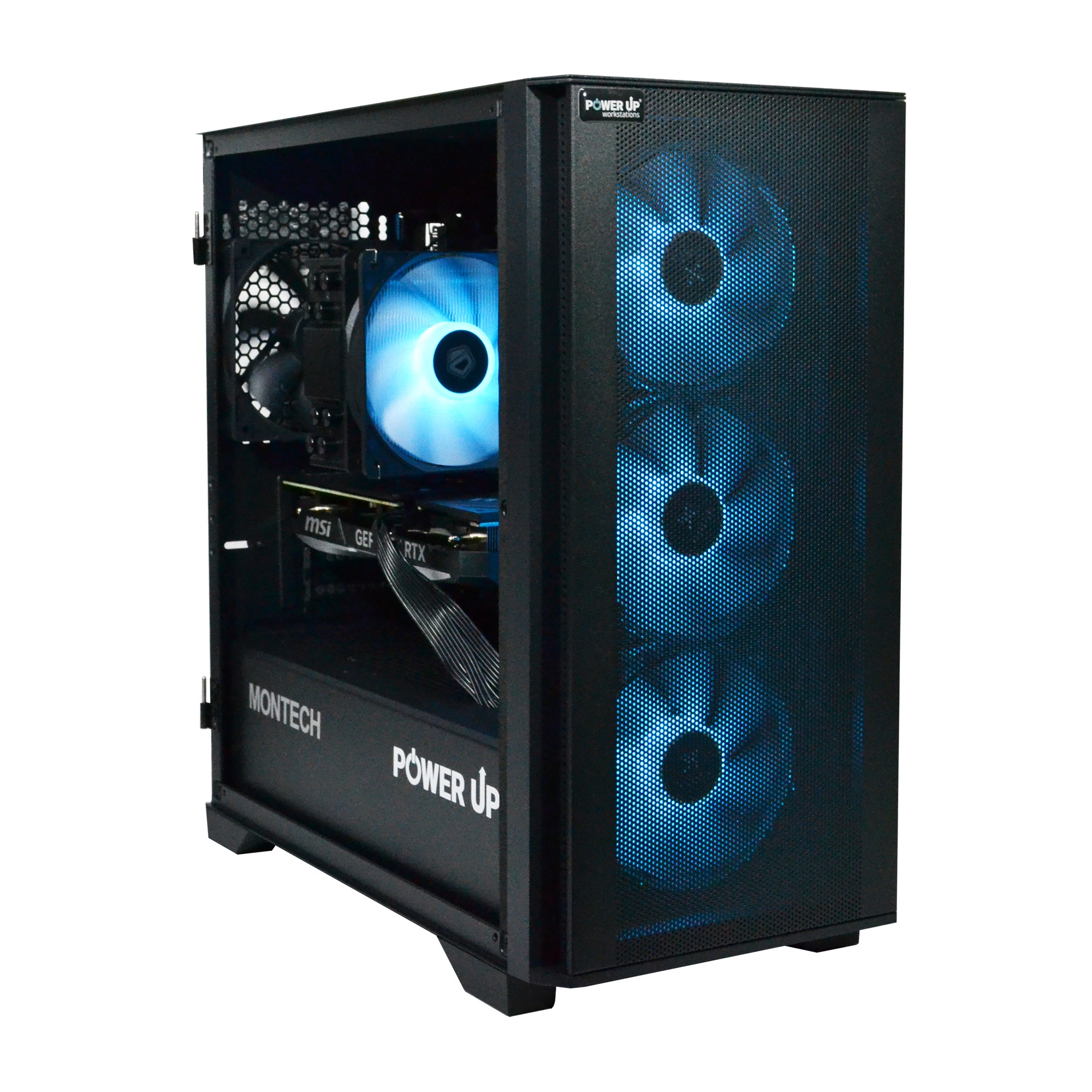
| Purpose | Recommended Video Card | Processor | Approximate Budget (UAH) |
|---|---|---|---|
| Full HD (1080p) Gaming Stable 120+ FPS on high settings |
NVIDIA GeForce RTX 5060 12GB | Intel Core Ultra 5 245F / AMD Ryzen 5 9600X | 45,000 - 55,000 UAH |
| 2K (1440p) Gaming Comfortable 100+ FPS on ultra settings |
NVIDIA GeForce RTX 5070 16GB | Intel Core Ultra 7 265K / AMD Ryzen 7 9700X | 70,000 - 90,000 UAH |
| 4K (2160p) Gaming Uncompromising 60+ FPS with ray tracing |
NVIDIA GeForce RTX 5080 20GB | Intel Core Ultra 9 285K / AMD Ryzen 9 9900X | 120,000 - 160,000 UAH |
Which Processor to Choose for a PCIe 5.0 System?
Support for the PCIe 5.0 standard is determined not only by the motherboard but, first and foremost, by the central processor. It is the controller built into the CPU that provides support for a certain number of new-generation PCIe lanes. In 2026, the market is dominated by two competing platforms offering support for this standard.
On one hand, we have the Intel Core processor of the 15th and 16th generations (Arrow Lake, Panther Lake) for the LGA 1851 socket. These processors typically offer 16 PCIe 5.0 lanes directly from the CPU, which are intended for the main video card slot, and another 4 PCIe 5.0 lanes for one M.2 NVMe drive. Additional PCIe 4.0 and 3.0 lanes are implemented through the motherboard's chipset (e.g., Z890), to which other devices are connected: additional M.2 slots, SATA ports, USB, and network controllers.
On the other hand, there is the AMD Ryzen processor of the 9000 series (and future 10000 series) on the AM5 platform. AMD traditionally offers a larger number of high-speed lanes. Top Ryzen 9 processors can provide up to 24 PCIe 5.0 lanes. This allows motherboard manufacturers to implement more flexible configurations: for example, 16 lanes for the video card and 4 lanes for two PCIe 5.0 M.2 slots simultaneously, without sharing bandwidth. This is a technical advantage for those who plan to use multiple ultra-fast drives.
| Parameter | Intel Core Ultra (LGA 1851) | AMD Ryzen (AM5) |
|---|---|---|
| PCIe 5.0 Lanes from CPU | 16 (GPU) + 4 (SSD) | Up to 24 (flexible configuration) |
| Memory Support | DDR5 | DDR5 (with EXPO profiles) |
| Power Consumption (TDP) | Higher, especially for K-series | More energy-efficient on average |
| Overclocking Potential | High for K-series | Limited by Precision Boost Overdrive technology |
| Platform Cost | Motherboards are usually more expensive | Wide selection of boards from B750 to X770 |
When choosing a processor for a PCIe 5.0 system, it's important to understand how the lanes are distributed. On some motherboards, installing an M.2 drive in the first PCIe 5.0 slot can cause the video card slot to operate in x8 mode instead of x16. Although, as we found out earlier, this is not a problem for current video cards, it could become a limitation for future, more demanding models. Therefore, when choosing a platform, you should carefully study the motherboard specifications and choose one that offers independent lanes for the video card and at least one M.2 slot. For most gamers, the optimal choice will be processors at the level of Intel Core Ultra 7 265K or AMD Ryzen 7 9700X, which offer an ideal balance between gaming performance and platform capabilities, without making you overpay for the excess cores of top-end models.
PCIe 5.0 for a Video Card: A Real Boost or a Bottleneck Elsewhere?
The main consumer of PCIe bus bandwidth in a gaming PC is the video card. It is constantly exchanging huge arrays of data with the processor and RAM. It's logical to assume that the wider the channel, the faster the video card will work. However, in practice, things are more complicated. Modern video cards, even flagship models of 2026 like the NVIDIA RTX 5090, have a huge amount of their own ultra-fast GDDR7 video memory. Most of the data needed for rendering (textures, models, shaders) is stored there, and the video card accesses it directly, bypassing the PCIe bus. The PCIe interface is mainly used to load initial data into video memory at the beginning of a level and for synchronization with the central processor.
Numerous tests, including data from independent tests by Tom's Hardware, show that even the most powerful current-generation video cards are unable to fully saturate the bandwidth of the PCIe 4.0 x16 interface. The performance difference when using the same video card in a PCIe 5.0 x16 slot and a PCIe 4.0 x16 slot is at best 1-2%, which is within the margin of statistical error and completely unnoticeable in real gameplay.
| Game | PCIe 4.0 x16 (FPS) | PCIe 5.0 x16 (FPS) | Difference (%) |
|---|---|---|---|
| Cyberpunk 2077 (Ultra, RT Overdrive) | 82 | 83 | +1.2% |
| GTA VI (High Settings) | 95 | 96 | +1.1% |
| Starfield (Ultra) | 74 | 75 | +1.3% |
The reason for such a small discrepancy is that in 99% of gaming scenarios, performance is limited not by the bus bandwidth, but by other components. This phenomenon is called a bottleneck. Most often, the limiting factor is the power of the graphics chip (GPU) itself or the performance of the central processor (CPU), especially in games with a large number of objects and complex physics. Therefore, when planning a PC upgrade, investing extra funds in a motherboard with PCIe 5.0 support 'just for the video card' is irrational. You will get a much larger performance increase if you save on the motherboard by choosing a quality model on a chipset with PCIe 4.0 support, and invest the saved 3000-5000 UAH in a higher-tier video card (for example, getting an RTX 5070 Ti instead of an RTX 5070). This will give you a real 15-20% FPS boost, not a mythical 1-2% from the new interface.
How to Choose a Balanced Gaming Platform in 2026
This short guide will help you avoid common mistakes when choosing the foundation for a gaming PC and not overpay for unnecessary technologies, focusing on maximum gaming performance.
Step 1: Defining the Goal: Resolution and FPS
First, decide what monitor you will be playing on. For Full HD (1080p) with a high refresh rate (144+ Hz), a combination of Core Ultra 5 / Ryzen 5 and a video card at the level of RTX 5060 is sufficient. For 2K (1440p) gaming, you will need a Core Ultra 7 / Ryzen 7 and an RTX 5070. And for comfortable 4K gaming with ray tracing, you can't do without a Core Ultra 9 / Ryzen 9 and a video card like the RTX 5080 or higher. Your goal determines the budget and component requirements.
Step 2: Selecting a Balanced CPU + GPU Combo
The main rule is to avoid a 'bottleneck', where one component is significantly weaker than another and prevents it from reaching its full potential. You shouldn't pair a powerful RTX 5090 with a budget Core Ultra 5 — the processor simply won't be able to prepare enough frames for the video card. Conversely, there is no point in buying a top-tier Core Ultra 9 for a video card at the level of an RTX 5060. Follow the rule: the higher the class of the video card, the more powerful the processor should be.
Step 3: Assessing the Need for PCIe 5.0
Evaluate your budget soberly. If it does not exceed 80,000 - 90,000 UAH, forget about PCIe 5.0. Choose a quality motherboard on an Intel B860 or AMD B750 chipset with support for PCIe 4.0 and fast DDR5 memory. Invest the 5000-8000 UAH saved on this into a higher-class video card, more RAM, or a better quality power supply. This will give you much more performance in games than a new, but currently underutilized, interface.
Frequently Asked Questions (FAQ)
Do I need a special power supply for PCIe 5.0?
Not for the PCIe 5.0 standard itself, but for the powerful components that use it. Modern video cards, such as the GeForce RTX 50-series, require ATX 3.0 (or newer) power supplies with a native 16-pin 12V-2x6 connector, which ensures a stable supply of high power. So yes, for a top-tier build on PCIe 5.0, such a PSU is highly recommended.
Will a PCIe 5.0 video card work in a PCIe 4.0 slot?
Yes, absolutely. The PCI Express standard has full backward compatibility. You can install a PCIe 5.0 video card in a PCIe 4.0 slot, and it will work without problems, but at the speed of the PCIe 4.0 interface. As we found out in the article, as of 2026, this has almost no impact on gaming performance.
How hot do PCIe 5.0 SSDs get?
Very hot. Their controllers and memory chips operate at high frequencies, which leads to significant heat generation. Using such an SSD without a heatsink is practically impossible — it will quickly overheat and go into throttling, drastically reducing its speed. Be sure to use the heatsink that comes with the motherboard or SSD, and also ensure good airflow in the case.
Will I save money if I build a PC on PCIe 4.0 now and upgrade later?
Definitely yes. This is the most sensible strategy for most gamers. In 2-3 years, motherboards and SSDs with PCIe 5.0 support will become mainstream products and will be significantly cheaper. You can build a powerful system on PCIe 4.0 now, investing the maximum amount in performance (GPU and CPU), and in the future, when PCIe 5.0 becomes truly necessary, you can upgrade the platform without huge overpayments.