
Key Takeaways (TL;DR):
- The total cost of PC ownership over 3 years can exceed its initial price by 50-70% due to upgrades and electricity.
- Skimping on the power supply unit is the most common and costly mistake, leading to the failure of other components.
- Choosing the right motherboard and platform (Intel/AMD) from the start can save up to 15,000 UAH on a future processor upgrade.
- Modern graphics cards, like the RTX 5070/5080, can consume up to 350-450W, which translates to 4,000-6,000 UAH per year on electricity alone with active gaming.
Initial Cost: More Than Just the Amount on the Receipt
Acquiring a gaming PC in 2026 starts with a hefty price tag, but the devil is in the details. The core of the budget is formed by the processor and graphics card pairing, but ignoring other components leads to imbalance and performance loss. Let's break down a typical mid-range build for comfortable 2K gaming. Its foundation is an RTX 5070 graphics card and an AMD Ryzen 7 9700X processor. But that's just the beginning. To unlock their potential, you need the right supporting components. The most critical element is a PCIe 5.0 standard NVMe SSD. Next-gen games, like GTA VI, actively use DirectStorage technology, loading assets directly from the drive to the video memory. Skimping on the SSD and buying a slower PCIe 4.0 model can lead to micro-stutters and long loading times, despite having a powerful graphics card. A 2TB capacity has become the de facto standard, as modern titles can easily take up 150-200 GB.
Next up is RAM. For 2026 systems, the minimum is 32 GB of DDR5 standard memory. But it's not just the capacity that matters, but also the frequency and timings. The performance difference between a 32 GB DDR5 6000 MHz CL36 kit and a 32 GB DDR5 7200 MHz CL34 kit can be as much as 10-15% in CPU-bound games at 1080p and 1440p resolutions. This difference directly affects the stability and average frame rate (FPS). Therefore, saving 1,500-2,000 UAH on memory can rob you of precious frames. Don't forget about cooling either. Modern processors with a TDP of 125-170W require an effective cooler. Stock coolers are a thing of the past. A high-quality air tower or a dual-fan AIO is not a luxury, but a necessity to prevent throttling and maintain stable performance. Below is a table with an approximate budget allocation for a balanced build.
| Component | Estimated Cost, UAH | Share of Total Budget |
|---|---|---|
| Graphics Card (RTX 5070) | 32,000 | 38% |
| Processor (Ryzen 7 9700X) | 15,000 | 18% |
| Motherboard (B750) | 8,000 | 9% |
| RAM (32 GB DDR5-7200) | 6,000 | 7% |
| NVMe PCIe 5.0 SSD (2 TB) | 7,000 | 8% |
| Power Supply (850W 80+ Gold) | 5,500 | 7% |
| Case and Cooling | 8,500 | 10% |
| Total: | 82,000 | 100% |
As you can see from the table, the GPU and CPU account for just over half the cost. The remaining 45% is the foundation that supports the entire system. Skimping on any of these "secondary" components will inevitably lead to a decrease in overall performance and comfort, devaluing the investment in a top-tier processor and graphics card.

How to Plan an Upgrade to Avoid Paying Twice
Strategic planning is the key to optimizing the costs of a custom PC in the long run. The most expensive mistake is skimping on components that serve as the foundation for future upgrades. This primarily concerns the motherboard and the power supply unit. Buying a motherboard on a budget chipset with a trimmed-down power delivery system (VRM) might seem like a good deal today, but in 2-3 years, when you want to replace your 6-core processor with a 12-core flagship of the same socket, the weak VRM simply won't handle its power consumption. This will lead to overheating, throttling, and the need to buy a new motherboard, effectively doubling the cost.
A similar situation applies to the power supply. If your current system consumes 500W, buying a 650W PSU seems logical. But the next generation of graphics cards might require 750-850W. As a result, when you upgrade the GPU, you'll have to change the PSU as well. It is far more forward-thinking to invest in a quality 850-1000W power supply with an 80+ Gold certification from the start. It will last for 2-3 generations of components, and this investment will pay for itself. Another important aspect is DDR5 RAM. In 2026, the standard capacity is 32 GB (two 16 GB sticks). When buying a motherboard, make sure it has 4 RAM slots. This will allow you to easily double the capacity to 64 GB in the future by simply buying two more identical sticks, rather than selling the old kit and buying a new one. When choosing DDR5 memory kits, pay attention to XMP/EXPO profiles for easy setup of optimal performance.
| Component | Short-Sighted Approach (Save Now) | Strategic Approach (Invest for the Future) | Savings over 3 years |
|---|---|---|---|
| Motherboard | Cheap board on A620/H710 chipset with weak VRM | B750/B760 board with good VRM cooling and 4 DIMM slots | ~4,000 UAH (no need to change the board when upgrading the CPU) |
| Power Supply | 650W 80+ Bronze PSU, just enough for the current system | 850W 80+ Gold PSU with a 5-7 year headroom | ~3,000 UAH (no need to change the PSU when upgrading the GPU) |
| Case | Cheap case with poor airflow | Spacious Mid-Tower case with good cable management and ventilation | ~2,000 UAH (better cooling extends component lifespan) |
Thus, an initial "overpayment" of 5,000-7,000 UAH for a quality foundation (motherboard, PSU, case) turns into savings of about 9,000 UAH over three years and eliminates headaches during subsequent upgrades. This is the most rational approach to building a long-lasting gaming platform.

Beyond the Hardware: Hidden Costs of Software and Peripherals
After assembling the perfect gaming computer, many forget that the expenses don't end there. The system unit is just the core of an ecosystem that requires additional investment to function fully. The first and most obvious is the operating system. Although there are ways to get Windows for free, a licensed version ensures stable updates, security, and technical support. The cost of a license can be 3,000-5,000 UAH. Then come the games themselves. Buying 3-4 AAA titles a year at full price (1,500-2,500 UAH each) amounts to another 6,000-10,000 UAH annually. Of course, sales and subscription services like PC Game Pass help save money, but it's still a regular expense.
The second major block of costs is peripherals. A powerful graphics card capable of delivering 200 FPS in 2K is useless when paired with an old 60Hz monitor. To see all that smoothness, you need an appropriate display. A modern gaming monitor (27-inch, 1440p, 165+ Hz, IPS panel, G-Sync/FreeSync support) will cost between 12,000 - 20,000 UAH. This is a mandatory investment to unlock the system's potential. Technologies like DLSS (Deep Learning Super Sampling) allow for high frame rates even at ultra graphics settings, and to fully enjoy the result, a high-refresh-rate monitor is needed. Don't forget about quality input devices: a mechanical keyboard (3,000-6,000 UAH), a gaming mouse with a good sensor (2,000-4,000 UAH), and a headset with quality sound and microphone (3,000-7,000 UAH). These devices directly impact comfort and performance in competitive games.
| Expense Item | Cost over 3 years, UAH | Notes |
|---|---|---|
| Operating System | 4,000 | One-time purchase |
| Games (4 AAA titles/year) | 24,000 | ~8,000 UAH/year |
| Gaming Monitor (2K, 165 Hz) | 15,000 | One-time purchase |
| Keyboard + Mouse + Headset | 10,000 | May be replaced every 3-5 years |
| Total: | 53,000 | Comparable to the cost of an entry-level build |
As the calculations show, over a three-year period, expenses on software and peripherals can exceed 50,000 UAH. This amount must be taken into account when planning the overall gaming budget. According to independent tests from Tom's Hardware, the response time difference between a cheap office mouse and a quality gaming mouse can be as much as 10-15 ms, which is a critical factor in online shooters.
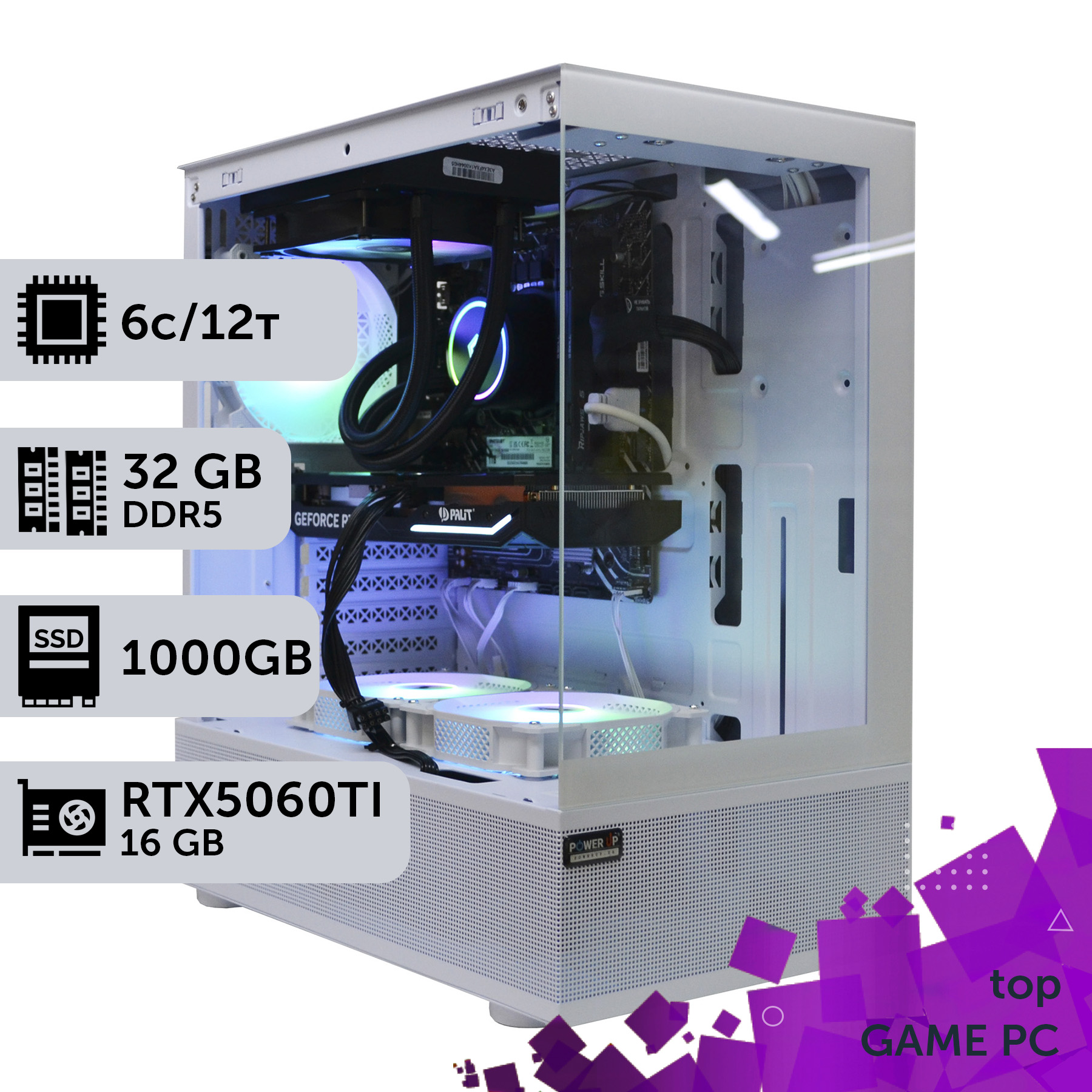
The 2026 Processor Dilemma: Longevity of Intel and AMD Platforms
The choice between an AMD Ryzen processor and an Intel Core processor in 2026 is not just a matter of immediate performance but also a strategic decision that affects the cost of future upgrades. Historically, AMD has supported a single processor socket for longer, providing an easier and cheaper upgrade path. The AM5 platform, which debuted in 2022, is promised by the company to be relevant at least until 2025+, which means that if you buy a B750 chipset motherboard with a Ryzen 7 9700X processor today, in 2-3 years you will most likely be able to install a hypothetical Ryzen 7 11700X in it just by updating the BIOS. This saves you the cost of a new motherboard, which is a significant amount (6,000-10,000 UAH).
Intel, on the other hand, traditionally changes sockets more frequently, usually every two processor generations. For example, the LGA1700 socket supported the 12th, 13th, and 14th generations, while the new Core Ultra 200-series (Arrow Lake) uses the new LGA1851 socket. This means that if you buy a system based on an Intel Core Ultra 7 265H, your upgrade path within the same motherboard will likely be limited to the next generation (e.g., the Core Ultra 300-series). A more significant performance leap in 3 years will require replacing both the processor and the motherboard. However, Intel has its advantages: their processors often offer better single-threaded performance, which is critical for many games, as well as more mature and stable technologies, like Thunderbolt, integrated into the platform.
| Parameter | AMD Platform (AM5) | Intel Platform (LGA1851) |
|---|---|---|
| Initial Pairing (2026) | Ryzen 7 9700X + B750 board | Core Ultra 7 265H + B860 board |
| Upgrade in 3 years (2029) | Purchase of a new CPU (hypothetical Ryzen 7 11700X) | Purchase of a new CPU + a new motherboard |
| Upgrade Cost (CPU) | ~15,000 UAH | ~15,000 UAH |
| Upgrade Cost (MB) | 0 UAH (BIOS update) | ~8,000 UAH |
| Total Upgrade Cost | ~15,000 UAH | ~23,000 UAH |
The choice comes down to a compromise. The AMD platform offers greater flexibility and long-term savings, making it attractive for budget-conscious enthusiasts. The Intel platform may require a larger investment for a major upgrade but offers its own technological advantages and often leads in performance at the time of release. Before buying, you should weigh whether you are willing to change the motherboard in 2-3 years to access Intel's latest technologies, or if you prefer the smoother and cheaper upgrade path that AMD offers.

What You Absolutely Cannot Skimp on When Building a PC
In an effort to build a powerful PC for less money, gamers often make compromises. But there are components where saving money is like playing Russian roulette, with the health of the entire system at stake. The main one is the power supply unit. A cheap PSU with a certification below 80+ Bronze or without one at all from an unknown manufacturer is a ticking time bomb. It not only has low efficiency, increasing your electricity bills, but more dangerously, it delivers unstable voltage with high ripple. For the sensitive electronics of modern processors, graphics cards, and SSDs, this is a slow death. A power surge or simply the failure of such a PSU can take the motherboard and graphics card with it, turning a 2,000 UAH saving into a 40,000 UAH loss. Always choose a PSU from trusted brands (Seasonic, Corsair, be quiet!, Super Flower) with a 20-30% power overhead above your system's peak consumption and a certification of at least 80+ Gold.
The second thing you can't skimp on is cooling. Modern processors and graphics cards generate a huge amount of heat. A poorly ventilated "oven" case and a weak CPU cooler lead to overheating and throttling—the automatic reduction of clock speeds to prevent damage. As a result, your powerful Core Ultra 7 will run at the speeds of a Core Ultra 3, and you won't get the performance you paid for. Investing in a spacious case with good ventilation and an effective cooling system (an air tower with 5-7 heat pipes or a 240/360mm AIO) pays off with stable operation and component longevity. Before final assembly and setup, always run a system stress test using software like AIDA64 or OCCT to ensure that temperatures are within acceptable limits (usually up to 85-90°C for the CPU and up to 80°C for the GPU under maximum load).
- Power Supply Unit: Risk — failure of the entire system. Solution — buy a quality model from a reputable brand with an 80+ Gold certification and power headroom.
- Cooling (Case and Cooler): Risk — throttling, performance loss, reduced component lifespan. Solution — choose a spacious case with good airflow and an effective cooler/AIO.
- Motherboard: Risk — inability to upgrade, unstable processor power delivery. Solution — choose a board with a quality power delivery subsystem (VRM) and the necessary set of ports.
These three components are the foundation of your PC. Skimping on the foundation always leads to the collapse of the entire building. It's better to get a graphics card one tier lower but build the system on a reliable and high-quality base.

| Purpose | Recommended Graphics Card | Processor | Approximate Budget |
|---|---|---|---|
| Full HD (1080p), 144+ Hz | NVIDIA GeForce RTX 5060 12 GB | Intel Core Ultra 5 255H / AMD Ryzen 5 9600X | 45,000 - 60,000 UAH |
| 2K (1440p), 144+ Hz | NVIDIA GeForce RTX 5070 16 GB | Intel Core Ultra 7 265H / AMD Ryzen 7 9700X | 75,000 - 95,000 UAH |
| 4K (2160p), 60-120 Hz | NVIDIA GeForce RTX 5080 20 GB | Intel Core Ultra 9 285H / AMD Ryzen 9 9900X | 120,000 - 160,000 UAH |
How Much Does Your Gaming Monster 'Eat'? Calculating Electricity Costs
Electricity consumption is the most underestimated expense when owning a powerful gaming PC. Modern components, especially flagship ones, have huge appetites. While a gaming system 5-7 years ago might have consumed 300-400W at its peak, a 2026 build based on a Core Ultra 9 285H and an RTX 5080 can easily exceed 600-700W under load, especially with Ray Tracing enabled, which significantly increases the GPU load. Let's do the math. Suppose you play for an average of 3 hours a day. The system's average consumption in a demanding game is 550W. We multiply this by 3 hours and by 30 days a month: 0.55 kW * 3 h * 30 d = 49.5 kWh per month. With a tariff of, say, 4.5 UAH per kWh, we get about 222 UAH per month or 2,664 UAH per year. And that's just for gaming. Add work, internet surfing, and idle time, and the annual amount can easily reach 3,500-4,000 UAH.
It's important to understand that peak consumption is one thing, and real-world usage is another. It heavily depends on the specific game and settings. However, you can't ignore the power supply's efficiency. The 80 Plus certification (Bronze, Gold, Platinum) is not a marketing gimmick. It indicates the PSU's efficiency at different loads. For example, an 80+ Gold certified PSU has an efficiency of about 90% at 50% load. This means that to deliver 500W to the components, it will draw about 555W from the wall. A cheap PSU with a hypothetical 75% efficiency would draw 667W for the same task. The 112W difference may not seem like much at first glance, but over 3 years of active gaming, it will result in a noticeable overpayment for electricity and increased heat. It's also worth noting that an improperly sized PSU can cause a power-side bottleneck, leading to voltage drops and unstable system performance under load, which is especially critical for flagship components.
- Scenario 1: Energy-Efficient Build (RTX 5060 + Core Ultra 5 255H). Average consumption in games: ~300W. Annual cost (3 hours/day): ~1,458 UAH.
- Scenario 2: Balanced Build (RTX 5070 + Ryzen 7 9700X). Average consumption in games: ~450W. Annual cost (3 hours/day): ~2,187 UAH.
- Scenario 3: Top-Tier Build (RTX 5080 + Core Ultra 9 285H). Average consumption in games: ~600W. Annual cost (3 hours/day): ~2,916 UAH.
These figures clearly demonstrate that choosing more powerful components directly affects not only the initial cost but also the regular operating expenses. Over 3 years, the difference in electricity bills alone between an economical and a top-tier build can be more than 4,300 UAH.

The Graphics Card Lifecycle: When is a Replacement Really Necessary?
The GeForce RTX graphics card is the heart of any gaming PC and its most expensive part. Its lifecycle determines the overall dynamics of upgrade costs. In 2026, the 50-series from NVIDIA is the current generation. The question of replacing the GPU is always a balance between the desire to play at maximum settings and actual necessity. The average lifecycle of a gaming graphics card until it no longer provides a comfortable FPS (stable 60+ frames) in new titles at high settings in the target resolution is 2.5-3 years. For example, an RTX 5070 with 16 GB of VRAM purchased today will handle games at 1440p excellently. However, by 2029, with the release of a hypothetical RTX 70-series, it will likely only provide a comfortable experience in new games at medium settings or with heavy use of DLSS in "Performance" mode.
The key factor for an upgrade is not time, but performance dropping below your comfort threshold. To assess the potential of a modern graphics card, let's look at the estimated FPS in popular 2026 games for a build based on an RTX 5070 and Ryzen 7 9700X.
| Game | 1440p (2K) | 2160p (4K) |
|---|---|---|
| Cyberpunk 2077 (Phantom Liberty) | ~110 FPS | ~65 FPS |
| Counter-Strike 2 | ~450 FPS | ~220 FPS |
| GTA VI | ~85 FPS | ~50 FPS |
As you can see, there is huge headroom for 2K gaming. But in 4K, there are already titles where the card is working at its limit to achieve 60 FPS. This means that for 4K gamers, the upgrade cycle will be shorter. An important aspect is the secondary market. By selling your 2-3 year old graphics card, you can recover 30-40% of its original cost, which significantly reduces the expense of buying a new one. Don't forget about compatibility. Installing a powerful new generation GeForce RTX graphics card into a system with an old processor or slow RAM will not yield the expected performance boost. It's also important that your motherboard has a PCIe 5.0 x16 slot to fully unlock the potential of new GPUs. Therefore, a graphics card upgrade often necessitates a review of other system components to avoid bottlenecks.
Owning a Gaming PC: Key Advantages and Disadvantages
Advantages
- ✔Maximum performance and graphics quality unavailable on consoles.
- ✔Complete freedom to upgrade and customize the system for your needs.
- ✔Multitasking: a PC is suitable not only for gaming but also for work, streaming, and creative tasks.
- ✔Access to a huge library of games on various platforms (Steam, EGS, GOG) and lower game prices during sales.
Disadvantages
- ✖High initial cost compared to consoles.
- ✖Hidden costs for electricity, upgrades, and potential repairs.
- ✖Requires technical knowledge for assembly, maintenance, and troubleshooting.
How to Calculate the Three-Year Total Cost of Ownership for a Gaming PC
This step-by-step guide will help you accurately plan your budget, taking into account all the hidden costs of owning a gaming computer over a three-year period.
Step 1: Calculate Initial Cost and Upgrades
Add up the cost of all components for the initial build. Then, based on a lifecycle analysis, plan for one major upgrade in 2.5-3 years—usually the graphics card. Add about 60% of the current cost of the GPU you plan to buy as a replacement to your budget. For example, if an RTX 5070 costs 32,000 UAH now, budget ~19,000 UAH for a future RTX 7070 (after selling the old card).
Step 2: Estimate Electricity Costs
Determine the approximate power consumption of your system under load (CPU TDP + GPU TDP + ~50W for the rest). Multiply this value in kW by the number of gaming hours per day, then by 365 days, and by 3 years. Multiply the result by your tariff per kWh. Formula: (Power, kW * Hours per day * 1095 days) * Tariff, UAH. This will give you the total electricity cost over 3 years.
Step 3: Account for Software, Peripherals, and Contingencies
To the sum you've calculated, add the cost of the operating system, all the games you plan to buy over 3 years, and the necessary peripherals (monitor, keyboard, mouse). Be sure to set aside a contingency fund of 10-15% of the initial build cost for unexpected repairs after the warranty period or for replacing small parts like case fans.
Frequently Asked Questions (FAQ)
How often should I upgrade a gaming PC in 2026?
A full platform replacement (processor + motherboard + RAM) is usually needed every 4-5 years. The graphics card is typically replaced more often—every 2-3 years—to maintain a comfortable level of performance in the latest games. Storage drives and the power supply can last 5-7 years or more.
Should I buy a pre-built PC or build one myself?
Building it yourself usually allows you to save 10-15% of the cost and select components that perfectly fit your needs. However, buying a pre-built PC from a reputable builder like PowerUp provides a single warranty for the entire system, professional assembly, and setup, which eliminates many potential problems.
How much VRAM is needed for gaming in 2026?
For gaming at 1080p (Full HD) resolution, the recommended minimum is 12 GB of VRAM. For a comfortable experience at 1440p (2K) with high textures and ray tracing, you should aim for 16 GB. For no-compromise 4K gaming, it's advisable to have 20 GB of VRAM or more.
Does overclocking affect the cost of ownership?
Yes, it does. Overclocking increases performance but also raises power consumption (higher electricity bills) and heat output. This requires a more expensive and efficient cooling system. Furthermore, extreme overclocking can shorten the lifespan of components and void your warranty, leading to the risk of costly repairs.
































