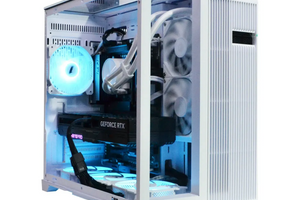
Working with SOLIDWORKS requires high-performance hardware to ensure smooth operation and speed in building 3D models. The most important component of workstations for working with SOLIDWORKS is the graphics card. Let's take a look at how different NVIDIA Quadro graphics card models are suited for a full SOLIDWORKS workflow.
Performance levels
There are quite a few different brands of graphics cards available for use with SOLIDWORKS. They will differ in name, specifications, and price. In the online store, video cards for working with SOLIDWORKS are available from the NVIDIA Quadro line, although other cards from different manufacturers are also available on the market.
For your convenience, we have divided video cards into several levels of performance:
Basic level
Focused on simple projects, small model development, and basic SOLIDWORKS use.
The NVIDIA Quadro P2000 5GB is a great option for beginners and small projects. Even 5GB of memory is capable of providing a smooth experience with small assemblies and basic SOLIDWORKS features.
Memory: 5 GB GDDR5
CUDA cores: 1024
Memory bus: 160 bits
Bandwidth: 140.2 GB/s
The NVIDIA Quadro P4000 8GB is a more powerful model that allows you to work with larger assemblies and run simple simulations.
Memory: 8GB GDDR5
CUDA cores: 1792
Memory bus: 256 bits
Bandwidth: 243.3 GB/s
Intermediate level
Suitable for more complex projects, large assemblies, and simulations.
NVIDIA Quadro RTX A2000 6GB. This video card offers a good price-performance ratio. It is suitable for most tasks, including medium and large builds.
Memory: 6 GB GDDR6
CUDA cores: 3328
Memory bus: 192 bits
Bandwidth: 288 GB/s
NVIDIA Quadro RTX 4000 8GB. With 8GB, you get faster performance on large assemblies and complex geometries than the previous model.
Memory: 8 GB GDDR6
2304 CUDA cores, 288 tensor cores, 36 RT cores.
Memory bus: 256 bits
Bandwidth: 416 GB/s
Nvidia Quadro P5000 16GB. This is a professional graphics card with a large amount of memory (as much as 16!), which allows you to work with very large assemblies and perform complex simulations.
Memory: 16 GB GDDR5
CUDA cores: 2560
Memory bus: 256 bits
Bandwidth: 288 GB/s
TOP level
It is needed for very complex projects, large assemblies, high quality rendering, and VR.
NVIDIA Quadro RTX A4000 16GB. This is a good option for complex projects, including high quality rendering and virtual reality.
Memory: 16 GB GDDR6
CUDA cores: 6144
Memory bus: 256 bits
Bandwidth: 448 GB/s
NVIDIA Quadro RTX 5000 16GB. An improved version of the A4000 that delivers maximum performance in SOLIDWORKS.
Memory: 16 GB GDDR6
3072 CUDA cores, 384 tensor cores, 48 RT cores
Memory bus: 384 bits
Bandwidth: 448 GB/s
Highest performance
Demanded by graphics cards that are designed to handle the most demanding tasks, such as large assembly simulations, complex scene rendering, and parallel computing.
NVIDIA Quadro RTX A5000 24GB, NVIDIA Quadro RTX A6000 48GB. These 2 powerful graphics cards from the Quadro line are designed for the most demanding tasks, such as parallel computing, large assembly simulation, and high-quality scene rendering. Accelerated AI training up to 10 times faster than the previous generation thanks to hardware support for structural sparsity.
NVIDIA Quadro RTX A5000 24GB
Memory: 24GB GDDR6
CUDA cores: 8192
Memory bus: 384 bits
Bandwidth: 768 GB/s
NVIDIA Quadro RTX A6000 48GB
Memory: 24 GB GDDR6
CUDA cores: 10752
Memory bus: 384 bits
Bandwidth: 768 GB/s
NVIDIA Quadro RTX A5000ada32GB, NVIDIA Quadro RTX A6000ada 48GB. New to the market with Ada Lovelace architecture, which provides unprecedented performance and energy efficiency. High-end 3D design, rendering, next-generation AI graphics, and superior computing performance are all available with Ada Lovelace graphics cards.
NVIDIA Quadro RTX A5000ada32GB
Memory: 32 GB GDDR6
CUDA cores: 12800
Memory bus: 256 bits
Bandwidth: 576 GB/s
NVIDIA Quadro RTX A6000ada 48GB
Memory: 48 GB GDDR6
CUDA cores: 18176
Memory bus: 384 bits
Bandwidth: 960 GB/s
Even the lower-end Quadro series is suitable for working with SOLIDWORKS, as it also supports Realview and Ambient Occlusion. These features allow you to maintain better performance in graphics performance mode, which puts extra strain on your graphics card. Only certified graphics cards can officially support Realview and Ambient Occlusion.
Which video card should I choose for Solidworks?
The choice of graphics card depends on the specific tasks you are working on in SOLIDWORKS. If you're working on small assemblies, a basic-level card such as the NVIDIA Quadro P2000 5GB or NVIDIA Quadro P4000 8GB will suffice. For complex projects and simulations, take a closer look at mid-range or high-end graphics cards. These are the NVIDIA Quadro RTX A2000 6GB, NVIDIA Quadro RTX 4000 8GB, Nvidia Quadro P5000 16GB, NVIDIA Quadro RTX A4000 16GB, and NVIDIA Quadro RTX 5000 16GB. It is better if it is a card with 16GB of video memory.
If your work is visualization or parallel computing, your choice is the most powerful graphics cards from the Quadro line - NVIDIA Quadro RTX A5000 24GB, NVIDIA Quadro RTX A6000 48GB, NVIDIA Quadro RTX A5000ada32GB, NVIDIA Quadro RTX A6000ada 48GB. In other words, you need to have at least 24 GB, more is better.
Another important criterion for choosing a video card for SOLIDWORKS is the budget you can allocate. Ideally, if you can buy a graphics accelerator that matches the complexity of your tasks. As a last resort, you can get by with a less expensive graphics card, but in this case, be prepared for possible performance limitations.
Why choose NVIDIA Quadro over GeForce for SOLIDWORKS?
The main differences between Quadro and GeForce:
The Quadro and GeForce lines are manufactured by NVIDIA and use the same architecture, but they have different priorities and tuning that make them better suited for different tasks.
In particular, optimization for professional applications is a priority for Quadro graphics cards, which are specifically designed for applications such as CAD, CAD, 3D modeling and visualization. Quadro graphics cards are optimized for use with software such as SOLIDWORKS, Autodesk AutoCAD, Maya, and a number of other programs. The strength of the Quadro series GPU accelerators is their stable operation, increased computing accuracy, and very good compatibility with the programs they were designed to work with.
When you work with large assemblies and complex models, system stability is critical. Quadro graphics cards are highly stable and reliable. They are able to work for many days with little to no interruption on complex projects, which is an important consideration for professional users. The use of specialized graphics cards reduces the risk of artifacts, crashes, and other problems that can occur when using unsuitable hardware.
NVIDIA Quadro graphics cards support a number of features that are essential for professional use, such as:
- ECC memory, or error-correcting memory. Its presence is almost a must-have for professional workstations where high reliability is important.
- Display synchronization technologies, which are necessary for working with 2 or more monitors.
- ISV certification allows you to get 100% compatibility with major professional programs.
Remember to periodically update your Quadro drivers, which are released and updated to reflect changes in the SOLIDWORKS software environment. This helps you maintain the highest level of compatibility and performance.
GeForce gaming graphics cards are naturally optimized for gaming and other resource-intensive applications, such as video editing. They provide high frame rates and unmatched image quality even in “heavy” games, but they are not able to provide the high stability, computing accuracy, and smoothness of the Quadro series. In addition, overclocking, which can help with gaming, will have unpredictable consequences when working with professional applications. For example, under high loads, gaming (and overclocked) graphics cards can overheat, which will lead to accelerated wear and tear and failure.
Therefore, gaming graphics cards are practically unsuitable for SOLIDWORKS and similar applications.
Dispelling myths about gaming graphics cards for SOLIDWORKS
There are several myths among gamers and even professionals about whether gaming graphics cards can be used for SOLIDWORKS.
Myth 1. Why pay more?
If Quadro and GeForce graphics cards perform similarly in games, then professional applications will have the same trend. Why then pay more and buy a much more expensive Quadro graphics card? This is a gross misconception. The fact is that the stability, reliability, and optimization of GeForce graphics cards for professional software will be sorely lacking.
Using a single graphics card for gaming and work is justified if you play very graphics-demanding games, and your Quadro series GPU is enough to get the necessary visuals and gameplay speed. Or, if you have a good graphics card and work with SOLIDWORKS at a basic level, when the lack of functionality of GeForce cards is not so noticeable.
Myth 2. GeForce graphics cards will work just as well with NVIDIA Quadro drivers.
There will be no benefit from such a “rearrangement”, but there may be many errors and other problems. The consequences include a drop in performance, instability of the entire working system, and constant driver conflicts.
If you don't want to experience the consequences of such “myths” for yourself, it's better to save up the necessary budget and buy a professional video card that is needed specifically for your work tasks. We recommend buying with a small margin so that you don't have to upgrade prematurely in the near future.
Why is it important to pay attention to video card benchmarks for SOLIDWORKS?
As with any important task, choosing the right graphics card for SOLIDWORKS is essential to ensure smooth operation, high performance, and accurate results. Graphics card models vary in performance and can affect the speed of various operations in SOLIDWORKS in different ways.
Factors that affect graphics card performance in SOLIDWORKS
There are a number of factors that go into testing graphics cards for Solidworks:
- Video memory size. A larger amount of video memory means that more complex and larger models can be run without any limitations.
- Number of CUDA/Stream processor cores. CUDA cores are responsible for performing computations. The more cores, the faster the card processes data.
- Memory bus width. A wider memory bus increases the speed of data exchange with the processor.
- Architecture. The newer the architecture, the better the performance and energy efficiency.
- Drivers. Specific drivers designed for SOLIDWORKS will significantly improve performance.
How are graphics cards tested in SOLIDWORKS?
Testing components to make the right choice is a great way to make sure you're getting the right product for your needs. There is no risk of getting a “sparrow shooting gun” or, conversely, buying a video card for Solidworks with very poor performance. There are several ways to test video cards for SOLIDWORKS:
Built-in tools allow you to conduct quick and fairly accurate monitoring using two main tools
- SOLIDWORKS Performance Test - you can evaluate the overall performance of the system, including the available video card.
- SOLIDWORKS Simulation - run different types of simulations (such as stress simulation) and compare the execution time of tasks for different graphics cards.
You can also use third-party programs, including the most popular ones:
- SPECviewperf. Use this benchmark to evaluate the performance of GPUs in professional applications, including SOLIDWORKS.
- 3DMark. The well-known “gaming” benchmark can give you a general idea of the capabilities of a video card for professional programs.
What are we going to test?
Typically, testing a video card for Solidworks involves the following items:
- Rendering speed - the time it takes to create an image or animation.
- Interaction speed - how fast the model is rotated, scaled, and otherwise manipulated.
- Simulation speed is the time it takes to run various simulations.
- Stability affects the ability of a video card to work without failures for a sufficiently long time.
What does video card testing do in practice?
- We choose the optimal video card. We see which video card is best suited for your specific tasks.
- We select the optimal settings. Based on the results of the tests, you can find the optimal SOLIDWORKS settings for your specific graphics card.
- Monitor performance. Running tests from time to time will help you track performance changes over time and identify potential issues.
Testing recommendations:
- We recommend using official tools. Built-in SOLIDWORKS tools and third-party benchmarks (such as SPECviewperf) provide more accurate results.
- Test in conditions that are as close to real-world as possible. Use models and assemblies similar to those you work with every day.
- Compare the results of video cards. This approach will allow you to determine which video card will be optimal in terms of price and performance.
- Don't forget about drivers and always use the latest video card drivers and software updates.
Buy a video card for SOLIDWORKS in the PowerUP online store
Selecting individual components and workstations for SOLIDWORKS is a responsible task even for advanced professionals. There are many things to consider, including the complexity of the tasks you'll be working on, how long the load on the hardware will be, what components your workstation will be equipped with, and so on. By the way, it's important to know what budget you have to buy a single video card or an entire workstation.
Experienced specialists of the PowerUP online store will advise you on which components are suitable for which tasks, how to choose “cheap and mean” or expensive and the best. Certified graphics cards for SOLIDWORKS with different characteristics and the same different pricing policy - we will do everything in the shortest possible time. Warranty, discounts, bonuses - all in the best PowerUP traditions!