
Graphics cards remain the most expensive part of a gaming PC: even the entry-level GeForce RTX 5050 costs from 21,199 UAH in Ukraine, while the RTX 5060 Ti 16 GB starts at 38,850 UAH (minimum prices on ek.ua, 30.10.2026). Because of this, many people postpone their build or install a used “stopgap” card like the GTX 1060. This is a questionable choice: that card's architecture is ten years old, the chips are worn out, modern technologies are missing, and the upgrade potential is zero.
A rational scenario is to build a modern PC on the AM5 platform with DDR5 memory around the AMD Ryzen 5 8600G APU. Its integrated Radeon 760M graphics on the RDNA 3 architecture let you play popular games right now, while a powerful dedicated graphics card can be added at any time — without replacing the system.
One-Paragraph Answer
The Ryzen 5 8600G is a six-core AMD processor for socket AM5 with integrated Radeon 760M graphics. According to PowerUp lab tests, in Full HD it delivers 45–55 FPS in Cyberpunk 2077 on low settings with FSR, 65–75 FPS in Forza Horizon 5 on high, and 120–150+ FPS in CS2 — nearly the level of a GTX 1060 and up to twice as fast as the Ryzen 5 5600G. When graphics cards get cheaper, you can drop an RTX 5050, RTX 5060, or RX 9060 XT into the same system. The graphics card slot on the 8600G runs in PCIe 4.0 x8 mode, so 16 GB models are a better choice for a future upgrade.
Why a Used GTX 1060 Is a Bad “Stopgap” in 2026
A used GeForce GTX 1060 6 GB sells on OLX mostly for 3,000–4,500 UAH (listings as of 30.10.2026). The low price is the only argument in its favor. Against it:
- age — the Pascal architecture came out in 2016, and most of these cards have worked under load for years; you cannot verify the condition of the chip and memory from a listing;
- drivers — NVIDIA released the last Game Ready driver for Maxwell and Pascal in October 2025; from then on, these cards only receive quarterly security updates until October 2028 (Tom's Hardware);
- technologies — no DLSS or hardware ray tracing (which debuted with the RTX 20 series), and no hardware AV1 encoding or decoding, which the Radeon 760M already supports;
- upgrade path — there is none: in a year you will have to remove the card and sell it for pennies, so the money spent on it does not stay in the system.
You shouldn't compare the 8600G directly to the GTX 1060, but rather compare two approaches. The first is a processor without integrated graphics plus a temporary used graphics card. The second is a processor that outputs video on its own, runs games, and stays in the system after you buy a new graphics card. In the second approach, not a single hryvnia is wasted on temporary hardware.
Ryzen 5 8600G: Six Zen 4 Cores and RDNA 3 Graphics in One Chip
The Ryzen 5 8600G launched in the first quarter of 2024 as part of the Ryzen 8000G series. The CPU cores, GPU core, and neural processing unit sit on a single die, while the thermal package is just 65 W. Key specifications according to AMD's official specs:
| Parameter | Value |
|---|---|
| Cores and threads | 6 / 12, Zen 4 architecture |
| Clock speed | 4.3 GHz base, up to 5.0 GHz boost |
| Cache | L2 6 MB, L3 16 MB |
| TDP | 65 W (configurable between 45–65 W) |
| Socket | AM5 |
| Memory | DDR5 only, dual-channel, up to 256 GB; officially DDR5-5200 with two modules, DDR5-3600 with four |
| Integrated graphics | Radeon 760M: RDNA 3, 8 compute units (512 stream processors), up to 2800 MHz |
| Media engine | AV1 encoding and decoding, 8-bit and 10-bit, up to 4320p60 |
| Neural processor (NPU) | up to 16 TOPS |
| PCIe | 4.0; the graphics card slot operates in x8 mode |
| Max temperature | 95 °C |
| Bundled cooler (BOX) | AMD Wraith Stealth |
What these numbers mean in practice:
- An upgrade-ready platform. AM5, DDR5, and a fast NVMe drive are already in the system. When the GPU market stabilizes, all that's left is to plug a card into the PCI-Express slot. AMD confirmed new processors for AM5 through 2029, so you can also upgrade the CPU later while keeping your motherboard and memory.
- Six full-fledged Zen 4 cores. Strong performance in work and games without bottlenecking mid-range and high-end graphics cards.
- Efficiency and quiet operation. An expensive liquid cooler isn't needed — a standard tower cooler handles the 8600G easily. How air cooling compares to liquid cooling in practice is covered in our article “AIO Liquid Cooling vs Air Cooling for a Gaming PC”.
- Modern media engine. RDNA 3 hardware-encodes and decodes all current codecs, including AV1: recording gameplay and streaming put almost no load on the CPU cores.
How Many FPS Radeon 760M Delivers in Full HD
According to PowerUp lab tests, the Radeon 760M makes a huge leap compared to previous generations of integrated graphics and comes close to discrete cards like the GTX 1060. FSR upscaling and frame generation allow comfortable Full HD gaming even in demanding new releases.
| Game | Graphics Settings | FPS |
|---|---|---|
| Cyberpunk 2077 | Low + FSR | ~45–55 |
| Hogwarts Legacy | Low + FSR | ~50–60 |
| Forza Horizon 5 | High | ~65–75 |
| Counter-Strike 2 | Esports | 120–150+ |
| Call of Duty: Warzone | Low | ~60–70 |
| Baldur's Gate 3 | Low + FSR | ~45–55 |
To put these numbers in perspective, the same set of games was compared against an old discrete card and AMD's previous-generation integrated graphics — Vega 7 in the Ryzen 5 5600G:
| Game | Radeon 760M (8600G) | GTX 1060 6 GB | Vega 7 (5600G) |
|---|---|---|---|
| Cyberpunk 2077 | ~48 | ~52 | ~24 |
| Hogwarts Legacy | ~54 | ~62 | ~28 |
| Forza Horizon 5 | ~72 | ~75 | ~46 |
| Counter-Strike 2 | ~135 | ~180 | ~85 |
Data from the PowerUp lab.
Bottom line: compared to the Ryzen 5 5600G, the performance gain is up to 2x (in Cyberpunk 2077 — exactement double), making stable 50–60+ FPS in Full HD the norm. The GTX 1060 is faster: the Radeon 760M trails it by 4–13% in Cyberpunk 2077, Hogwarts Legacy, and Forza Horizon 5, and by a quarter of the frames in CS2. However, you would have to pay for that difference by buying a temporary card.
Similar numbers were reported by independent British reviewer RandomGaminginHD in February 2026: 117 FPS in CS2 on high settings, 55 FPS in Cyberpunk 2077 on low settings with FSR 3 in “Quality” mode, and around 70 FPS in GTA V Enhanced on low settings.
For CS2, 120–150+ FPS is a comfortable level on a 60–144 Hz monitor. If your goal is a stable 240 FPS for an esports monitor, you need a discrete graphics card; prebuilt options can be found in our selection of PCs for CS2.
How to Get the Most Out of Integrated Graphics
Integrated graphics have no dedicated video memory of their own: they borrow it from system RAM. Therefore, the numbers in the tables above depend on the rest of the build just as much as on the processor itself.
Two Sticks of DDR5-6000 — A Mandatory Requirement
At the 8000G series presentation (CES 2024), AMD representatives called DDR5-6000 the sweet spot for these processors, and dual-channel mode an absolute must. For your build, this means:
- install two modules: a single stick cuts memory bandwidth in half, and integrated graphics suffer the most;
- do not install four modules: according to AMD specifications, running four sticks drops the supported speed to DDR5-3600;
- get 32 GB (2×16): the system allocates part of the RAM to graphics, and modern games need headroom of their own;
- enable the EXPO profile in BIOS, otherwise the memory will run at a base clock below its rated speed;
- if a game reports a lack of video memory, increase the amount allocated to graphics in BIOS — the setting is usually called UMA Frame Buffer Size.
With a discrete graphics card, RAM frequency barely affects FPS — this is covered in detail in our article “RAM for a Gaming PC in 2026”. Integrated graphics are the exact opposite: for them, memory bandwidth is the main bottleneck. DDR5 modules have become more expensive in 2026 due to memory shortages, but they are required for any AM5 build and remain in the system after you install a graphics card.
FSR and AFMF Frame Generation
All results marked “FSR” were obtained using AMD FidelityFX Super Resolution upscaling: the game renders frames at a lower resolution and reconstructs them to 1080p. The second tool is AMD Fluid Motion Frames (AFMF), driver-level frame generation. AMD officially supports it on Ryzen 8000 processors with Radeon 700M graphics; the technology works in DirectX 11, DirectX 12, Vulkan, and OpenGL games and is enabled in AMD Software: Adrenalin Edition.
AMD recommends enabling AFMF when a game already maintains around 60 FPS: the image becomes noticeably smoother while input latency remains acceptable. In competitive shooters, it is better not to use frame generation.
Cooling and Monitor Connection
The boxed version of the 8600G includes a compact Wraith Stealth cooler. It is sufficient for office workloads, but in games both the CPU cores and integrated GPU work simultaneously, making it noticeably louder than a tower cooler under sustained load. A simple tower cooler solves the noise issue; liquid cooling is unnecessary for this processor.
Until you have a dedicated graphics card, connect your monitor to the motherboard's video outputs — HDMI or DisplayPort. Some AM5 motherboards lack these ports, so make sure to pick a board with video outputs for an 8600G build.
The “Wait It Out Smartly” Strategy
The point of this strategy is not to waste money on temporary hardware that you'll later have to sell for pennies, but to invest in a liquid, modern platform. The build evolves in several stages:
| Stage | What's in the System | What It Delivers |
|---|---|---|
| Now | Ryzen 5 8600G, two sticks of DDR5, NVMe SSD, power supply with headroom | Esports and AAA titles in Full HD at comfortable settings |
| In 6–12 months | + GeForce RTX 5050, RTX 5060, or Radeon RX 9060 XT | A full-fledged high-performance gaming PC; installing the card takes about 5 minutes |
| Optionally later | A new AM5 processor on the same motherboard and memory | A performance boost without rebuilding the entire system |
In 6–12 months, when the “gods in leather jackets” finally come down to earth for regular gamers, you buy a fresh graphics card, slot it in, and get a full-fledged high-level gaming PC. The integrated graphics don't go to waste afterward either: if your graphics card ever needs servicing, the computer will keep running on the Radeon 760M.

How to set priorities during a step-by-step upgrade is covered in detail in our article “Gaming PC Upgrade Strategy”.
Which Graphics Card to Pair with the Ryzen 5 8600G
GeForce RTX 5050, RTX 5060, and Radeon RX 9060 XT are well suited for upgrading an 8600G build. We also included the RTX 5060 Ti and 16 GB versions in the table: when paired with this processor, VRAM capacity matters more than usual — we explain why below.
| Graphics Card | VRAM | Card Interface | Runs on 8600G As | NVIDIA Recommended PSU | Price From |
|---|---|---|---|---|---|
| GeForce RTX 5050 | 8 GB GDDR6 | PCIe 5.0 x8 | PCIe 4.0 x8 | 550 W | 21,199 UAH |
| GeForce RTX 5060 | 8 GB GDDR7 | PCIe 5.0 x8 | PCIe 4.0 x8 | 550 W | 23,182 UAH |
| Radeon RX 9060 XT 8 GB | 8 GB GDDR6 | PCIe 5.0 x16 | PCIe 4.0 x8 | — | 24,660 UAH |
| GeForce RTX 5060 Ti 8 GB | 8 GB GDDR7 | PCIe 5.0 x8 | PCIe 4.0 x8 | 600 W | 27,225 UAH |
| Radeon RX 9060 XT 16 GB | 16 GB GDDR6 | PCIe 5.0 x16 | PCIe 4.0 x8 | — | 30,000 UAH |
| GeForce RTX 5060 Ti 16 GB | 16 GB GDDR7 | PCIe 5.0 x8 | PCIe 4.0 x8 | 600 W | 38,850 UAH |
Prices are minimum offers on ek.ua as of 30.10.2026. For Radeon cards, power supply requirements depend on the specific model — check the manufacturer's specifications.
The most affordable way to get 16 GB is the Radeon RX 9060 XT 16 GB: it is 8,850 UAH cheaper than the RTX 5060 Ti 16 GB and only 2,775 UAH more expensive than the 8 GB RTX 5060 Ti.
To avoid replacing the power supply when upgrading, get one with headroom right away: 550–650 W and at least one 8-pin PCIe power connector for a graphics card. Choose a case with room for a full-size dual-slot card. Whether you need a modular PSU for this is covered in our article “Modular Power Supply: Overpaying or a Necessity”.
“Only Eight PCIe Lanes” — Why It's Not a Dealbreaker
The main argument against the 8600G in reviews is that the graphics card slot operates in PCIe 4.0 x8 mode rather than x16. For the cards in the table, this matters less than it seems: the RTX 5050, 5060, and 5060 Ti natively use only eight lanes anyway. On the 8600G, they don't lose lanes, only the interface generation — running at PCIe 4.0 instead of 5.0.
How much this actually matters was shown by a ComputerBase test in 1440p. The 16 GB RTX 5060 Ti performed identically on PCIe 4.0 and 5.0. The 8 GB version dropped noticeably on PCIe 4.0: when a game runs out of VRAM, data is fetched over the bus from system RAM, making interface bandwidth a bottleneck.
| Version | PCIe 5.0, Average FPS | PCIe 4.0, Average FPS | Loss on PCIe 4.0 | Lows (Percentile): 5.0 → 4.0 |
|---|---|---|---|---|
| RTX 5060 Ti 8 GB | 57.6 | 50.4 | −12.5% | 44.3 → 37.9 (−14.4%) |
| RTX 5060 Ti 16 GB | 65.2 | 65.0 | −0.3% | 53.6 → 53.4 (−0.4%) |
Practical takeaway for an 8600G build: if your budget allows, get a 16 GB graphics card — the Radeon RX 9060 XT 16 GB or GeForce RTX 5060 Ti 16 GB. With 8 GB, it is wise to lower texture quality in new AAA games. How to choose the right capacity for your games and resolution is explained in our article “How Much VRAM You Need in 2026”.
If you ever need a full x16 connection, upgrading the processor to a non-G Ryzen 7000 or 9000 will provide it — while keeping the same motherboard and memory. Prebuilt PCs with the cards from the table: based on GeForce RTX 5050, with RTX 5060, and with RTX 5060 Ti 16 GB.
How to Install a Graphics Card in Five Minutes
Six steps that turn an 8600G build into a gaming PC with a discrete graphics card. You will need a Phillips screwdriver; the whole procedure takes about five minutes.
-
Step 1. Power Down the Computer
Shut down Windows, flip the power supply switch to “0”, and unplug the power cord. Remove the side panel of the case.
-
Step 2. Clear Space in the Case
Remove the expansion slot covers on the back panel opposite the top PCIe x16 slot — two covers for a dual-slot card. The top slot is wired directly to the processor.
-
Step 3. Install the Card
Insert the graphics card into the top PCIe x16 slot until the latch clicks, and secure it to the back panel of the case with screws.
-
Step 4. Connect Power
Plug the PCIe power cable from the power supply into the connector on the card — graphics cards in this class usually take a single 8-pin connector. Make sure the plug is pushed all the way in.
-
Step 5. Switch the Monitor Cable
Move your monitor cable from the motherboard video output to a port on the graphics card. If you leave it plugged into the motherboard, the integrated graphics will continue outputting the image.
-
Step 6. Install the Driver
For GeForce, download the driver from NVIDIA's website or via the NVIDIA App; for Radeon, use AMD Software: Adrenalin Edition. If there is no image after turning on the PC, set the PCIe slot as the primary video output in BIOS — the setting is usually called Initial Display Output or Primary Video Adapter.

If You Don't Want to Wait — Prebuilt AM5 PCs with a Graphics Card
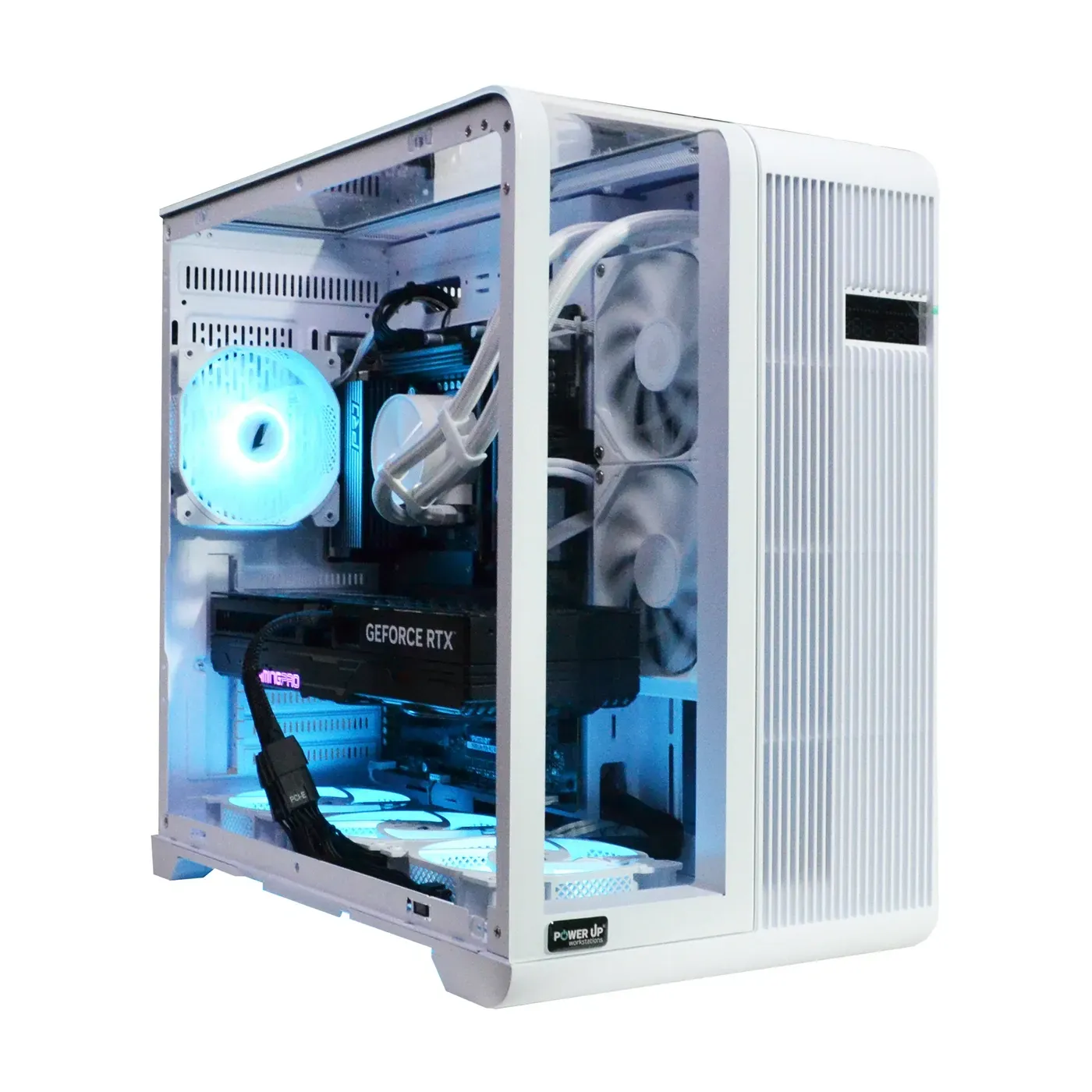
Ryzen 5 8600G PCs at PowerUp are built to order. If you want high settings right away, it is simpler to get a prebuilt PC on the same AM5 platform with a discrete graphics card. These builds use the Ryzen 5 7500F and 9500F: the letter F means there is no integrated graphics, so the computer won't display an image without a graphics card. In return, these processors have twice as much L3 cache — 32 MB vs 16 MB on the 8600G.
| Build | Processor | Memory and SSD | Graphics Card | Power Supply | Price |
|---|---|---|---|---|---|
| GamePC TOP #564 | Ryzen 5 9500F | 16 GB DDR5, 512 GB | GeForce RTX 5050 8 GB | 650 W 80+ Bronze | 63,900 UAH |
| GamePC TOP #611 | Ryzen 5 7500F | 32 GB DDR5, 1 TB | Radeon RX 9060 XT 16 GB | 750 W 80+ Bronze | 89,200 UAH |
Both builds use AMD A620 chipset motherboards. Prices on the website are subject to change.
The first is an entry-level option with an RTX 5050 for Full HD. The second is a build with 16 GB of VRAM and 32 GB of system RAM — the exact configuration an 8600G build reaches after an upgrade. Other configurations with a dedicated graphics card can be found in our selection of budget gaming PCs.
Who the 8600G Build Is For and How to Order It
| Good Fit | Better to Get a Graphics Card Right Away |
|---|---|
| You play CS2, Forza Horizon 5, Warzone, and other popular games in Full HD | You need high settings in new AAA games or 1440p gaming right now |
| You are building a PC in stages and don't want to overpay for a graphics card today | You play on a 240 Hz monitor and want a stable 240 FPS |
| You need a quiet, power-efficient computer for study, work, and gaming | You render in Blender, edit video with heavy effects, or run local neural networks |
| You record gameplay and stream — hardware AV1 comes in handy | Your budget already allows buying both a processor and a graphics card at once |
If your budget allows buying everything at once, start with our guide “Choosing a Mid-Range Gaming PC” — it breaks down optimal CPU and GPU pairings.
How to Order a Ryzen 5 8600G PC at PowerUp
Submit a request on our custom PC build page. A manager will clarify your tasks and budget and calculate the configuration. Mention “headroom for a future upgrade” in your notes so we select a power supply and case ready for a next-tier graphics card.
- Testing. Every PC undergoes at least a 4-hour stress test in AIDA64 and FurMark before shipping.
- Warranty. 2 years on gaming computers.
- Payment. Bank transfer with no commission or installment plans: “Payment in Installments” from PrivatBank and PUMB (with PUMB — from 3 to 24 payments, first payment in a month).
- Delivery. Nova Poshta in 1–3 days — orders processed before 12:00 PM ship the same day. Or self-pickup in Petropavlivska Borshchahivka (Kyiv) with the option to test the computer before paying.
Questions About the Ryzen 5 8600G
Can you game on the Ryzen 5 8600G without a graphics card?
Yes. According to PowerUp lab data, the integrated Radeon 760M in Full HD delivers 120–150+ FPS in CS2, 65–75 FPS in Forza Horizon 5 on high settings, and 45–55 FPS in Cyberpunk 2077 on low settings with FSR. A mandatory requirement is two sticks of DDR5 running in dual-channel mode.
Which is faster: Radeon 760M or GTX 1060 6 GB?
The GTX 1060 is slightly faster: in PowerUp lab tests, the Radeon 760M trails it by 4–13% in Cyberpunk 2077, Hogwarts Legacy, and Forza Horizon 5, and by a quarter of the frames in CS2. However, a ten-year-old used card lacks AV1 support, stopped receiving Game Ready drivers in October 2025, and offers no upgrade path, whereas the 8600G remains in your system even after you buy a new graphics card.
Which graphics card is best to pair with the Ryzen 5 8600G?
GeForce RTX 5050, RTX 5060, RTX 5060 Ti, and Radeon RX 9060 XT are all suitable. Because of the PCIe 4.0 x8 mode, 16 GB versions are a better value: the most affordable of them is the RX 9060 XT 16 GB, starting from 30,000 UAH as of 30.10.2026.
Will PCIe 4.0 x8 bottleneck a new graphics card?
For the RTX 5050, 5060, and 5060 Ti — almost not at all: they natively use eight lanes anyway, so on the 8600G only the PCIe generation changes. In a ComputerBase test, the 16 GB RTX 5060 Ti showed identical results on PCIe 4.0 and 5.0 (65.0 vs 65.2 FPS in 1440p), while the 8 GB version lost 12.5% on PCIe 4.0 in games that ran out of VRAM.
How much RAM do you need for the 8600G?
A minimum of 16 GB across two sticks, and optimally 32 GB (2×16) of DDR5-6000 with the EXPO profile enabled. Integrated graphics allocate part of the system RAM for video memory, and its speed directly affects FPS. Avoid installing four sticks: according to AMD specifications, doing so drops the memory clock to DDR5-3600.
How is the Ryzen 5 8600G better than the Ryzen 5 5600G?
According to PowerUp lab data, the Radeon 760M (RDNA 3, 8 compute units) is up to twice as fast as the Vega 7 in the 5600G: 48 vs 24 FPS in Cyberpunk 2077 and 54 vs 28 FPS in Hogwarts Legacy. Furthermore, the 8600G uses DDR5 memory on the AM5 platform, for which AMD promises new processors through 2029, whereas the 5600G is on AM4 with DDR4 and PCIe 3.0.
Why not get the cheaper Ryzen 5 8500G?
The 8500G features Radeon 740M graphics with four compute units — half as many as the 760M — and out of its six cores, only two are full-size Zen 4 while the other four are compact Zen 4c cores. For an upgrade scenario, another limitation matters even more: with the 8500G, the graphics card slot gets only four PCIe 4.0 lanes (TechPowerUp review).
Does the 8600G need a separate cooler?
Not necessarily: the boxed version comes with a Wraith Stealth cooler, and the processor's TDP is 65 W. For quieter operation under sustained gaming loads, it is better to install an inexpensive tower cooler. Liquid cooling is not needed for this processor.

































